
A quick update. I checked the commercial detection for the one video that was processed, Nova, and everything looked normal. I'll know more late tomorrow.
I "switched it all on" as per your instructions and it had 4 files to re-process, but unless I'm missing something (as usual) it still seems to be using all CPU and no GPU on my trusty old Mac Studio M2 Max server, when I look in Activity Monitor ... I've got it set at 6 cores (out of my 11)

@stephenh Using the GPU decoder depends on the video codec of the recording, so it could be the recordings you're processing aren't able to be accelerated.
@eric I only use Channels-DVR for free-to-air recordings so here in Australia I think that means MPEG-4 for the HD recordings I'm talking about ... so yes, that could well be the reason?
Edit: That being the case I guess I turn off Hardware Decoding as it's ignoring it anyway?
Edit 2: According to a quick Google, "The M2 Max chip features two hardware video encode and decode engines for H.264 and HEVC, which significantly enhances video processing efficiency compared to software-based methods."
(Scratches head)

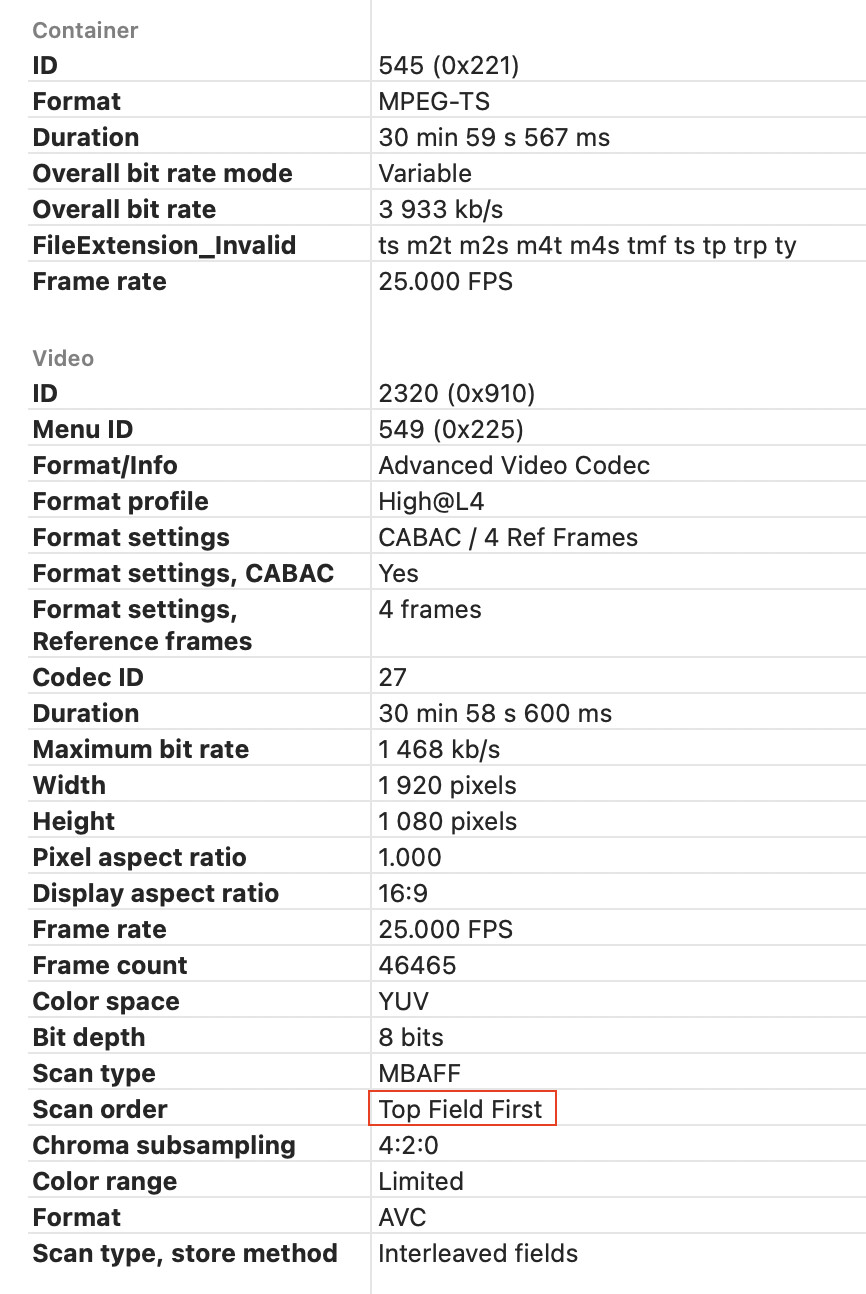
If the video is interlaced the macOS hardware decoder won’t be able to handle it.

The system is still chugging it's way through over 200 videos. I see ffmpeg running and consuming 50 to 60% of the CPU. Is it still used or is this my Plex server? I have a lot of things running on this little box. It's amazing how well it runs. Will freeing up some memory help? I can take some from a VM that seems to have more than enough.
Yeah, it's pretty slow. Mine is still running since last night, and isn't anywhere near done.
Had to disable it, taking way too long to process and chewing up a lot of CPU
Yes, you will see ffmpeg using CPU while this processing is happening. That is what is doing a lot of the video processing. Enabling Hardware Decoding and reducing the Thread Count will lower the amount of resources that are being used. It could definitely take multiple days to finish processing everything (it took that long for me), but it stops running whenever there is other activity on the system, to try to make sure that it does not impact more important things on the system (like recording and playback).
I'm not sure about your specific setup, but in general that shouldn't be needed (but it's always helpful to check if you're using swap — if you are, that'll be slowing things down).
Was it negatively impacting your use of the computer or did you just not like seeing it use so much CPU?
1 Like
thanks for the report. I'm not seeing this level of activity, but there are several recording running right now.
so does any recording pause it? if so I may cancel some unimportant ones this weekend so the server can chew thru as much as possible. btw, large db to really stress it out.
1792 out of date 2612 queued
Yes, the point is to be very conservative and not overload your system. Honestly, there's no reason to try to get these processed as quickly as possible — letting it just run in the background when it can should be just fine.
I appreciate the prioritization of recording and viewing 
I record alot of news, just so I always have something to watch in the background and recent weather. my server only has about a 3hr idle window on a daily basis, but there are shows I'm still collecting old episodes that sometimes run in the middle of the night, so there are many times my server has to wait days to update during idle, I usually just interrupt an unimportant recording to keep up to date.
better commercial detection is more important to me than weekend news drivel. 
Any chance this would improve with some of the new mac hardware just released? I keep thinking that I'll take a dip into it for a couple thousand dollars, then I always seem to find a cheaper solution that is more effective.
happened to catch one from earlier today that missed a 4min commercial block. I reprocessed video (15min on n100 with other recordings going) but enhanced+ showed the same.

1 Like
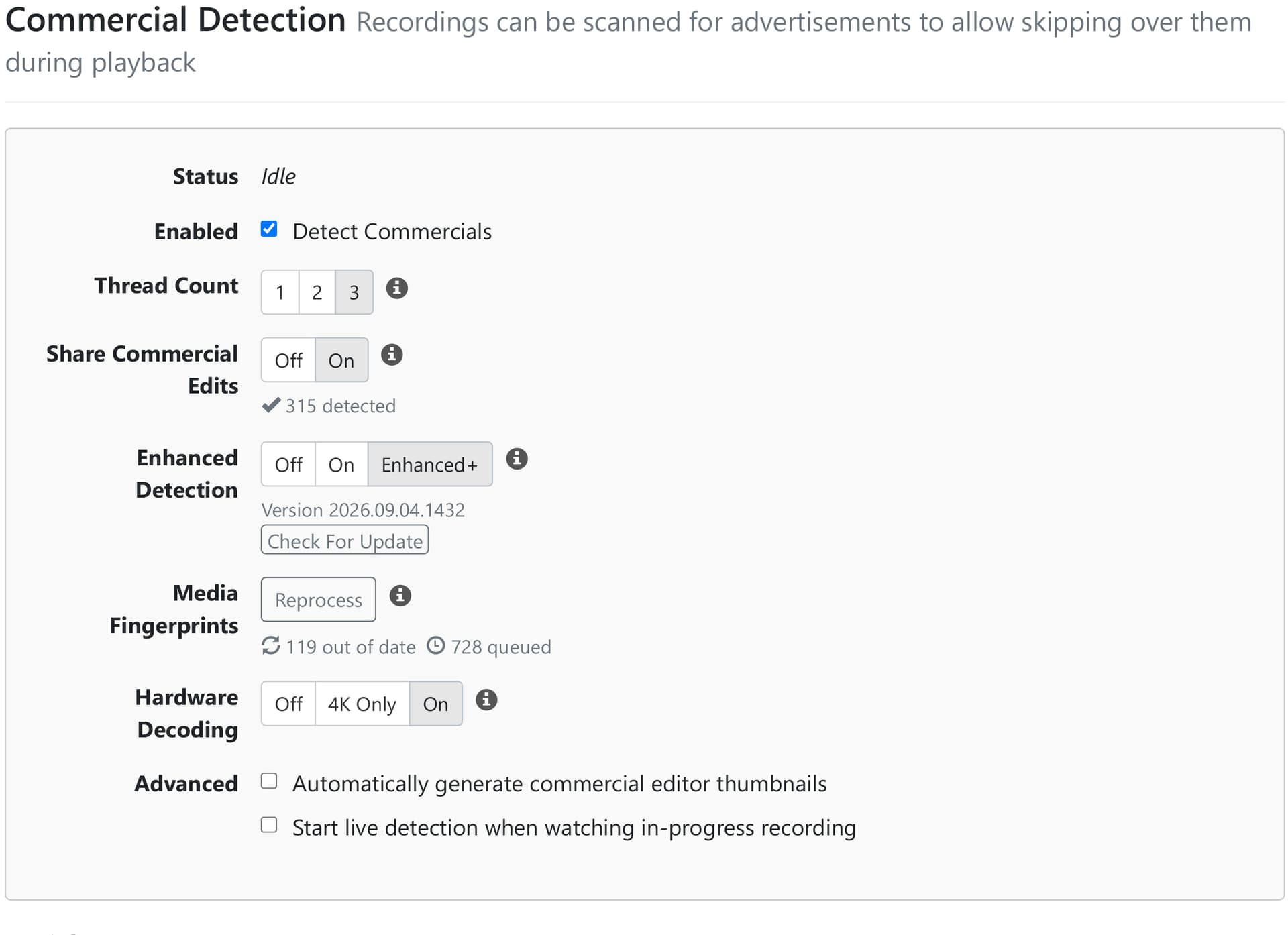
With the above settings on my N100 I'm seeing a marked improvement in the time it takes to run comskip. Some videos are processed in about 1/2 the time while others take 3/4 the time it used to. I'm estimating that all of my library will be completed about a day from now. There is no impact on my system as the processing is basically replacing the idle process. I ran out of memory (RAM) and have addressed this by reducing the size of my Ubuntu Server VM and that's my issue. I just figured I'd mention the slight increase in memory need to warn others. The system is responsive and all other things running on the system seem fine. The lack of memory was causing Windows Memory Compression to run constantly and now that I've fixed that issue CPU hovers between 50% and 75%. I'm still seeing the same comskip times.
I'll try and report tomorrow evening before I go away for most of the week.
1 Like
All my videos have been processed. The couple of videos I watched had good quality commercial skipping. I saw a number of these events in my log:
2026/10/03 12:06:54.398778 [DBG] Scheduling wake timer for scheduled recording in 21h51m35.6012218s
2026/10/03 12:07:52.945233 [DVR] Generated fingerprint for file-255 in 4m20s
2026/10/03 12:07:57.841252 [DVR] Completed enhancedv2 commercial detection on file 255 (TV\The FBI Files\The FBI Files S07E10 2005-09-08 Brothers Betrayed 2021-10-07-0700.mpg) in 5s
2026/10/03 12:08:18.037897 [DVR] Generating fingerprint for file-9547: Transporter 3 (2008) 2026-09-23-0800.mpg
2026/10/03 12:12:32.021017 [DVR] shared extraction for file-9547 failed (ffmpeg: exit status 0xfffffff4: [h264 @ 0000017684676600] reference picture missing during reorder
[h264 @ 0000017684676600] Missing reference picture, default is 2147483647
[h264 @ 00000176854fe2c0] mmco: unref short failure
Last message repeated 1 times
[h264 @ 00000176854fe2c0] number of reference frames (0+5) exceeds max (4; probably corrupt input), discarding one
[h264 @ 0000017684676600] reference picture missing during reorder
[h264 @ 0000017684676600] Missing reference picture, default is 65778
[h264 @ 0000017684676600] mmco: unref short failure
[h264 @ 00000176854fe2c0] mmco: unref short failure
Last message repeated 1 times
[h264 @ 00000176854fe2c0] number of reference frames (0+5) exceeds max (4; probably corrupt input), discarding one
[h264 @ 00000176854fe2c0] mmco: unref short failure
[h264 @ 0000017684676600] reference picture missing during reorder
Last message repeated 3 times
[h264 @ 0000017684676600] Missing reference picture, default is 67100
Last message repeated 3 times
[h264 @ 0000017684685680] mmco: unref short failure
[h264 @ 0000017684685680] reference picture missing during reorder
Last message repeated 2 times
[h264 @ 0000017684685680] Missing reference picture, default is 67089
Last message repeated 2 times
[h264 @ 0000017684676600] mmco: unref short failure
Last message repeated 1 times
I've submitted diagnostics incase you need them. You can ignore the firewall warning as I created my own Windows Firewall rules.
Logs have been submitted as b23259b4-512e-49ba-80e4-ec345babeb80
The latest updates have not added support for hardware acceleration of interlaced video.
