
Yes, it will impact the accuracy of enhanced detection. I have not run calculations to quantify how much at this time.
No worries thanks for that.
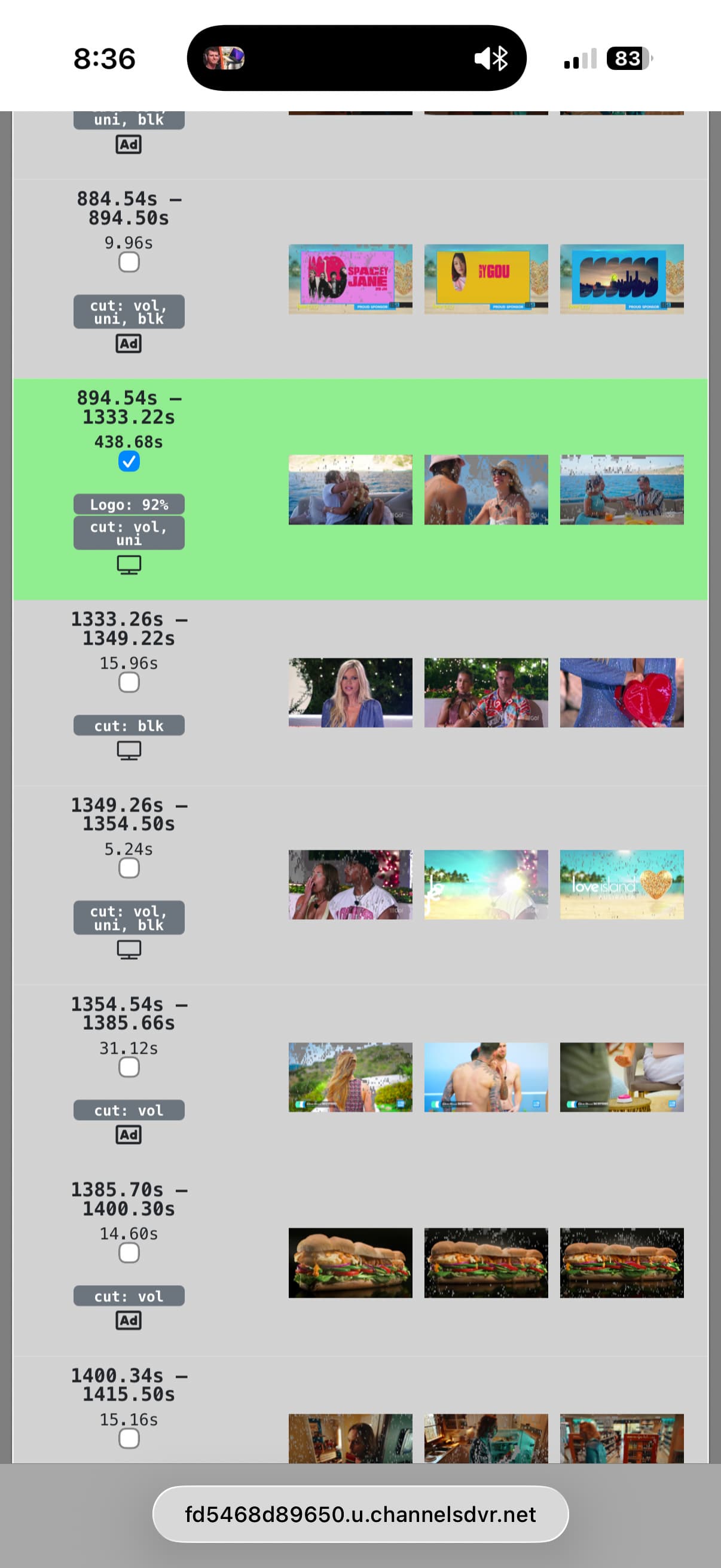
With enhanced, I can see a little icon that marks show vs ad, how come in this pic some of the show markers aren’t selected? Or are these markers from my verified edit?
Those markers are showing you what your verified edit had so you can compare the decisions that were made by the different detection methods compared to your decisions.
2 Likes
every time i go to start making edits, I run into this and forget to ask.
`
2856 detected 624 edited
`
It's possible i edited a couple more than a year ago, there's no way I edited 624.
I don't want to pollute your inputs.
how can I clear that up?
Go to DVR -> Manage -> Shows and select Filter -> Commercials -> Verified to see all of the ones that have been edited.
2 Likes
Ahh, it's all my PlayOn content. I'll not mess with it or worry about it then.
Oh, that's good to know! There may be something wrong with my calculation in that case. I'll look into it!
This should do a better job of calculating.
1 Like
Any idea why I'm unable to enable enhanced detection ??. Updated to 2026.01.24.1943 but option unavailable.
Has anyone considered using closed captions to identify commercial beaks?
It's on the page called "Live TV & DVR"
You need to enable Share Commercial Edits
Anything we can do when the blocks are too far off to fix? This 30 min show only has a few blocks to pick, and they're all wrong.

This is definitely a frustrating issue that we don't have any avenues to address at the moment. Sorry I don't have better news.
Totally fine. The question was more for me, to make sure I wasn't missing something silly. I've never edited a commercial before this beta.
I don't seem to be able to update to the most recent v2026.01.24.1943.
1 Like
Perhaps I am an incompetent idiot, (or an overly competent one, not sure), but...
Where the heck is the "Commercial Editor?"
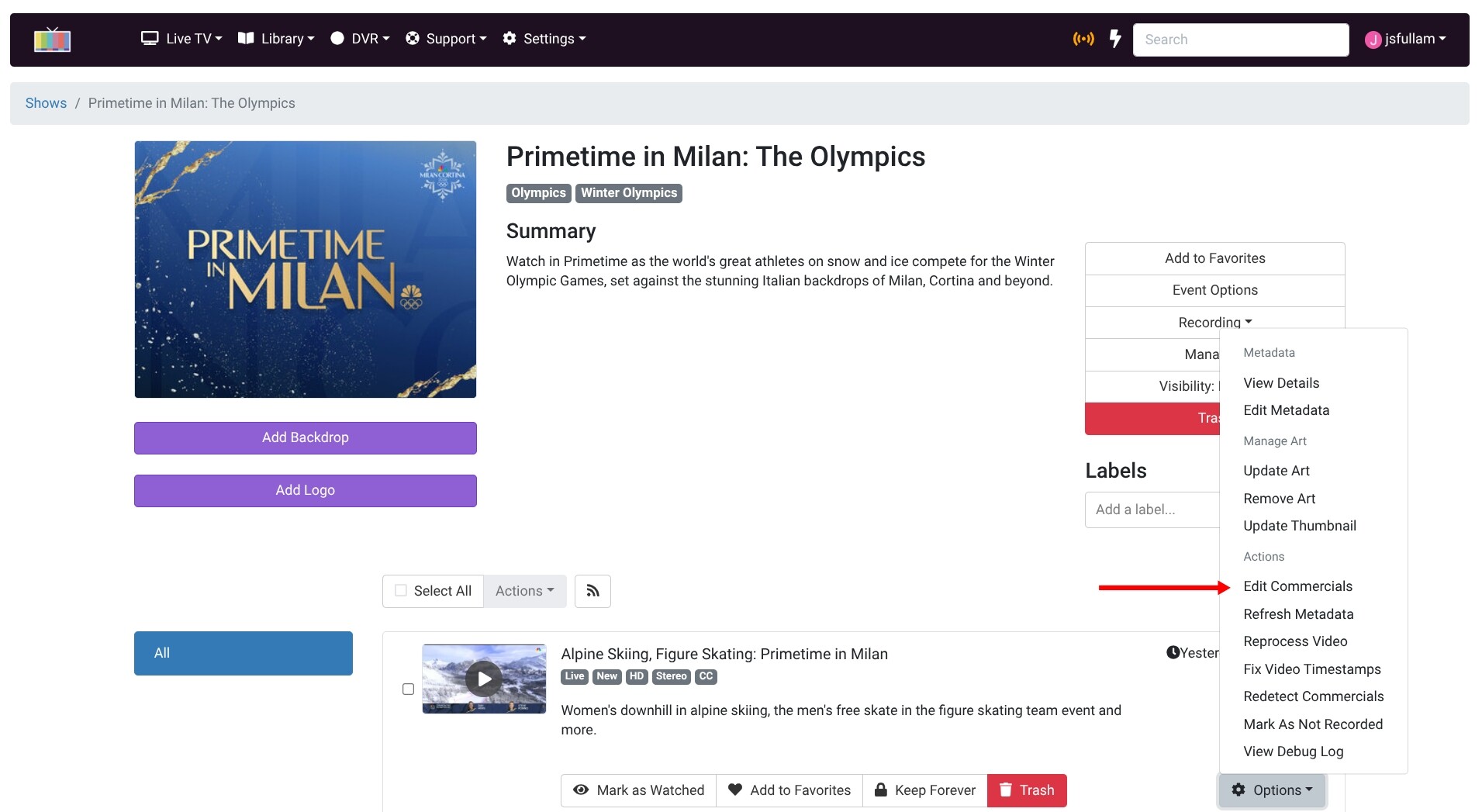
Dang it, I was looking for something at the top level of the menu and not digging down the the options looking for it.
Thanks!
The same Options menu is next to each episode in the the DVR > Manage list too.
1 Like