We don’t have a way to do that, but we’ve improved the segmenter in recent builds.
If that doesn’t work, we don’t currently have anything to make it better, but understand this is an issue in some cases.

We don’t have a way to do that, but we’ve improved the segmenter in recent builds.
If that doesn’t work, we don’t currently have anything to make it better, but understand this is an issue in some cases.
That's unfortunate, one of my common problems with sports events is that commercials are not flagged at all. In fact I just got done watching the women's British Open on USA Network and very few commercials were flagged. I'm running a relatively recent pre-release from July 26 so it had some of the improvements, but without a way to easily add in missed segments there's no way for me to help out the detection.
Thanks for responding.
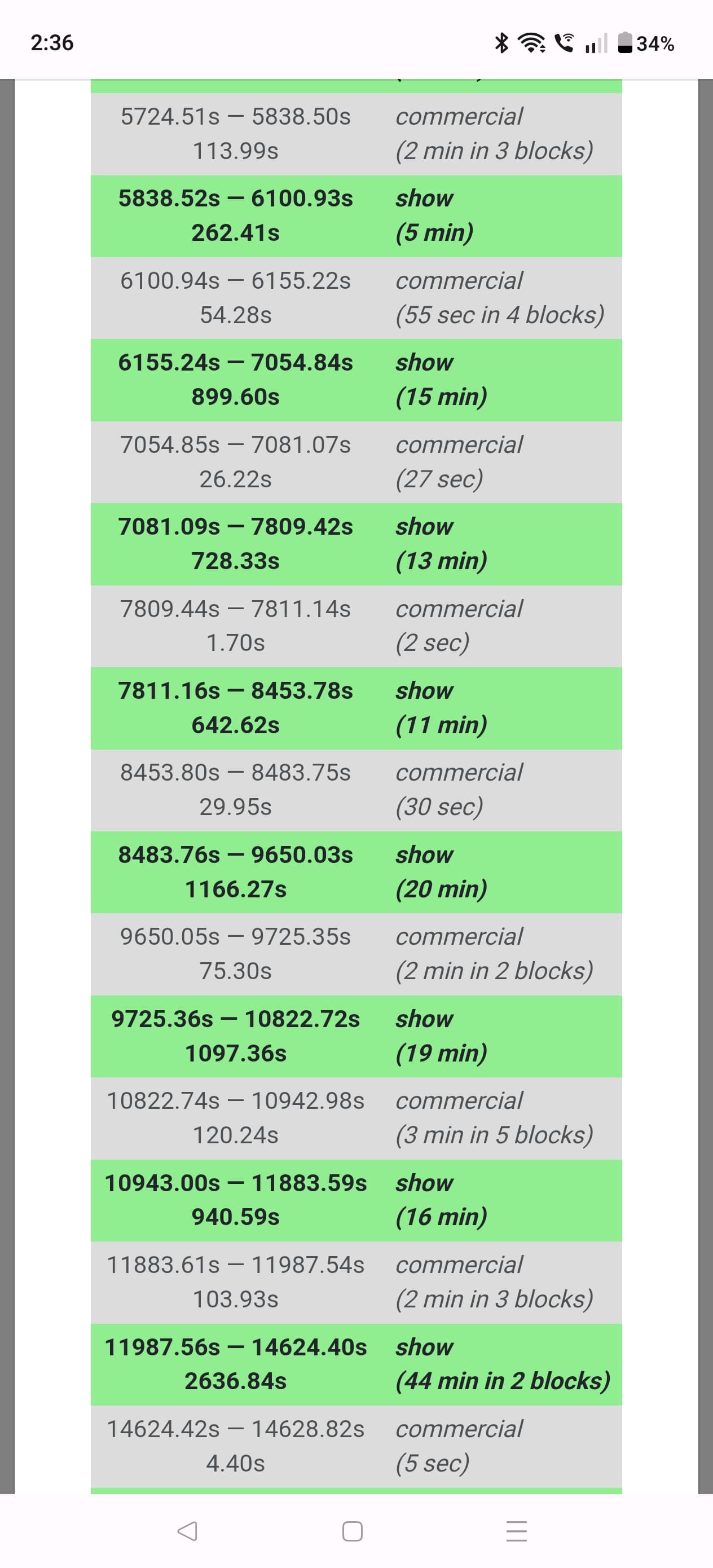
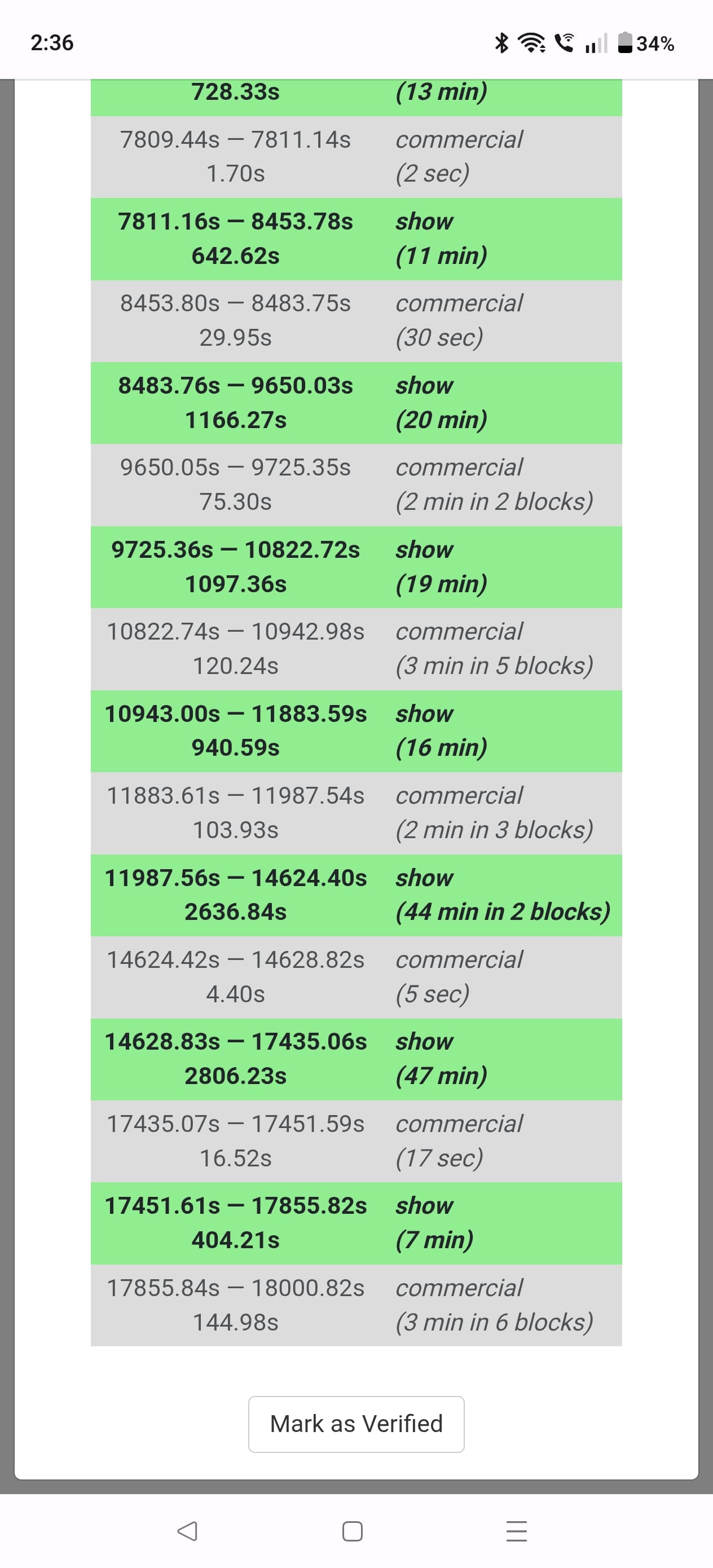
Here's the summary for the event I just mentioned. The commercial blocks are way too short and at the end of the program almost nonexistent. I don't really understand why this routinely fails with sports because they all have logos that should be detected because they don't appear in commercials.
The latest DVR pre-release has some improvements to accuracy of Enhanced Commercial Detection.
Enhanced model 2026.08.10.2003 has been released and has some nice improvements to accuracy.
Hi Eric,
When the re-detect of the entire library happens, this takes the CPU of an N100 to near 100% for a very long time making the entire system unresponsive and has cascading effects on other things running on the system. Can you add a one second pause between detecting videos as it works it's way through the library to allow other processes a chance to get some work done? If you have a better idea that's fine.
Thank you,
Morrs
@Morris_Altman I’ll see what we can do to make this less of an impact on the system. Are you on Windows or Linux?
Thank you Eric,
I run Channels DVR on Windows.
I was watching the log this evening as I'm trying to improve my detection times (bumped encoder down to 720p) and noticed something weird
2026/08/11 18:02:00.017568 [SNR] Buffer statistics for "TV\MSNow30 News\MSNow30 News 2026-08-11 2026-08-11-1730.mpg": buf=0%-2% drop=0%
2026/08/11 18:02:00.063880 [DVR] Finished job 1786487400-356 MSNow30 News
2026/08/11 18:02:00.105588 [DVR] Processing file-46155: TV\MSNow30 News\MSNow30 News 2026-08-11 2026-08-11-1730.mpg
2026/08/11 18:02:01.166100 [DVR] Generating fingerprint for file-46155: MSNow30 News 2026-08-11 2026-08-11-1730.mpg
2026/08/11 18:02:01.386512 [DVR] Running commercial detection on file 46155 (TV\MSNow30 News\MSNow30 News 2026-08-11 2026-08-11-1730.mpg)
2026/08/11 18:04:53.944836 [DVR] Generated fingerprint for file-46155 in 2m53s
2026/08/11 18:20:45.361780 [DVR] Commercial detection failed for MSNow30 News 2026-08-11 2026-08-11-1730.mpg: comskip did not detect any commercials
I manually ran Re-detect commercials before I noticed that it still ran enhanced detection. so I checked and I was able to edit commercials.
2026/08/11 18:20:48.990793 [DVR] Completed enhanced commercial detection on file 46155 (TV\MSNow30 News\MSNow30 News 2026-08-11 2026-08-11-1730.mpg) in 4s
2026/08/11 18:21:18.758895 [DVR] Running commercial detection on file 46155 (TV\MSNow30 News\MSNow30 News 2026-08-11 2026-08-11-1730.mpg)
2026/08/11 18:30:00.543177 [DVR] Starting job 1786491000-356 MSNow30 News on ch=[30.356]
2026/08/11 18:30:00.543177 [DVR] Waiting 29m59s until next job 1786492800-356 MSNow30 News
2026/08/11 18:30:00.543177 [DBG] Scheduling wake timer for scheduled recording in 28m29.4568225s
2026/08/11 18:30:00.545940 [TNR] Sharing existing connection to M3U-MSNowCopy for ch30.356 MSNOW30 (clients=2, len=0)
2026/08/11 18:30:00.548534 [DVR] Recording for job 1786491000-356 from M3U-MSNowCopy ch30.356 into "TV\MSNow30 News\MSNow30 News 2026-08-11 2026-08-11-1830.mpg" for 31m59.4568225s
2026/08/11 18:30:01.047387 [IDX] Generating video index for job 1786491000-356
2026/08/11 18:32:00.113922 [SNR] Buffer statistics for "TV\MSNow30 News\MSNow30 News 2026-08-11 2026-08-11-1800.mpg": buf=0% drop=0%
2026/08/11 18:32:00.221341 [DVR] Finished job 1786489200-356 MSNow30 News
2026/08/11 18:32:00.423612 [DVR] Waiting 28m0s until next job 1786492800-356 MSNow30 News
2026/08/11 18:32:00.423612 [DBG] Scheduling wake timer for scheduled recording in 26m29.5763873s
2026/08/11 18:32:00.426750 [DVR] Processing file-46156: TV\MSNow30 News\MSNow30 News 2026-08-11 2026-08-11-1800.mpg
2026/08/11 18:32:02.348325 [DVR] Generating fingerprint for file-46156: MSNow30 News 2026-08-11 2026-08-11-1800.mpg
2026/08/11 18:34:20.443446 [DVR] Commercial detection failed for MSNow30 News 2026-08-11 2026-08-11-1730.mpg: comskip did not detect any commercials
2026/08/11 18:34:20.453772 [DVR] Running commercial detection on file 46156 (TV\MSNow30 News\MSNow30 News 2026-08-11 2026-08-11-1800.mpg)
2026/08/11 18:34:21.672716 [DVR] Generated fingerprint for file-46156 in 2m19s
2026/08/11 18:44:55.326812 [DVR] Commercial detection for MSNow30 News 2026-08-11 2026-08-11-1800.mpg finished with 4 markers in 10m35s (3 threads).
2026/08/11 18:45:01.360323 [DVR] Completed enhanced commercial detection on file 46156 (TV\MSNow30 News\MSNow30 News 2026-08-11 2026-08-11-1800.mpg) in 6s
2026/08/11 18:45:36.202953 [DVR] Completed enhanced commercial detection on file 46156 (TV\MSNow30 News\MSNow30 News 2026-08-11 2026-08-11-1800.mpg) in 3s
not sure why detection reported failed for that recording 
also recordings from this source run enhanced detection twice.. I'm assuming it must have something to do with my custom source loop w/ placeholders. would there be a better way to accomplish custom placeholders?
#EXTINF:-1 channel-id="30.356" channel-number="30.356" tvg-name="MSNow30" tvc-guide-description="MSNow News" tvc-guide-placeholders="1800" tvc-guide-placeholders-grouping="title" tvc-guide-title="MSNow30 News" tvc-guide-tags="MSNow, News",MSNOW30
http://localhost:8089/devices/ANY/channels/356/stream.mpg?format=ts
Logs have been submitted as 0c1a1398-bfa2-4ce2-a3a3-5c250292729a
Logs have been submitted as 9096f50f-ea55-490b-ab6d-eaecd9d70a6e
Thank you. You can ignore the firewall warning as I created the hole manualy after accidently deleting it.
Thanks for bringing this to my attention. I realized that we didn't have as many limitations on the utilization of the Enhanced Detection as we should have.
It now should use a lot less resources and also back off if anything else is going on.
Great, I've updated.
Thank you Eric,
Morris
Some unrelated comments have been removed from this thread.
This thread is specifically for feedback on this particular beta feature, not general stuff.
Hi Eric,
I was able to monitor my system as Channels Restarted a few minutes ago. The changes you made work great! I have 3 of the 4 cors of my N100 permitted to do Commercial Skipping. The system is hovering around 60% CPU and there is high yet not overwhelming disk IO. The system is responsive and other processes are working as they should.
Thank you,
Morris
I really want to submit edits to try and improve the system, but every time I try, the blocks too long. When both the program and ads are in the same block, it's difficult to submit edits, in fact I usually cancel out of it because I don't want to submit bad data. At a high level, I've seen a small improvement compared to 6 months ago, but there are still far too many mistakes that cause me to either rewind because it skipped over the show, or manually skip forward because it missed commercials. I really hope further improvement can be made to this.
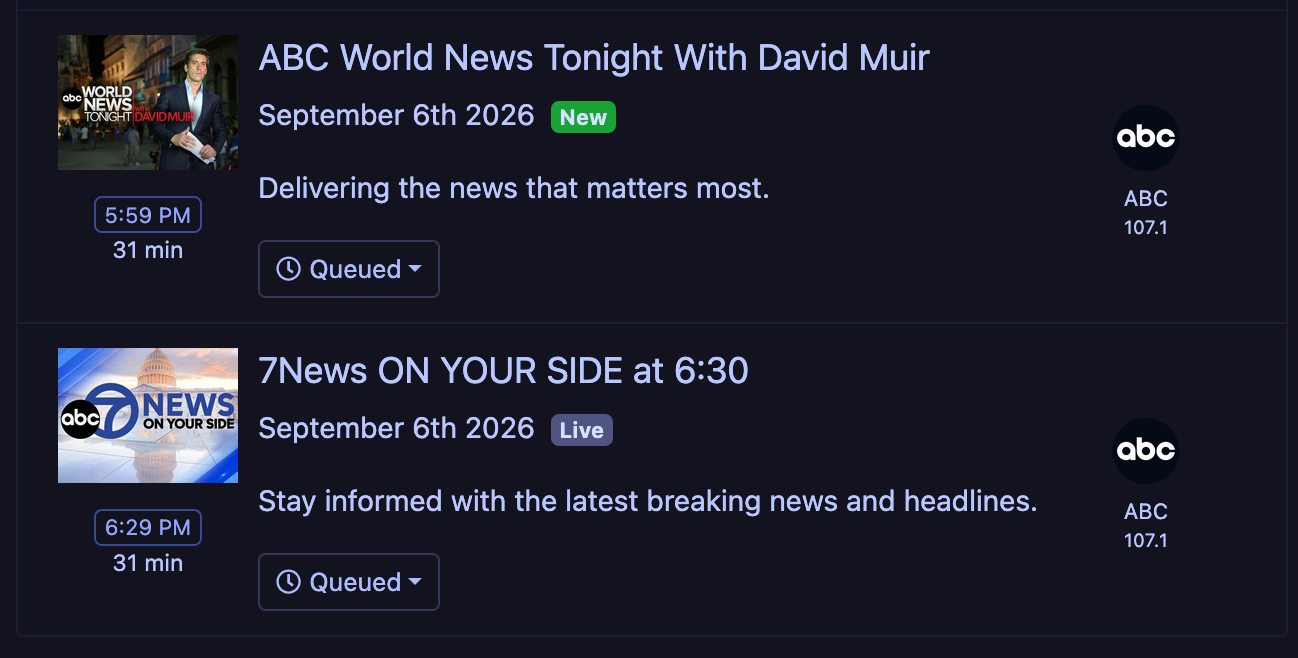
Mainly these two news programs:
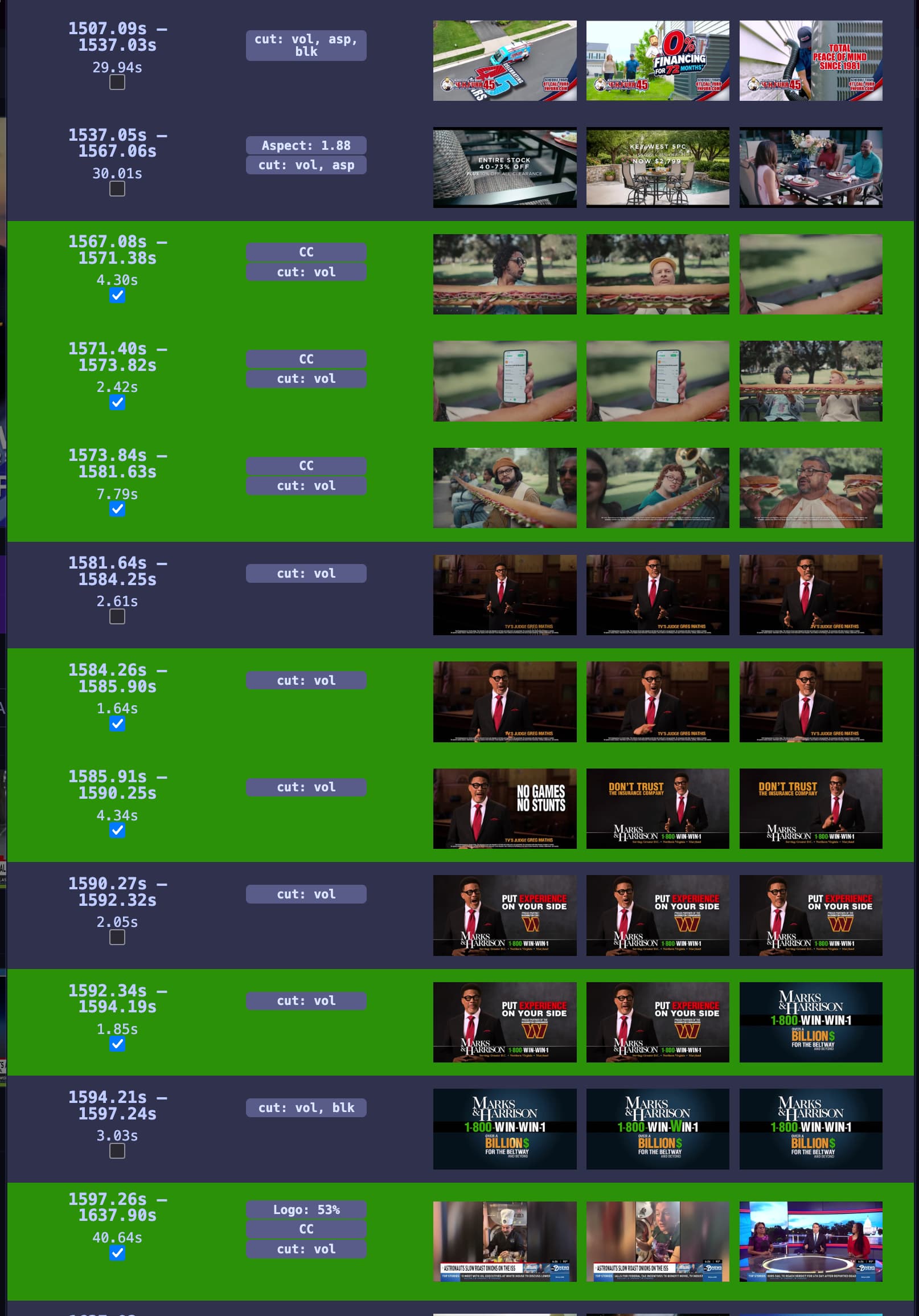
Here are two examples where the program and a commercial are in the same block:
And sometimes it goes crazy and does things like this:
@sdschramm Interesting. How often do you have this issue with the ads and show being mixed together? I just started recording it a couple days ago and haven't run into the issue you're seeing. I'll keep an eye on it.
Can you update to the latest pre-release and see if you see any improvement?
Happens to me at times when recording PTI. While I get having a ticker doesn't help analysis but still I can't edit out all the commercials because they're detected as part of the show