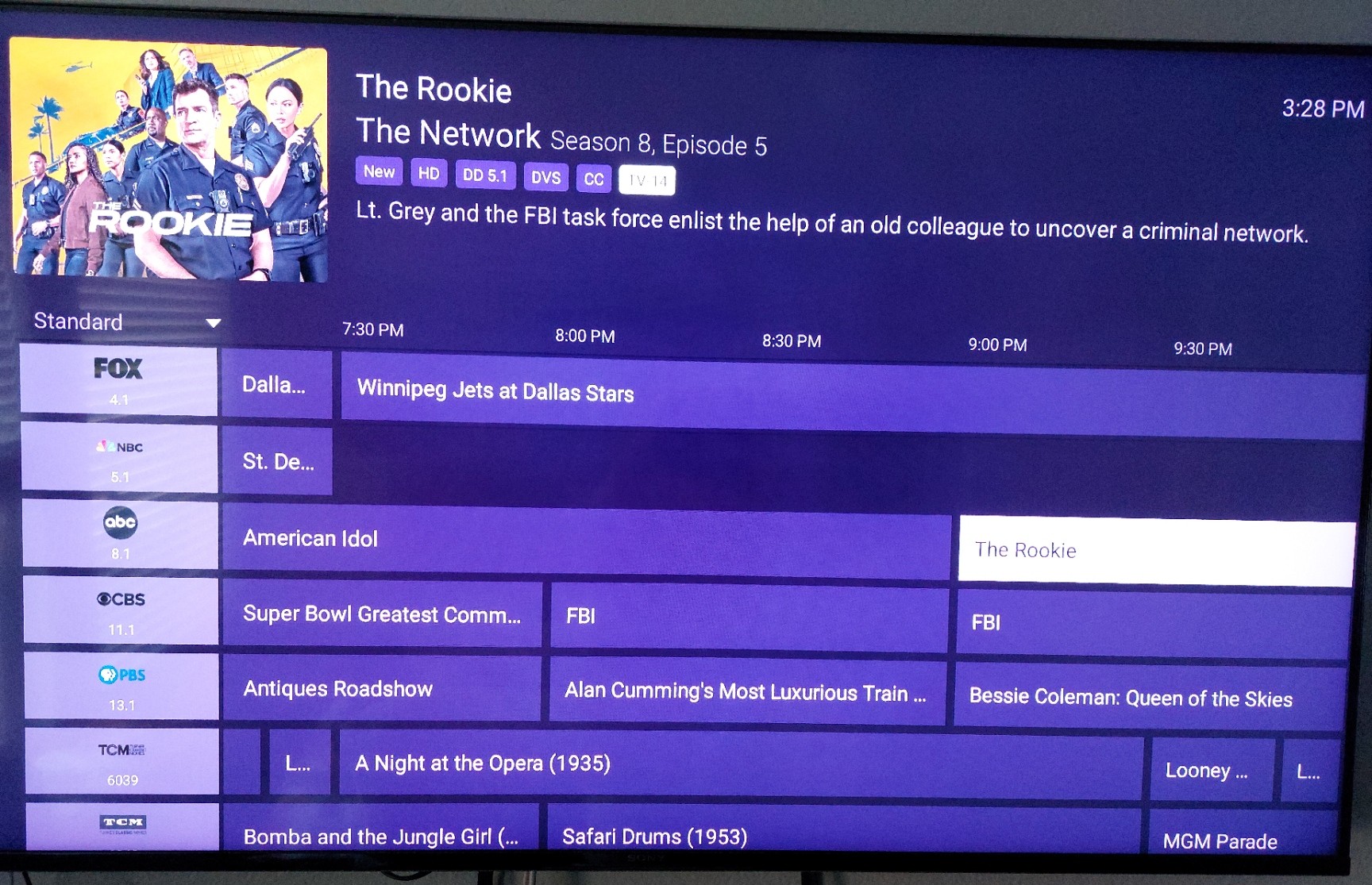
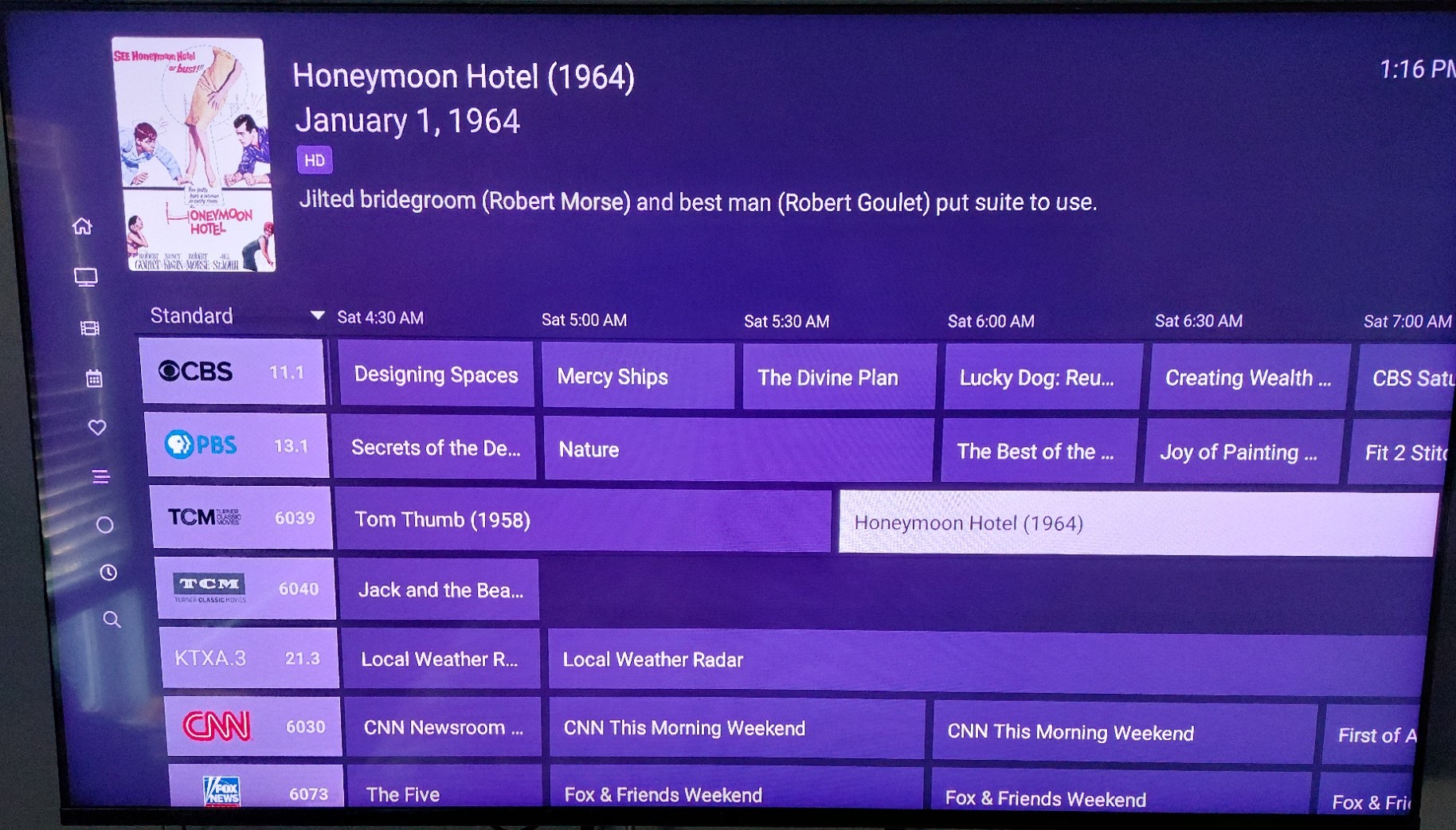
We have a new experimental Guide View available for testing that should behave better and have less glitches.
On the latest beta you can enable it by going to Settings -> Debug and enable Experimental Guide View.

We have a new experimental Guide View available for testing that should behave better and have less glitches.
On the latest beta you can enable it by going to Settings -> Debug and enable Experimental Guide View.
progress!
I've been playing with it and noticed a couple things.
PG UP/DN - it seems that the selection jumps a page, but the grid jumps 2 pages.
PG DN has trouble with the end of the list and leaves the selection on whatever it selected on the 2nd to last page down.
it's actually kinda hard to nail down consistent behavior, it seems the more buttons you press (page/arrows) the more confused it gets.
going to a different screen and back to guide (triggering the experimental guide pop up) seems to reset the behavior
hopefully that makes sense, and you can see my logs.
thanks for the attention on this matter! 
sorry forgot to submit diagnostics on the tv. done now.
Feels more like I’m using the guide on my Apple TV (not that I use channels on android tv a hell of a lot).
Logos seems to take a good while to load and doesn’t seem to have any cache for them.
Is this upgrade a navigation upgrade or visual upgrade? Or abit of both?
How can I install the beta? Unfortunately I’m using an Echo Show and side loading isn’t allowed so can install from the Amazon store.
Any show highlighted that is 240 minutes or longer will not advance to the next show, but it will go back to the previous show. Sometimes it seems after this happens the guide locks up and I press the back key to return to current time on the guide. Occasionally while using the guide, I also crash back to the OS.
Sent diagnostics from client.
Just enabled on my onn 4K Plus. Page up/down doesn't work so switched back. It's a must have with a large library of Live TV channels...
Using the mobile app on my phone and tablet, I only see about the first four hours of programming. All the other hours are completely blank. If I switch back to the other guide and populate the other hours, then switch to the new guide, I see all that data.
This should fix the page up/down issue.
sure did. Thanks!
are the channel icons and #'s gonna stay stacked or go back to side by side?
I don't mind either way really, but stacked could allow a narrower column. maybe even see a peek of the 4th hour to the right.
Three observations:
Numeral keys don't work to move to a specific channel.
Original guide kept the active cursor line near mid-screen when scrolling up or down a row at a time, while the Experimental version keeps the active cursor at the bottom or top of the display when scrolling beyond displayed extent of view. We prefer the previous behavior: others may not.
Many, if not all, of the channel graphics on the gray filled channel header in the leftmost column are very small now, or not displayed at all. Channel numbers for OTA channels from HDHomerun sources also seem significantly smaller.
Here is another problem that has been around for at least 4 years that is still happening with the new guide.
If I freshly launch the app (goes through complete startup routine) then all the guide data is present for all my channels. But if I play any channel, then back out of the app, then resume the app (doesn't go through the full startup routine), now I am missing the guide data beyond 4 hours for the recently played channel. The guide data doesn't return unless the app is forced closed and relaunched. Picture attached showing missing data for NBC.
I've also seen them unload as you scroll up and down. Further, just like in every beta release since the last stable, some logos refuse to load. They are working in the stable, so the problem definitely got introduced in the beta track.
I cant type in channel numbers in the expermental guide using my sofabaton u2. this works fine in the normal guide.
Latest fixes for some of the issues reported:
Problems that are still occurring for me:
If I highlight the SuperBowl guide entry, then I can't advance to the next program. I can go back, up, or down in the guide just not forward.
After playing a live channel then backing out and resuming the app, I am still having intermittent guide blanking failures. It is not consistent anymore, sometimes the guide will go blank just about anywhere along the guide for the channel that was recently played. It wouldn't be so bad, but the blank area creates a wall that if your bump it then the app will crash to the OS. Picture attached. Diagnostics sent from the app after crash occurred.
I also believe the app will crash to OS if your go to the end of the guides 14 days and accidently try to go past the end.
I have seen these problems on a Chromecast Google TV and my FireTV Max devices.
Observed on a Shield TV Pro 2019:
Flaky cursor behavior when paging down. If the newly displayed channel row on which the focus would normally land has a show ending shortly after the beginning time of the display, the cell focus (show block highlighted white) remains on the now undisplayed previous focus show, one page above the updated display. Pressing the right D pad button pops the display back up a page to the previous display and moves the focus to the next show to the right.
Much improved over the default guide, now it it's not off by 3 or 4 hours when you quickly scroll right or left. And it doesn't crash when you do that.
Still really need to have date and time buttons at top so that we can quickly navigate to a given time slot instead of having to swipe left a zillion times. Pretty much like y'all do it in the dvr web guide.
Or at minimum just add left and right buttons so you can quickly go from day to day. The ATV guide badly needs this too.