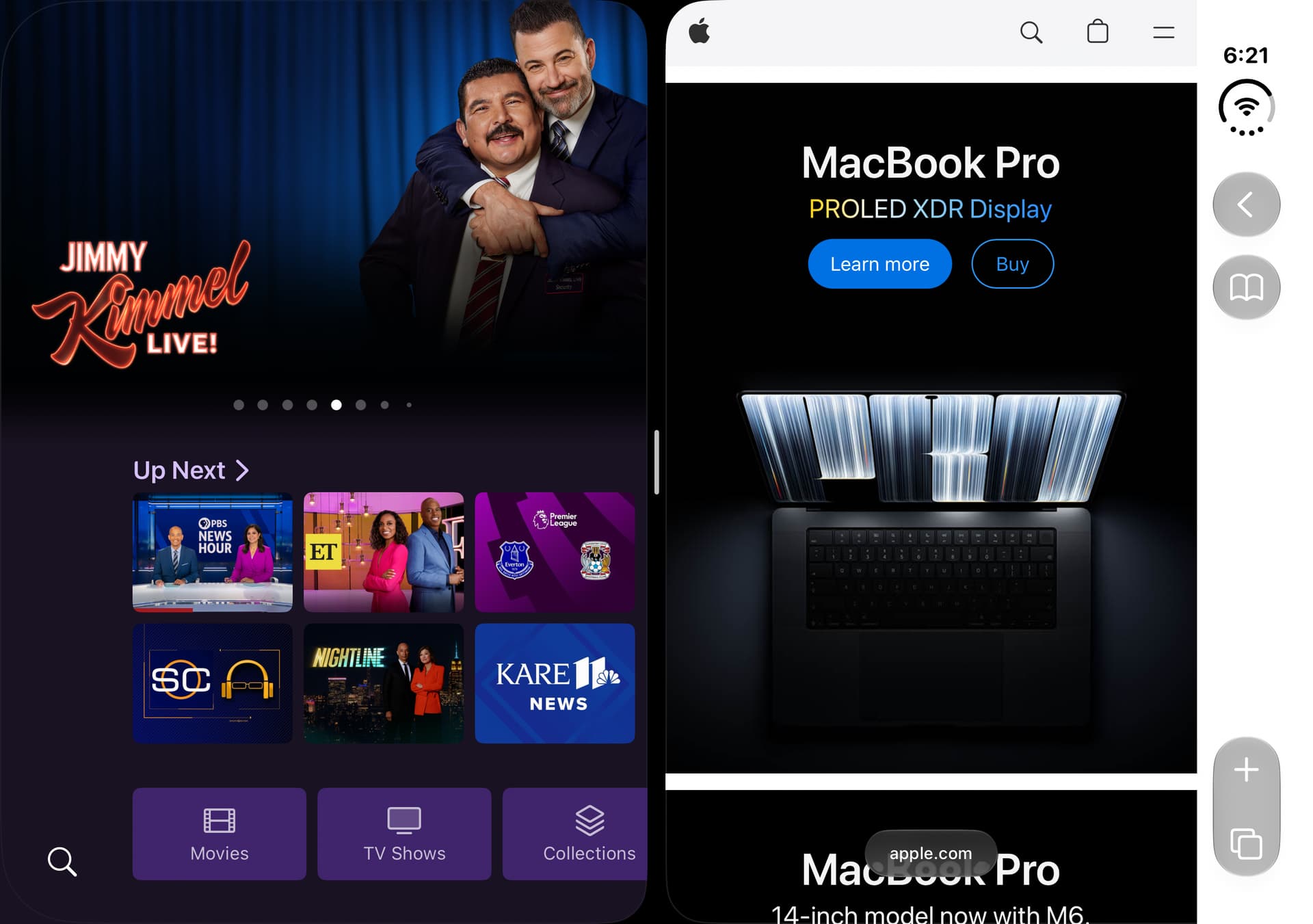
We're rolling out a new beta to TestFlight today that changes a LOT of stuff in the app. Most notably, this includes iPhone Duo support.
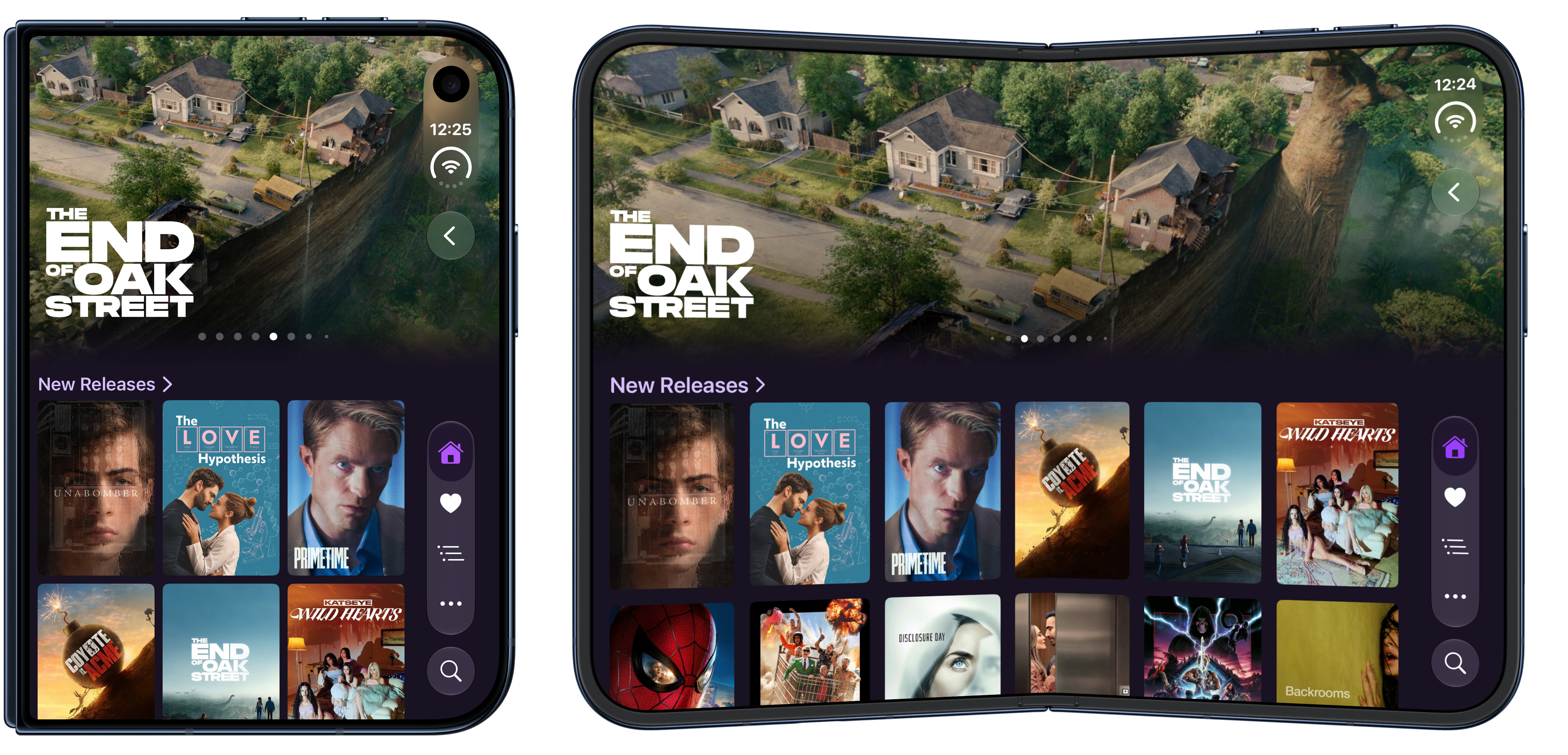
Here's the short list of what's in this one:
- NEW: iPhone Duo support
- NEW: Tabs are back for iOS and iPadOS
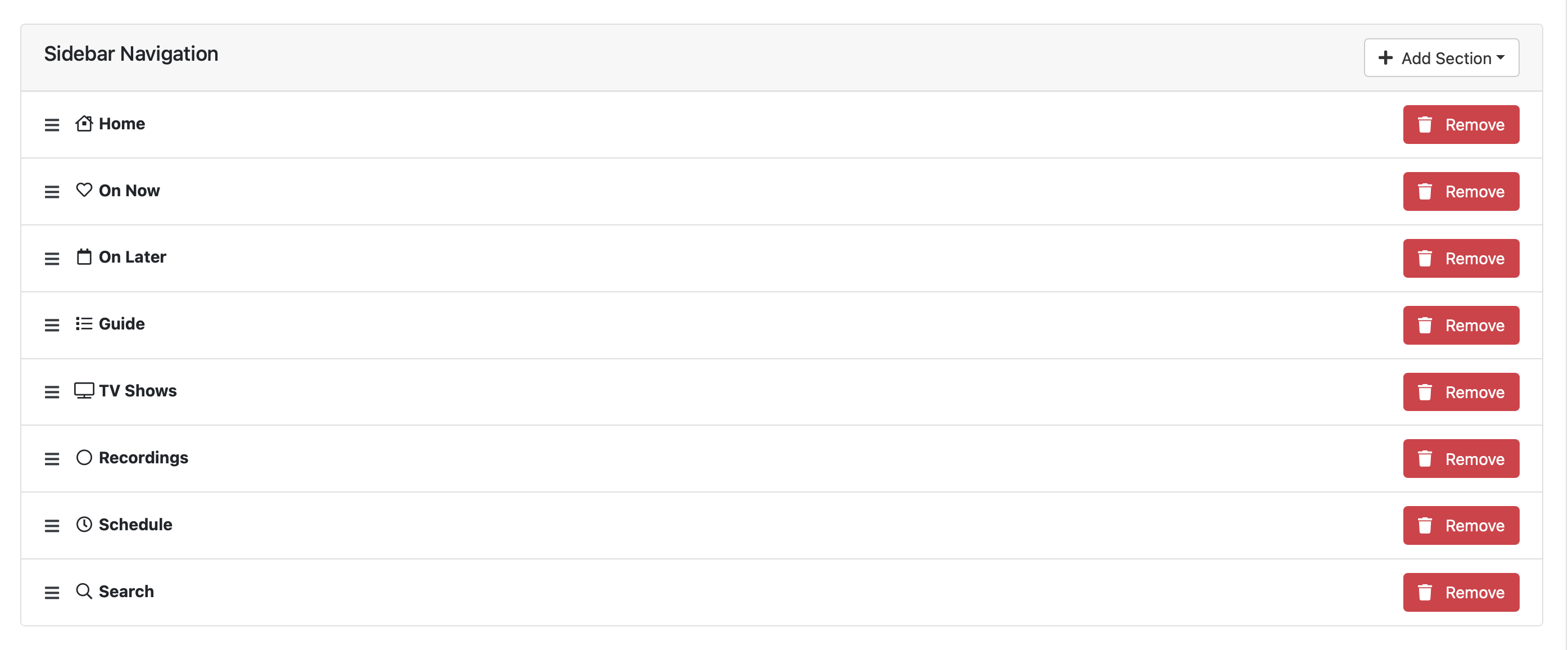
- NEW: Locally configure your navigation items including their order
- NEW: Configurable Heroes at the top of Home, Movies, and TV Shows
- NEW: Locally configure which sections show in Movies, TV Shows, and Home, including their order.
- IMPROVED: Massive resizability improvements
- IMPROVED: Mobile video player UI refresh
- IMPROVED: Pinch to zoom video player on mobile to fill the screen
- IMPROVED: MANY more app and layout refinements
iPhone Duo
iPhone Duo leans HEAVILY on apps' ability to resize well. This is something that Channels did not do well previously. A lot of internal changes happened to the layout to get resizing working well, but this not only means it works well on iPhone Duo, but on iPad as well if you use Split View or Multitasking.
This effects the entire app on all platforms including tvOS, so please keep an eye out for it.
Heroes
We've added something we said we never would. Heroes. But, let's face it, the iOS design language REALLY likes heroes, so we added them. They're available on Home, Movies, and TV Shows.
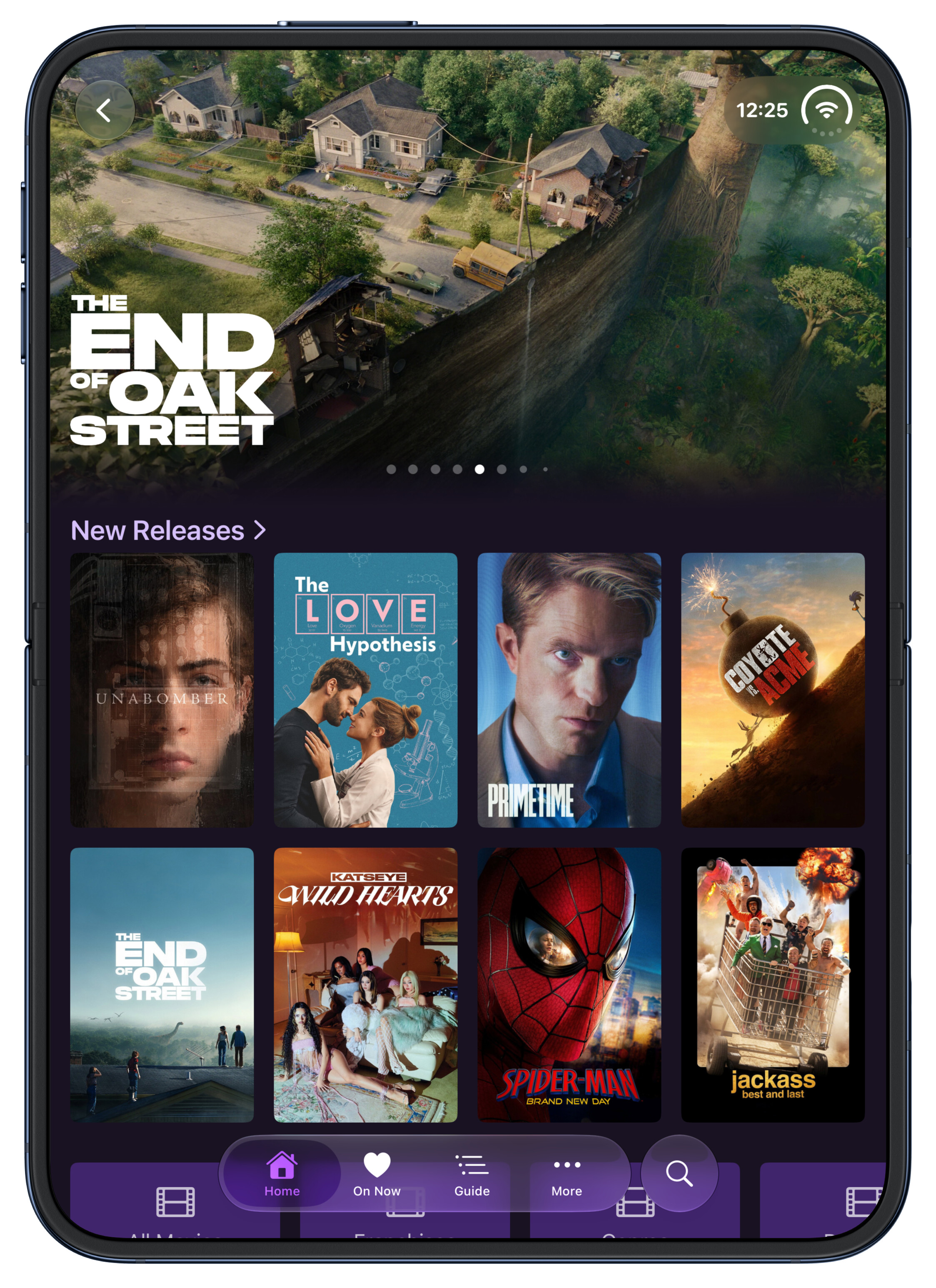
But we did it the Channels way. We made them totally customizable, and with the ability to disable them. You can adjust this in Settings locally in the app.
You can choose many types of content to show in your heroes including recently added, recently released, random, etc.
You can even choose a Movie for TV Show collection to drive them. So get those holiday highlights up there!
Tabs are Back on iOS
A few years ago we moved iOS and iPadOS to using the sidebar navigation that's found in the tvOS app, in order to allow you more freedom with managing the sidebar items along with adding Personal Sections.
While this did accommodate that, it never felt quite right, especially on iPhone.
So now, Tabs are back and they're completely configurable. They're populated the same way the Sidebar items are, so your current customizations will just load into your sidebar.
But we also leveled up the local configuration allowing you to not only pick what shows in your navigation, but their order. All from the app without Server Side Settings. This also works on tvOS for the sidebar.
Configure your Library Sections
Along with the ability to configure your Heroes for each section, you can now configure what the sections show themselves now, along with their order.
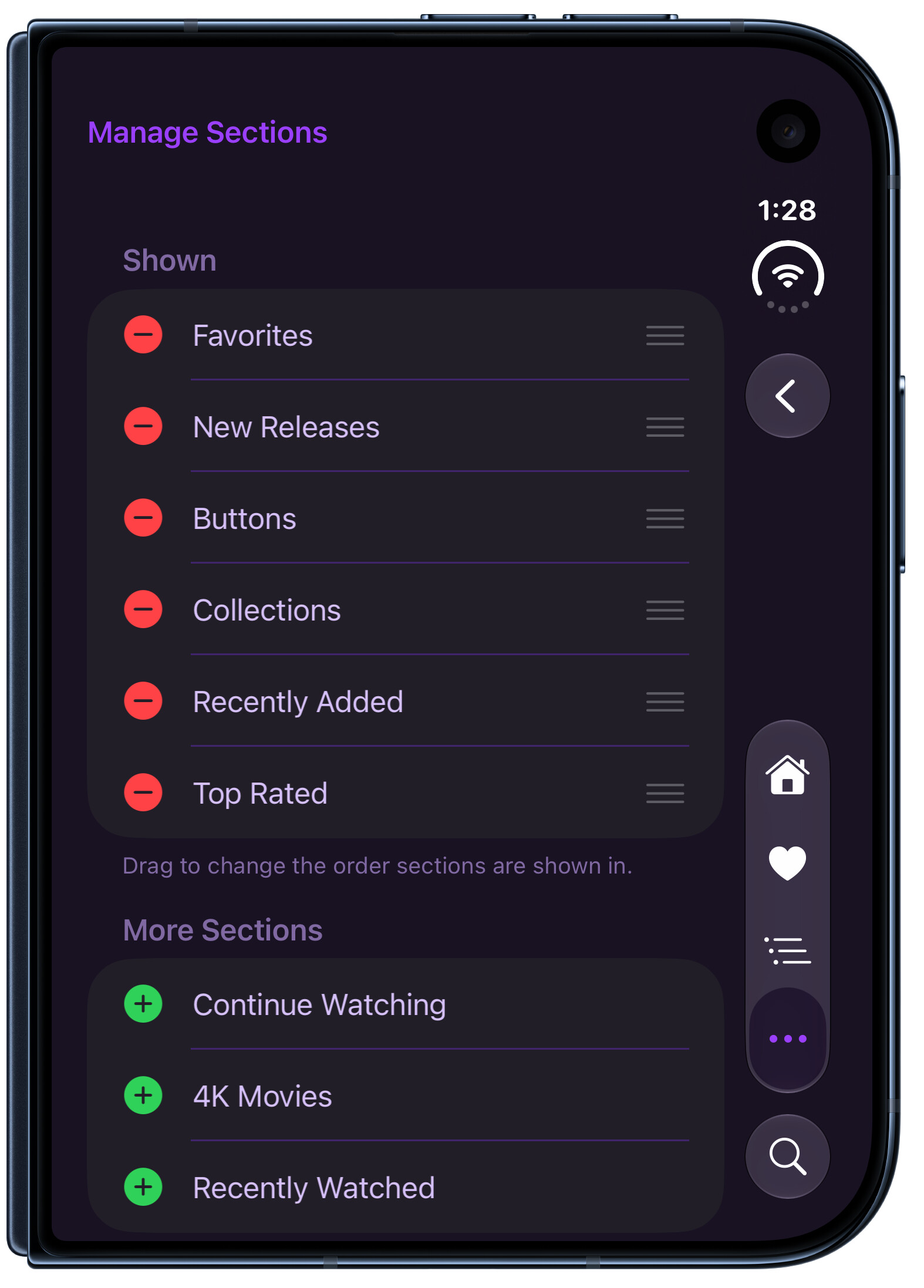
If you don't want Home to have Recently Added Movies and would rather it shows New Releases, go for it. If you want Recently Watched Shows at the top in TV Shows, drag it up there. Configure and design them any way you want.
Mobile Video Player Refresh
We've slightly updated the video player on mobile to have a more modern aesthetic, something we've needed to do for a while.
Along with this, we've added the ability to pinch to zoom to have your video fill the entire screen of your device.
This is a sort of interim design refresh as we hope to do much more in the future.
Your Help
We hope you like some of these changes. Please feel free to use this thread to give feedback on the changes and any bugs you find. This helps a ton before shipping it off to the store.
Thanks!