
Nope to the Alignment issues. Still an issue after updating to 11.7.2000
Thanks for the customization for Kid section.
I’m not seeing a Favorites row on any section that it’s enabled. I have 2 tv shows favorited and I see them under the favorites row on the legacy web ui but not in the beta iOS app.
I can't reproduce this. Can you submit diagnostics and tell me what video this is?
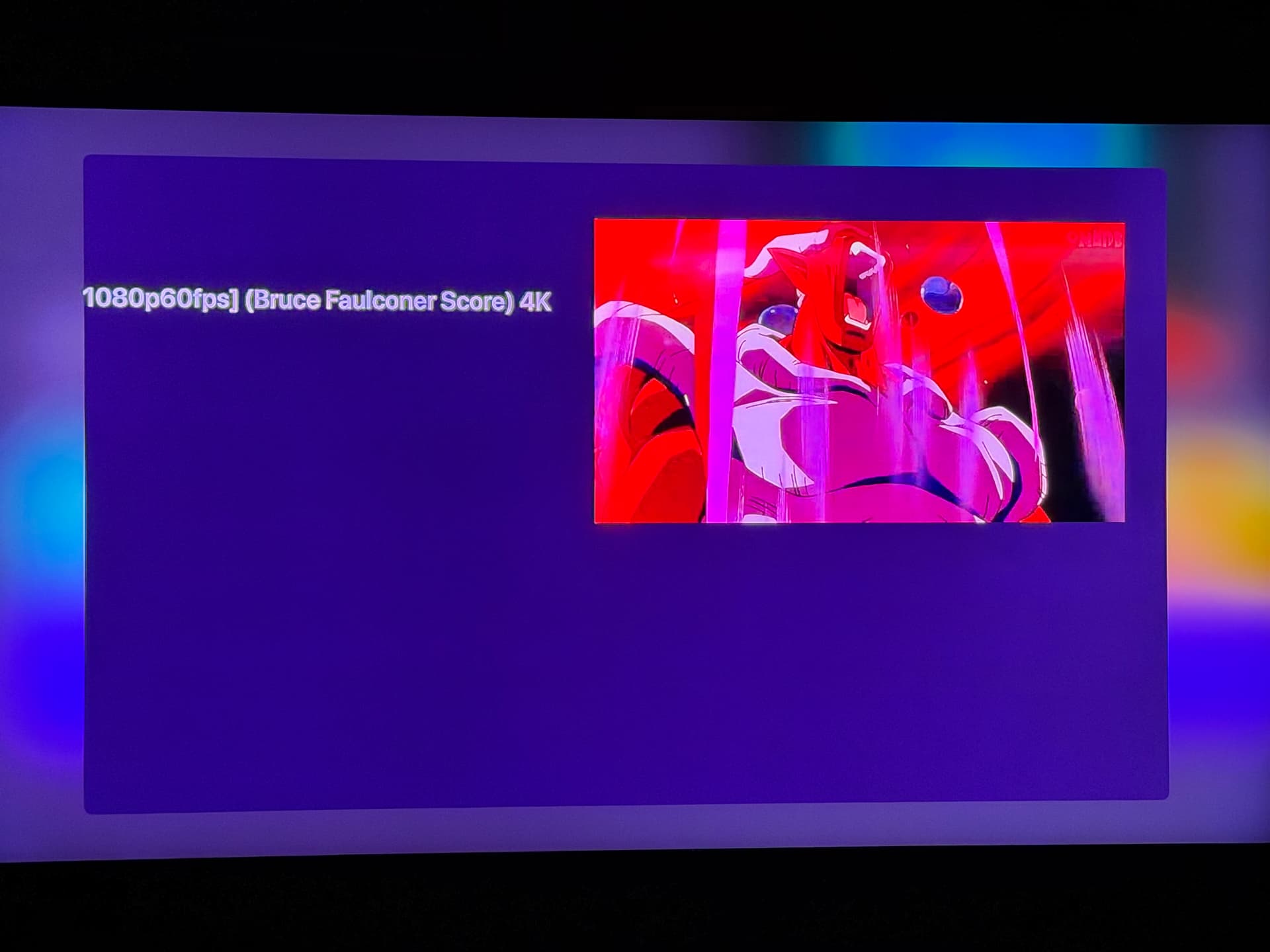
It's clear that it's very light on metadata, and is just carrying a title from the filename. So it's likely that some piece of metadata being missing is effecting the layout.
It literally any an all plain videos that have no metadata. Anything I download from the web, or YT. t is just using the file name as it has before these updates.
All of my videos that have a file name longer than a certain amount start to cause the UI to move over to the left and thus get cut off.
OK, it looks like those changes never hit the last build. They're gonna go up in a second.
OK, try this, it should ACTUALLY fix it:
1 Like
There we go. Fixed. Thanks!
I kinda preferred the sidebar, trying to get used to the tab bar, and think I found a bug.
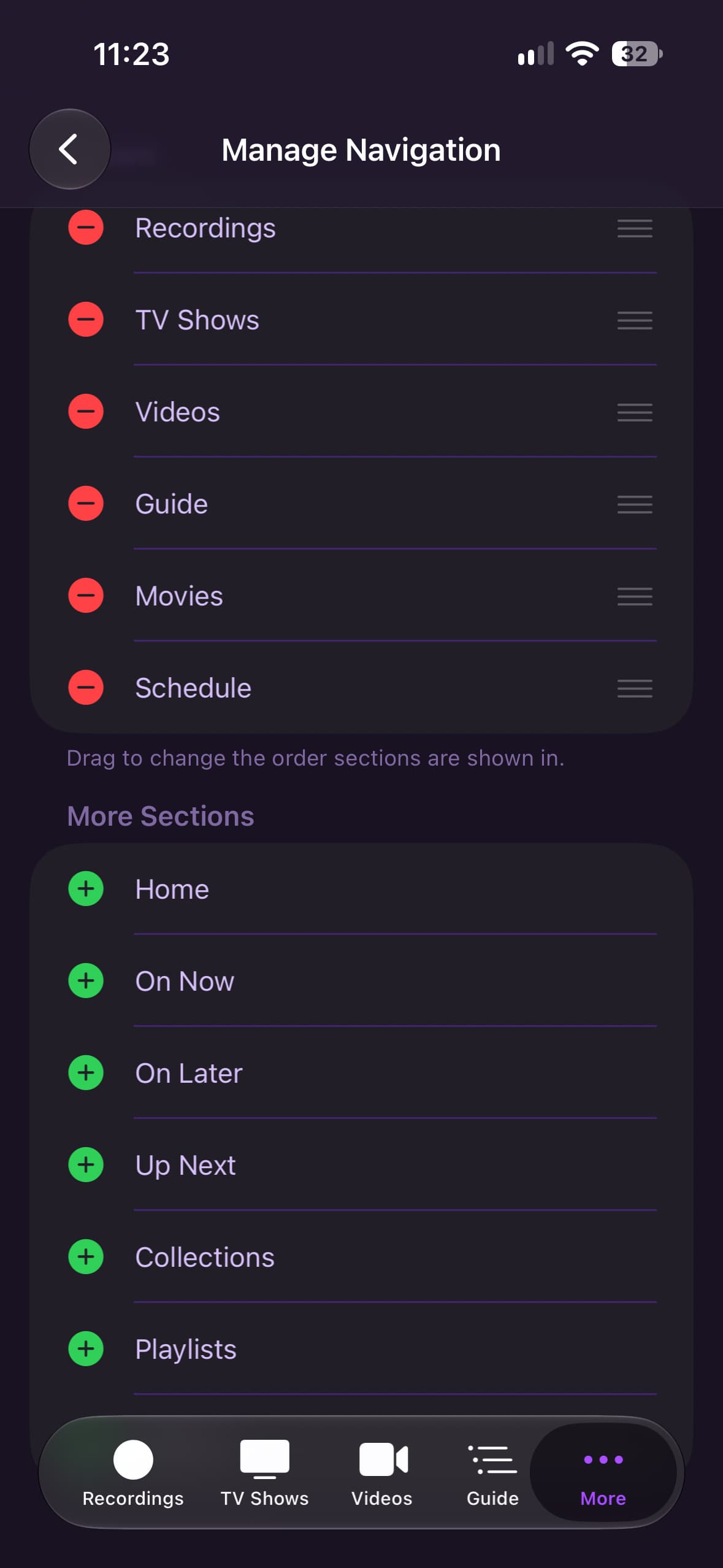
“Downloads” does not appear in this list.
If you remove enough items it will appear in the tab bar. Or if you add enough items to get to the “more” section it will appear there. But why isn’t it its own section that can be dragged where I want it like anything else?
Yay! Finally pinch to zoom/fit screen! Works great!
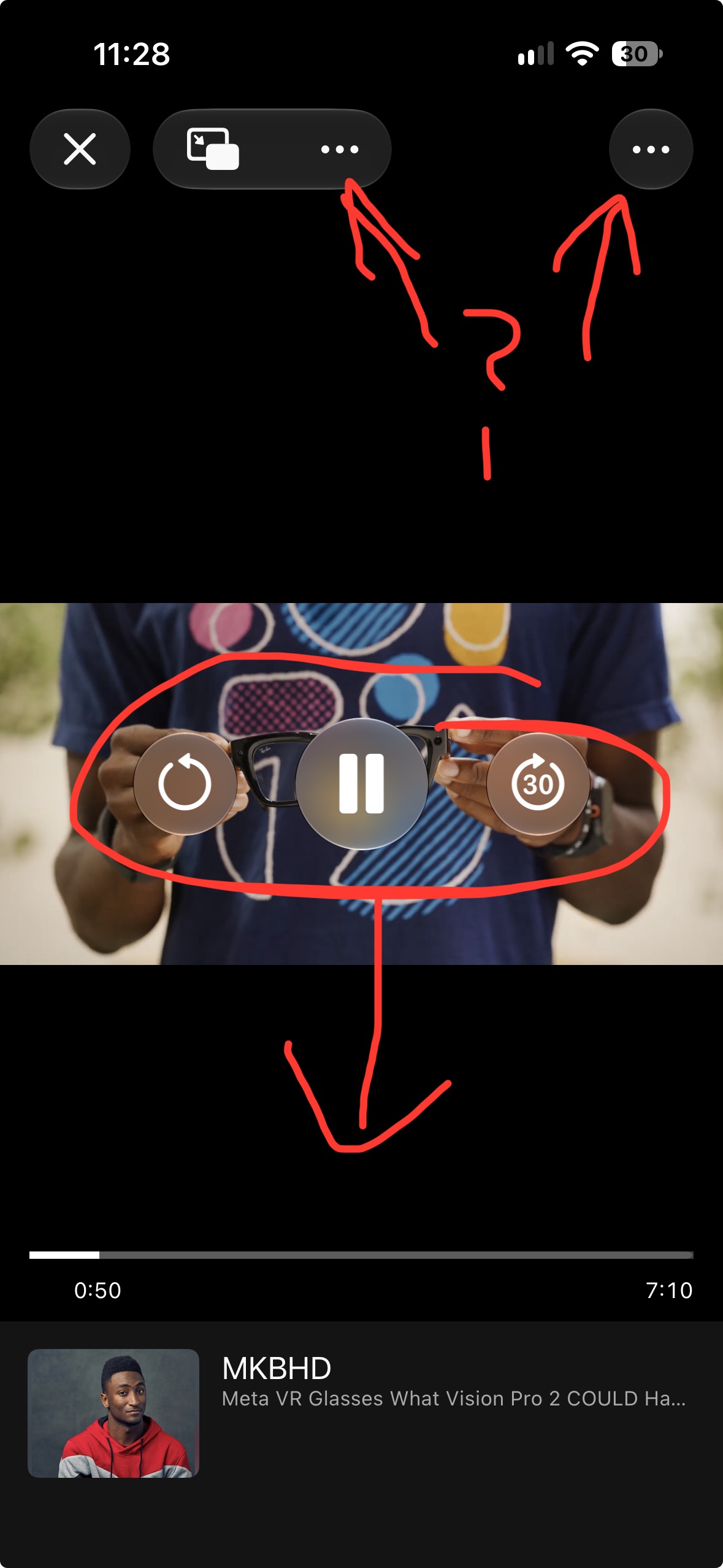
Can the playback controls be moved down so they don’t cover the video?
What is the purpose of the two “…” menus? The right one does nothing.
1 Like
Downloads and Settings are always in the navigation on iOS, there's no way to remove them. This has always been the case.
I just want to change the order/position, not remove them. The current behavior is confusing since they aren’t in the list, making it unpredictable where they will show up as it depends on how many other items you have enabled.
These items are resolved in the latest TestFlight beta.
You can now choose more than 1 type of content to show in the Heroes, and there are more things to choose from for each section.
The tab bar issue is an iOS issue, but we've built a workaround for it for now.
These are resolved in the latest TestFlight beta.
Manage Navigation now shows exactly what your navigation will be whether it's the Tab bar or Sidebar.
I'm using a Personal Section as my Home. The Hero does not appear on this Home tab.
Does the Hero slides display in the tvOS beta? For some reason I'm not seeing them.
Heroes are not an available row in Personal Sections.
Heroes are not on tvOS.
Started with Channels app (latest beta) in portrait mode. Watch a live show from the guide - when switching to landscape on the phone, it ends up in the lower-left of the screen and doesn't respond to any input. Rotating back doesn't fix it and the controls (PIP, exit, etc.) seem to not do anything. Only thing that worked was force-closing and reopening the app.
I saw this as well along with an app crash, and report was sent via TestFlight.
Will they ever potentially come to tvOS?