
OK, it looks like those changes never hit the last build. They're gonna go up in a second.
OK, try this, it should ACTUALLY fix it:
1 Like
There we go. Fixed. Thanks!
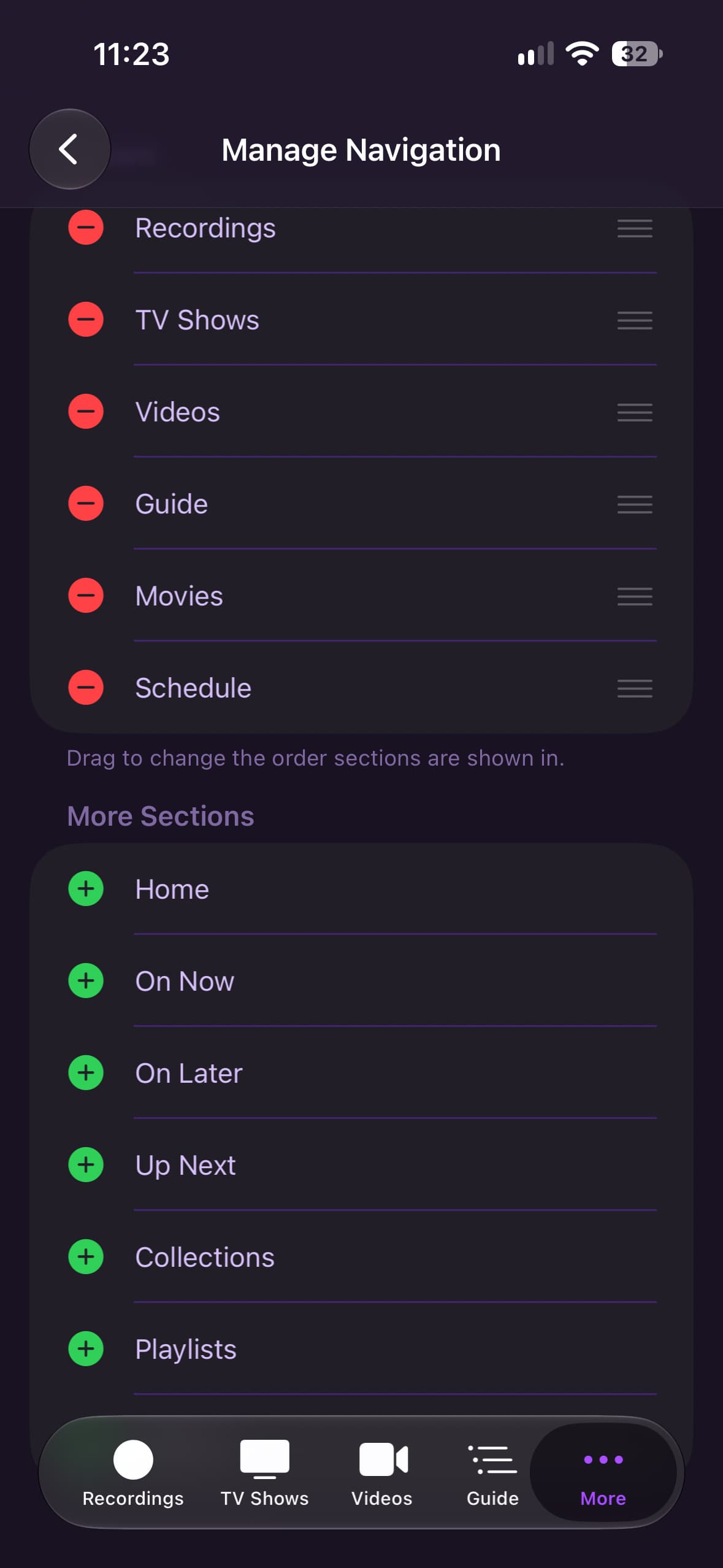
I kinda preferred the sidebar, trying to get used to the tab bar, and think I found a bug.
“Downloads” does not appear in this list.
If you remove enough items it will appear in the tab bar. Or if you add enough items to get to the “more” section it will appear there. But why isn’t it its own section that can be dragged where I want it like anything else?
Yay! Finally pinch to zoom/fit screen! Works great!
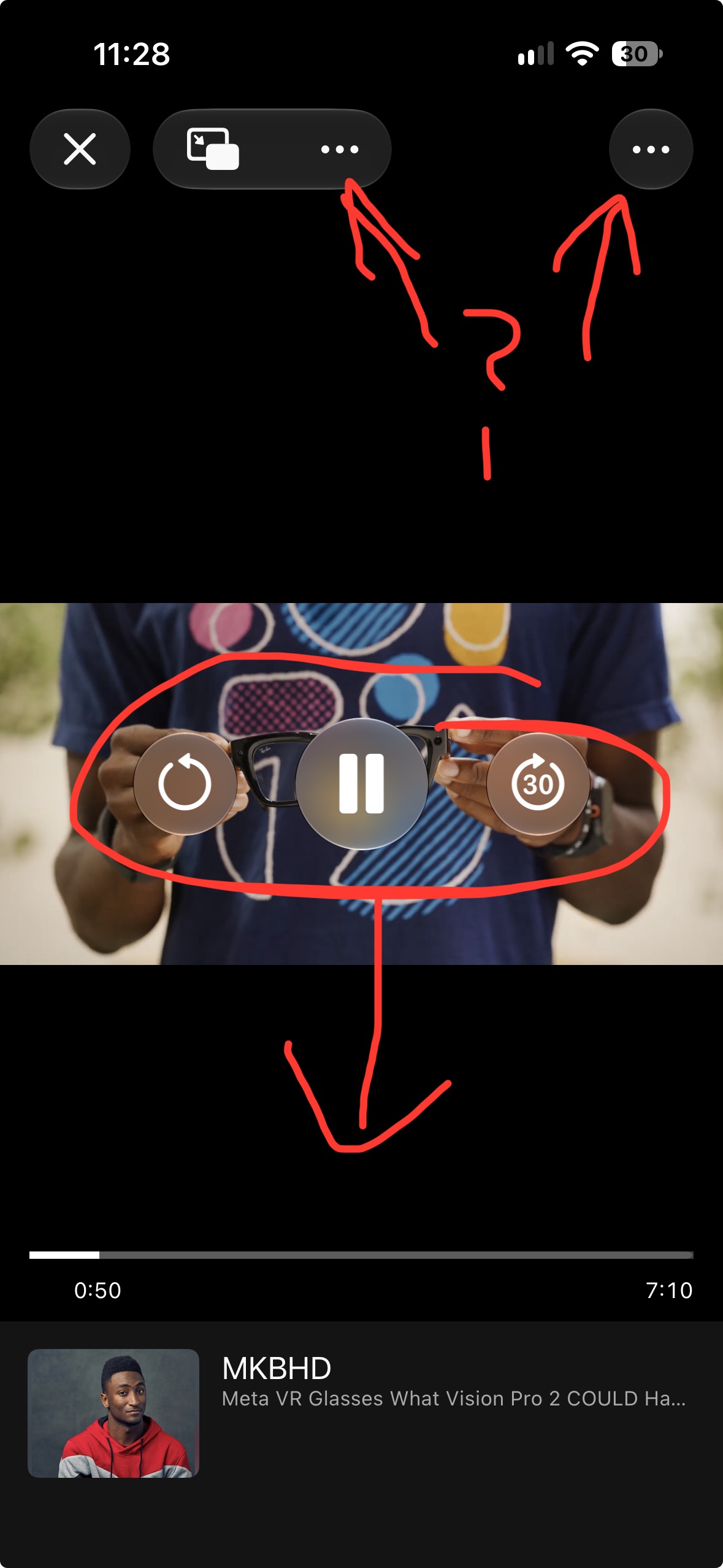
Can the playback controls be moved down so they don’t cover the video?
What is the purpose of the two “…” menus? The right one does nothing.
1 Like
Downloads and Settings are always in the navigation on iOS, there's no way to remove them. This has always been the case.
I just want to change the order/position, not remove them. The current behavior is confusing since they aren’t in the list, making it unpredictable where they will show up as it depends on how many other items you have enabled.
These items are resolved in the latest TestFlight beta.
You can now choose more than 1 type of content to show in the Heroes, and there are more things to choose from for each section.
The tab bar issue is an iOS issue, but we've built a workaround for it for now.
These are resolved in the latest TestFlight beta.
Manage Navigation now shows exactly what your navigation will be whether it's the Tab bar or Sidebar.
I'm using a Personal Section as my Home. The Hero does not appear on this Home tab.
Does the Hero slides display in the tvOS beta? For some reason I'm not seeing them.
Heroes are not an available row in Personal Sections.
Heroes are not on tvOS.
Started with Channels app (latest beta) in portrait mode. Watch a live show from the guide - when switching to landscape on the phone, it ends up in the lower-left of the screen and doesn't respond to any input. Rotating back doesn't fix it and the controls (PIP, exit, etc.) seem to not do anything. Only thing that worked was force-closing and reopening the app.
I saw this as well along with an app crash, and report was sent via TestFlight.
Will they ever potentially come to tvOS?
tvOS will need it's own design for heroes as if we put them in as they are now, they would get truncated by the sidebar, not to mention take up about 4/5 of the visible height, which would not be a great experience.
We'll look into it later.
1 Like
This was resolved in the latest TestFlight, beta:
Thanks for adding the Kids navigation customization. Would it be possible for Kids to show an Up Next row like Home? I like how the Kids only visibility shows don’t show up in Home Up Next but would like to be able to see what kid shows are in progress while in the Kids page. Thanks!
Also, I noticed some more areas that can’t be swiped to exit anymore:
Settings pages
Any section/row clicked into from Home/Tv Shows/Movies etc
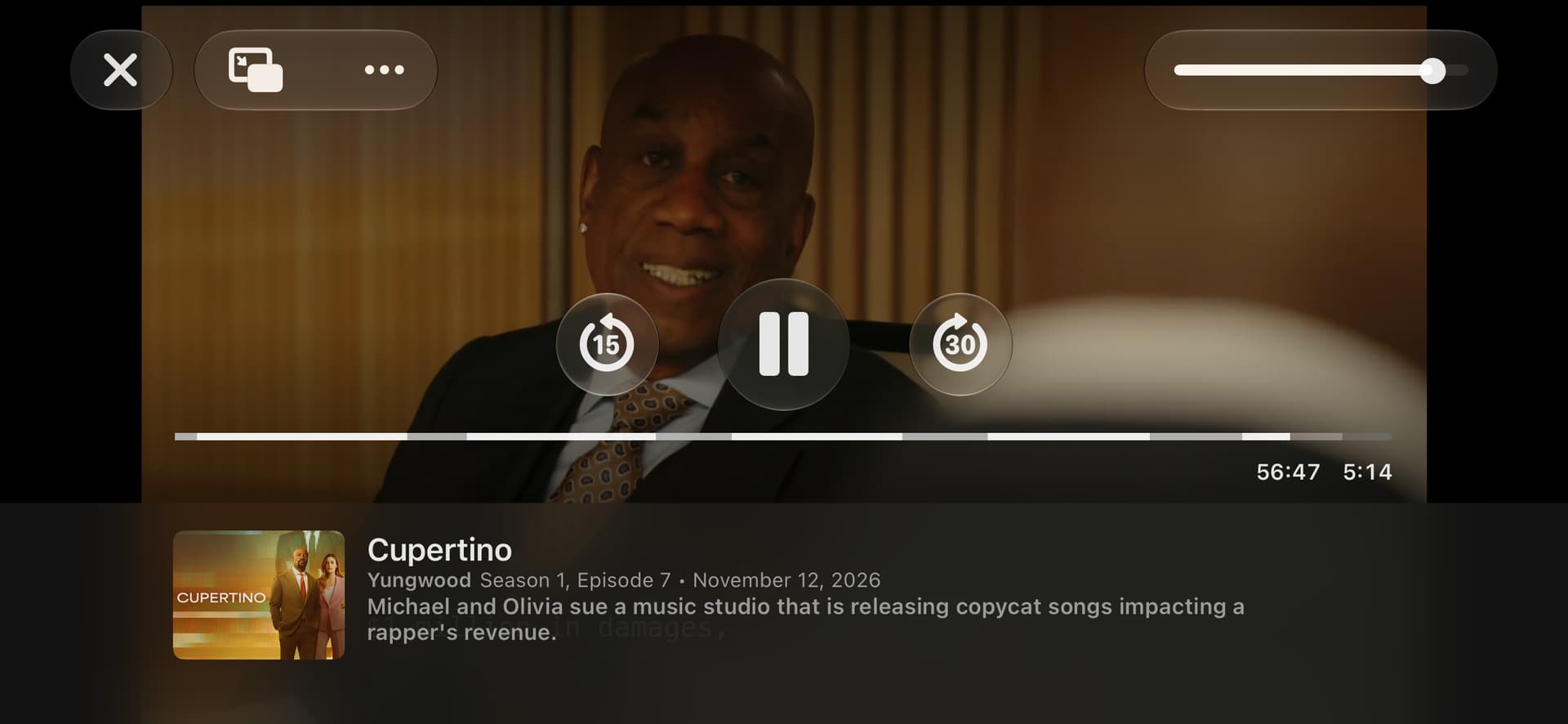
Im finding the liquid glass transport controls on ios27.2 latest testflights hard to figure out where you are in the program material.
Is it possible to add back the little vertical position marker as shown in the older ui. It is very helpful for smaller screens.
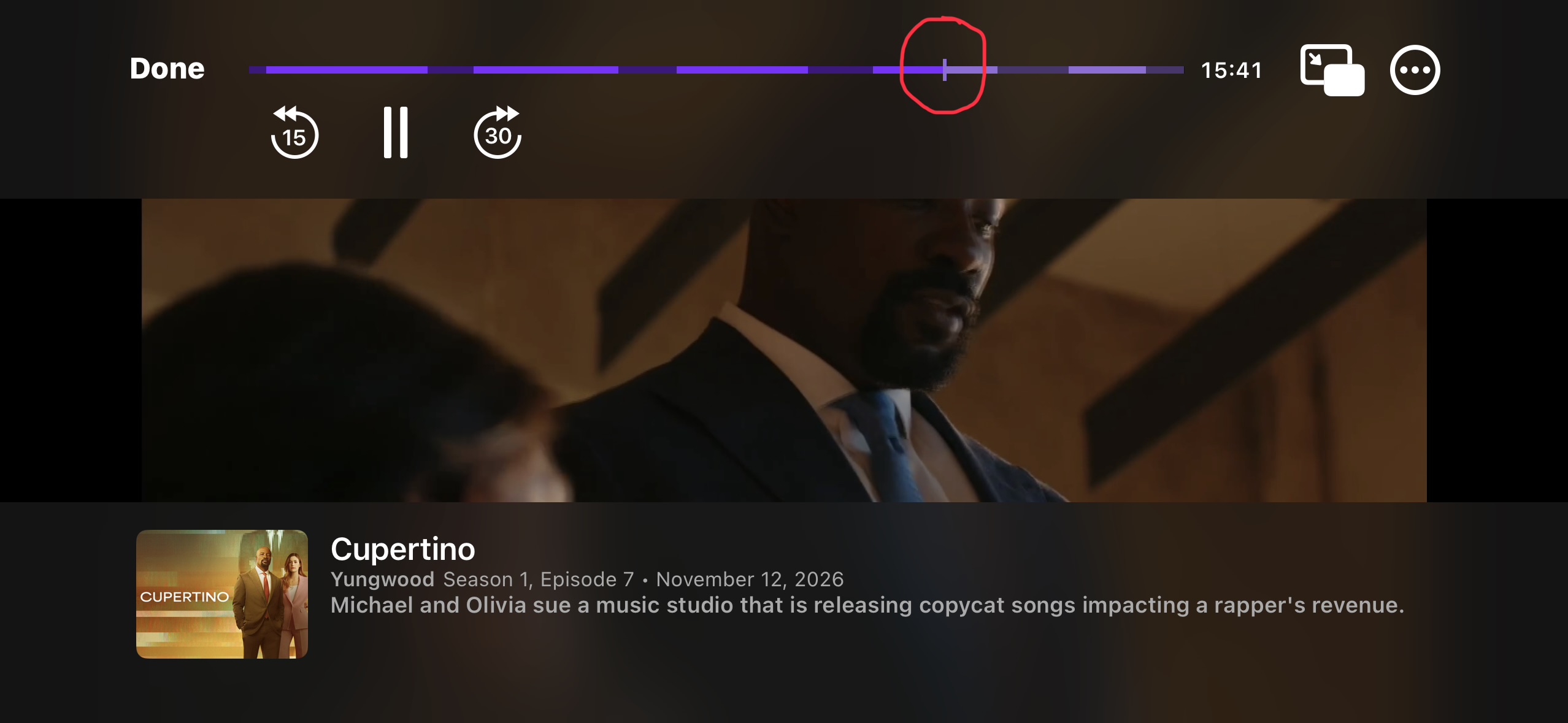
Its a little more confusing when there are commercial blocks.
3 Likes