
Looks goos by why not put settings under status had to read half this board to find sources was under settings and had to click user name why not just put it under status or in the sidebar.
yup missing there too. not sure how I lost them. I assumed they became part of the server that was backed up once uploaded. I found new ones online, used v2 to upload them.
Im playing with this in ios 27. Im echoing what some others have seen. Im loosing altogether the sidebar. The top row becomes unresponsive. In my case i have to close the web ui and reload. Going into landscape doesnt get me out of the stuck mode.
Ill also would like to see the settings button more exposed when in the library mode. A nice big button on the top row next to the channels logo or in place of the channels logo. On small display it can be cumbersome to find the settings button under the user. Really had to search for it this morning
been meaning to report back on this myself. I only have this happen on my android when switching between Settings and Back to app. landscape also did not work for me.
what does work for me is a swipe down to refresh the page
also it works fine in desktop mode (chrome)
That works as well on ios27
I would think that Channels DVR stores them in its Images directory
1 Like
I originally missed where you said you could do a 1 time record.  the blank box is because it was deleted.
maybe the box could say this and give the option to record again
I'm glad there is a quick way to force the recording, but agree we still need a 'mark as not recorded' so it can be scheduled incase the one in the guide has started already. maybe a record button from the pass matches would help too
yup, found it after uploading a new one. channels-data\Images\uploads
not sure why i didn't get that folder backed up.  oh well next time I'll know where i messed up when i do it again.
Every time I've deleted a recording using the new player, I get no response from the server for a over a minute. When I finally get access again, the recording is still there. Then return to the V1 interface and am able to delete the recording
We have lost the self updating activity on the status page?
been working fine for me with chrome on win11 and android.
it's still available with the radar icon next to the lightning bolt.

On the Passes page, having the edit button that close to the trash page is dangerous. I use an iPad for working in the webui. Having a 1/16” between the two icons has led me to hit cancel on the delete confirmation.
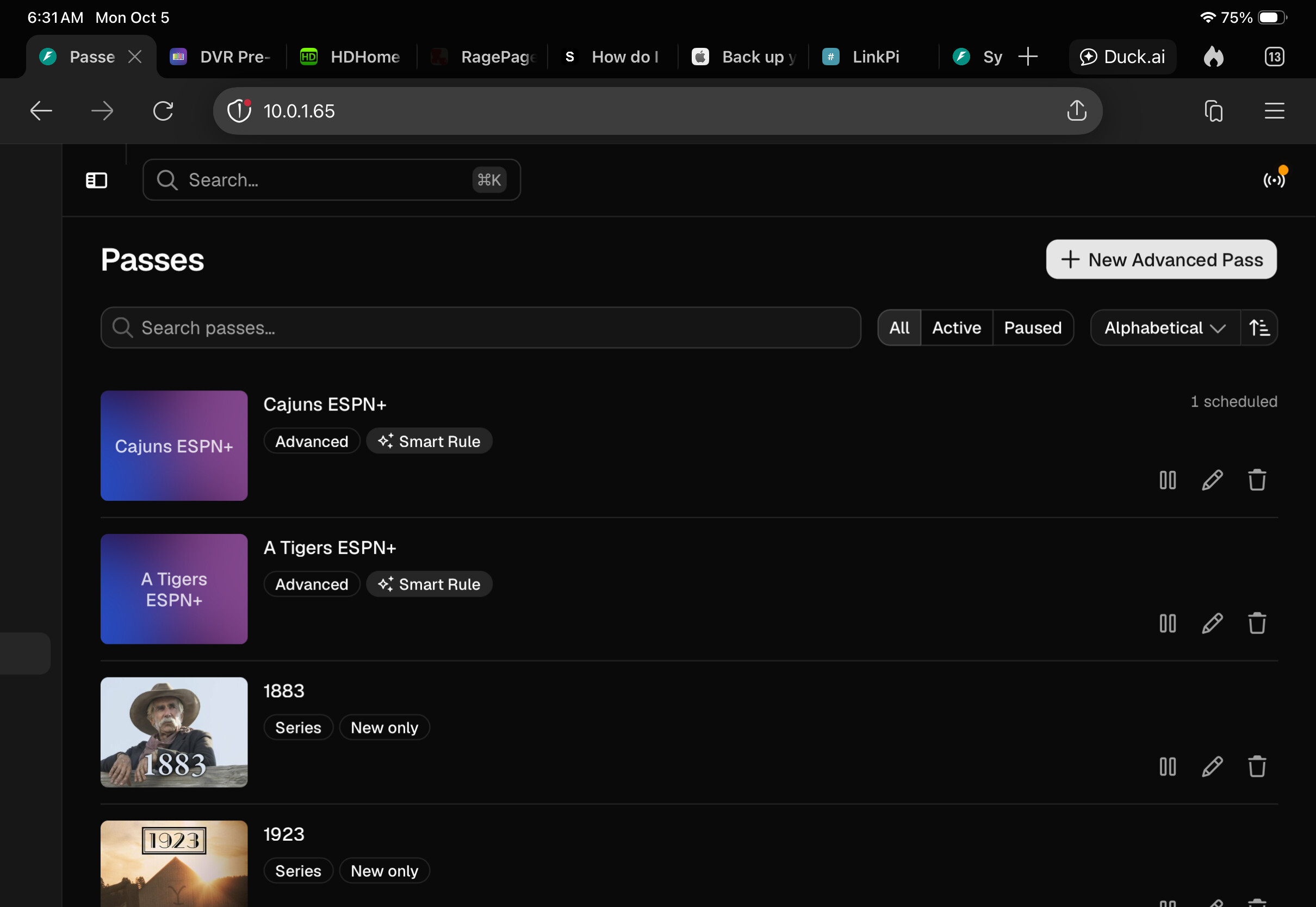
The trash button confirms. It shouldn’t be a real issue.
Really like the new web player. And Firefox works with the PIP trick.
On my phone, I had to go back to the legacy version.
I tried the Video Store theme but the links are messed up. You tap on one link and it opens a different page than expected.
Also, the V2 versions is missing either menu items, tags, or channel numbers.
It's not quite ready for the masses yet on mobile.
I ran into the same thing on mobile (IOS, Chrome browser)...was really odd.
This was mentioned in the announcement.
Could you give some examples of this, because this is odd, and I'm not sure why it would react differently on mobile 
It's when you're in the Settings section using the new interface. As an example, I clicked on Accent Color and it took me to Backups. The Network Discovery toggle doesn't do anything at all. Trying to click on the Server Enabled toggle takes you to the Remote Streaming section, etc.
1 Like
The shortcut to Move to Trash (just pressing the letter "D" on the keyboard) is really dangerous. I couldn't figure out why one of my movies accidentally deleted. Way, way too easy to accidentally delete something and not get confirmation (other than a form refresh and the small notification that disappears quickly).