Blocked by Xfinity

Hi All,

I was seeing a handful of channels not loading the stream with my Xfinity login (FS1, FS2, etc.). I attempted multiple times to rescan the channels to get them to work. When I was unsuccessful for the umpteenth time, I decided to remove the Xfinity source and add it back. Now I am unable to successfully add back the source. I am getting this error: "Blocked by Xfinity: There was an error processing your request. Please try again. Access Denied. You don't have permission to access "http://login.xfinity.com/login" on this server."

Has anyone ever had this issue before? I have been happily running channels server for about 4/5 years now and haven't seen this issue before. I can use the networks websites with my log in and successfully watch. When it was connected I was able to access other channels streams successfully as well. Any troubleshooting tips are welcome.

Thanks in advance!
Are you on the latest Pre-release there was a Change so make sure you are updated.

I did update with the latest prerelease. I think I am going to do a complete shut down of the server and turn it back on. See it that has any impact.

Dang, same result…

Maybe XFINITY Blocked that user have you logged into XFINITY Account with it.

Doubt that if it works on the networks live streaming sites.

What OS are you running your Channels DVR Server on?
Did you run Support > Troubleshooting and see all green checkmarks?

I am running it on a raspberry pi 4. I did do the troubleshooting process and all checks passed.

PI support is ending.

Just the custom Channels DVR build. Could still install it on a pi as a Linux install.

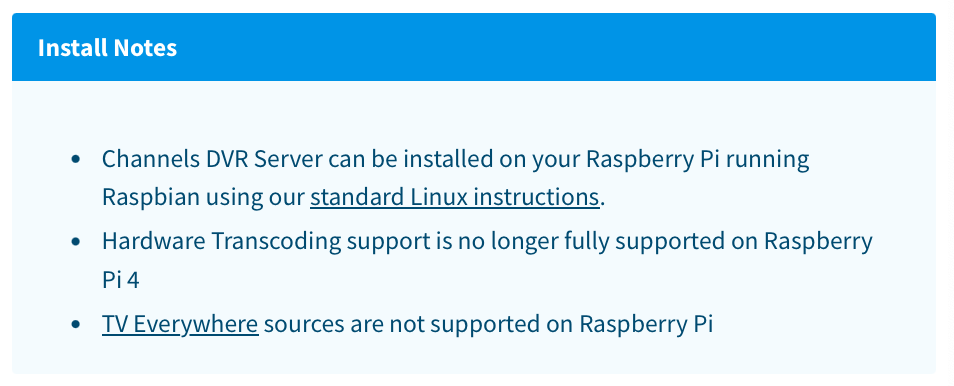
It is the custom build that was created. I was reading through Raspberry Pi section of the Channels website and there is a section that indicates that TV Everywhere sources are not supported on Raspberry Pi. I wonder if that is new, because I have been using TVE sources since day one.

I have seen the notifications of support ending for the Raspberry Pi, but I thought I would be able to at least maintain the set up I currently have for a little longer. Maybe that is not the case and I will need to figure out a new setup sooner than I thought.

I "think" what it means is that it may or may not work, but you'll get no support for it.

I think you are right. Time to start looking for a new device/OS. What set up do you use?

Personally, I use Synology NAS's, because I already had them and they suit my needs.

Depends on your needs. Check these links.

Thanks for the information! I think I will start the migration sooner rather than later.

This topic was automatically closed 30 days after the last reply. New replies are no longer allowed.