
I will give it a try
I turned off V6. I uninstalled my channel dvr server and then reinstalled it. Still cannot access it.
I am starting to get bored with this. I bought my HDHomerun because I wanted to record the Nashville predators hockey games and DirecTV stream did not carry channel 28. After buying the device and installing Channels DVR, DirecTV stream magically starting carrying that channel. So there is not a good reason to continue down this path. If I need to record an OTA channel, then I can do it via the HDHomerun app. Thank you for your trying to help me.
Okay, I mean, this isn't a Channels DVR issue. There's something going on with your network or your PC. So, you know, I was trying to help you, but totally up to you what path you want to pursue, but it's not going to solve your networking issue.
2 Likes
Obviously, something screwy is going on. The only thing I can think of is that after getting things working, I installed tailscale. I was able to get it to work. I cannot remember if I accessed the server via my android TV device after the tailsale install. But I can access folders on my server machine using the server machine's ipaddress. I can access the channel dvr server using the computer name and the 8089 port number. I just cannot access the server with the ipaddress and port number. Heck, on the server machine, I cannot access the server via 127.0.0.1:8089. No changes were made to Windows Defender. I have uninstalled Tailscale. I have removed my port forwarding from my router. There was a network command that I entered when I was getting Tailscale installed. I cannot remember what it was now. That is the only thing that I can think of that would cause the problem.
I uninstalled Channel DVR server and then installed it on my personal desktop. I can access that new server from the old server machine using the ipaddress. I hope that makes sense. I don't want to run the server on this machine but I just wanted to do some testing. I will try to find that network command.
Make sure you have IPv4 enabled on it.
If you still cannot access it using its IPv4 address, disable the PRIVATE firewall as a test.
here's my network properties for your reference
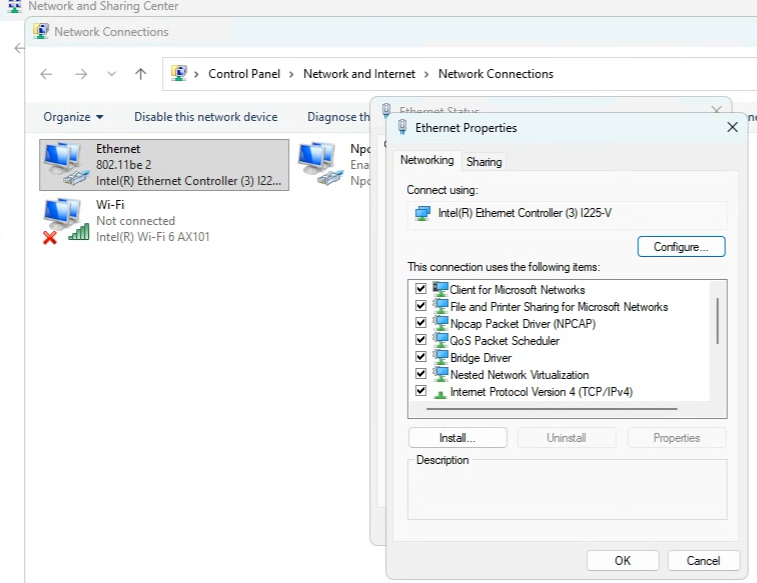
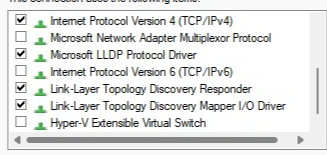
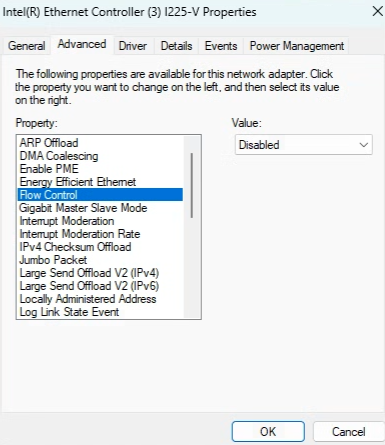
I don't remember anything for tailscale, but older versions of cdvr had instructions to disable flow control, but i think it does it for you now with a click.
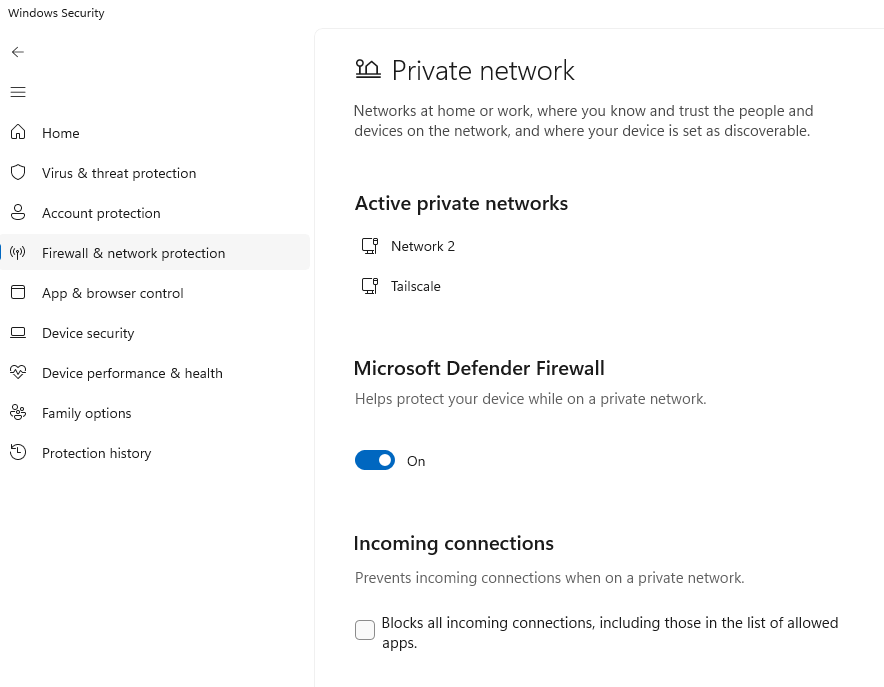
TCP/IP v4 is enabled. Turning off Defender did not help.
Can you share the tailscale settings? I wonder if that is causing an issue.
Earlier today, when I discovered I had problems, I uninstalled tailscale in order to make sure that it was not causing the problem. So, I do not have those settings. Since the server works (accessible) on my desktop system, that indicates that the problem is machine specific. I also have a Mac so tomorrow I will install the server on that machine and see how things go. If it works, then I will retire my second Windows system. I don't think you you need to continue to fight this thing. It would be nice to be able to reinstall Windows on the second machine and start of clean. But that is not going to happen. I really appreciate your efforts to help me. Thank you.
it did just occur to me that I once ran into weird network issues on my server that ended up just needing a Full hardware initialization. or commonly called flea power drain, the network cable must be disconnected for the network card to fully power down.
(Google Search)
also could be a driver issue, my minipc needs the one it came with from 2021.
At this point, my best advice: go into Device Manager, right-click the network adapter, click on uninstall. Then scan for hardware changes, let it reinitialize.
Guys, thank you for all of your efforts. I tried unplugging my Ethernet cable. I uninstalled the network adapter and reinstalled it. But access to the server via ipaddress still did not work. So sometimes one needs to go to greater extremes. Since machine is not used for anything else, I did a Windows 11 reset and essentially reinstalled the op system. Now all is working. Gosh, what am I going to do for the rest of the day to keep myself occupied. Once again thanks.
It will be interesting to see if the issue comes back after a Windows update or something.
Enjoy now that it's working!
Well, I do not intend to reinstall Tailscale.