Can't record after power outage - Synology NAS

Had a major power outage today and after everything came back up, CDVR won't record anything, I am getting this error:

It looks like I still have permissions set correctly on the NAS, but I'm a bit illiterate with this stuff.
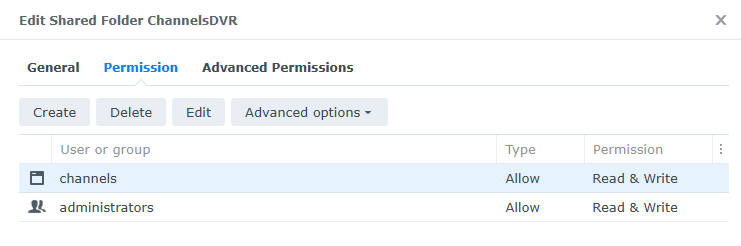
Server is running on a Synology NAS, client on a Shield.

EDIT: Just now tried to play a recording and I'm getting a similar error! Recordings won't play either. :frowning: "Recording not found (-13)"

Are you running Channels DVR in the Synology Package or in a Docker Container?
That error is talking about Container Manager, which is for Docker Containers.
The Internal System User channels is used by the Synology Package install.

Can you bring up the Channels DVR web UI?

Best to have your Synology NAS connected to a UPS and set it to safely power down on AC power loss.

CDVR is running as a package, no docker. Yes, I can bring up the web UI without issue.

I do have a UPS, but I haven't connected the NAS via USB yet...will be doing that tomorrow!

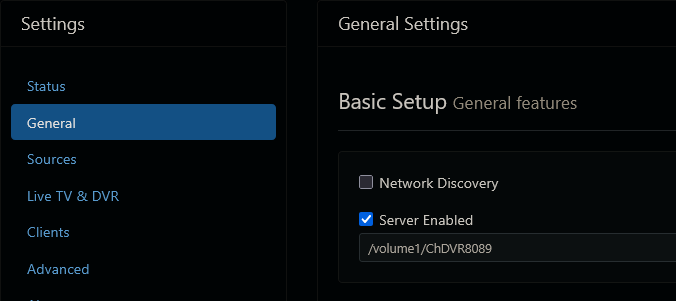
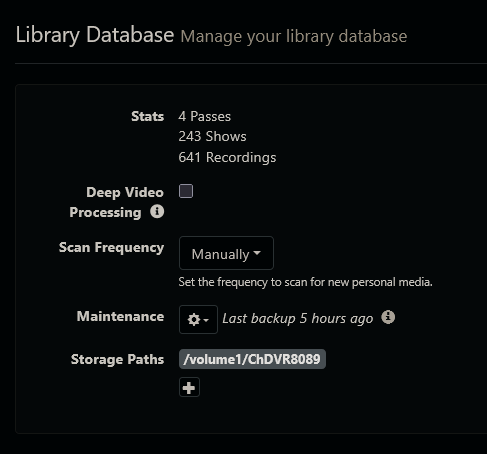
What do your General settings look like for DVR directory and Storage paths
Screenshot 2025-11-13 at 17-49-09 Channels Settings
Screenshot 2025-11-13 at 17-49-45 Channels Settings

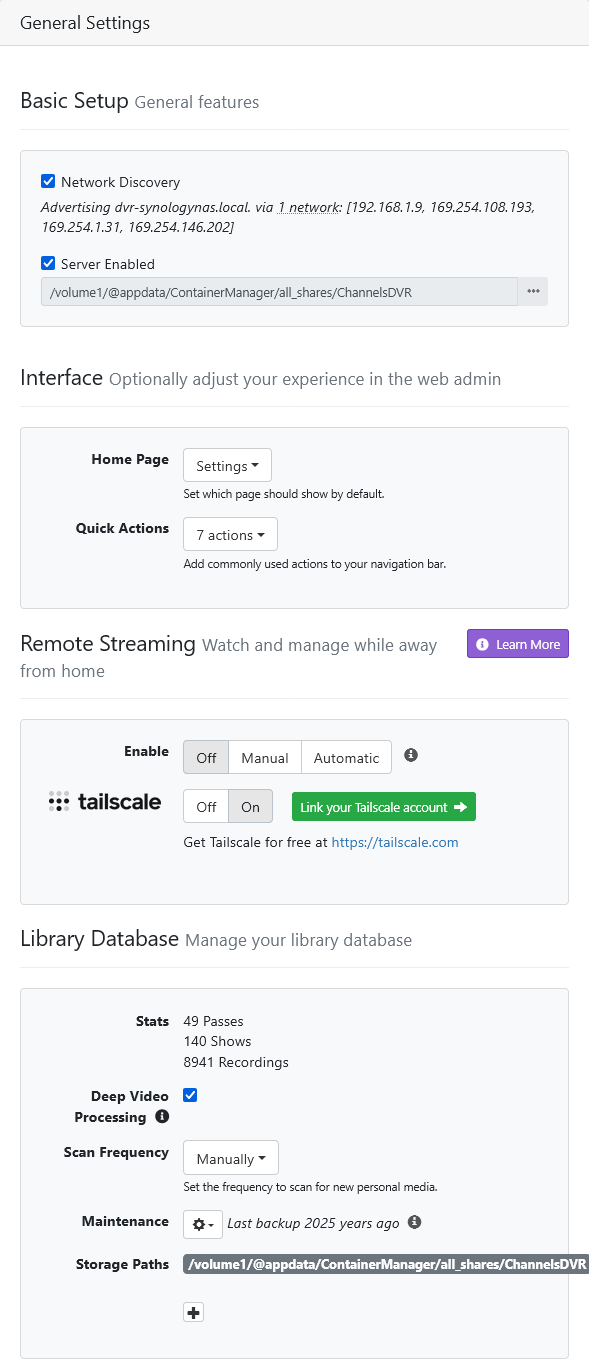
Uncheck :ballot_box_with_check: Server Enabled
And pick the directory /volume1/ChannelsDVR
Then check :ballot_box_with_check: Server Enabled

Not sure how you got /volume1/@appdata/ContainerManager/all_shares/ChannelsDVR in there

1 Like

That did it!

I have no idea how it changed to /volume1/@appdata/ContainerManager/all_shares/ChannelsDVR either.

Thank you so much for your help, I really appreciate it!

Now, to get my NAS connected to that UPS. :slight_smile: