
That's only available in Automatic Channels, which is added to whatever channels you put in the collection.
How are you adding the channels to the collection? You should be able to pick and choose the ones you want to include manually.
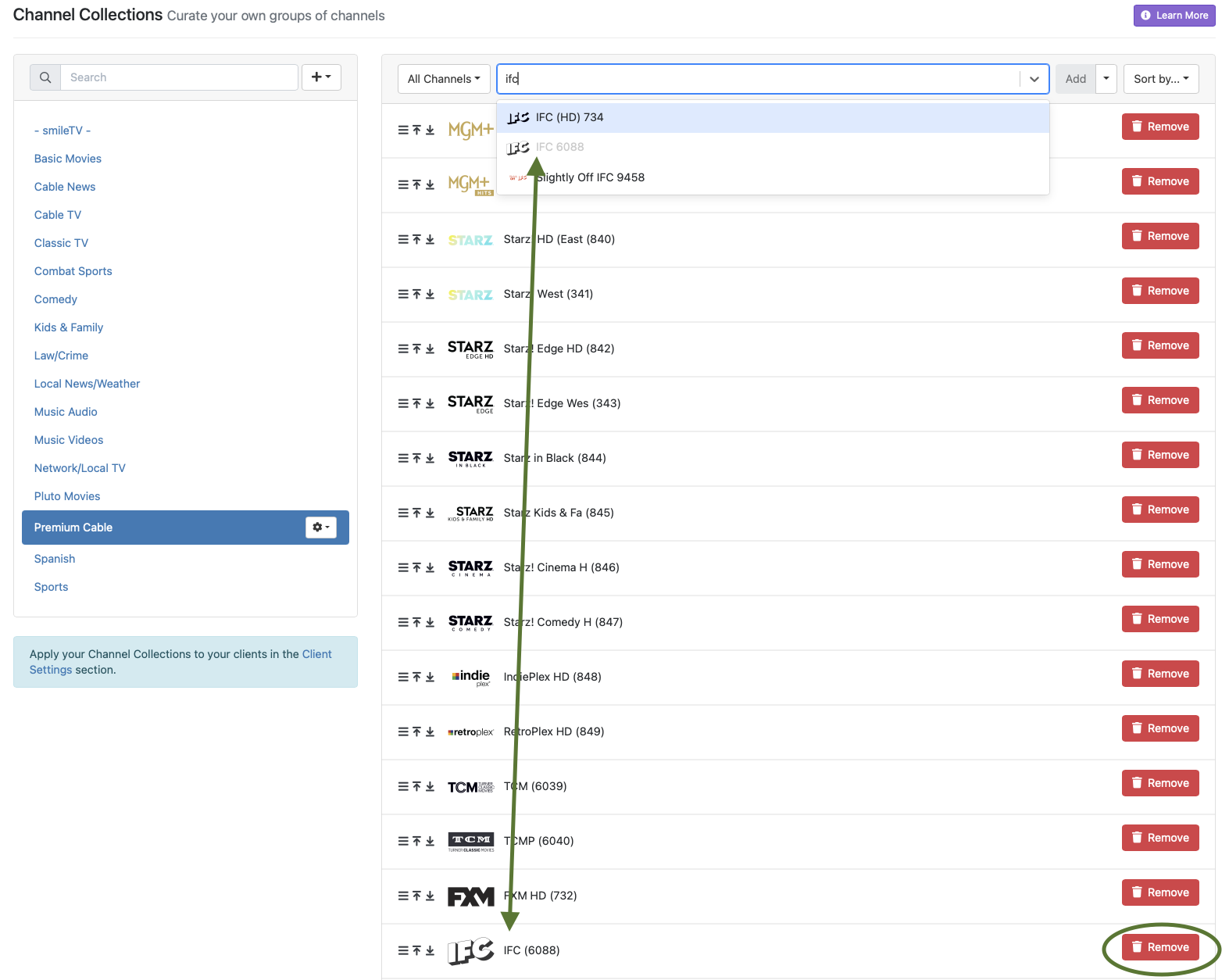
When you view the collection, there is a button to remove the channels you don't want in the collection. In the screenshot from the server app I've attached, I have two choices for IFC from different sources. I added 6088, so it's greyed out in the selection window. (I've also circled the remove button.)
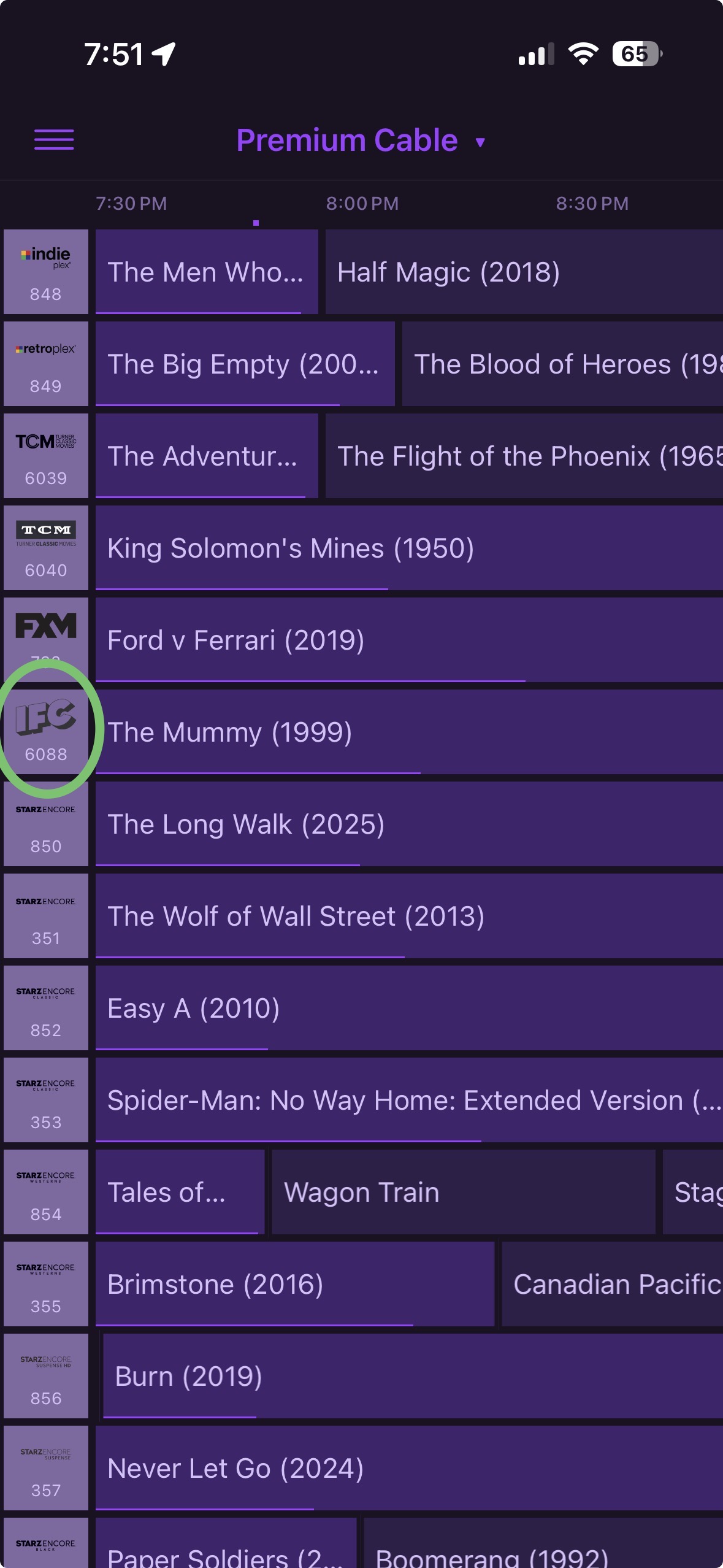
The other option, 734, isn't listed because I didn't include it, as seen in the screenshot from my iPhone app. Only the channels I choose to add get listed in the channel collections. I never touched the automatic settings, and I don't have to block the channels in the source settings. Hope this helps — smile
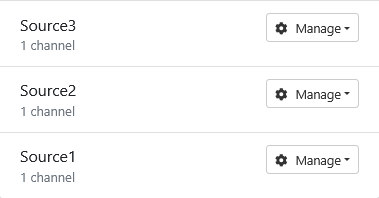
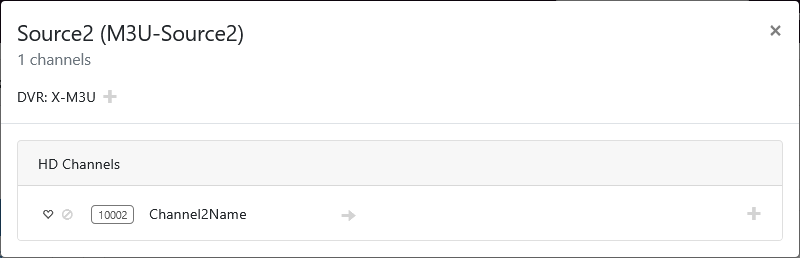
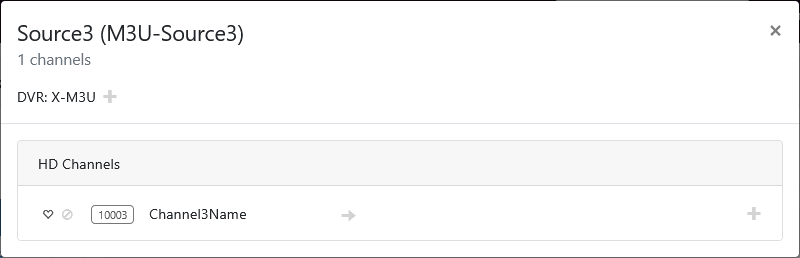
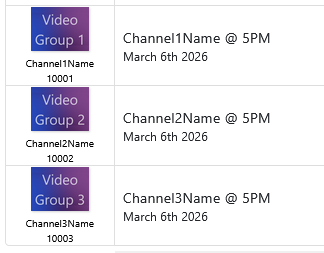
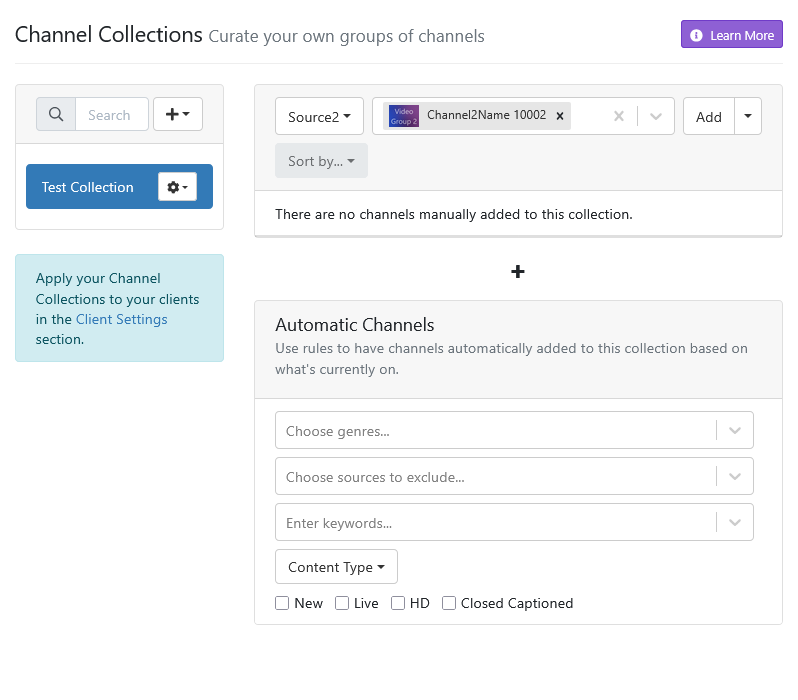
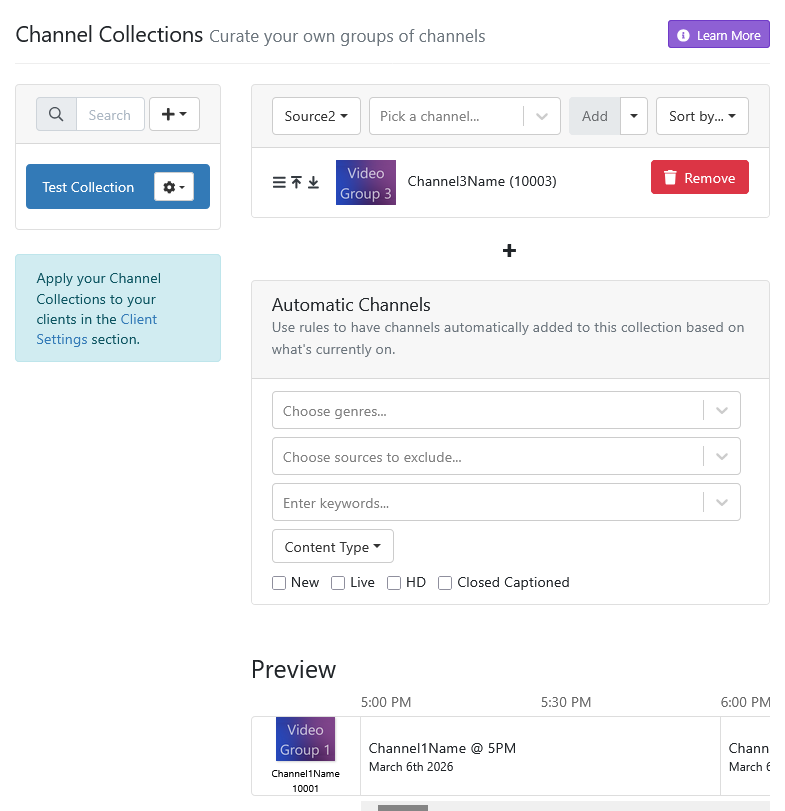
Here is an example of what I've been talking about where you have more than one source using the same channel ID. I just created three sources, with one channel in each source, using the same channel-id.

Grid guide
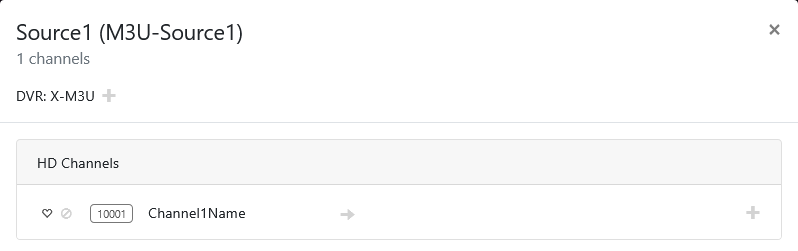
Adding the Source2 channel to a collection
Source2 channel added to the collection
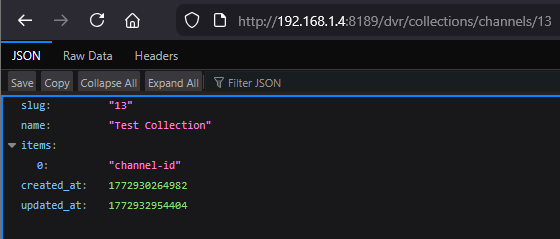
Collection as stored in CDVR
This is what happens with Channel Collections when you have duplicate channel ID's!
If a picture is worth 1k words, that's 11,000 words there.
And just for grins, I disabled the channels in Source1 and Source3 and rebuilt the collection again using the channel from Source2.
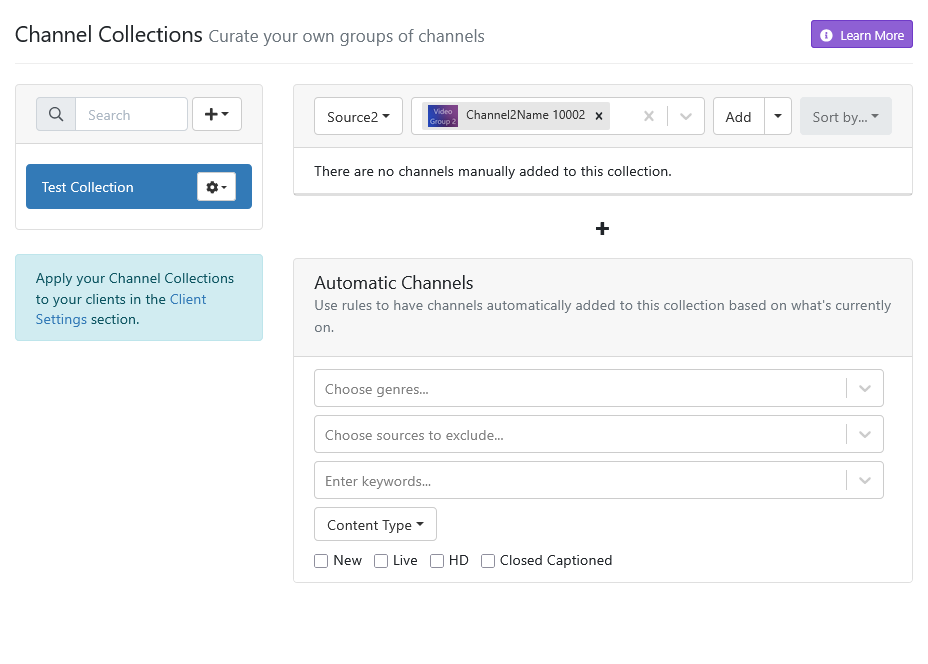
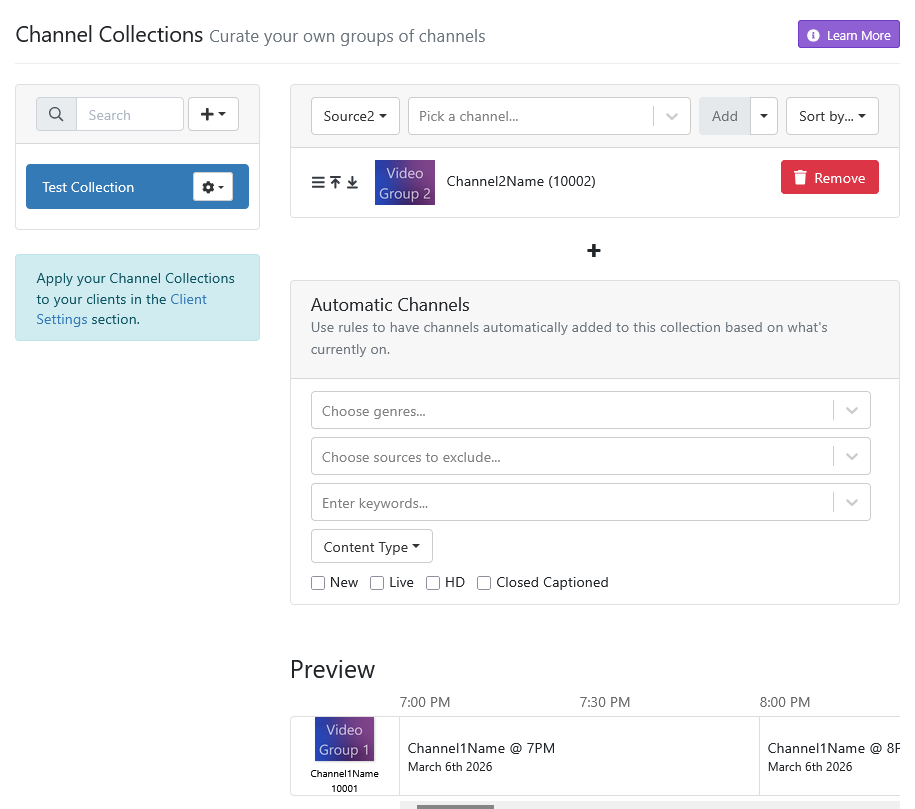
Going to the guide still shows the disabled Source1 channel in the collection and trying to play it errors out.
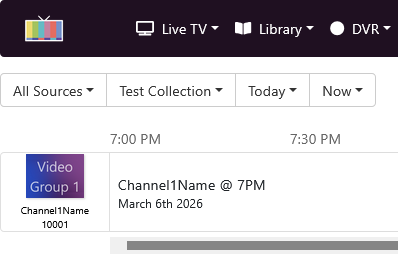
2026/03/07 19:03:24.544215 [HLS] Couldn't generate stream playlist for ch10001-dANY-ip192.168.1.8: channel not found
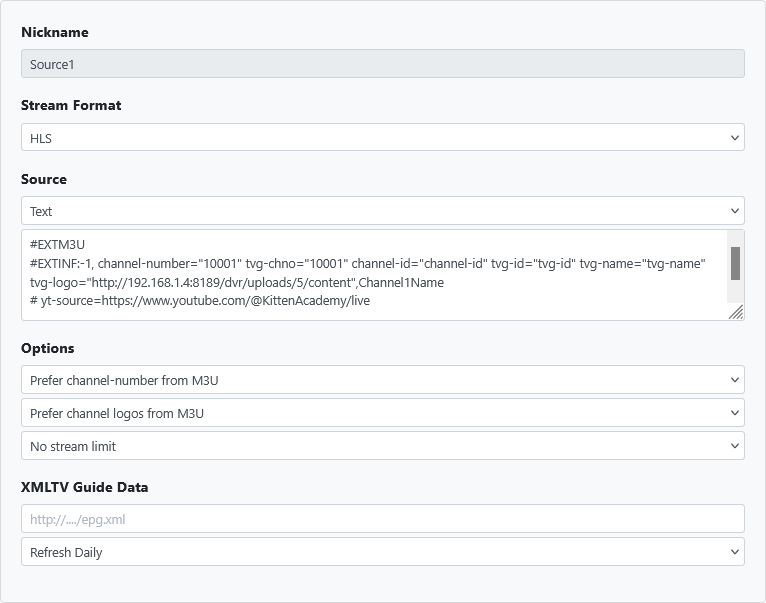
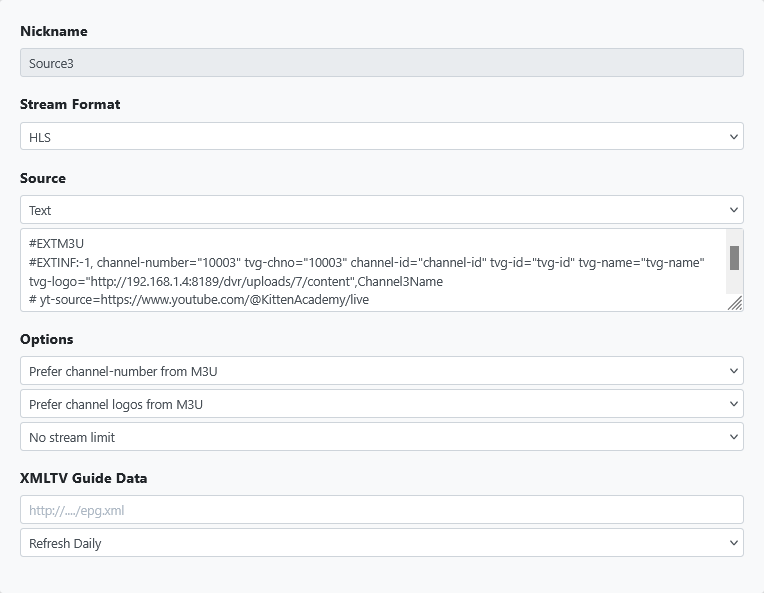
Here are the Custom M3U channel Text playlists for each of the three sources, so those wanting to easily duplicate what I did can copy/paste them into the three source settings 
You just need to edit the tvg-logo= to use your chosen channel logos. As you can see I'm using 4x3 logos I uploaded to my CDVR server.
Source1
#EXTM3U
#EXTINF:-1, channel-number="10001" tvg-chno="10001" channel-id="channel-id" tvg-id="tvg-id" tvg-name="tvg-name" tvg-logo="http://192.168.1.4:8189/dvr/uploads/5/content",Channel1Name
# yt-source=https://www.youtube.com/@KittenAcademy/live
Source2
#EXTM3U
#EXTINF:-1, channel-number="10002" tvg-chno="10002" channel-id="channel-id" tvg-id="tvg-id" tvg-name="tvg-name" tvg-logo="http://192.168.1.4:8189/dvr/uploads/6/content",Channel2Name
# yt-source=https://www.youtube.com/@KittenAcademy/live
Source3
#EXTM3U
#EXTINF:-1, channel-number="10003" tvg-chno="10003" channel-id="channel-id" tvg-id="tvg-id" tvg-name="tvg-name" tvg-logo="http://192.168.1.4:8189/dvr/uploads/7/content",Channel3Name
# yt-source=https://www.youtube.com/@KittenAcademy/live
I'll be back from work in a few days so will mess with it more then. Are you saying it's impossible within Channels to get a clean guide with a collection of channels that happen to have duplicates in different sources?
Try what I did yourself and tell me.
I'm just pointing out how it works and that multiple channels using the same channel ID are going to cause these issues with Channel Collections. If all your channel ID's are unique across your sources, you won't have this problem.
I make sure the playlists I get from my sources use different channel ID's.
Like Distro, Frndly, Plex, Pluto, Samsung, Tubi, TVE, various other M3U sources, etc.
It also helps that I run multiple CDVR servers to keep some sources separate.
This topic was automatically closed 30 days after the last reply. New replies are no longer allowed.