
The fix is in.
Thanks again for your work on this, it's really great. My only request at this point is a small one, but it would make a big difference when using CARP to channel surf, at least for my aging brain. Can the "Ch Up" button be anchored above the "Ch Down" button? I use this functionality with my eyes on the TV whilst channel surfing, and that positioning would be more intuitive.
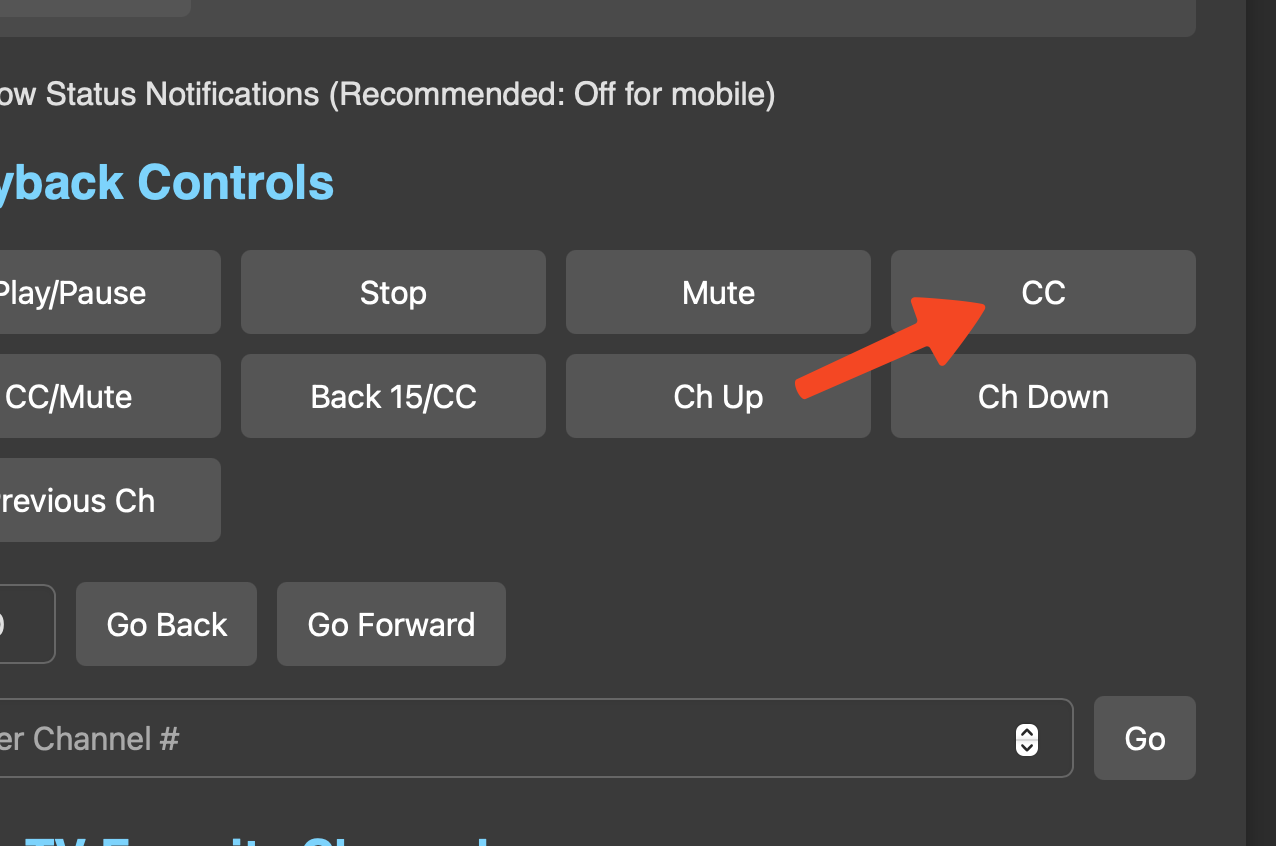
That will take some thinking. The buttons are in different locations on the screen depending on the screen size. If you use the same device, I can move the buttons to work on your screen until I figure a more permanent solution out.
Let me try something. I think I may have a simple solution.
I just pushed a change. I split one button in 2 halves. Channel up on the left and channel down on the right. I hope they are not too small now. Give it a try and see what you think.
Edit: If that doesn't work, my next idea would be to move the up and down channels out of the Playback Control section and put them in a static location so they do not change and are together.
Thanks, @Bobby_Vaughn. That makes sense to me. I'll go ahead and uninstall the original remote project and keep the "plus" version. @bnhf I'm guessing that both versions don't need to be in Project One-Click...
I'll move the original version to the Deprecated page on my next push.
I had an idea and I think it addresses this issue much better. I just pushed an update a few minutes ago.
@Fofer @bnhf Thank you for your help in making this a better, more useful app. The ideas and help in finding issues is appreciated.
2 Likes
A standard "short" click seems to be working now -- which is great. This kind of remote control is something that was much needed, even if we didn't realize it until you did it. 
1 Like
The short click issue was related to how the timing of clicks was handled in the JavaScript for a hold down scroll effect with the arrows. Just had to tighten it up a bit. This remote control is useful. I find myself using it all the time now.
A little something for you to think about, while you're kicking back watching a little TV, and enjoying the latest functionality of this app  :
:
Would it be possible to switch audio tracks from the app? Specifically, I'm thinking about the Multichannel View project, and its 4 audio tracks. Each represents a corner of a 4 part mosaic, but the track names apparently can't be controlled, which makes switching tracks less than intuitive.
What could be good, is if this app had buttons, probably just below Current Device Status where those audio tracks could be switched using buttons with names like Upper Left and Lower Right. Multichannel View is already pretty slick (even with the 12th-14th gen iGPU issues), but quick and intuitive audio track switching would take it to the next level.
I will have to research that. Without using clicks on a remote to access the info overlay on the client app will be a trick. It would be nice to have direct client API access to stuff like that.
@eric Would it be possible to add audio track selection to the client API? Or, is it available via the private API -- with the usual caveats regarding use?
This was a good change, I was getting used to it, and came here to report back.
And this is GREAT! I updated just now and see the new groupings. Much more intuitive and the placement is perfect. Thanks!
I love where this feels headed! I've been thinking the same. Just a brainstorm but in the same vein, if an app like Channels App Remote Plus could control and/or detect which audio stream was playing, it stands to reason that an app like Multichannel View or similar could then have ffmpeg draw a white border, or just place a small speaker animation in the bottom right corner of the currently selected channel.
I just looked and it doesn't look like we have something in the API that we just forgot to document related to this. It would need to be something that we added to both of the platforms.
Thank you @eric.
I'm going to see how long of a delay is created by server side audio track switching by restarting the ffmpeg process. If it can be done with only a brief pause, we may be able to create an endpoint API within the Flask app itself and use that to switch audio tracks.
I have my own version of the Multiview running to test some ideas out on. One of the first ideas I tried was to have 4 separate custom channels with the same channels and each one with the different audio track set as default. I had ffmpeg set a border around the one that had active audio. You could switch channel up or down to switch. That border is a nice feature. It reminded me of YTTV Sunday Ticket Multiview.
1 Like
Added a record button in the Current Device Status section (Now Playing) at the bottom of the app. This button allows you to record the currently playing program on the client.
1 Like
Sweet. How about an option to anchor that Current Device Status section to the TOP of the app instead? It’s my favorite
Nice! That approach sounds much smarter than mine, and would allow for more intuitive “channel surfing” between which of the 4 grids is playing audio.