Channels App Remote Plus

Channels DVR Remote Plus

This is a web-based remote control for your Channels DVR client apps (e.g., Apple TV, Fire TV, Google TV), now with integration for your Channels DVR Server for Browse and playing recorded content. It's designed for simple control and mobile use.
Features

  • Multi-Client Control: Select and control different Channels app clients.
  • Multi-Server Support: Browse and play from multiple Channels DVR servers.
  • Basic Playback: Play/Pause, Stop, Mute.
  • Channel Control: Channel Up/Down, Previous Channel, Manual channel entry, Tune to favorite channels (fetched from the client).
  • Adjustable Seek: Jump forward/backward by custom seconds.
  • App Navigation: Go directly to Live TV, Guide, Library, or Search sections.
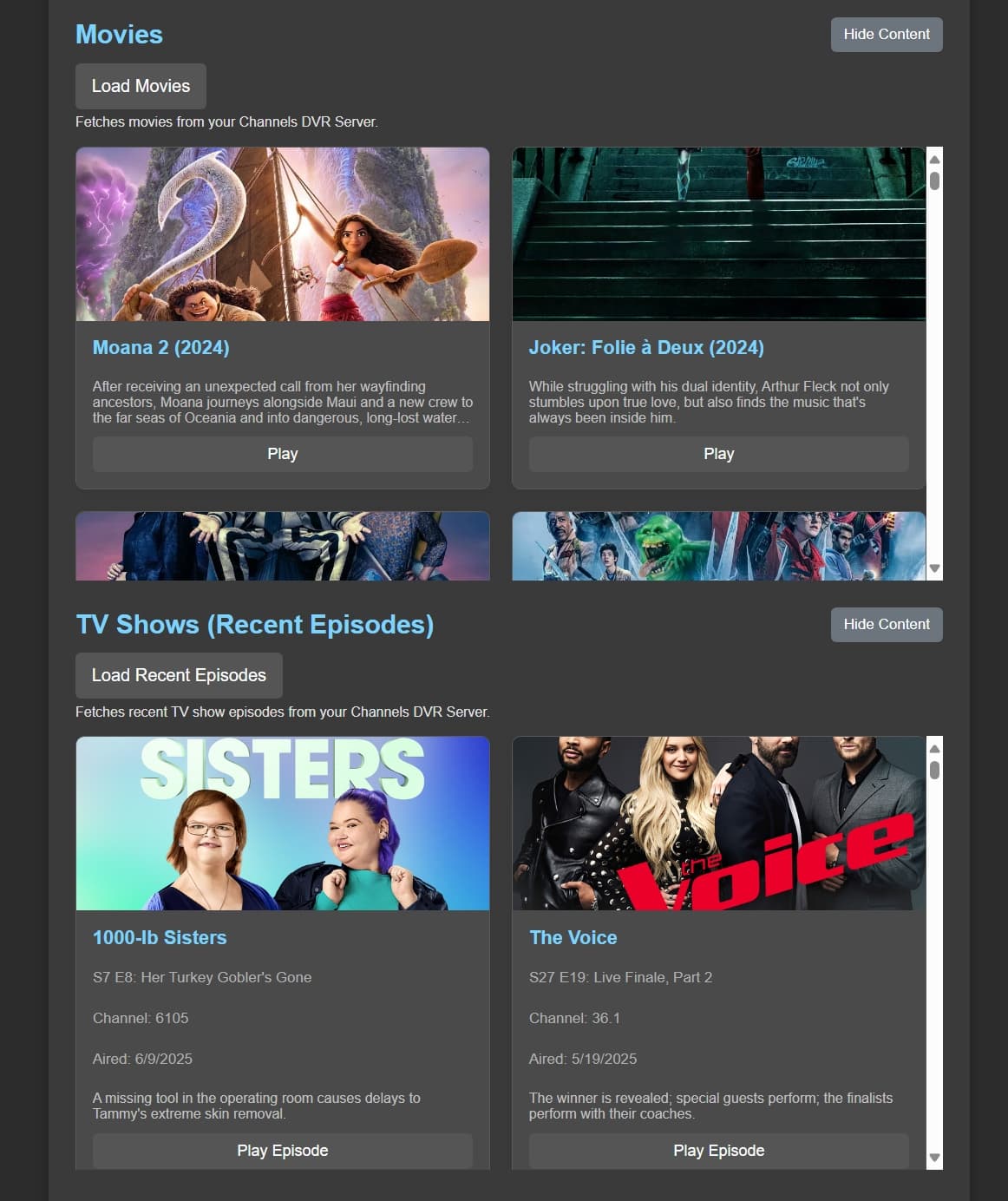
  • Browse & Play DVR Movies: Load and play movies recorded on your Channels DVR Server.
  • Browse & Play Recent TV Show Episodes: Load and play recently recorded TV show episodes from your Channels DVR Server.
  • Real-time Status: View current playback status.
  • Toggle Notifications: Enable/disable status pop-up notifications (off by default for mobile).
  • Mobile-Friendly: Responsive design for various screen sizes.
  • Theming Options: Select between different light and dark themes.

Project Status Update

I'm currently refining the UI. The "Load" buttons for movies and shows are not currently needed as content loads automatically, but this may change. Also, content is displayed by default with "hide" buttons available for mobile optimization, which is another area I might adjust. This project is a work in progress and is separate from the existing Client-Only remote control.

2 Likes

Wow, you’re on a roll, this looks fantastic. Nice work, thanks for sharing :slight_smile:

I’ve a feeling @bnhf will agree, this deserves a spot in OliveTin :+1:

Thanks. I was using it today to play a movie for my grand daughters and it made me smile. My poor wife thinks I've lost my mind. Lol. Thanks for the input. You had great ideas to make it so much better than the original concept.

Quick update. I just pushed a new image that no longer needs the Client environment variables. It now pulls that from the server. I have filtered Android tablets and phones from the clients, but I do not have an Apple TV device or Channels installed on iPhone or iPad. If anyone would be willing to send me the JSON response from channels-server-ip/dvr/clients/info with Apple devices on it, I can add filtering for iPads and iPhones and only return TV clients. Again, this is only needed if you have multiple Apple devices including Apple TV. Thanks for your help. Apple filtering should be good now.

Also, if anyone can verify that the filtering allows Fire TV devices through. Thanks.

Nice project. Here you go for apple clients;

[
{
"app_build": "4.28.1302",
"app_bundle": "com.getchannels.dvr",
"app_version": "6.2.3",
"connected": false,
"device": "iPad16,5",
"hostname": "iPad",
"id": "fbb459adb54cf597",
"local_ip": "10.1.11.158",
"machine_id": "06912C9C-81DB-4553-A9EA-401D707DB54C",
"platform": "iPadOS 18.5",
"seen_at": 1750806445594,
"seen_from": "local",
"user_agent": "ChannelsApp/6.2.3 (iPad16,5; iPadOS 18.5; com.getchannels.dvr 4.28.1302; en-US; America/New_York)"
},
{
"app_build": "4.28.1302",
"app_bundle": "com.getchannels.dvr",
"app_version": "6.2.3",
"connected": false,
"device": "AppleTV14,1",
"hostname": "ATVLR",
"id": "1f13b1917ba4107c",
"local_ip": "10.1.11.201",
"machine_id": "7DE37499-9795-4AA2-A3E7-4FB4DB3DDE5D",
"platform": "tvOS 18.5",
"remote_ip": "108.147.8.146",
"seen_at": 1750789454713,
"seen_from": "local",
"user_agent": "ChannelsApp/6.2.3 (AppleTV14,1; tvOS 18.5; com.getchannels.dvr 4.28.1302; en-US; America/New_York)"
},
{
"app_build": "10.11.1326",
"app_bundle": "com.getchannels.dvr",
"app_version": "6.1.2",
"connected": false,
"device": "iPhone16,1",
"hostname": "iPhone",
"id": "4a407e8ac85d59d1",
"local_ip": "10.1.11.173",
"machine_id": "25DF7CE4-141E-4089-BD57-18844CBC0E68",
"platform": "iOS 18.2",
"seen_at": 1735612804830,
"seen_from": "local",
"user_agent": "ChannelsApp/6.1.2 (iPhone16,1; iOS 18.2; com.getchannels.dvr 10.11.1326; en-US; America/New_York)"
}
]

Awesome. Thank you. That should be easy to filter.

Edit, Apple filtering added.

Just pushed some UI improvements. The Movies and Shows are displayed in a horizontal carousel instead of vertical scroll bar. I still need verification on Fire TV devices working with the filtering I have. Thanks.

I pushed another update with UI improvements mainly to the mobile side. I will be working on search and sorting features next.

Finished up on more UI improvements, added search and sort options for Movies and Shows and fixed a few errors. Latest push should be the last big one unless I find more issues.

If anyone can provide me with the JSON response from channels-server-ip/dvr/clients/info with a fire tv device and a fire tablet device, I can finish up my filtering. Other than that, I think it is completed.

I added filtering for Fire Tablets. I think Channels DVR client API provides "Fire Tablets" as the platform string to identify Amazon Fire OS tablets. I added that to the filtering. If there are any issues with it, I can change it. Thanks.

I've been working with some dialogue enhancement filters for movies with ffmpeg. These are designed to improve clarity of speech and reduce some background noise. My idea is to allow users to select a movie from the Channels DVR server and select an enhancement level and then play that movie to a custom channel the user would create in the DVR admin. This channel would only play the movie selected with enhanced audio. Is this a feature that you would find useful or just a waste of time to add this to the remote plus?

While that sounds super cool, and I certainly wouldn't discourage you if it's an interesting project for you to work on, that others may also enjoy, personally speaking, it wouldn't appeal to me, because tvOS already has that sort of functionality built in, that works really well, and I wouldn't want to interfere with it: Enhance Dialog and add Voice Isolation

But perhaps this would be of interest to those using other platforms?

Personally speaking I'd rather see work on video enhancements that would appeal to lots of folks too. For example I've been tinkering with Multi4Channels and Multchannel View that also use ffmpeg and getting a real kick out of the possibilities. I was thinking that if Channels App Remote Plus could play into any of that, integrate with either or both, it would also be amazing! I'm imagining ultimately using one master dashboard to remote control it all, choosing which channels to play, on-the-fly, and in which position they should appear in the configurable grid, which audio track is playing, etc. along with all of the other direct control that Channels App Remote Plus provides.

Any enhancements you decide to add will be appreciated, happy to troubleshoot anything and give feedback on other ideas. I really appreciate Channels App Remote Plus as well was Channels App Remote Control and use them both, nearly every day now. Thank you!

I'm working on adding this project to Project One-Click, and I'm trying to figure out where you're coming up with these informal DVR names. Are these just made up, or can they be pulled from the API?

CHANNELS_DVR_SERVERS=Home DVR:192.168.86.64,Office DVR:192.168.1.100
1 Like

Container Environment Variable https://github.com/nuken/channels-app-remote-plus?tab=readme-ov-file#2-run-the-container

2. Run the Container

Set the CHANNELS_DVR_SERVERS environment variable with a comma-separated list of Name:IP pairs. No spaces around commas or colons.

Example:

docker run -d --restart unless-stopped
-p 5020:5000
-e "CHANNELS_DVR_SERVERS=Home DVR:192.168.86.64,Office DVR:192.168.1.100"
--name channels-remote
rcvaughn2/channels-remote-plus

Replace 5020 with any preferred host port, and update IPs per your local setup.

Not sure how that would work if all your servers are at the same IP address and just use different ports.

I was just contemplating that myself...

Also, you linked me to the repository, which I always use when developing One-Click deployments. Forgive me if I'm missing something, but my question is where are the informal DVR names coming from -- I don't recall seeing a DVR "name" anywhere in the CDVR WebUI. I'm guessing they're just made up on-the-fly, but I'm trying to confirm that...

@chDVRuser I take it the question mark means I'm either missing something obvious or you are -- so let me try another approach to this question:

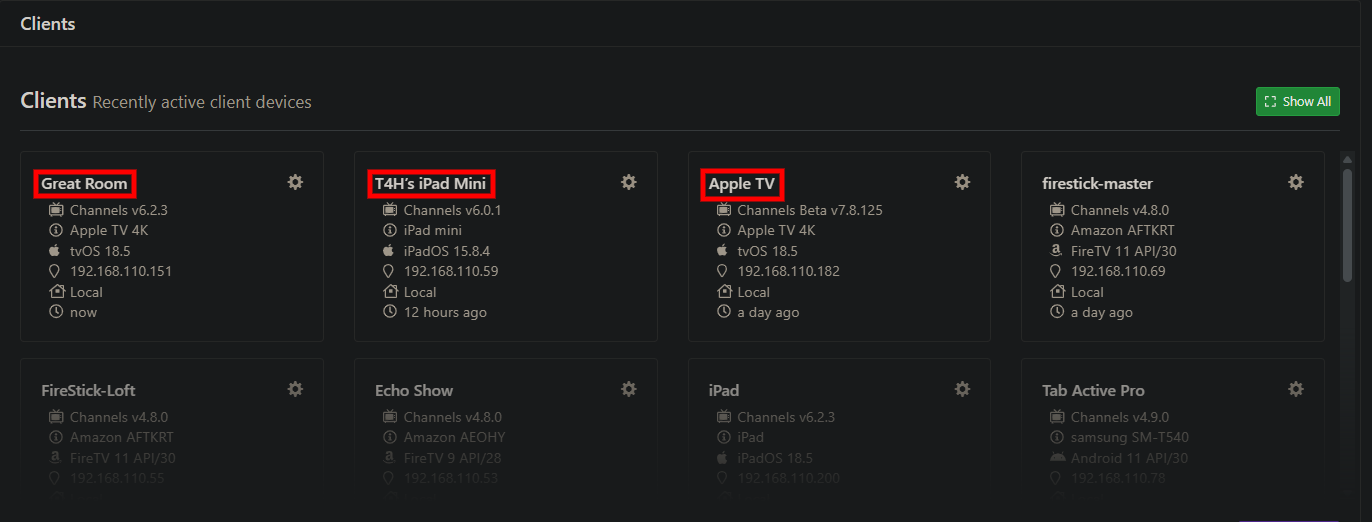
Are you aware of informal DVR names like "Living Room DVR" or "Office DVR" being supported in Channels DVR?

Similar to the informal names used for clients?:

I'm not running Channels App Remote Plus.
I just looked at his docker run statement which states that you define the name:IP pairs in the environment variable CHANNELS_DVR_SERVERS

I know his code queries those servers to get a list of Channels clients.
That's all I know.
My guess is he's not using the dvr name for anything in his code, so not sure why it's there.

It is just a name you would put in to identify which server is which. I never thought about using different ports for servers. I assumed Channels would not work on a different port.

OK. As always, I'm just trying to make things work with existing OliveTin data, which contains either hostname:port or ip:port for each CDVR server. And yes, there are multiple users that run CDVR on ports other than 8089.

Is the informal name required, or can someone simply use a comma separated list of hostnames or IPs?

I was going to change it up to use ip:port and do away with the name. I will have the change made this evening and push the image. Thanks.

1 Like

Great thanks!

Just to clarify, we're talking ip:port or hostname:port correct? Users like me that use Tailscale with MagicDNS will typically use hostname (which makes it easier to identify the DVR too).

This allows for something like media-server8:8089 to resolve either via one's Tailnet or on the local LAN -- on a well configured network.

You probably don't need to do anything special for this support, just be sure you're not validating against an IP-only format.

1 Like