Channels Community site on Safari and iPadOS 26

i’m having a strange issue now that I’ve updated my M1 iPad to iPadOS 26, but only with this site. When I tap the bookmark that has always worked before, I’m now just presented with a blank page. I have disabled all extensions and ad blockers, cleared cache, rebooted, etc. but still can’t access the site. All other sites that I've tried work fine. And I can access the site via my iPhone on iOS 26, as well as my laptop on macOS Tahoe. I can also access the site via Chrome on the iPad. But it’s not working with my default browser, which is Safari.

Can anyone else test or confirm this? Or can anyone offer other troubleshooting steps I can try?
I'm holding off updating any of our apple devices to the 26's mainly because I don't have time right now to deal with the nagging little differences. Sorry I can't help test. I have seen now and then chrome not want to display my CDVR web pages on macos Sequoia but work fine on Safari. I never did figure that out but it would start working again within a day or two. Clearing cache, cookies etc wouldn't fix the problem when it happened. I haven't had it happen in a couple months now.

For what it's worth I do not have that problem on my M1 iPad Pro with iPadOS 26.

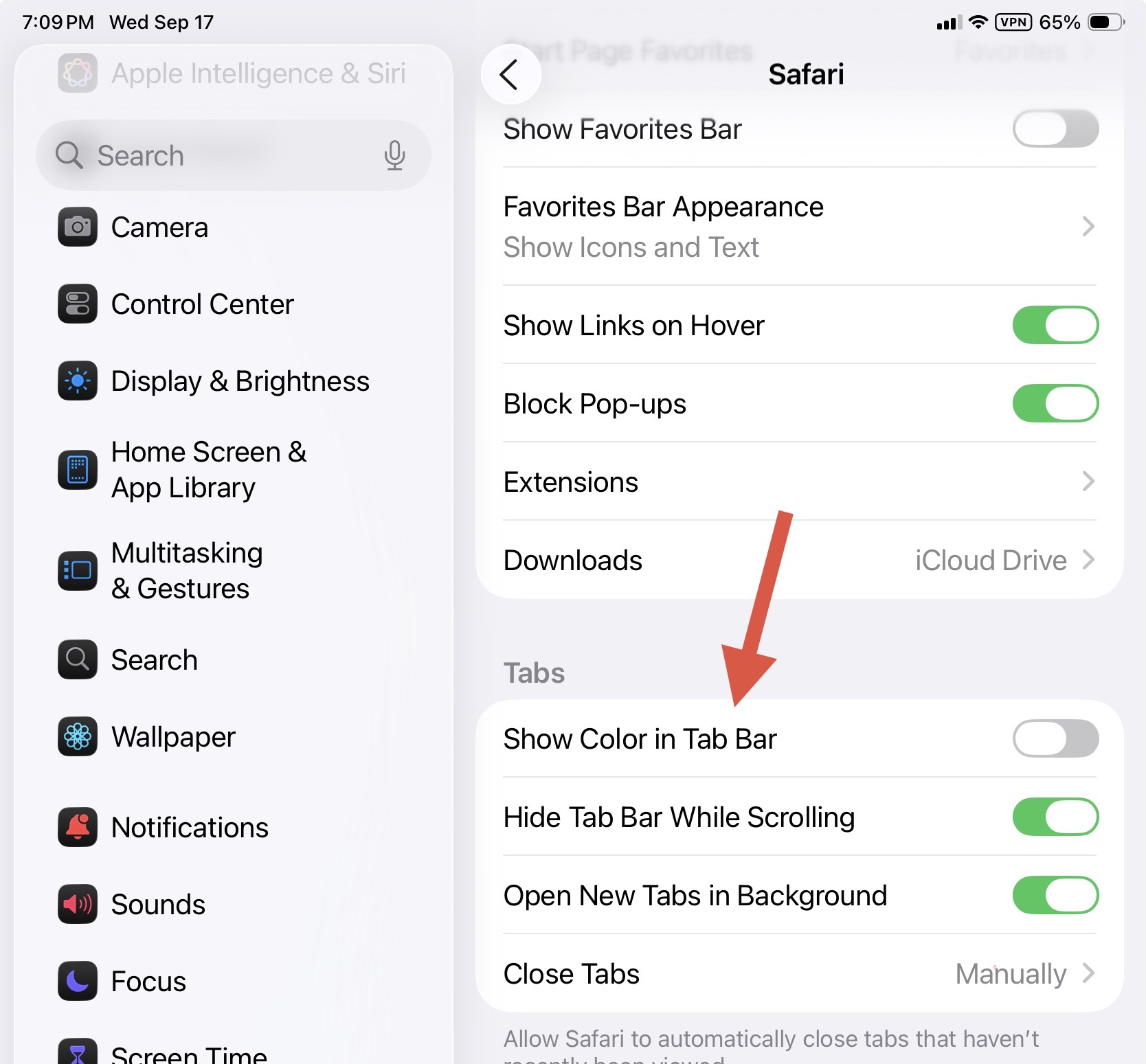
The entire Safari toolbar turns black on purple when viewing the site, which has horrendous contrast, but that's just one of so many cosmetic issues (and thankfully fewer functional issues) with this half-baked release…

Can you check the URL on the bookmark is correct? Maybe try using Private Browsing just to make sure there are no errant cookies etc.?

Thank you! That solved it for me. After I determined that it displayed fine in Private Browsing, I went into the Safari settings, under Advanced, and deleted the cache and cookies for anything Channels related. When I went back to this community site, it loaded fine. I really appreciate that!

this solves that too, by the way:

Thanks! I had missed that setting.