
I would definitely use it, especially if I could watch on a PC at home without having to transcode at the server like the browser currently does.
1 Like
I actually made some good progress on it today. A few more days of debugging and some improved styling, we might have something.
Thanks! I would love to try it. Do you think you will be able to handle 5.1 audio using either passthrough or 5.1 decoding to LPCM in the PC?
1 Like
I am using LibVLCSharp, so whatever is sent, VLC should handle it properly.
Great!
I recently set up a Channels DVR server for a friend on an old Windows PC that is not powerful enough to handle transcoding, so this could work well for him.
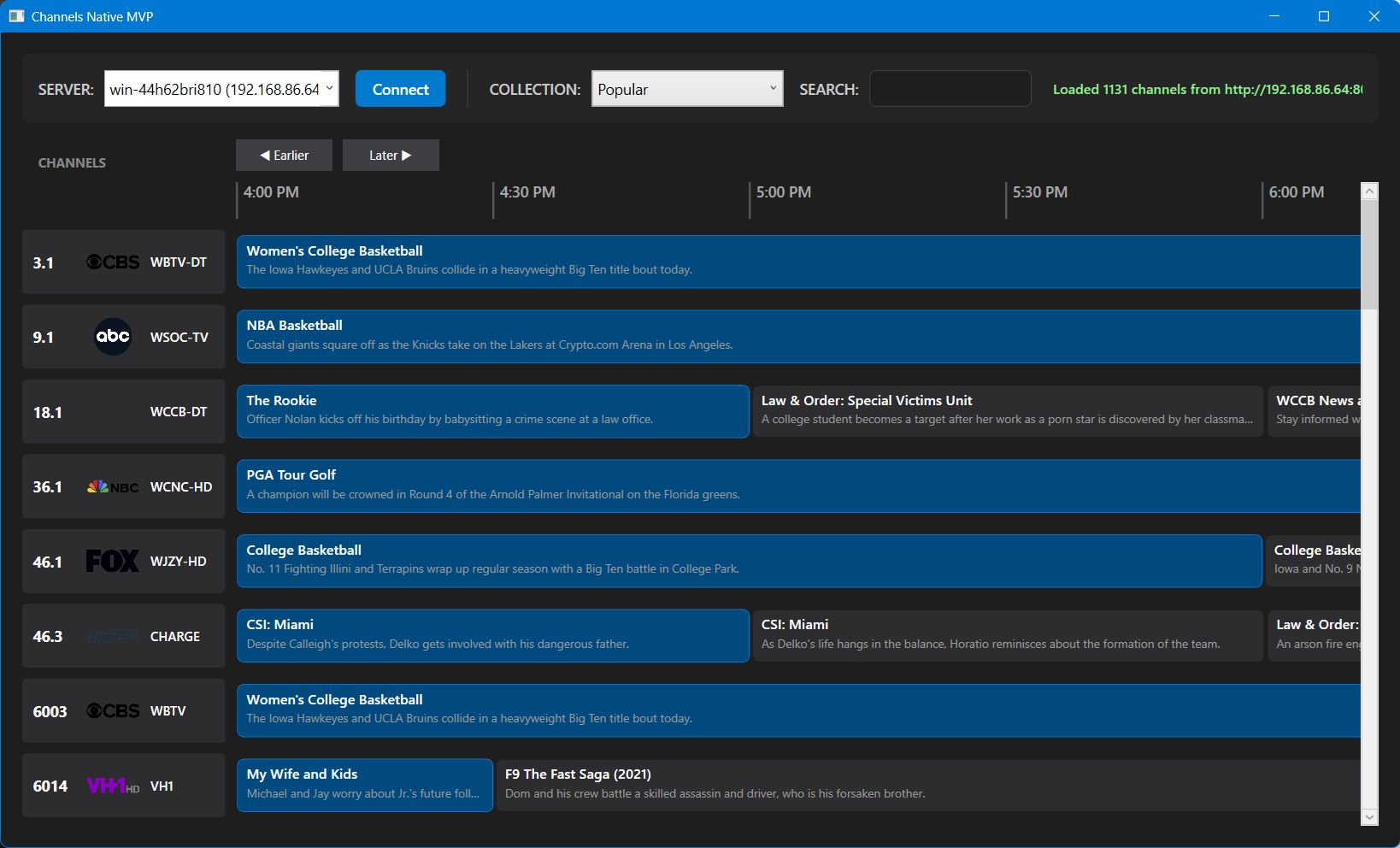
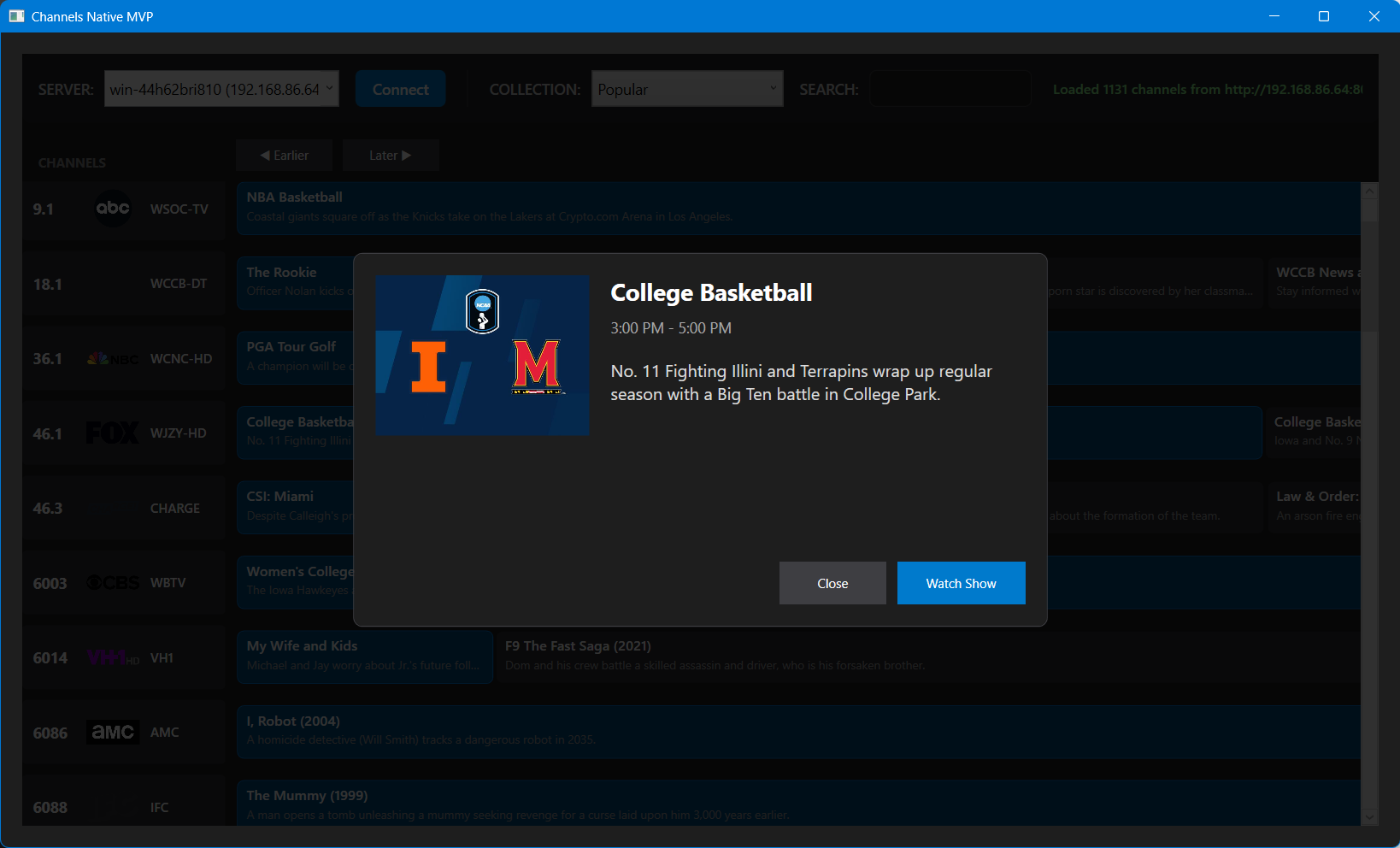
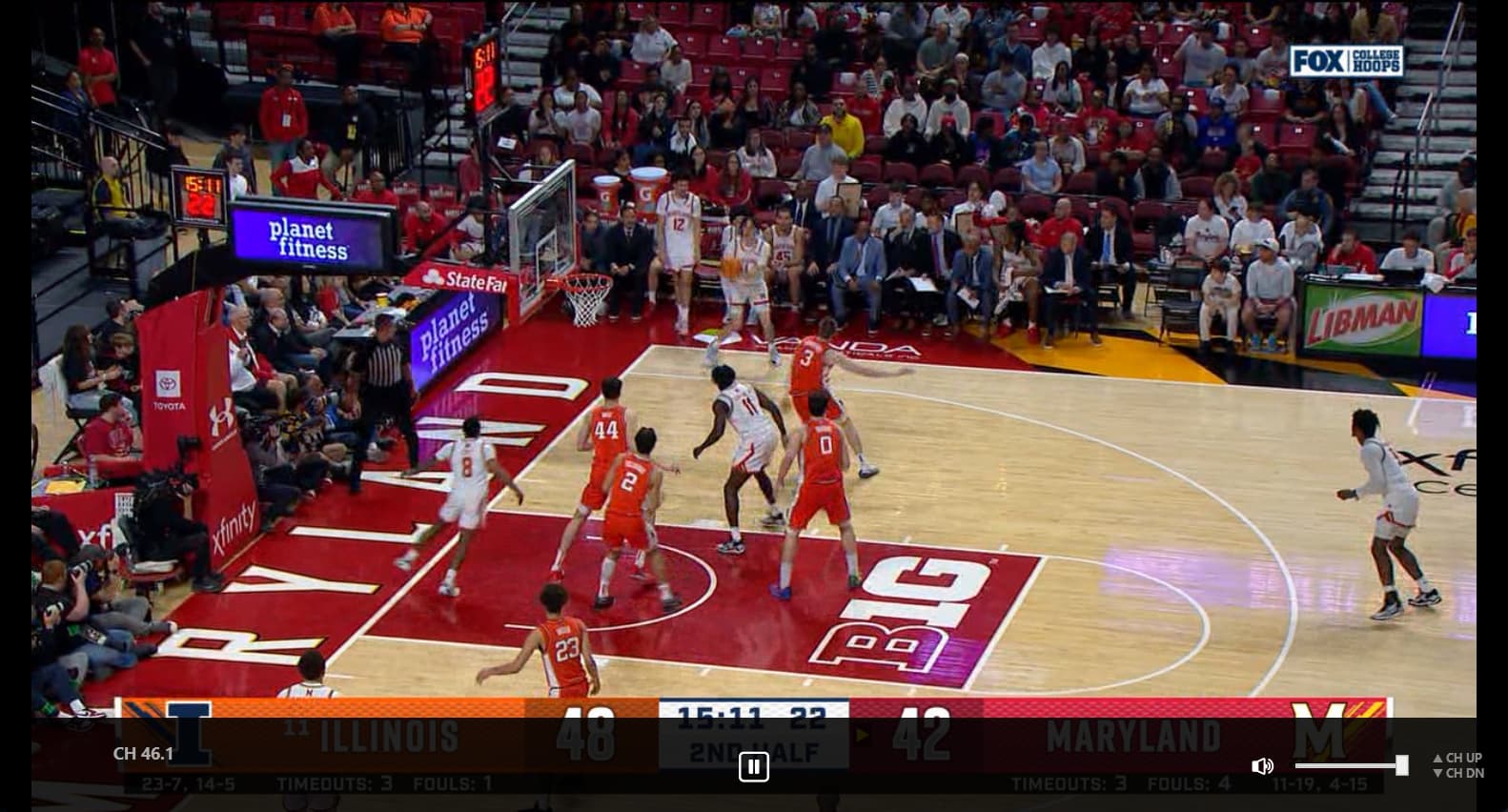
3 Likes
Seems like the heyday of remote controls for Windows media has been gone for a while, or perhaps I'm missing something?
Flirc
The guide looks great!
Are you also implementing playback of recordings with commercial skip? That would be very cool!
Regarding remote controls for Windows PCs, the SofaBaton can be paired to a PC using Bluetooth, and it can control basic functions like play/pause in VLC and during playback in the Channels DVR server UI in a browser. However, I also use a Bluetooth keyboard and mouse with the PC connected to my TV.
That looks fantastic! I don't mean to get greedy, but ...
When the user selects a show, don't be afraid to load that screen up with stats. I always loved seeing that attributes of the show, like Channel number, original air date, EPG category, etc. Speaking of categories, is there any way to color code them in the guide, like different colors for sports and news and such? Can the user hover a show and get info? Oh the possibilities ... hell I may never go back to the bland Channels DVR interface. Where's the purple?!?
1 Like
The first release won't have all features people will want. One exclusion will be Virtual Channels as added them in has been a pain. Right now I am filtering VC out until after the first release and subsequent bug fixes. I will be testing it with keyboards and remote controls but I am sure there will need to be changes. I will be working on a light colored theme tomorrow and more bug fixes. This will be a live TV app. I may add support for recorded content, but that will be down the road.
I will put together a list of features and add to it as more are added. I will have tag colors for channels such as news, sports, movies... I will be adding more info to the popup as well as a stats for nerds on the player. I hope to have a pretty solid app when it is ready for release.
Oh, I was just getting all over-excited. We'll take whatever you have time for, Bobby. Thank you!
I agree, I am happy to try whatever you provide!
I don't think playing back recordings will be too hard without commercial skip since today I can copy the Watch Now link from the server UI and copy it into VLC to watch a recording, but I have no idea how you might be able to implement commercial skip.
The biggest thing on my end is the amount of code that will be needed to accomplish playing recordings. It will be pretty much like an entire separate app added to the existing one. The endpoints are different, the methods and classes will be different, putting the info together and providing a UI to play them will be different from the live TV UI. It is doable, but I want to concentrate on getting the live TV working correctly before I add more layers into the app. That would make troubleshooting and fixing issues more complex and time consuming. I'm a big fan of the KISS philosophy when it comess to making something new.
Edit, but I do plan on having an installer and auto update feature on it. When updates are available on GitHub, it should show that an update is available and allow for the app to update with the click of a button.
1 Like
Bought one years ago, hated it.
I used to use Flirc v1 on pc, back in the days of Windows Media Center, then Emby, then Plex, before i moved to a streaming box setup.
Worked very well. I could use any IR remote I wanted. Found for a few bucks at thrift store a DirectTV fully backlit remote with all the buttons things I could want. Was a bit of a pain to program the IR software, but once I figured that out, served me very well for PC based Media client usage. Kinda miss it.
Flirc makes a v2 dongle, one that is not fully transparent, no idea how good that model is.
For the record, a new Apple TV is $129
Comes with a remote.
I am working on adding a network remote app that can control the windows app with your phone. I almost have the API finished and will start testing in the next few days. I have also mapped common keys for controls of the app. The arrows keys, f for full screen toggle esc to back out. Spacebar to pause and play. Etc.
Sure. A terrible remote that wears out in a year or less. Also not backlit or have number buttons. I replaced the stock Siri Remote with a one for all remote. Does not have number buttons but is backlit with other buttons I find use full.
Reguardless. The point of the post is for a windows client remote. You can’t use the Apple tv remote on pc far as I know.