Channels DVR server not able to interact with connected USB drives

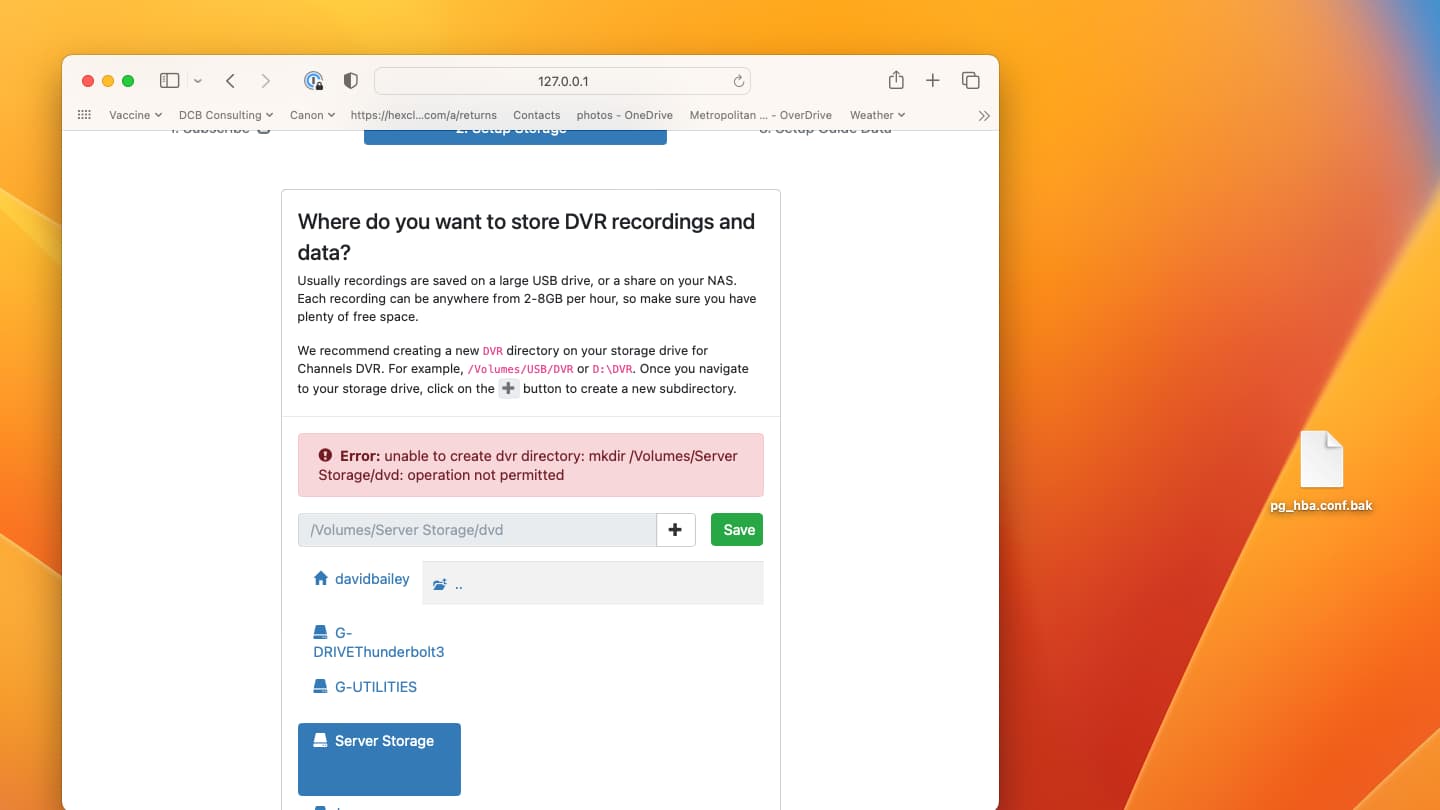
I upgraded my Mac mini M1 to Ventura and subsequently had issues with my attached RAID (where dvr files were stored) I have resolved those issues and am able to access my RAID through the finder, but Channels cannot navigate into the raid. It sees the disk, but can't interact (created files, make directories, access back-ups, etc.)

I tried creating a new Channels directory on a different attached USB drive, and have the same result. I am able to have the dvr work in the Documents directory.

I found the setting the privacy and security for allowing an application to access files in Documents and a similar setting for removable disks. Documents works, but removable disks ( I'm assuming usb mounted drives falls under this category) does not.
Go to macOS preferences under Privacy & Security to enable access to Removable Drives

Sorry, but in my previous post I stated that enabling that in privacy and security did not work. Only Documents folder worked. Any reason what a removable wouldn’t work?

Did you restart the DVR or your computer after changing it?

Can you post the screenshot of the Removable Drives in Privacy & Security?

Yes, stopped and restarted. Attached screenshot.

Please show me the screenshot of the System Settings that shows the Privacy & Security tab with the Files and Folders listed showing channels-dvr with Removable Volumes enabled.

1 Like

I tried re-installing and could never get that removable item to show up in the list under channels-dvd. However, I set the Full Disk access just below Files and Folders to enabled for channels-dvd and was able to access both attached disks. So this problem appears to be resolved.


This topic was automatically closed 365 days after the last reply. New replies are no longer allowed.