Channels DVR Server on Windows 10 : Windows updates

How can I tell my Windows 10 machine not to be uncontactable whenever it receives Updates or displays a "nag screen", please?

Every few weeks / months I'm prompted to re-enter the IP address of the DVR server. When I VNC into that PC there's always a Windows message that's awaiting a response from me. And that seems to be causing VNC Server to go AWOL.

Thanks
What does the message say?

Perhaps you’re running VNC in the desktop session instead of as a service? That would be the first thing to check. As for updates, I think even with Windows 10 you can change updates to not be automatic at all. You just need to be disciplined about logging in and applying updates manually every month or two. You don’t want to let it get out of date too far.

Great thanks. I'll check.

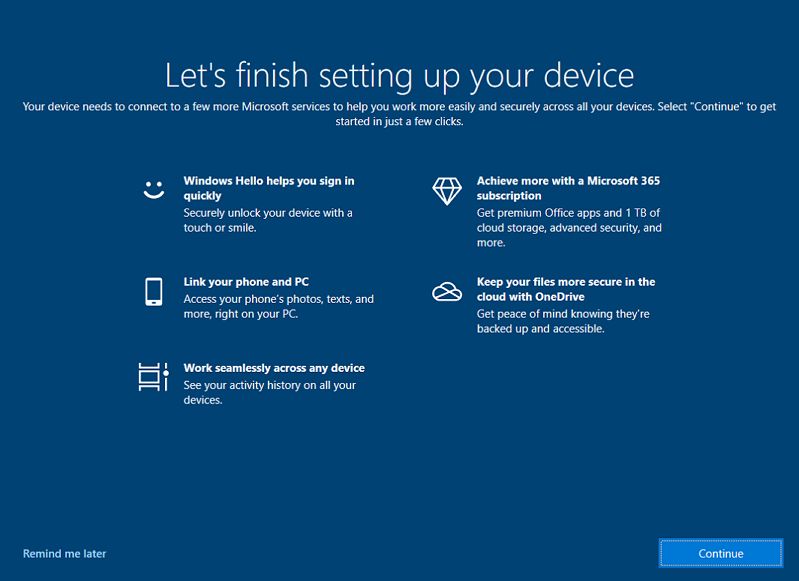
That nag screen - something like "we're nearly there. Let's finish by choosing.." where it asks for your Outlook password etc.
This is the one I mean: https://www.mysysadmintips.com/images/stories/articles/0961_windows-10-login-nag-screen_1.jpg
Surely it shouldn't stop Channels DVR from running? Or maybe Windows has done updates and automatically rebooted and is hanging until I answer?

Sounds like it.

1 Like

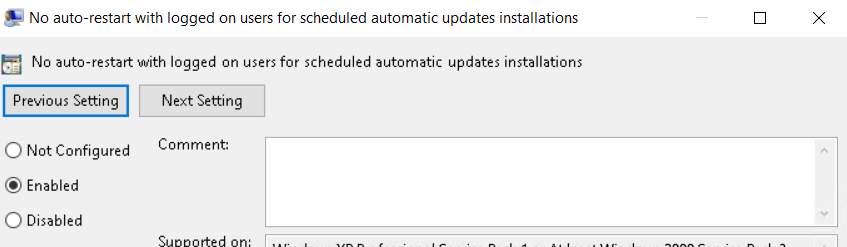
I edited the group policy to not reboot to install updates while a user is logged on ... I have my Channels DVR server to autologin.

Thanks - I'll look into that.