Channels Management

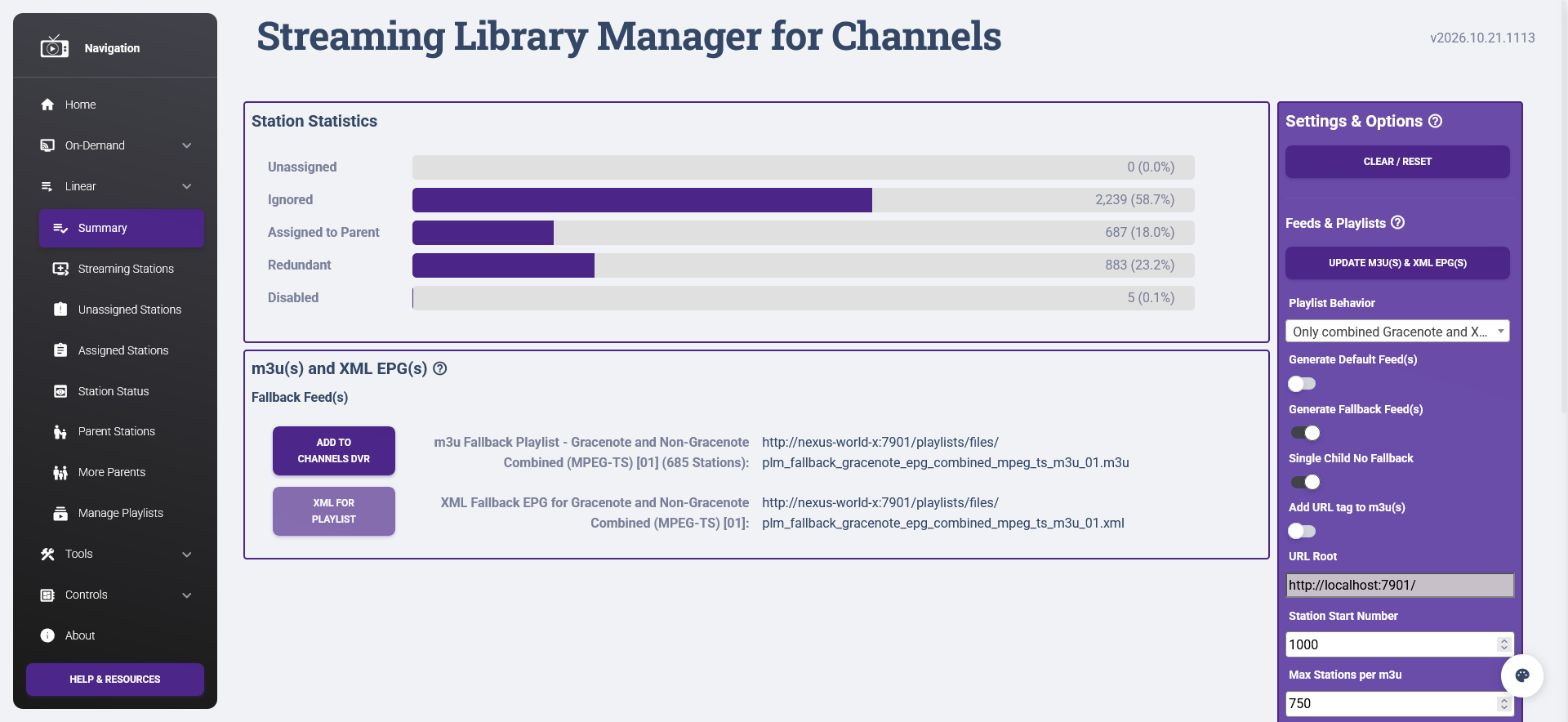
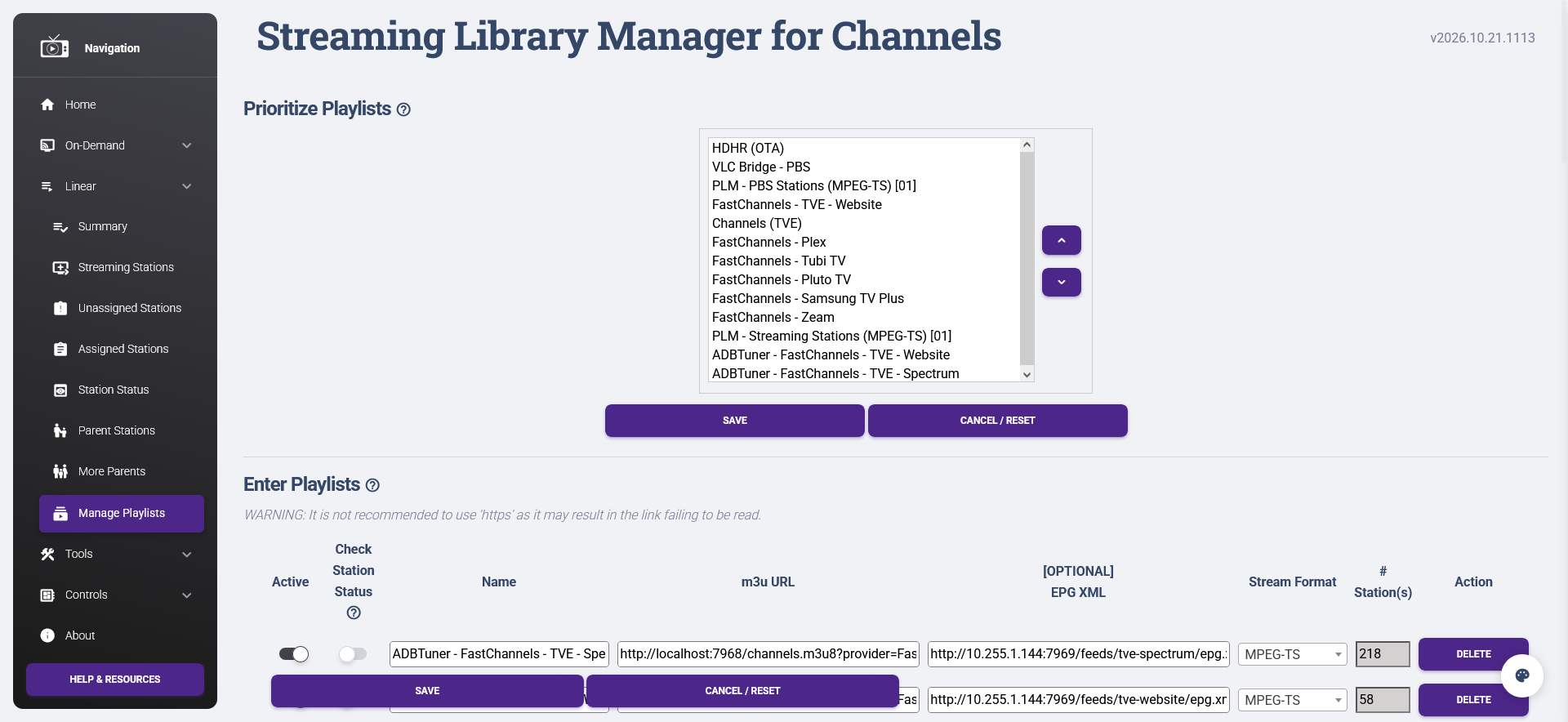
What does everyone use to manage their sources? Between TVE, HDHomeruns, APITuner, FASTChannels, etc. etc, I have TONS of stations just like you all. I was using the Streaming Library Manager container for this, but its difficult to renumber and order thousands of stations.

I was thinking of reverting back to just having Channels DVR manage the sources and set each sources channel number. What does everyone else do? Advice is definitely appreciated.

Create a standard for numbering your sources. This is how I do it:

  • Tuners first and there numbers are the lowest
  • If you have TVE it may overlap with your tuners or you can set it after your tuners
  • The same goes for sources that only have a few channels
  • Last, sources with hundreds of channels. I start them at 3000 and add 1000 for each one. I start at 3000 because that works well with FastChannels

FastChannels keeps a table of the sources it feeds to Channels DVR on it's Feeds tab. By being organized it's not bad. You can create document sorted in channel range order that lists your sources if you can't keep it in your head.

This is exactly what I was thinking of doing. One less container and I can always sort the channels based on groups in Channels.

For me, I stick to SLM.

Dispatcharr and the lineuparr plugin is also a good alternative tho

I'm thinking I might use SLM for my HDHRs, TVE and APITuner. SLM is difficult when you import the other 1000's of FAST channels. I've found that it slows down when you import those sources and those sources are unreliable.

If you're using FAST Channels, you should filter out channels you don't need within that

Are you really gonna watch 1000 FAST Channels? :smiley:

I watch only a handful of those at a time anyway. Try to get the channel number down to about 200-300.

You can have PPV/event-only channels (ESPN+, Paramount, NFL+, etc.) but I wouldn't use SLM for that, I would Channels directly to handle those and let SLM handle the 24/7 channels

SLM seems like a great way to go. Unfortunately, I struggle to wrap my mind around how it works and should be set up. I have tried several times and only came to the conclusion that I'm too simple-minded to use it properly. :exploding_head::brain:=:headstone:

2 Likes

I'm aware that SLM would benefit from a UX overhaul (plus probably a re-alignment of backend support functions) and many modern features like drag-and-drop and whatnot.

Just don't particularly have the bandwidth, energy, or motivation to undertake such a large project.

1 Like

I reached the conclusion that SLM doesn't work the way that I think. That's not to say that SLM, or even the SLM UI is bad, but I just kept running into walls trying to comprehend exactly how it worked and how to set things up. Just when I thought I had it... nope.

I managed to get situated for recording the stuff that I used to get off Cable that I'm now getting some other way, mostly OTA major networks and sporting events on ESPN, using other apps discussed around here.

I still think it would be cool to follow some YouTube channels and some other streaming things using SLM, and one day I might come back and give SLM another go.

You did a great job getting SLM to where it is and I suspect I speak for many in saying thank you for doing this as I get value from SLM every day.

Possibly another one of the community developers would like to help out with the UI improvements.

2 Likes

And also I'd like to see one SIMPLE version of SLM for YT only.
Enter the link to the stream you want, whether "live" or 24/7 per-recorded.
Get the link to put in a Custom channel. No Guide needed.
No Docker, no nothing, just a form that uses your SLM logic in the background etc.
Just that, one item entry as below, no bells and whistles, one http in, one m3u8 out, would that be possible?
https://www.youtube.com/watch?v=BWTqy4aRMos
Thanks

If you are asking for the final result m3u8 from YouTube, the answer is no. Those are transitory/temporary results that are new each and every time SLM asks YouTube for a final link. It will be invalid in just a few minutes if you try to use it directly. Also, it might not even be a final m3u8 direct from YouTube to begin with; SLM might have to stitch together separate video and audio feeds and serve that up. What SLM has to do to get these streams is technically complicated and constantly changing.

If you are asking for something like a website that can do what SLM does without a local install (Docker is only one option, SLM works fine as a direct installation in any type of environment), the answer is still no. YouTube is fast to ban, so if it starts receiving a ton of requests from one location--especially simultaneous requests--that address will be blocked and the whole thing will go down. That is why this solution works locally, but will not work globally. Having a global website or whatnot is why all the prior solutions permanently broke.

Even more so are the hoops we have to go through for static videos. Live streams are one thing, but static videos like your link now require a separate PO Token server to get the highest quality results. These have to be unique for each user, so definitely not something that could be managed centrally. And on the horizon is the dangling sword that YouTube might require a logged in account at some point to get anything.

1 Like

Thanks for the reply.
If you can't do it, it can't be done.!
Too bad tho.
.
Here's what i do, seems tedious and pbly not the best way but it works.
I know you'll say SLM is better and easier, but I have had a hard time with it, sorry.
I like this below, if you have a cap on internet this will play your YT videos from a file, and will LOOP it.
Good for Ambient videos, Aquariums, Waterfalls, Storms, etc
.
What I have done is capture like a 10 minute video with the Print Screen Snipping Tool / Video.
I Add a new folder, YTbirds, to my D:\My Custom Videos\TV Shows and in that folder a new folder named Season 01.
I drag the YT mp4 video from the Screen Recordings folder to my Season 01 folder.
D:\My Custom Videos\TV Shows\YTbirds\Season 01
Then in CHDVR web ui in Firefox
go to the bottom of Sources, Personal Media. TV Shows, Manage folders. Scan personal media, Scan
Head to Live TV, Virtual channels, click the + in search box and ADD Channel:
Name, Ch#,"Manual" on guide,
click Add Content, Select TV Shows, the new YTbirds card should show up, click it, wait a few minutes
I then add it to an "Ambient" Channel collection from Virtual Channels.
Whew !

There are other, simpler ways to download YouTube videos directly that I won't get into here; but they could help make your process easier. I've considered adding the functionality to SLM, too, since it wouldn't be too difficult to drop off the completed file to the Imports directory. The trick is the metadata, which SLM already handles for Stream Links/Files, but I need to extend to physical files. This is already part of the long-term plan, though, and something I'm much more interested in pursuing.

1 Like

Slacker.

Sad to see but understandable. PLM has been great for me as I'm able to consolidate multiple custom channels/HDHR tuners into 1 playlist.

I got the same time as you but less python knowledge in order to chip in so I can't help :smiley: