Channels stopped working yesterday (12-21-24)

Yesterday afternoon my DVR Server quit working - a message came up on the TV saying the connection to the tuner had been lost.

At the server, I couldn't get any of the Philo stations to play. When I clicked on a Philo program, the "splash screen" (not sure what it's called in tv-land...) would come up (like a home-page of the program) and it would spin for a while, then revert back to the splash screen.

I'm using Philo and a HD Homerun for my OTA antenna in a Win10 PC.

The antenna stations still worked, but not Philo.

I updated my DVR server to the latest rev (2024.12.18.0400) and it still wouldn't play the Philo stream stations. Our recorded movies do play.

Since that time, I've performed the following troubleshooting ideas:

  • I have rescanned Philo several times
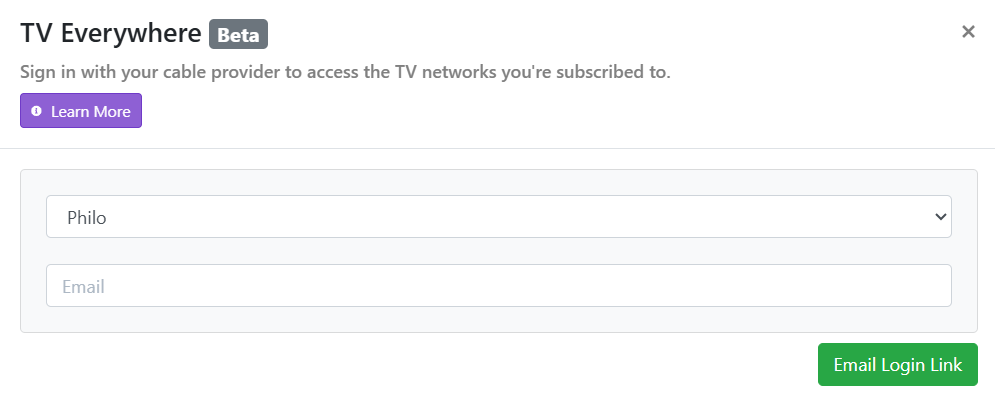
  • I have removed the Philo source and re-added it (when I do the "TV Everywhere" scan for Philo channels, it shows that it's scanning 157 channels, but only 70 show up when I look at my source list)
  • Several channels are saying "not authorized" - Philo plan does not included access to this (specifically Lifetime and Hallmark) and others are showing "playback info: access denied. missing package XXX" (station name)
  • I am able to stream the Philo channels in a browser on the PC that the DVR server is hosted on - so I don't think it's the PC (It recently had updates to the Win10 PC but it worked after that)
  • checked for updates on the Win10 PC
  • rebooted modem, router and switch
  • rebooted PC and DVR Server several times

After all of that.... now Philo still isn't working and the HD Homerun OTA stopped working....it shows the "splash screen" then goes to black with spinning circle for about a minute then reverts back to the "splash screen"

I'm out of ideas..... can someone help me figure this out?

Thank you!!

Might be helpful if you posted some logs of the error hapening

Just so you will know, I just checked a bunch of my Channels/Philo/TVE channels and they all work using Channels version 2024.12.18.0400.

I'm using Windows 10.

I have no reason to believe this will work, but I would try resetting my password.

Another thing you can try is to remove all power from everything (modem, router, switch, PC, HD-Homerun, all Channels clients) all at the same time. Then bring up modem, router and switch.
Then bring up HD-Homerun.
Then bring up the rest.

Thanks Ken!! Appreciate the feedback!!

I removed and reinstalled/scanned Philo stations several times. When I reset Philo it just asks me to authorize it's use via phone number or email..... and that works on my PC as well as Channels Server.

It looks like it is connecting to Philo, but getting error messages that either some channels are not "offered" or "not authorized" - so I don't believe it's a login issue. Thanks again!!

Thanks again Ken,

I will give that a try this morning. :slight_smile:

Yes, but if you go direct to Philo and change your password, it may send you through a different process when you reconnect with channels.

1 Like

And don't forget to Update Password for your Philo source in Channels DVR after changing it at Philo.

Thanks guys!

I don't see how to change a Philo password? Here is what I get when I searched for password change - only got option "forgot password" and these are the instructions:

/Using Philo

Forgot password

Good news! We know that passwords are a pain, so Philo never requires a password. At sign in, just enter your email address or mobile number and we’ll send you an authentication link or code.

working on the logs..... sent the log file to support:

Here is the number: Channels server73308cb6-c298-4b1b-94dc-c225c8a22bb1

Do you have access to that? If not I can paste the log here, but it's long?!

Thank you!

I thought Philo does not use a password on ChannelsDVR but has to be authorized at the Website.

I has to be completely removed then re-added.

To change your Philo password for accessing TV Everywhere, follow these steps:

On the Philo Website:

  1. Log in to your Philo account.

  2. Navigate to the Account Settings section.

  3. Select the option to Change Password.

  4. Enter your current password and then input your new password.

  5. Confirm the new password and save your changes.

On the Philo Mobile App:

  1. Open the Philo app on your mobile device.

  2. Go to the Settings menu.

  3. Look for the Account or Password section.

  4. Tap on Change Password and follow the prompts.

Philo as to be removed then readded to get a new Authorization link.... in email.

@mdgranchi you're going to need to have all of your Troubleshooting checks be green before you go further in trying to solve your issues. Nothing is going to work when you don't have any free space.

Thanks Eric. I have cleared up space and reset the clock - so all green checks now.

Thanks all!! The Community client here suggested that I not respond individually to each comment - so thank you all who have posted ideas.

Using your suggestions, I have powered everything off; cleaned up the troubleshooting tasks so all checks are now green; rebooted the server; tried to reset the password following above instructions and there is no password reset option (??) - only an approval via email - so I did that several times and also "updated the password" from within the Channels client (that again was the email verification process). I also removed and re-added Philo as a source several times..... still having the same issues:

  • several channels will not stream at the server, such as Hallmark, Lifetime and others in the log file (the Homerun OTA programs are now working! yea!)

  • Tuner cannot connect to the server (Apple TV)

and

  • 70 channels showing up on Philo (out of possible 157)

Not sure what to do next - thinking about removing Channels server client and reinstalling it?

I'm really challenged to believe it is the Channels server client since no one else is having issues.... unless something got corrupted in the server package on my PC?

Anyone have other ideas beside reinstalling the server client?

Thanks!!

For reference, I have 99 TVE Philo channels.

Update: All issues are resolved.

THANK YOU ALL for your helpful comments!! This is a GREAT community!!

Wanted to let you know how it was resolved:

The "lost connection to tuner" (for me!) appears to have been resolved by the latest pre-release server package ( 2024.12.23.2347) - I updated this morning and the Channels server is now available and working just fine!! (As I said earlier, I'm guessing my Channels client got corrupted somehow and the update must have corrected it??! Again - guessing!!)

The Philo channels issue- none of them streaming at all I'm guessing was related to whatever caused the original "lost connection" issue. When I was trying to rescan/remove and reinstall the Philo source and only getting 70 channels..... it would appear to be a "defective end user" issue..... long story short, I got my credentials mixed up with an old discontinued account, so it wasn't allowing me to load the paid channels. When I finally figured that out, all channels are now working.

Thank you all again!!! Merry Christmas (or Happy Holidays) and have a Great New Years Eve!!!