
That doesn't sound good for the future of this addon.
1 Like
well im using it on a dedicated pc so i never use chrome for anything other than CC4C it still works with ver 114 if im not mistaken
Yes but if it breaks at 136 then eventually some sites may break. We may need to go back to the drawing board here
Mine works fine on 138.
are u running the Orig CC4C win.exe or the newer version??
Chrome 136 working fine here -- running in a Proxmox LXC, as described in this post:
2 Likes
I was really wanting to be able to use some sites with adblockers but not sure how we can do that
Thanks for the update, can be possible to unmute when the website use this service: player.restream.io
Thanks with any help
I've installed the one click OliveTin CC4C stack and I'm using spectrum TV, how can I remove the spectrum login window? I can only see that when I'm watching a channel?
Have you used a VNC client to connect to the cc4c container to login to Spectrum?
You need to be actively trying to watch a channel via Spectrum, in order to be prompted to login, but once you've logged in once it should be preserved just like it would when logging in via any browser.
I have not used a VNC client to do that, I just installed it and transferred my channel information from my windows one.
So that's the process on the Dockerized version, to authenticate with whatever providers you're using.
What's the information on how to do it.
-
Tune to a channel so you can see Chrome is running and there's a login screen.
-
Use your favorite VNC client/viewer to connect to the IP address where Portainer and cc4c are running.
-
5900 is the default/standard VNC port, assuming you didn't change it in Project One-Click.
-
Login using your Spectrum credentials.
Fix it
All good now?
1 Like
I can now watch spectrum on cc4c but the IP address on my clients still show my windows one?
In Channels - Settings - Sources, edit the Custom Channels source you setup, and change the IP address (or hostname if you use those like me). Where you see cc4c in the attached screenshot is where you'd put the new IP or hostname:
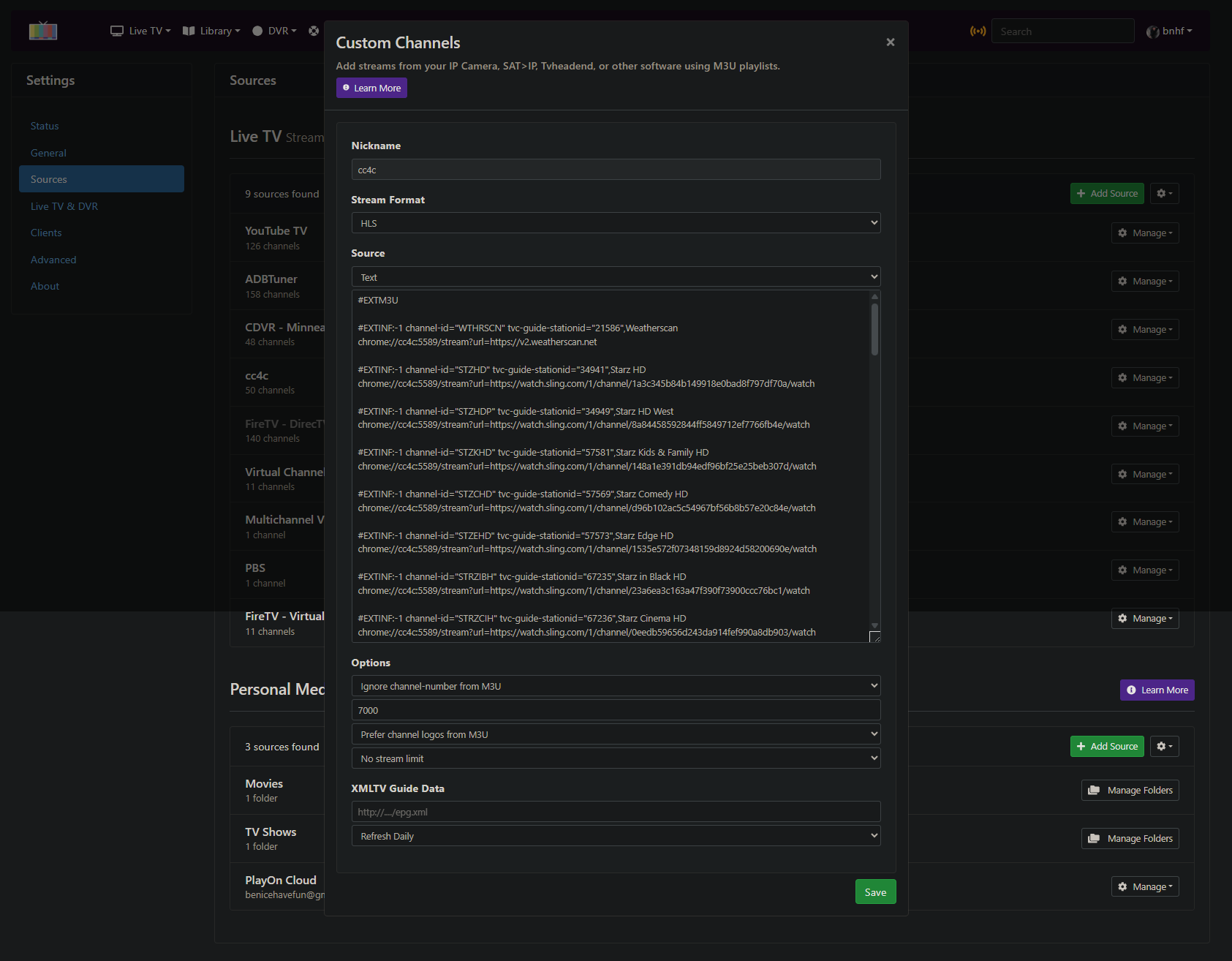
Then use the dropdown options for that source to reload the M3U.
I already done that, I have some clients with the new address but others still say the older one?
1 Like