
This is the latest version that works until we can get a fixed canary
It's working for me on mac, but on windows I just tried and it was having issues with bun. Chrome launched but wasn't navigating to a page for me.
Using node main.js still works so I guess use that on windows.
EDIT: Found the bun + windows + puppeteer bug: [Bug]: Puppeteer fails to load unpacked extensions when running with Bun · Issue #21700 · oven-sh/bun · GitHub
1 Like
Node isn't working for me either on 139.x, but I may be doing something wrong, as stated google devs are aware of the issue and maybe they can fix. Sorry for frustrating you tmm1.
1 Like
Now that NESN (and NESN+) has DRM is it possible to add that to CC4C, too? Happy to provide details and/or test, of course.
1 Like
I use the node version but I'm using @doug8796 custom version ncc-7-0.js
Is it possible to upgrade to CC4C version 2.0.1 but use ncc-7-0.js instead of main.js?
1 Like
I was just testing to see if it would work and how it would look. I'm having pretty good luck with @bnhf's Docker container. Thanks though.
I tried that too, but a lot of errors popped up in the terminal window with paths not being found, etc., it wouldn't even start Chrome.
Wow really? I could add it isn't it possible to spoof location and use it? Need to look into it. I assume more and more stuff will DRM in the future
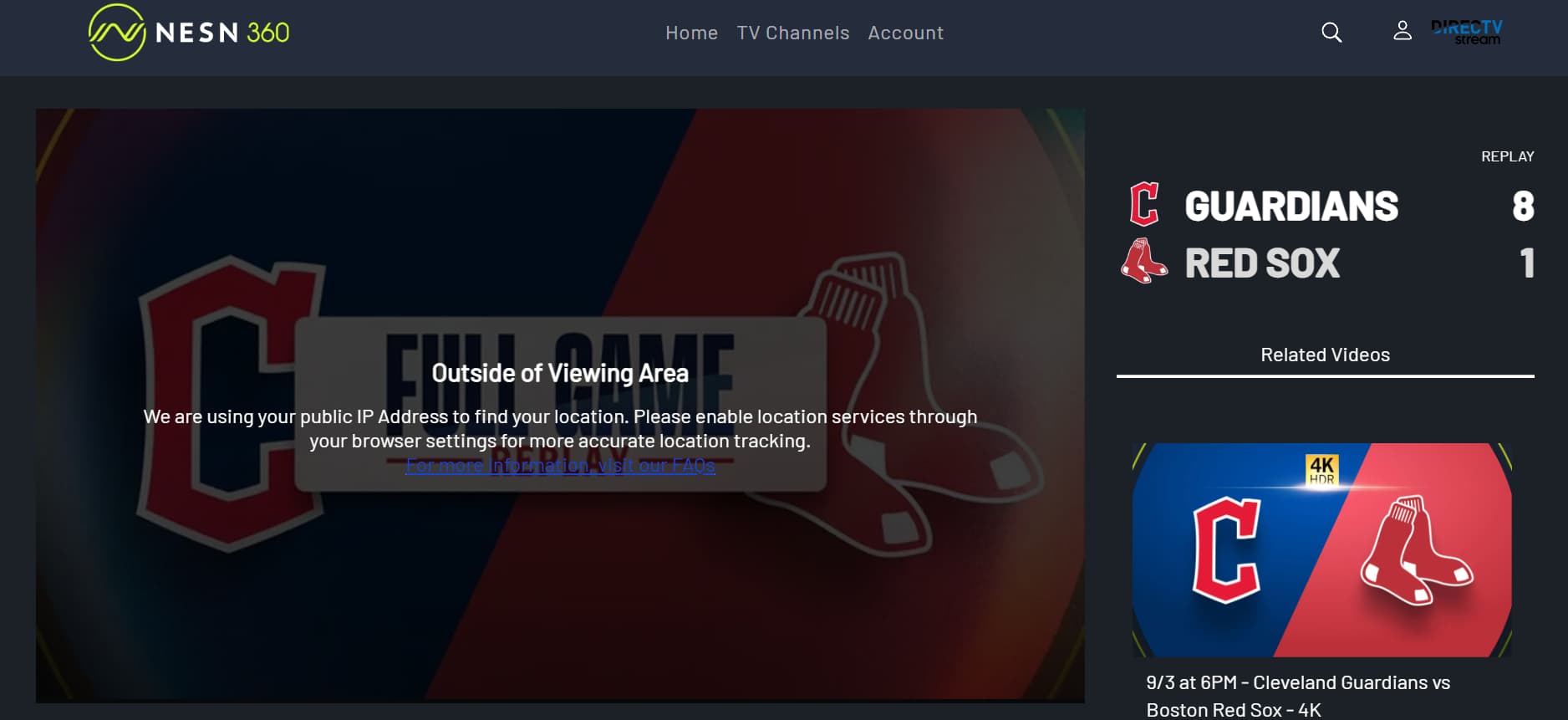
I can spoof cbs and fox but nesn uses IP for streaming. Would need a vpn to do this. I could still figure it out though after I finish Peacock and HBOMax, which I am decently close to now.
I dont like replays/non live events and 4k is a bust on chrome capture so the code would just get live events. Is there any way we can absolutely confirm its totally DRM'd? IIRC it used to be able to be spoofed for access.
It was working with node on windows for me with chrome v140
I can try with older chrome.
It's simple to install an older chrome on windows, in powershell:
winget install google.chrome.exe -v 135.0.7049.115 --force
Or to see a list of all available versions:
winget show google.chrome.exe --versions
With chrome v135 I get this error:
TargetCloseError: Protocol error (Target.setAutoAttach): Target closed
So probably puppeteer 24 needs a newer chrome.
It works for me with v138:
winget install google.chrome.exe -v 138.0.7204.184 --force
I tested on 140 and 142 and neither worked for me. Maybe just me.
Same here on 140, no go.
Since I run docker containers on a mini PC with Ubuntu Server, I decided for the heck of it I'd try the docker container version of CC4C and holy cow I wish I would have done this sooner! Now granted, I'm only using CC4C for Weatherscan and then various live web cams, but for these particular things, the docker container version of CC4C loads waaaaaay quicker and flawlessly all the time compared to the node setup I had been using through Windows. Thank you so much @tmm1 !!!!
Is there a way to convert custom main.js back into a docker ?
I'm not certain that NESN is DRM'ed. I posted about this in the ESPN+ & FOX Sports with Custom Channels via EPlusTV - #2635 by DaveTheNerd thread, and @tonywagner indicated there might be a way to test for that. Happy to do that testing, I just don't know how to confirm it (but I'm fairly nerdy and happy to learn! LOL).
If you have the m3u8 for the channel, I have some scripts that can see if it is DRM protected.
I just PM'ed you.
UPDATE:
I figured out how to use 142.x+ Chrome (or whatever build you want from the chrome testing builds)
Step 1)Install Chrome 142.x using this script
npx @puppeteer/browsers install chrome@142
or
npx @puppeteer/browsers install chrome@stable
This will give you the latest testing build <139 are not supported any longer.
Step 2)Uninstall Chrome & Delete folders & Copy the folder with chrome to
C:\Program Files (x86)\Google\Chrome\Application
&
C:\Program Files\Google\Chrome\Application
or the appropriate folder for your mac.
Step 3)Run Chrome capture. I just released a new one ncc-08-0.js on github
This will have to work until Google patches the issue.
All testing builds will have this banner and you cant remove it afaik

1 Like
Thanks for doing this! I've never used your unified stream EPG. Do we have to do this in order to make Chrome Capture work with 142.x+? Apologies for the confusion.
Edit: Never mind. I found Unified Stream for EPG + M3U - Chrome Capture + HDMI Capture Compatiblee and now I am understanding.  Thanks!