Chrome Capture for Channels

Hey guys. Still making progress on stuff, been getting side tracked with other stuff, right now I have a script that can scrape justwatch for platforms, get movie data from tvdb, and use chrome capture to dvr movies. I just pulled 2nd movie on hulu. Going to port a addon for kodi, maybe someone who knows how to program for channels can make an addon as well?

Some may not care as prime/hulu limit bitrate for me Hulu/prime are unwatchable with ads, as is Netflix. Not including pluto, roku, tubi etc. Some can be blocked with firefox ad blocker but most cant.

In the kodi app you will be able to watch it immediately, or watch with skippable ads about halfway through the recording, or wait until the ads are removed.

Hi, it seems that the current version of Chrome Capture for Channels posted to GitHub (Release v2.0.1 · fancybits/chrome-capture-for-channels · GitHub) for Apple Silicon is hard-coded to pull a file from @tmm1. Below is the line I am receiving on my console and the full console is attached at the bottom of this message. I was able to download the source and compile on my own and get it to work but I couldn't figure out how to get that setup so that it automatically launches when I boot up like I do with the app.

enableExtensions: [
'/Users/tmm1/fancybits/chrome-capture-for-channels/node_modules/puppeteer-stream/extension'

Full console:
Last login: Thu Sep 25 23:52:19 on ttys001
/Applications/chrome-capture-for-channels/cc4c ; exit;
auto@str-MacMini-M4 ~ % /Applications/chrome-capture-for-channels/cc4c ; exit;
[2025/09/25 23:58:14.673] Selected settings:
[2025/09/25 23:58:14.675] Video Bitrate: 6000000 bps (6Mbps)
[2025/09/25 23:58:14.675] Audio Bitrate: 256000 bps (256kbps)
[2025/09/25 23:58:14.675] Minimum Frame Rate: 30 fps
[2025/09/25 23:58:14.675] Port: 5589
[2025/09/25 23:58:14.675] Resolution: 1920x1080
[2025/09/25 23:58:14.685] Chrome Capture server listening on port 5589
[2025/09/25 23:58:38.444] Launching Browser, Opts {
executablePath: '/Applications/Google Chrome.app/Contents/MacOS/Google Chrome',
pipe: true,
headless: false,
defaultViewport: null,
userDataDir: '/Users/auto/chromedata',
args: [
'--no-first-run',
'--hide-crash-restore-bubble',
'--allow-running-insecure-content',
'--autoplay-policy=no-user-gesture-required',
'--disable-blink-features=AutomationControlled',
'--hide-scrollbars',
'--window-size=1920,1080',
'--disable-notifications',
'--disable-background-networking',
'--disable-background-timer-throttling',
'--disable-background-media-suspend',
'--disable-backgrounding-occluded-windows',
'--auto-accept-this-tab-capture',
'--allowlisted-extension-id=jjndjgheafjngoipoacpjgeicjeomjli'
],
ignoreDefaultArgs: [
'--enable-automation',
'--disable-extensions',
'--disable-default-apps',
'--disable-component-update',
'--disable-component-extensions-with-background-pages',
'--enable-blink-features=IdleDetection',
'--mute-audio'
],
enableExtensions: [
'/Users/tmm1/fancybits/chrome-capture-for-channels/node_modules/puppeteer-stream/extension'
]
}
10341 | var require_Errors = __commonJS((exports) => {
10342 | Object.defineProperty(exports, "__esModule", { value: true });
10343 | exports.ConnectionClosedError = exports.TargetCloseError = exports.UnsupportedOperation = exports.ProtocolError = exports.TouchError = exports.TimeoutError = exports.PuppeteerError = undefined;
10344 |
10345 | class PuppeteerError extends Error {
10346 | super(message, options);
^
ProtocolError: Protocol error (Extensions.loadUnpacked): Manifest file is missing or unreadable
at new PuppeteerError (/$bunfs/root/cc4c:10346:7)
at new ProtocolError (1:23)
at new Callback (/$bunfs/root/cc4c:16713:21)
at create (/$bunfs/root/cc4c:16642:24)
at installExtension (/$bunfs/root/cc4c:23546:49)
at installExtension (/$bunfs/root/cc4c:23545:32)
at map (1:11)
at launch (/$bunfs/root/cc4c:89188:31)

Bun v1.2.21 (macOS arm64)

Saving session...
...copying shared history...
...saving history...truncating history files...
...completed.

[Process completed]

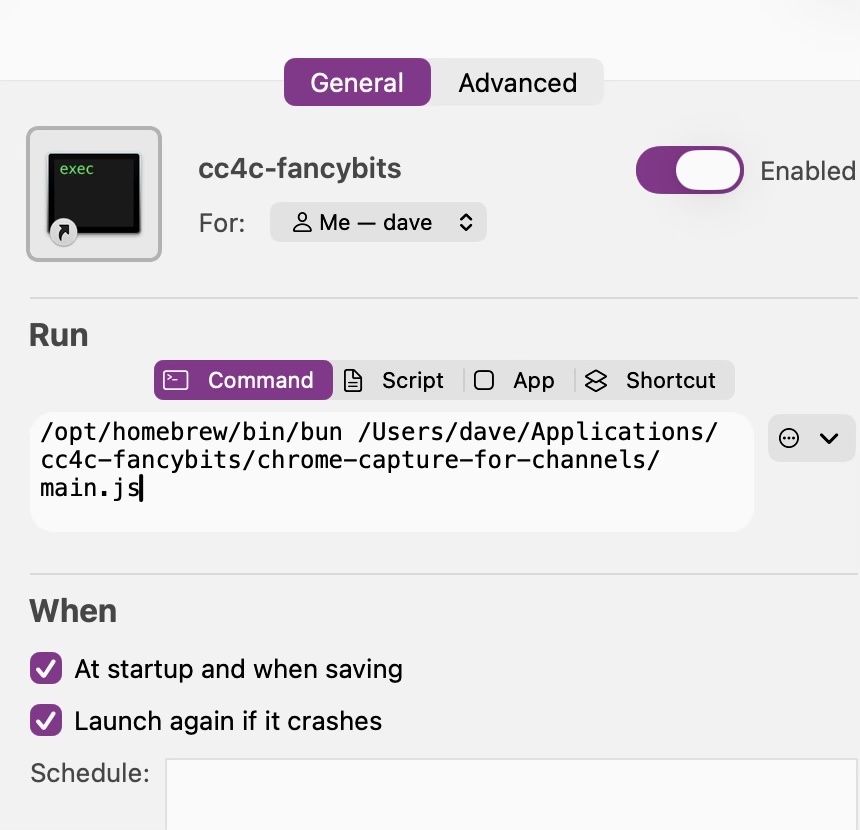
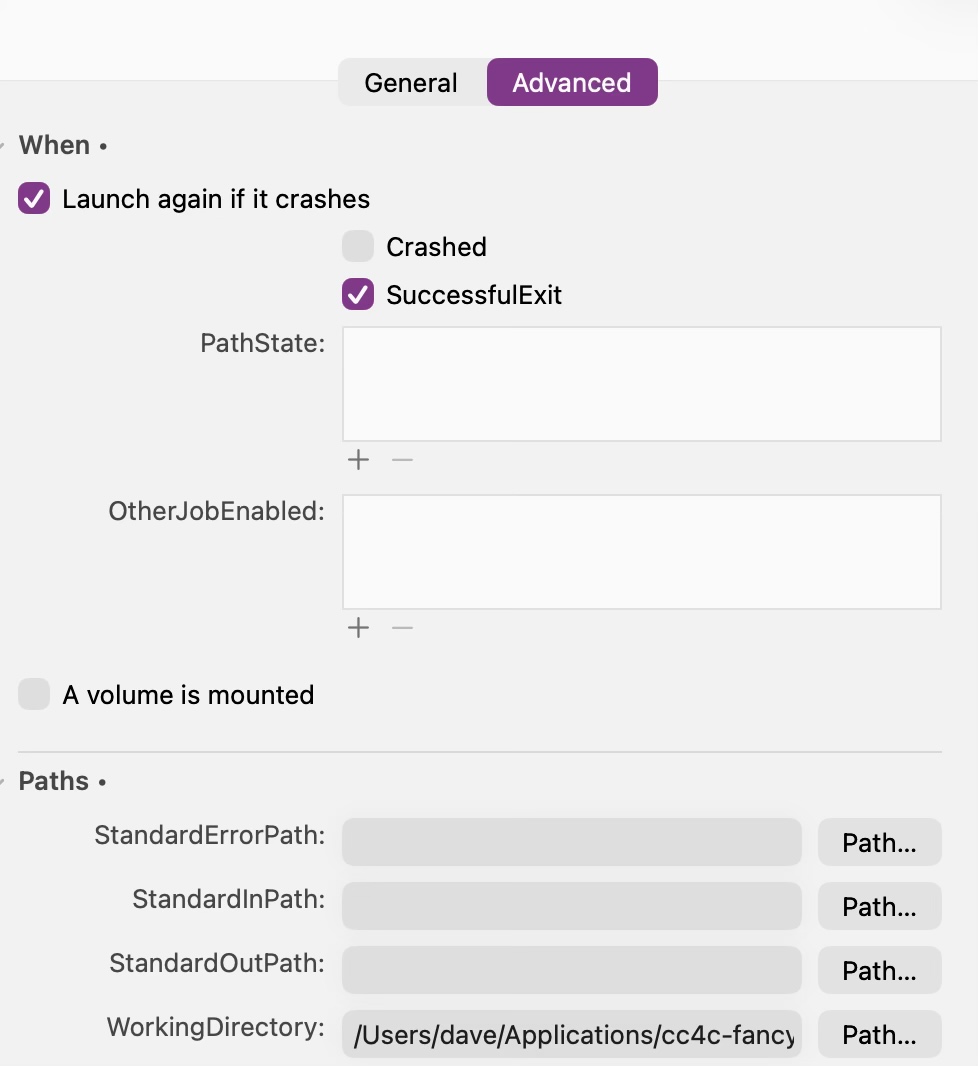
I ran into the same thing. I cloned it and am just running it with a .plist file that I created with Lingon Pro (love Lingon!). Here's what it looks like in Lingon:


That WorkingDirectory is important, otherwise Chrome just launches with about:blank and never changes (at least not for me!). I set it to the directory that contains main.js FWIW.

But here's the code of what (for me) is ~/Library/LaunchAgents/cc4c-fancybits.plist:

<?xml version="1.0" encoding="UTF-8"?>
<!DOCTYPE plist PUBLIC "-//Apple//DTD PLIST 1.0//EN" "http://www.apple.com/DTDs/PropertyList-1.0.dtd">
<plist version="1.0">
<dict>
	<key>Disabled</key>
	<false/>
	<key>EnvironmentVariables</key>
	<dict>
		<key>PATH</key>
		<string>/usr/local/bin:/System/Cryptexes/App/usr/bin:/usr/bin:/bin:/usr/sbin:/sbin:/usr/local/go/bin:/usr/local/MacGPG2/bin:/var/run/com.apple.security.cryptexd/codex.system/bootstrap/usr/local/bin:/var/run/com.apple.security.cryptexd/codex.system/bootstrap/usr/bin:/var/run/com.apple.security.cryptexd/codex.system/bootstrap/usr/appleinternal/bin:/usr/local/sbin:/opt/local/bin</string>
	</dict>
	<key>KeepAlive</key>
	<dict>
		<key>SuccessfulExit</key>
		<true/>
	</dict>
	<key>Label</key>
	<string>cc4c-fancybits</string>
	<key>ProgramArguments</key>
	<array>
		<string>/opt/homebrew/bin/bun</string>
		<string>/Users/dave/Applications/cc4c-fancybits/chrome-capture-for-channels/main.js</string>
	</array>
	<key>RunAtLoad</key>
	<true/>
	<key>WorkingDirectory</key>
	<string>/Users/dave/Applications/cc4c-fancybits/chrome-capture-for-channels/</string>
</dict>
</plist>

Hopefully that helps to get it up and running in a consistent state for you!

I get this error when I try to launch a channel with CC4C and it crashes, if any one could help me it would be much appreciated:
'--disable-background-media-suspend',
'--disable-backgrounding-occluded-windows',
'--load-extension=C:\Users\nguev\chrome-capture-for-channels\node_modules\puppeteer-stream\extension',
'--disable-extensions-except=C:\Users\nguev\chrome-capture-for-channels\node_modules\puppeteer-stream\extension',
'--allowlisted-extension-id=jjndjgheafjngoipoacpjgeicjeomjli',
'--auto-accept-this-tab-capture'
],
ignoreDefaultArgs: [
'--enable-automation',
'--disable-extensions',
'--disable-default-apps',
'--disable-component-update',
'--disable-component-extensions-with-background-pages',
'--enable-blink-features=IdleDetection',
'--mute-audio'
],
extensionPath: 'C:\Users\nguev\chrome-capture-for-channels\node_modules\puppeteer-stream\extension'
}
C:\Users\nguev\chrome-capture-for-channels\node_modules\puppeteer-core\lib\cjs\puppeteer\cdp\Frame.js:183
? new Error(${response.errorText} at ${url})
^

Error: net::ERR_BLOCKED_BY_CLIENT at chrome-extension://jjndjgheafjngoipoacpjgeicjeomjli/options.html#55200
at navigate (C:\Users\nguev\chrome-capture-for-channels\node_modules\puppeteer-core\lib\cjs\puppeteer\cdp\Frame.js:183:27)
at process.processTicksAndRejections (node:internal/process/task_queues:105:5)
at async Deferred.race (C:\Users\nguev\chrome-capture-for-channels\node_modules\puppeteer-core\lib\cjs\puppeteer\util\Deferred.js:36:20)
at async CdpFrame.goto (C:\Users\nguev\chrome-capture-for-channels\node_modules\puppeteer-core\lib\cjs\puppeteer\cdp\Frame.js:149:25)
at async CdpPage.goto (C:\Users\nguev\chrome-capture-for-channels\node_modules\puppeteer-core\lib\cjs\puppeteer\api\Page.js:574:20)

Node.js v24.9.0

C:\Users\nguev\chrome-capture-for-channels>

I now have chrome launching without crashing but its just a blank page, can anyone help me please?

Question: since edge is chromium based could this not be ported to edge to allow for sites like Hulu and prime to allow 1080p streams to record?

So all of a sudden my docker container version of CC4C which I setup with @bnhf instructions is not working. All was fine and normal, but now I'm getting the following in the portainer logs:

Warning: could not find self.pem
Using installed websockify at /usr/bin/websockify
Starting webserver and WebSockets proxy on port 0.0.0.0:3000
./start.sh: line 31:    22 Illegal instruction     (core dumped) bun main.js -v $VIDEO_BITRATE -a $AUDIO_BITRATE -f $FRAMERATE -p $CC4C_PORT -w $VIDEO_WIDTH -h $VIDEO_HEIGHT
Cleaning up...
WebSocket server settings:
  - Listen on 0.0.0.0:3000
  - Web server. Web root: /usr/share/novnc
  - No SSL/TLS support (no cert file)
  - proxying from 0.0.0.0:3000 to localhost:5900
Google Chrome 140.0.7339.207 
The VNC desktop is:      d6c347d88481:0
The VNC port is:         5900

Any idea what might be going on here? I should also point out I tried restarting the container and get the same result. I also just looked in my watchtower logs and I see it updated to a new test image from @bnhf yesterday so perhaps this latest test image has something to do with it?

I've definitely been experimenting using the test tag, can you switch to latest and see if that sorts things out?

I switched to the latest tag and redeployed but unfortunately it's still not working. Here's what I get now in the logs:

./start.sh: line 30:    21 Illegal instruction     (core dumped) bun main.js -v $VIDEO_BITRATE -a $AUDIO_BITRATE -f $FRAMERATE -p $CC4C_PORT -w $VIDEO_WIDTH -h $VIDEO_HEIGHT
Google Chrome 140.0.7339.127 
The VNC desktop is:      10c86a82e842:0
The VNC port is:         5900
Cleaning up...

Apparently the bun program we're using to run main.js doesn't support some older processors. I'm guessing this is a Synology, running a processor launched 10-12+ years ago? Post the specs if you could please. @tmm1 was suggesting we switch to a compatibility version of bun.

So I'm actually using a mini PC...a Bmax B3.

For my specs on it, I see Desktop, Intel, Version AMI. For the CPU: 4x Intel(R) Celeron(R) N5095A @ 2.00GHz.
I have 8GB of DDR4 DRAM memory

Let me know if there's any other specs you'd need to see. Thanks!

@tmm1 Any notion of what might be going on with these illegal instruction errors/dumps from bun? This CPU is fairly recent, so it seems unlikely it's missing instructions. Should we consider switching back to node?

@Accustiver I've built a version of cc4c with the tag baseline that uses a version of bun that's intended to be compatible with a wider group of processors (low-end and/or older). So if you wouldn't mind giving it a try, it'd be great to know if it works on your mini PC.

Be sure you're using this compose:

services:
  cc4c:
    # 2025.09.30
    # GitHub home for this project: https://github.com/bnhf/chrome-capture-for-channels.
    # Docker container home for this project with setup instructions: https://hub.docker.com/r/bnhf/cc4c.
    image: bnhf/cc4c:${TAG:-latest}
    container_name: cc4c
    shm_size: '1gb'
    #devices:
      #- /dev/dri:/dev/dri # Uncomment for Intel Quick Sync (GPU) access
    ports:
      - ${HOST_PORT:-5589}:${CC4C_PORT:-5589} # cc4c proxy port
      - ${HOST_VNC_PORT:-5900}:5900 # VNC port for entering credentials
    environment:
      - VIDEO_BITRATE=${VIDEO_BITRATE:-6000000} # Video bitrate in bits per second  [number] [default: 6000000]
      - AUDIO_BITRATE=${AUDIO_BITRATE:-256000} # Audio bitrate in bits per second  [number] [default: 256000]
      - FRAMERATE=${FRAMERATE:-30} # Minimum frame rate  [number] [default: 30]
      - CC4C_PORT=${CC4C_PORT:-5589} # Port number for the server  [number] [default: 5589]
      - HOST_VNC_PORT=${HOST_VNC_PORT:-5900} # VNC port for entering credentials
      - VIDEO_WIDTH=${VIDEO_WIDTH:-1920} # Video width in pixels (e.g., 1920 for 1080p)  [number] [default: 1920]
      - VIDEO_HEIGHT=${VIDEO_HEIGHT:-1080} # Video height in pixels (e.g., 1080 for 1080p)  [number] [default: 1080]
      - TZ=${TZ} # Your local timezone in Linux "tz" format.
    volumes:
      - cookies:/home/chrome/chromedata/Default/Cookies # Creates a persistent Docker Volume in /var/lib/docker/volumes for Chrome cookie data.
      - logins:/home/chrome/chromedata/Default/Login Data # Creates a persistent Docker Volume in /var/lib/docker/volumes for Chrome user login data.
      - localstorage:/home/chrome/chromedata/Default/Local Storage # Creates a persistent Docker Volume in /var/lib/docker/volumes for Chrome user local data.
      - prefs:/home/chrome/chromedata/Default/Preferences # Creates a persistent Docker Volume in /var/lib/docker/volumes for Chrome user preferences data.
      - secure:/home/chrome/chromedata/Default/Secure Preferences # Creates a persistent Docker Volume in /var/lib/docker/volumes for Chrome user secure data.
    restart: unless-stopped
    
volumes:
  cookies:
  logins:
  localstorage:
  prefs:
  secure:

As usual, please don't edit the above, but put your env vars in the separate area in the Portainer-Stacks Editor intended for this use. Here are some samples, which you'll want to tweak for your installation:

TAG=baseline
HOST_PORT=5589
CC4C_PORT=5589
HOST_VNC_PORT=5900
VIDEO_BITRATE=8500000
AUDIO_BITRATE=256000
FRAMERATE=60
VIDEO_WIDTH=1920
VIDEO_HEIGHT=1080
TZ=US/Mountain
1 Like

It's working again with your above instructions! Thanks!

How does it work with main.js does it need to be converted? I am in the process of adding Hulu/Prime++ + commercial ripping code that runs separate.. it works good but chrome capture for channels blocks L1

End may be neigh for NBC channels

cordcuttersnews-com.cdn.ampproject.org/v/s/cordcuttersnews.com/nbcuniversal-shuts-down-its-cable-network-apps-on-roku-tvs-roku-players-to-promote-peacock/?amp=1&amp_gsa=1&amp_js_v=a9&usqp=mq331AQGsAEggAID#amp_tf=From %251%24s&aoh=17593842127314&csi=0&referrer=https%3A%2F%2Fwww.google.com NBCUniversal Shuts Down Its Cable Network Apps on Roku TVs & Roku Players To Promote Peacock | Cord Cutters News

Is anyone getting this to work in chrome 140+?

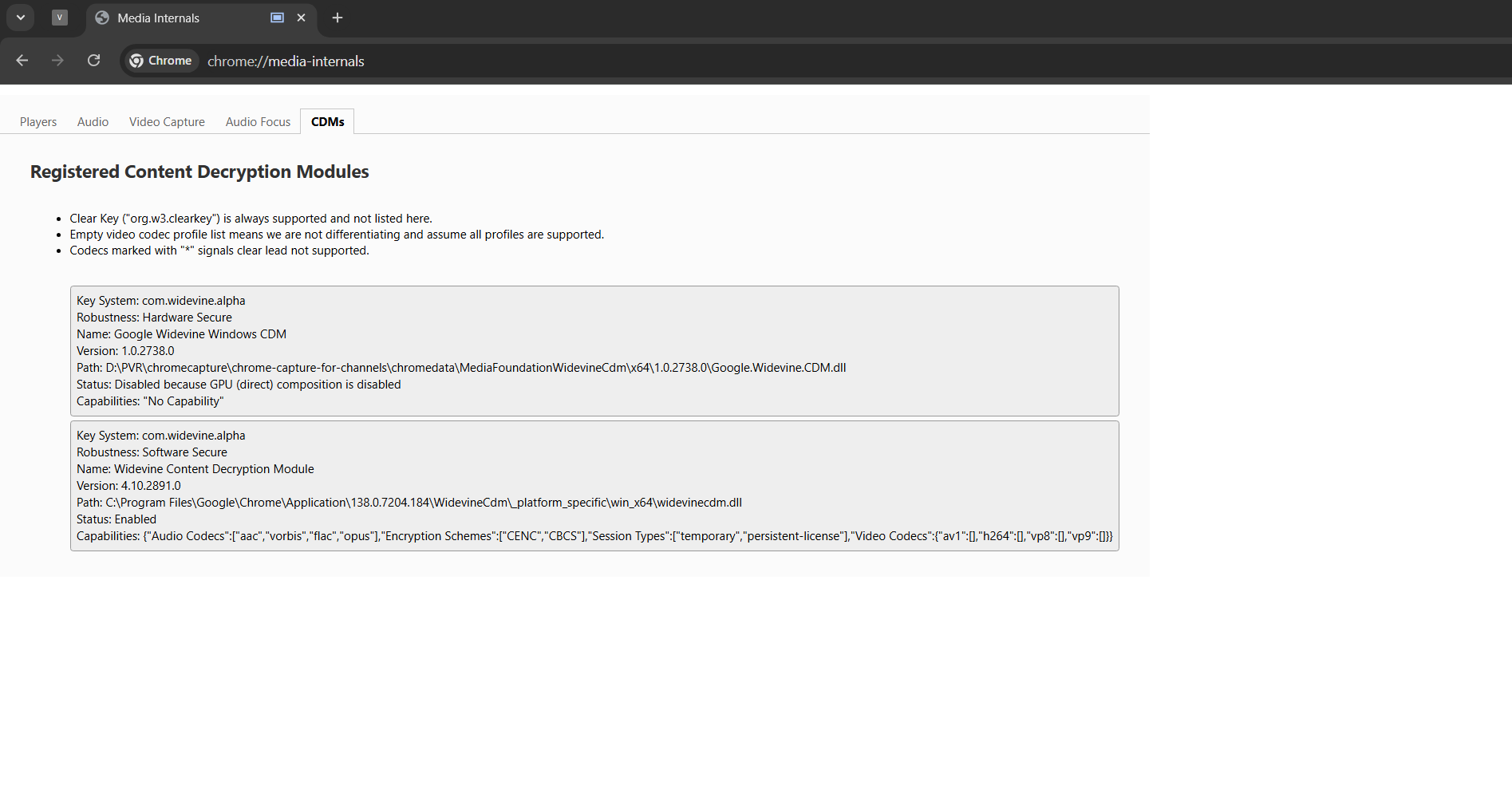
Can L1 be added?

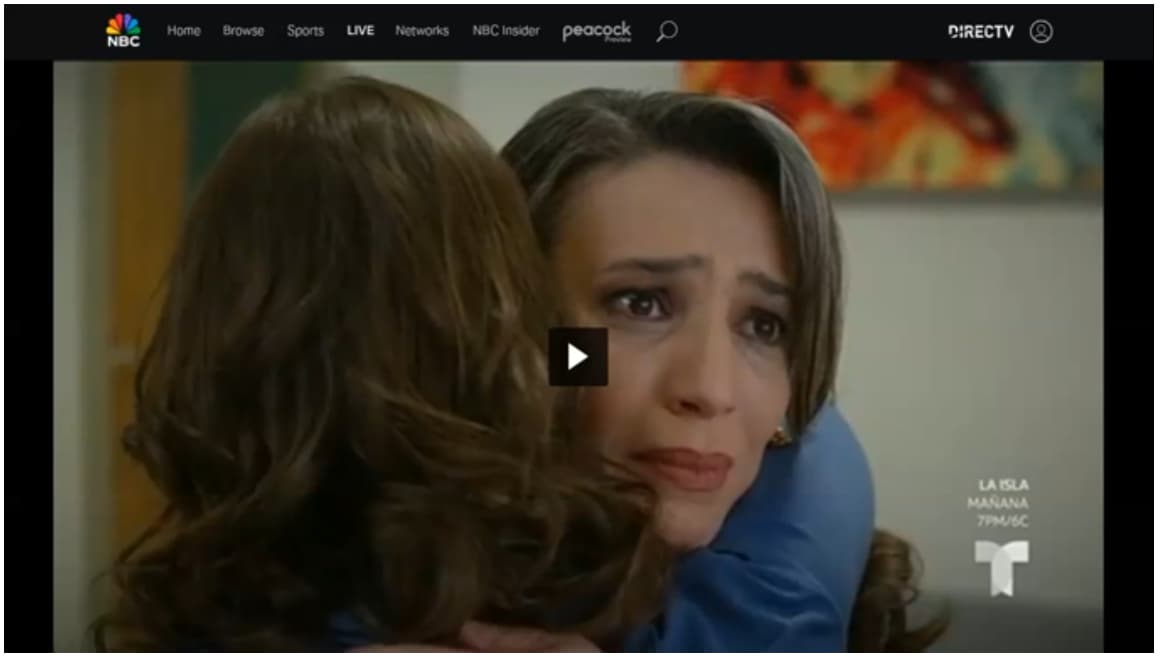
Page refreshes on nbc.com and play video and full screen does not run again. If i close stream and wait a few seconds it will load up the page and play again.

But it is a issue when i am recording because i have to cancel the recording then wait and record again, if i catch it in time.

Have had this issue happen on cc4c:test and cc4c:baseline.

m3u looks like this:
#EXTINF:-1 channel-id="telemundo",Telemundo
chrome://192.168.1.x:5589/stream?url=https://www.nbc.com/live?brand=telemundo&callsign=telemundo

Example from recording, stayed like this for 10 minutes until i realized and stopped the recording.

On Sunday I saw the same issue as @xBT reported where it refreshed and paused...for hours, unfortunately.

1 Like

I believe I was able to duplicate what you're talking about, using the player in the CDVR WebUI. In that player it appeared the Telemundo stream was frozen within about 10 minutes. However, when I connected to the container using VNC, I realized the stream was still playing.

So, I switched to testing with two CDVR clients, and I've been streaming Telemundo for about 40 minutes with no issues. I'll leave it going for the next hour or two, but I suspect we're looking at an issue that's confined to the WebUI player. I've seen this before with this player, and I think it typically happens when the feed goes to commercial.

EDIT: 2+ hours now with no freezes.

Your previous posts in this thread suggest you're not using the Docker version, has that changed?

Thanks for asking. That has not changed. I'm pulling from the fancybits repo and running on my M1 Mac mini.