
No worries at all.
Thank you for sharing this with me. It's very, very cool. I just don't have the hardware for it. I think it would be a great alternative if Google locked down ADB someday and broke all of our other tuning solutions. It's extremely polished and is very nice to use. I think just my virtualization layer was causing issues.
I realized after spending like all night two days ago trying to get this working, yesterday I was a little tired and I had half p-core assigned out of ten logical CPUs, so I had only nine logical CPUs assigned, but half a core. So that's probably why I was seeing dropped frames. Sleep is important, folks. 
Now that I assigned a full core and have ten logical CPUs on this, 16 GB of RAM, this is actually so far running great for the last maybe twenty minutes or so I haven't seen any weird buffering or anything like that. It's actually really, really close in experience to the Osprey setup I have. If you told me tomorrow that they were getting rid of all of the Osprey devices and they would no longer function, I think this is probably what I would hedge my bets on so far from what I'm seeing.
I actually think it might have been setting the refresh rate and resolution directly in NVIDIA Control Panel and not through Windows, and also setting the color settings in NVIDIA Control Panel and not through Windows. Because once I did that, I stopped having weirdness as I still out of nowhere had some random freezes. Also, adding a virtual sound card for Windows to absorb helped too! Lots of debugging with a lot more energy tonight.
Edit: now that I configured my VM properly, this is running super clean.
If anything needs to be done, please let me know. I can also try to open some PRs. Please let me know if there's a to-do list, particularly on the DirecTV side. For example, I can try to get the channel numbering working with the overflow channels if no one has done that yet since I have the Ultimate package.
I'd also like to look into a way to better differentiate audio devices when there are duplicates and associate those audio devices with an encoder when they're named the same. Like if you have an encoder with the same name, it should be Link Pi 1, Link Pi 2, Link Pi 3, and the audio device should have the same name an incremented number that matches the encoder. I'd also maybe like to look into a way to match up the display Windows sees with the display the encoder sees to better align the displays in the user interface. I'm wondering if I can figure out a way to do that. Just some thoughts I had. I think the VNC viewer could be really useful there actually. If one could display the assigned encoder with each captured VNC screen and then number each one, it would make it a lot easier to map out the order of the displays. I'm wondering if I could build something with Claude maybe this weekend. Please let me know if any of these ideas sound reasonable. 
just got done setting this all up with the old basic exvist i never returned. there was a firmware update for it in january.  that was the hardest part.
ch4c was fairly strait forward and just a quick test with winchannels say's it works great! so I've moved it to #2 priority below tve and msnow will give it a work out tomorrow. I'll report back.
The Setup:
CyberGeek Nano A1
N100 16gb Win11pro
1tb-nvme 1tb-ssd, 3 usb hdds
ChannelsDVR installed native
WSL/DockerDesktop/Portainer/ah4c w/ 4 ospreys on 2 LinkPi Enc1v3 w/usb
DirecTv Stream
HDHR Flex & Duo
- CH4C 1 encoder - Exvist HDMI16E2025
they all sound great. hopefully the display and audio thing doesn't get to bulky. I only setup the 1 encoder but the display# flip still messed with me, so I can imagine multi-encoders getting real confusing fast. 


found this in the remoteripple faq
When observing a remote device with several monitors, is there a zoom function or an option to pick a monitor to view?
Unfortunately, there are no such functions now. As a temporary workaround, you may configure extra ports on the host side (TightVNC Server → Configuration → Extra ports) for mapping specified screen areas so you can monitor and control them separately
also just found this in the TightVNC getting started pdf
After you install TightVNC, we also recommend you to download and set up DFMirage mirror
display driver [EXE]. It allows TightVNC to gain the best performance under Windows. With
DFMirage, TightVNC Server can detect screen updates and grab pixel data in a very efficient way,
which decreases CPU consumption.
Yeah, like I have two encoders and it got really confusing trying to figure out which went with which screen. Like encoder one is actually display two.
It would be really cool if there was a way to figure out which encoder matched up to which display, especially when both encoders render to Windows with the same name.
I just pull up the encoder stream on another device to verify what it's sending.
So I am running into a weird issue where my stream is like perfect, and then all of a sudden it will just completely cut out. I don't know if it's the virtualization or something, but I might have a spare PC that I can use and run this on bare metal. That's my next step is to try that. I just figured I'd mention it just in case anyone else has run into this.
Edit: I'm hoping it was just an unstable display driver since this is an older Pascal era card. It looks like the latest Pascal era card drivers from 2026 cause black screens and other weird issues. I am running a driver just straight from Windows Update, and it is working much better now. I have to kind of watch for a few hours to be certain, but I think that may have been the cause and why my setup was acting wonky. I think this is 100 percent my fault for using a graphics card from 2017.
It's been a little bit since I originally set this up, but I don't remember anything too challenging with identifying which display is which. I use Chrome Remote Desktop when I want access beyond what's built-in to ch4c:
I can connect up looking at both desktops:
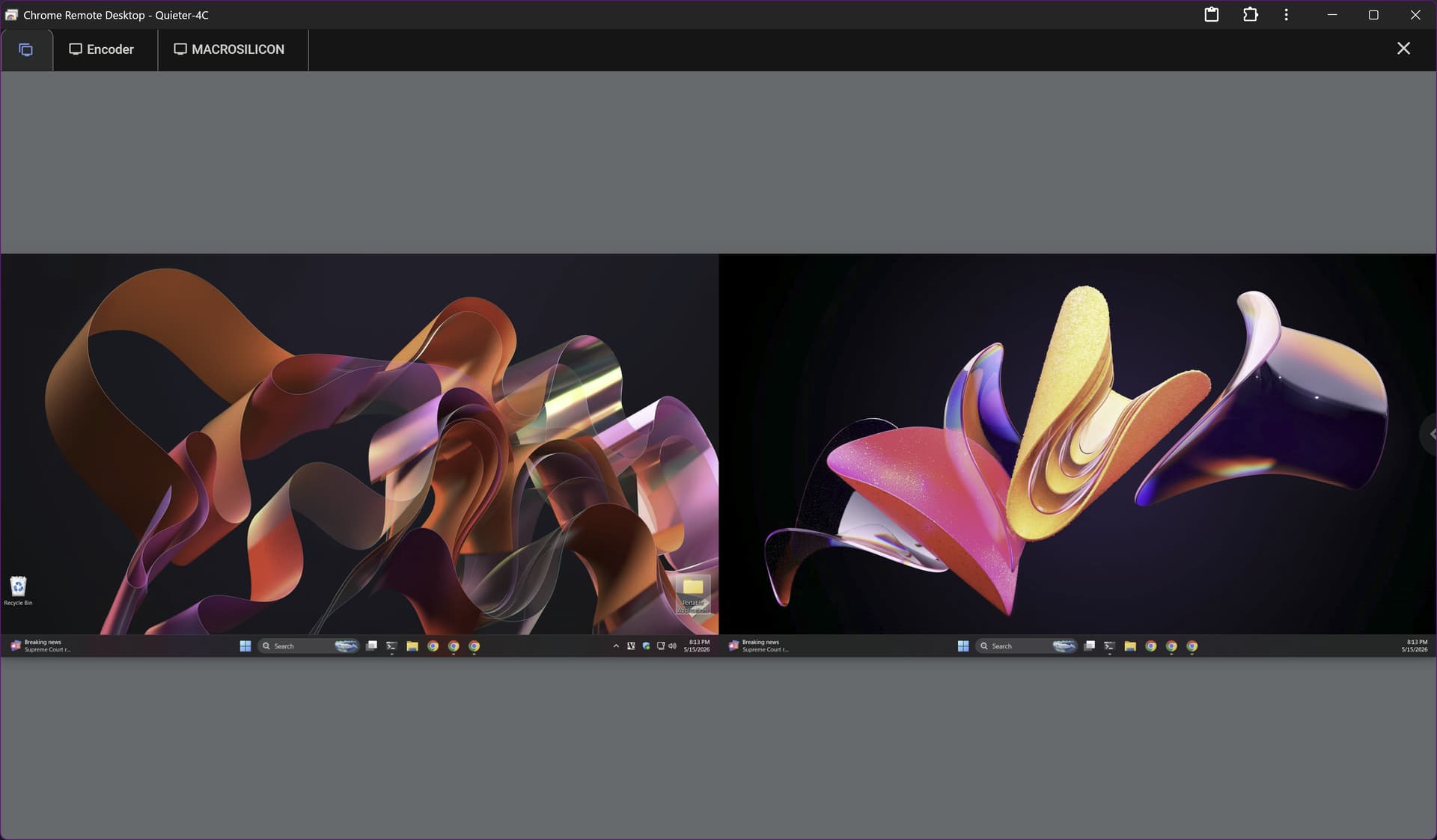
Or I can view either one individually:
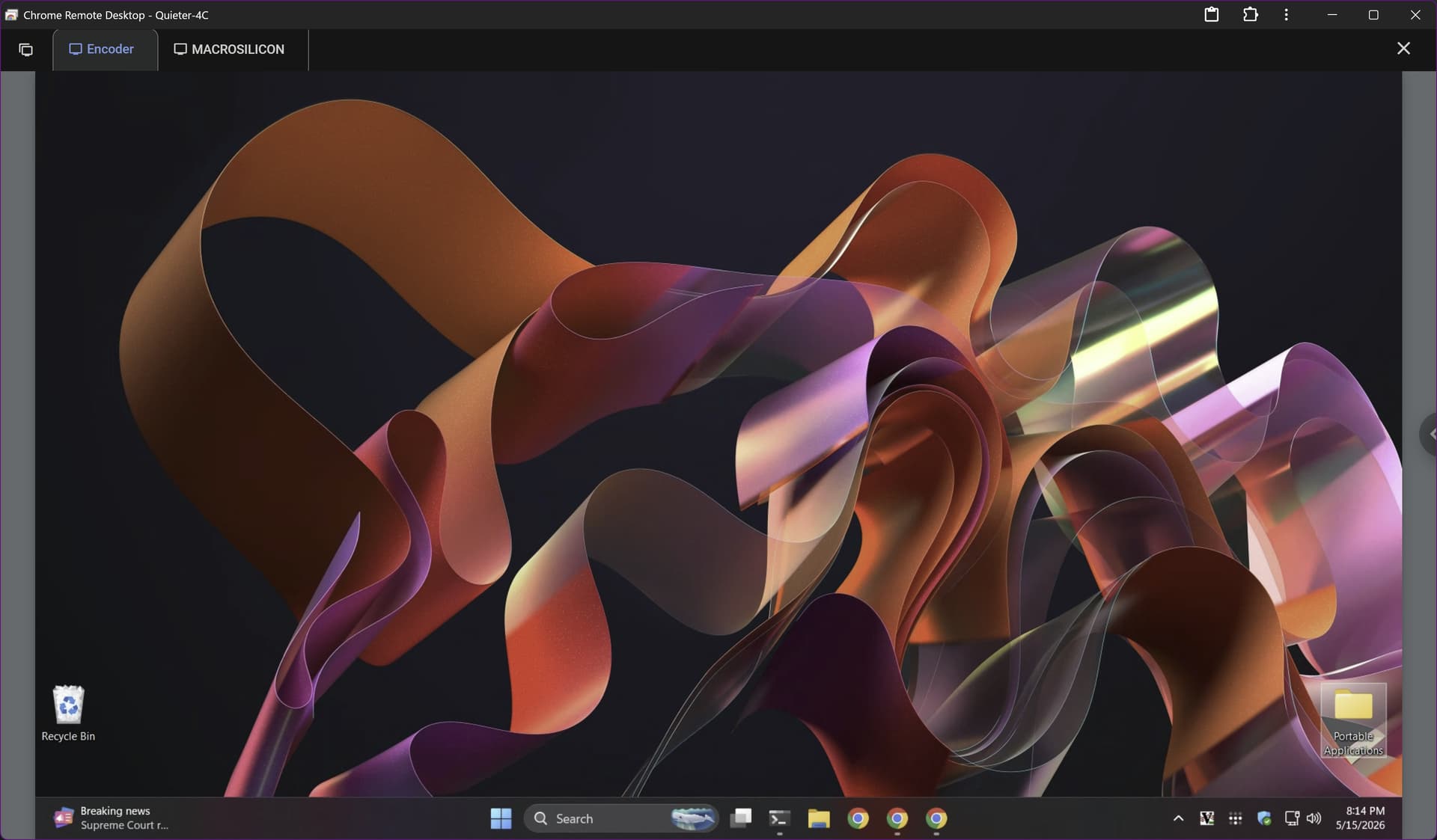
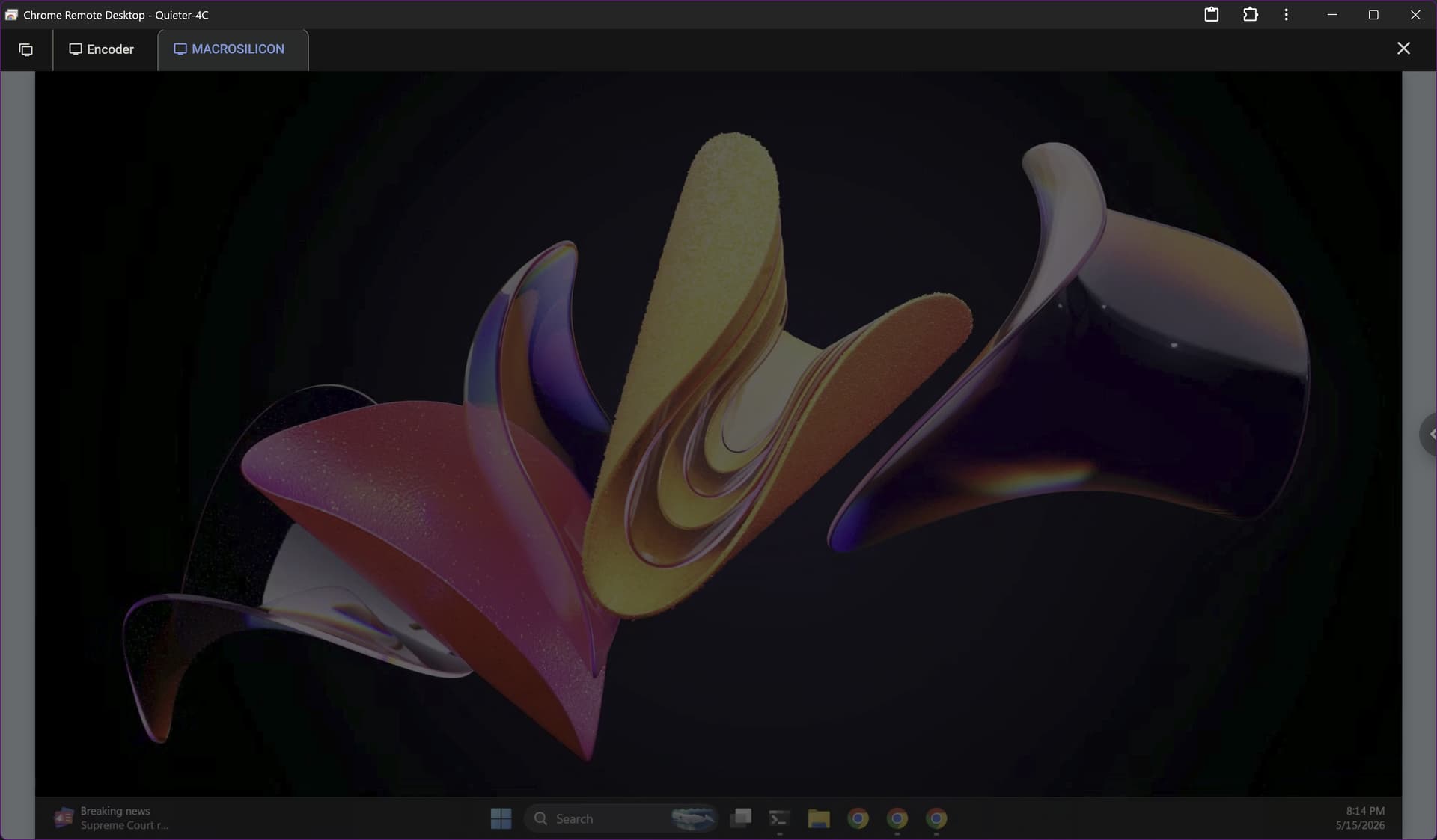
Resource requirements are not zero however, and I avoid "peeking in" if there's not solid reason for it.
Yeah, I noticed that if you peek in at the wrong time, sometimes it steals the audio from the actual stream and makes things very unhappy.
Chrome Remote Desktop is great, but I really love Parsec. I highly recommend it. I feel like not enough people know about it because it was originally targeted at low-latency gaming but it's such a great remote access tool. Also, once configured right, works really it works really well for this.
So far, since I've messed with the video driver, I've had a stream going for about an hour with zero hiccups, so I'm quite thrilled. This is actually a really, really awesome solution, and thank you so much for adding DirectTV support.
1 Like
@mackid1993 @Shaggylive @jagrim Have any of you had a chance to experiment with the Instant Recording feature?
It can do everything from recording episodes from Amazon Prime, to ad hoc recordings from pretty much any website...
1 Like
I haven't, but I'll take a look at that.
I can see that being really useful though. I wasn't sure what it was at first.
First, I just want to make sure I finally got my VM stable! Otherwise, I should be able to get my hands on a PC with an i7-7700 in the next couple of days.
so I messed up the offset thursday night, and somewhere along the way the login got screwed up in sandbox chrome. I cleared the saved credentials and manually cleared the chrome data, then logged in myself.
it recorded several hours last night. however the recordings starting this am had no audio. not sure if it's exvist or ch4c.
ocassionally the audio/vid falls out of sync, but catches back up. I assume this is chrome acting like a browser. I just changed their resolution to 720 as that's all I want from news anyway.
this project is super simple with no docker! the n100 can handle it, but I believe the video (chrome) would be smoother with more power. (I had 1 ch4c and 7/8 simultaneous recordings from other sources most of the evening)
I may move the exvist to an ah4c/osprey and use a linkpi/usb for CH4C so I can verify what is and is not exvist issues.
I've been wondering about that, but have not played. that reminds me, I think my playon is going to renew in a couple days. maybe i'll cancel it for now as I really don't use it much.
I wonder if it was this? not sure if initial setup did this correctly and I changed it? anyway I've turned it off for now.
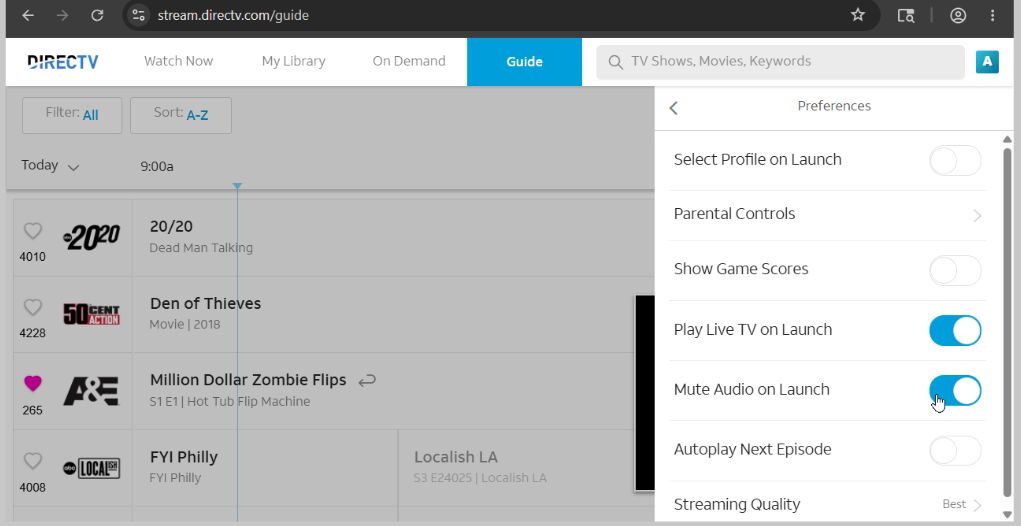
I'm working on a PR for DTV overflow channels based on the existing olivetin logic. I'm also exploring services.msc and a printed log file.
Not sure if services is possible given session constraints in Windows.
@dravenst I got CH4C running as a native Windows service. No terminal window. I also fixed DirecTV overflow channels. I'll be opening a few PRs for your review!!
If anyone wants to test running as a native Windows service and DTV overflow I built a binary here: Release Latest build · mackid1993/CH4C · GitHub
I also added a prompt to add ch4c to path and a new command ch4c service logs to view log output.
For anyone thinking of using any sort of virtualization with this, isolate CPU cores from the host, at least two to four performance cores.
I was having issues until I started isolating the cores from the host. Latency is really important here. You just also don't want to make sure you starve the host of resources like memory and cores at the same time.
nice changes. so far so good. I just heard the first recording start up.
I just have basic DtvStream Entertainment, so i can't test the overflow.
I'm glad the service mode is working for you. It's a lot of code, so I'm not sure that @dravenst will be okay with merging it, but the more people that test it, the more likely, you know, it'll be accepted, I'm sure. It's nice to not have a command prompt and to have a proper Windows service.
Thanks for taking a look.