
That is a great feature suggestion. I will look into adding it. I also want to optimize memory usage because I feel like it's a little high.
1 Like
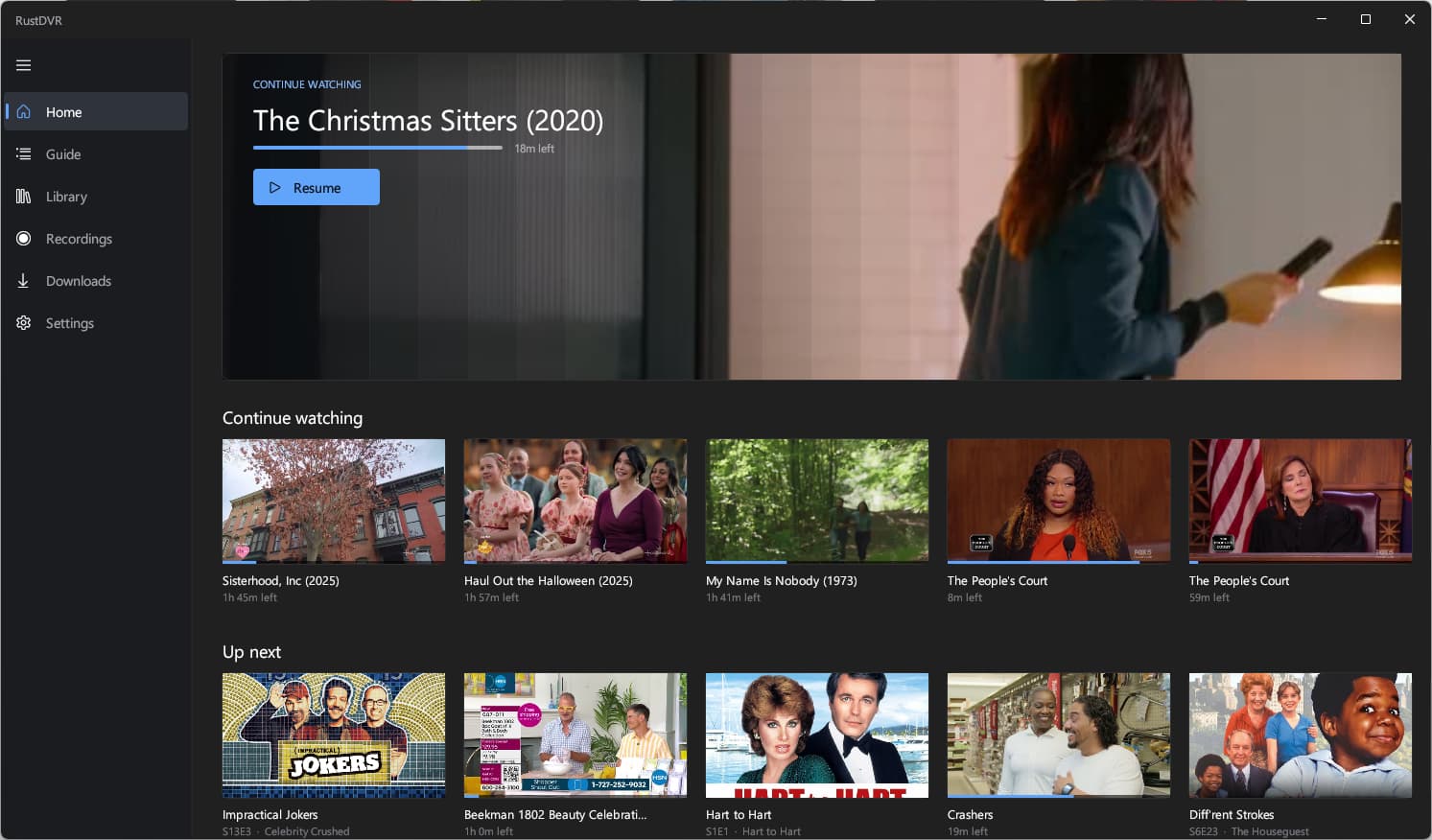
What logic is used to populate the Continue watching section? I'm seeing very old programs.
I selected the movie "My Name is Nobody" to resume and playback keeps pausing and resuming every 2 seconds or so.
This is running on the same PC as the server. I put the URL of the server as http://127.0.0.1:8089 and playing with original quality setting.
1 Like
I'll take a look.
Like I said, it's going to be rough around the edges. It's my first attempt.
Playback is starting and stopping every two seconds. This definitely shouldn't be happening.
I wonder if it has something to do with a type of file. Can you share the format of the file with me? Maybe there's an issue with the way FFmpeg is configured.
I'll take a look at the continue watching feature. It should be pulling from the API, but if it's not, that might be an issue. It's just another bug, sorry.
ok, now you got me.. so far so good.
and I know this isn't a htpc focus, but would you entertain the idea of adding more keyboard hooks to control the app without a mouse or touch screen?
maybe an enterprising soul could program up a Flirc and really live the 'Clicker' life 
No need to apologize! It is totally expected to encounter bugs on the first try.
Media info about the movie
General
ID : 0 (0x0)
Complete name : F:\DVR\Movies\My Name Is Nobody (1973) 2026-02-24-0427.mpg
Format : MPEG-TS
File size : 3.31 GiB
Duration : 2 h 38 min
Overall bit rate mode : Variable
Overall bit rate : 2 989 kb/s
Frame rate : 30.000 FPS
FileExtension_Invalid : ts m2t m2s m4t m4s tmf ts tp trp ty
Conformance warnings : Yes
General compliance : File name extension is not expected for this file format (actual mpg, expected ts m2t m2s m4t m4s tmf ts tp trp ty)
Video
ID : 256 (0x100)
Menu ID : 1 (0x1)
Format : AVC
Format/Info : Advanced Video Codec
Format profile : [email protected]
Format settings : CABAC / 4 Ref Frames
Format settings, CABAC : Yes
Format settings, Reference frames : 4 frames
Format settings, GOP : M=3, N=30
Format settings, Slice count : 2 slices per frame
Codec ID : 27
Duration : 2 h 38 min
Bit rate mode : Variable
Maximum bit rate : 25.0 Mb/s
Width : 1 280 pixels
Height : 720 pixels
Display aspect ratio : 16:9
Frame rate : 30.000 FPS
Color space : YUV
Chroma subsampling : 4:2:0
Bit depth : 8 bits
Scan type : Progressive
Color range : Limited
Color primaries : BT.709
Transfer characteristics : BT.709
Matrix coefficients : BT.709
Audio
ID : 258 (0x102)
Menu ID : 1 (0x1)
Format : AAC LC
Format/Info : Advanced Audio Codec Low Complexity
Format version : Version 4
Muxing mode : ADTS
Codec ID : 15-2
Duration : 2 h 38 min
Bit rate mode : Variable
Channel(s) : 2 channels
Channel layout : L R
Sampling rate : 48.0 kHz
Frame rate : 46.875 FPS (1024 SPF)
Compression mode : Lossy
Delay relative to video : 9 ms
Language : English
Text #1
ID : 256 (0x100)-CC1
Menu ID : 1 (0x1)
Format : EIA-608
Muxing mode : SCTE 128 / DTVCC Transport
Muxing mode, more info : Muxed in Video #1
Duration : 2 h 38 min
Duration of the visible content : 2 h 38 min
Start time : 22 s 183 ms
End time : 2 h 38 min
Bit rate mode : Constant
Stream size : 0.00 Byte (0%)
Count of frames before first event : 658
Type of the first event : PopOn
Text #2
ID : 256 (0x100)-1
Menu ID : 1 (0x1)
Format : EIA-708
Muxing mode : SCTE 128 / DTVCC Transport
Muxing mode, more info : Muxed in Video #1
Duration : 2 h 38 min
Bit rate mode : Constant
Stream size : 0.00 Byte (0%)
Menu
ID : 4096 (0x1000)
Menu ID : 1 (0x1)
Format : AVC / AAC /
Duration : 2 h 38 min
List : 256 (0x100) (AVC) / 258 (0x102) (AAC, English) / 260 (0x104) ()
Language : / English
For the Continue watching section, it's probably correct. It's just that I've never seen (or never noticed/paid attention to) this view before on other clients.
not complaining obviously, just pointing out a few cases of edges.. lol
sources missing and using different names than shown by cdvr
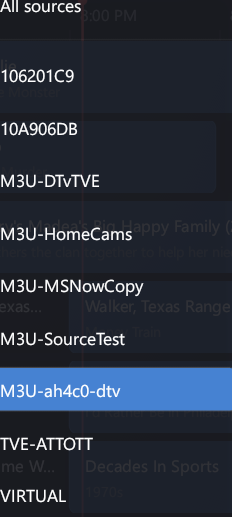
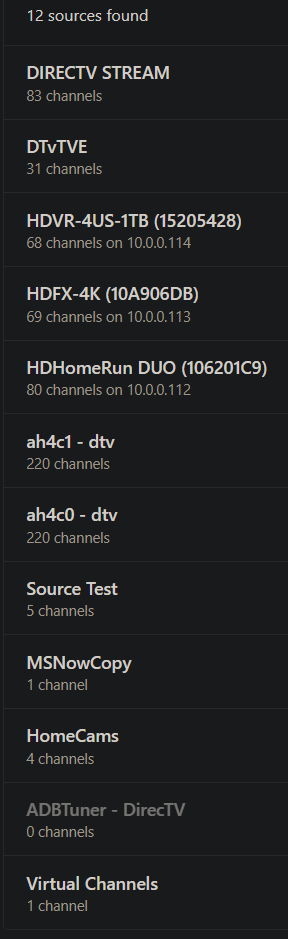
also i'm assuming this is a specific edge case (but a very important one  )
)
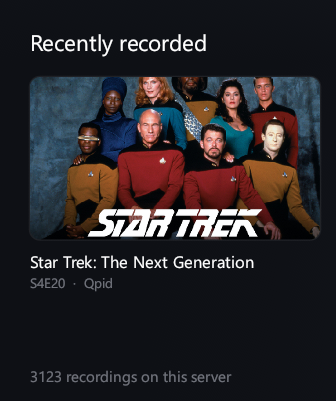
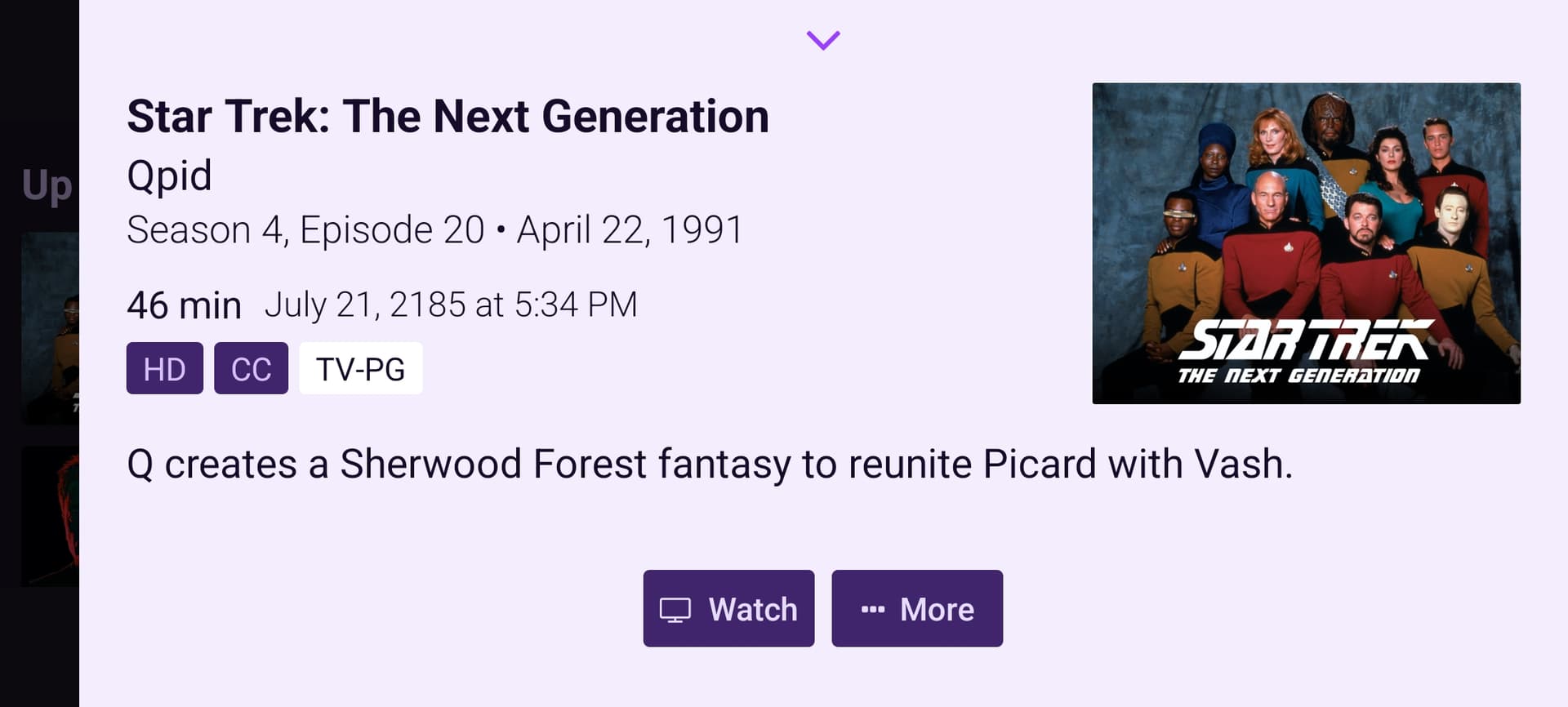
edit to be clear, paramount was being cute at least when I recorded these. I believe the date 2185 is a reference to Kahn, and one of the newer shows featured a descendant of the great kahn!!!
Are you referring to the image cropping if so that's an easy fix. I'll also look at the source names.
no, the startrek are playon recordings from last year. maybe it's a weird bug with only my recordings for some reason, but it seems to be all the star trek.
Time Warp? 
I'm trying to solve the video skipping issue by bundling in MPV rather than hand rolling my own video player, which clearly wasn't working too well. Then I will tackle the home page issues and the broken source names!
Ok, lots of changes. Should address most issues. Some highlights:
- mpv is now the video player. Everything plays through mpv, built from source and shipped with the app. Broadcast TV is full of edge cases — timestamps that jump at segment boundaries, damaged segments, streams that stop and start — and mpv has had twenty years to get those right. No setting, no fallback; it's just the player.
- Added fully configurable keyboard shortcuts
- The picture stays on your GPU. Decoding, colour conversion and drawing all happen on the integrated graphics chip, with no round trip through system memory. Video costs about 8% of one CPU core on a 1080p60 recording, and the discrete card is never woken — laptops keep their battery.
- Memory is down about two thirds, from ~645 MB idle to ~173 MB.
- Continue Watching is finally in the right order. It was sorted on a field the server also bumps for its own housekeeping, so something you'd watched 4% of could outrank the episode you were halfway through. The API has a proper last-watched timestamp; the client was ignoring it.
- The home screen hero is a random pick and says so, with year, season and episode, description, cast and director. New one every time you come back to Home.
- Configurable folders for downloads and the live buffer, so neither has to sit on your system drive. Every shortcut can be rebound and the full list is on the Settings page. Deletes ask first and go to the DVR's Trash, so mistakes are recoverable from the server's admin page.
- Also: shuffle any series, sources named the way Channels names them, guide reaches a full day ahead, and full screen actually fills the screen.
- Download: Release Clicker 1.1.0 · mackid1993/Clicker · GitHub — Windows 10 1809 and up.
2 Likes
Review of new version 1.1.0
Positives:
- playback seems to be working fine now.

- I like the button to skip commercial breaks, it's working nicely.
Fun fact and one positive for Clicker: this particular movie recording was from Pluto TV and VLC is unable to report the right duration  while Clicker can.
  Typical timestamp issue with Pluto TV streams. That doesn't seem to bother Clicker.
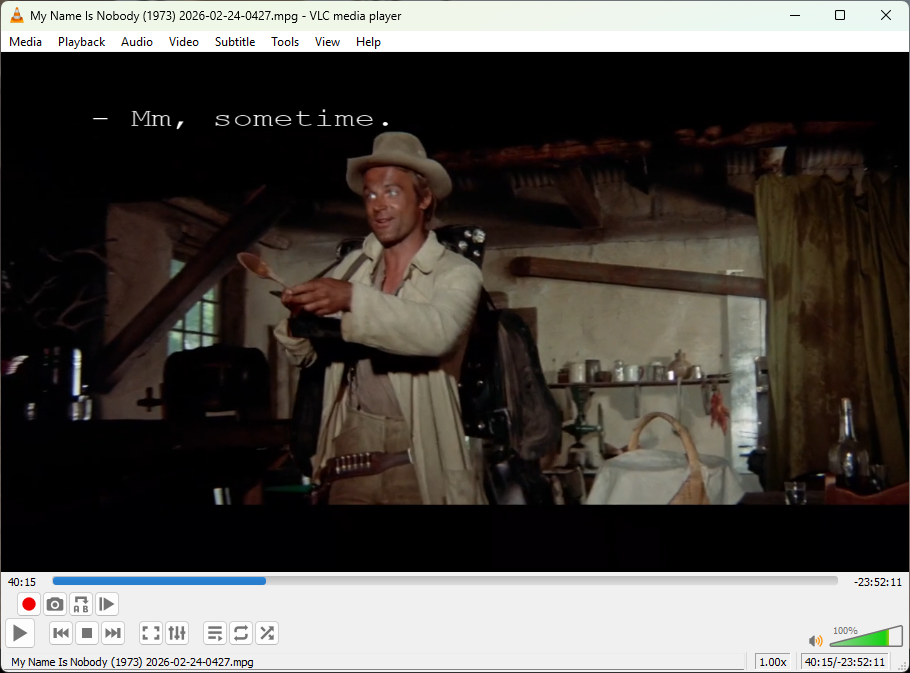
Negatives:
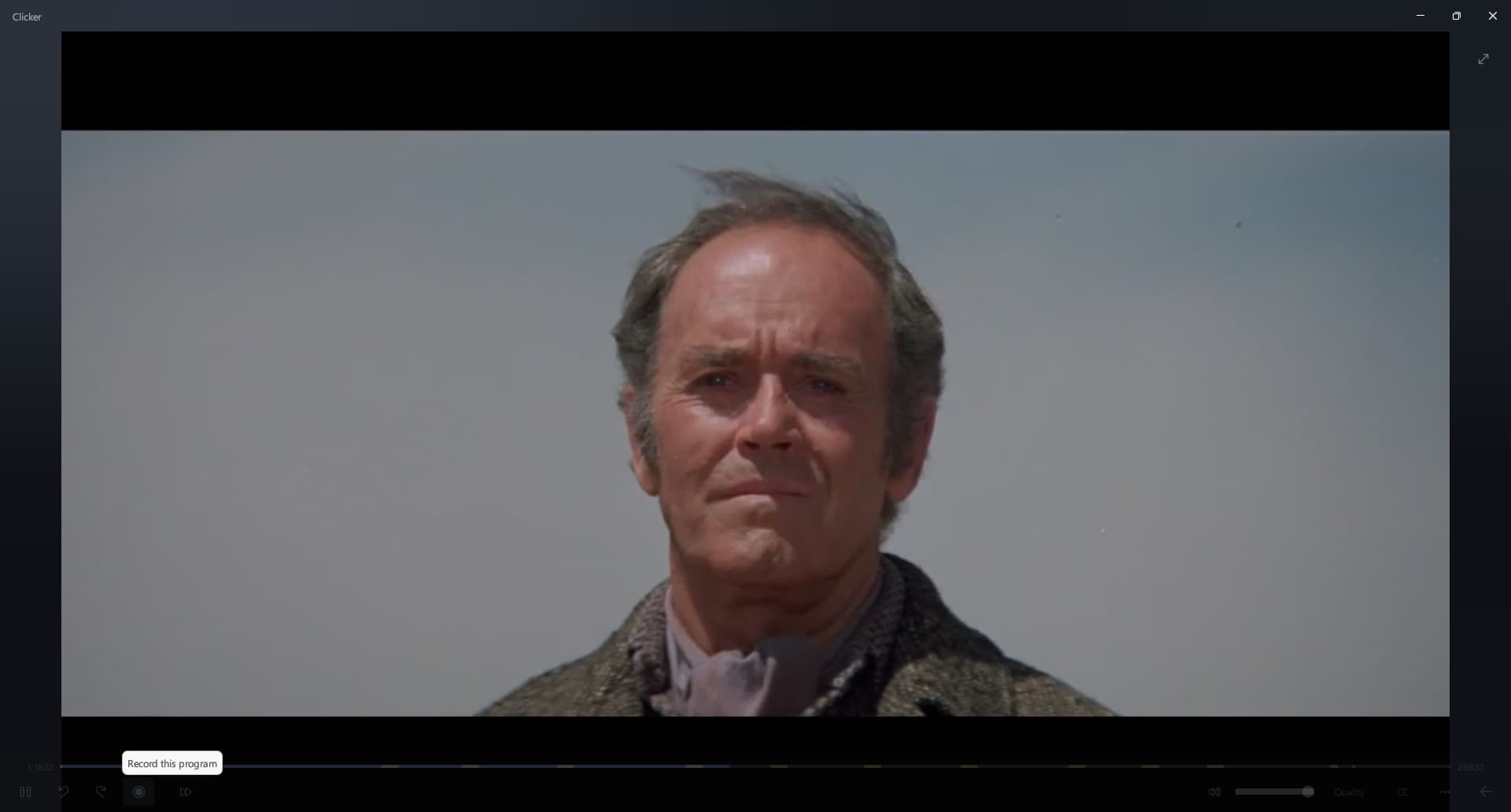
- One thing I noticed is the
Recordbutton when playing a recording from my library:
- I tried to turn on CC but that didn't do anything. I confirmed with VLC that CC was available.
- Live TV stops every 18 seconds and needs to reconnect (probably buffering)
I could not reproduce any issues with live TV that could be your connection
Like, I swear, I watched live TV and I had zero issues, so that's why I have the quality settings there.
I'll take a look at closed captions when I get a chance. When I switched players, it's possible they could have broken.
If you go into the settings, there is a place to output a log file. maybe you can share that, and that might indicate why playback is stopping.
Oh, and I'll fix that with the record button. that's extraneous. that shouldn't be there for sure
I'm not really concerned about live TV because I will most likely never watch live TV on my PC. I was just trying it only for reviewing the new version of the app.
If nobody else has issues with live TV then it's probably something wrong on my side but no need to worry about it for me.
Other than that, it's pretty nice. Well done.
well, it's a bug. I do want to fix it
@mjitkop Try Release Clicker 1.1.1 · mackid1993/Clicker · GitHub
It should address everything, I hope.
1 Like
Great!
- CC is working now
- No more
Recordbutton when playing a recording - Live TV working fine
Just opened the library for the first time and noticed a weird behavior with all posters "flashing". See video: https://drive.google.com/file/d/1ZqjUkyKfh2LDbBlRDQFjS771ME_lKDGD/view?usp=sharing
@mjitkop Release Clicker 1.1.3 · mackid1993/Clicker · GitHub this should fix the flashing. Thanks for reporting.
Still flashing in the library. It's a little bit slower now but still flashing.
Also noticed a typo in the settings:
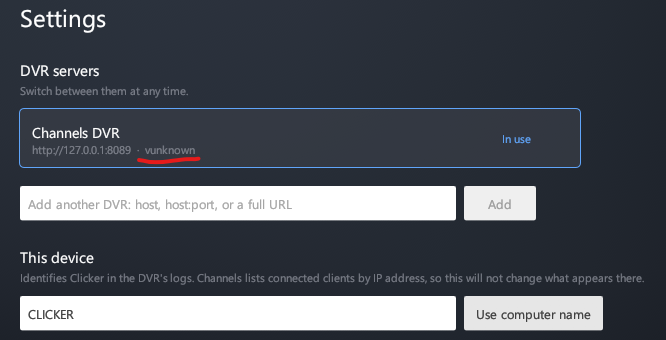
The device name is not showing up on the CDVR status page:
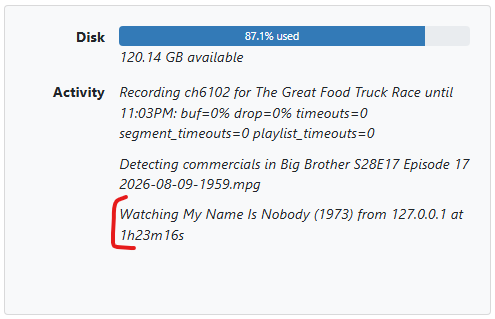
I think you mentioned this is expected?
Yes IP address is expected. I'll try and fix the flashing. You happen to have a very large library. I think that is the issue