Clicker - An Unofficial Windows Client for Channels DVR Server- written in Rust

Heavily inspired by Nucleus HTPC as well as DVRDesk I decided to put together what I felt is the best of both of those excellent clients, and build my ideal Channels DVR client for Windows. It's a desktop/laptop first client and not meant for HTPC's. It's great if you want to watch at a desk or on a plane! I'm calling it RustDVR Clicker. I also wanted to see how far I could push Claude in one evening. :sweat_smile:

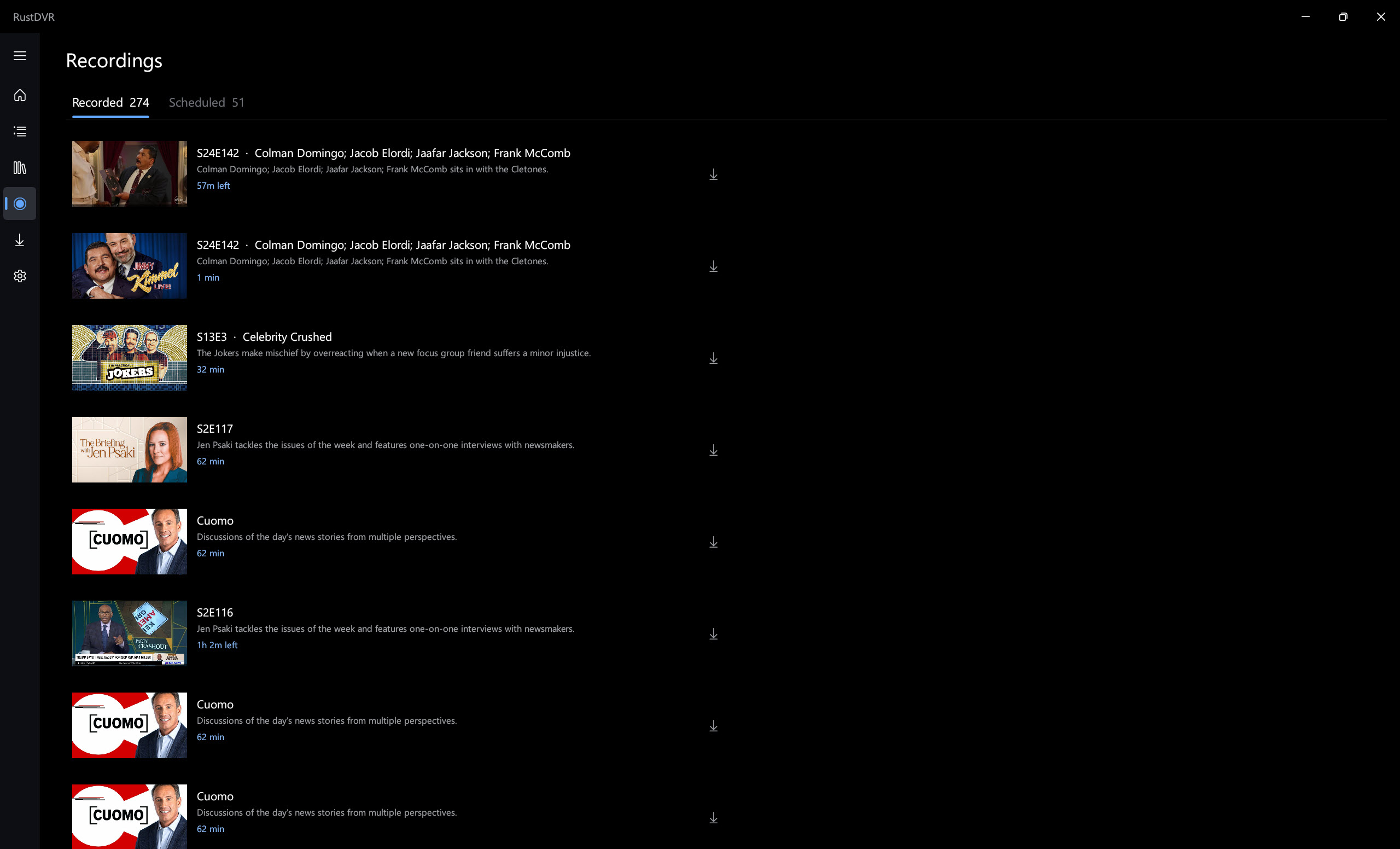
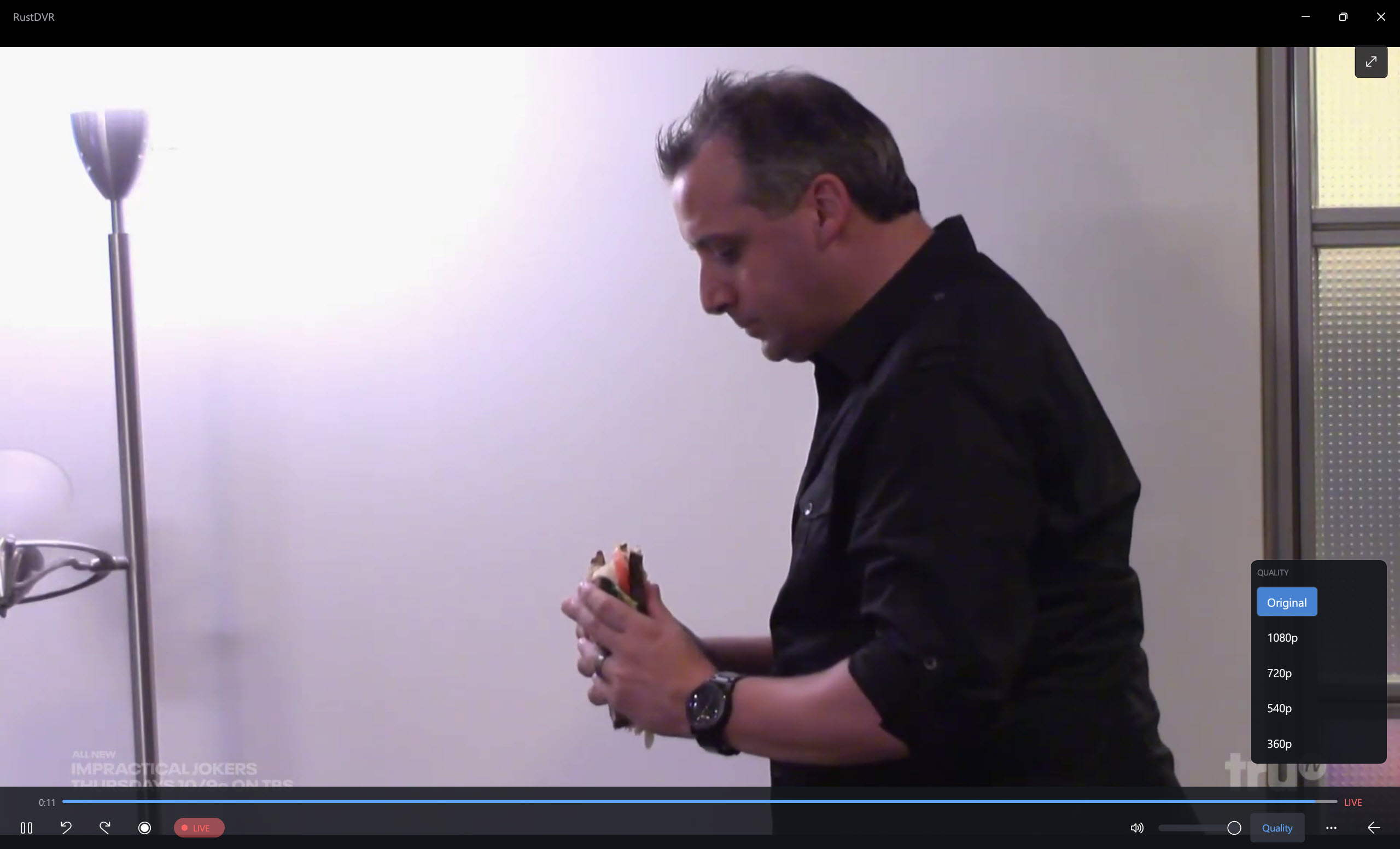
It is written in Rust with a little bit of C and pure Win32 with modern WinUI3 styling. It features a full guide with channel collections and a source dropdown as well as channel search. The ability to schedule recordings and set up passes including advanced settings like padding for recordings. I implemented full downloads functionality to pull your recordings and library content offline to view locally. It also allows on the fly the ability to toggle between a direct stream from the server and various quality settings.

There's a whole lot more and this is very new so expect bugs to come up, but core functionality is working.

The only caveat is I decided to make it free to use, free to modify etc but only for non-commercial purposes. This is a tool that should be for everyone and I've been burned before slapping an MIT license on something and it being used to benefit a business. It is currently licensed Polyform Noncommerical for this purpose but if anyone has a suggestion for a better license that would achieve this I am open to it! I just don't want someone to fork it, take out bits and sell it!

Feel free to try it here: Release RustDVR 0.0.1 · mackid1993/Clicker · GitHub

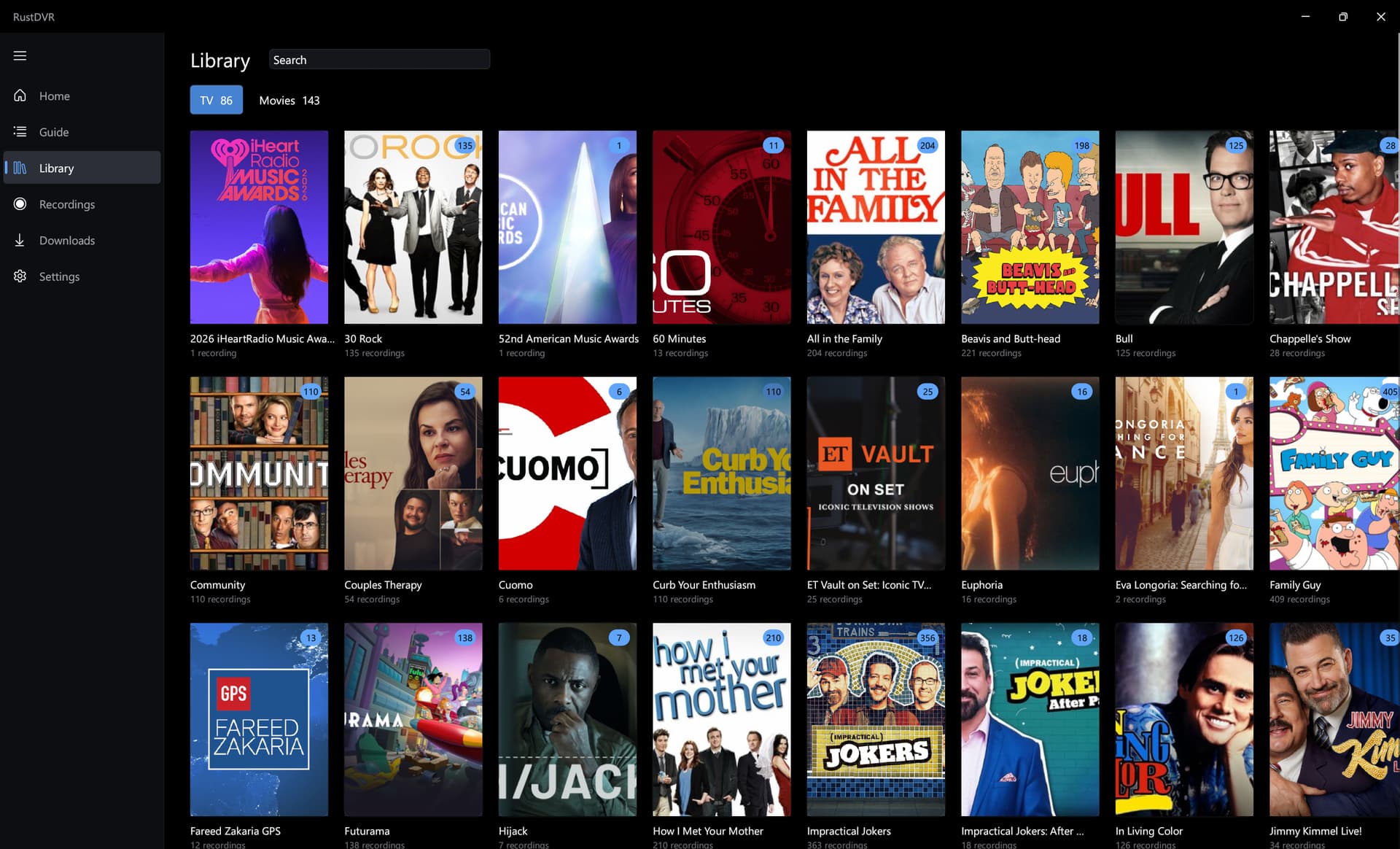
Edit: Screenshots for @maddox!
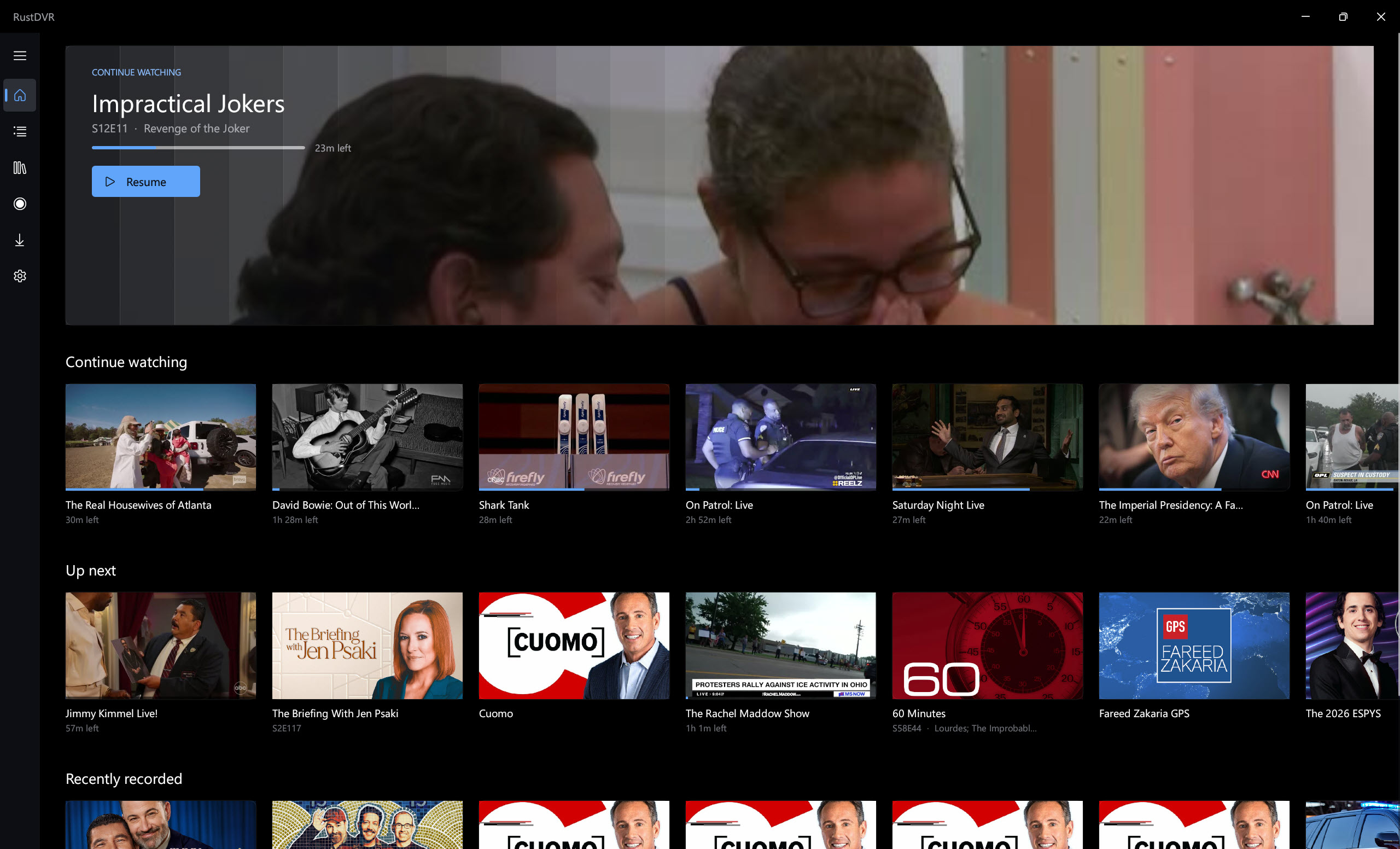


2 Likes

How come no one ever posts screenshots of these projects?

2 Likes

I hadn't had the chance. I was up until 5 am working on it! I will share some soon.

Edit: Done

Looking nice. Great job!

I may try it sometime over the weekend.

It's funny because for the longest time there was no Windows client and now, within several months, we have a few choices for Windows clients.

It's good to have choices. :slightly_smiling_face:

Why is it that only after i end up ditching Windows for the Mac & Linux world, that users of Channels DVR go on and make a proper Windows Client software!???

Maybe cause AI coding makes it so much easier to make whatever you want these days?
(at the cost of making RAM and storage impossible to afford now)

Really wish projects like this existed years ago...when i really could have made use of it.

Thank You for giving Windows users some love.

1 Like

Unfortunately, i can't test it since I'm on tiny10 but it looks good. Hope for the best as the windows clients for Channels increases.

Its been a long time since I've seen a movement for Live tv clients on windows and I'm loving it :laughing:

I will see how hard it would be to make an ugly version, lol, for Windows 10.

I have a wife who likes housewives shows, it was Real Housewives of Orange County, and there were some inappropriate adult items mentioned in the episode description. If anyone happened to catch that, I apologize. :joy:
If this is an opportunity to vote for profiles. I would really love to see profiles.

@Jean0987654321 I am working on a Windows 10 port right now called RustVCR. Goal is the exact same functionality, just runs on Windows 10. I am calling it RustVCR because Windows 10 is older. I thought it was pretty funny.

Edit: Release RustDVR 0.0.2 · mackid1993/RustDVR · GitHub

Windows 10 support!!

I love your naming for the Windows 10 version. I'd think a Windows 10 compatible version would work fine on Windows 11 and just maintaining that version would save you some effort.

Yeah I'm not understanding how Win10 would be different than 11, they look basically the same.

No, I missed it! Now, I want to see it! :joy:

I should have some time later today to try this app. :slightly_smiling_face:

1 Like

Windows 10 doesn't have the same OS level API support as Windows 11 does when it comes to newer frameworks. Some system libraries and subsystem aren't the same or are missing in 10.

It's because I built the Windows 11 version with Mica, which is not present in Windows 10.

I think I'll keep two separate versions because eventually Windows 10 support will fully end, and I think it'll make sense to deprecate the Windows 10 version. There's still ESUs right now, so people can still safely use it. And then there's also IoT Enterprise LTSC, but eventually that's going to be a pain to run, because most apps won't support it.

The more I think about it, though, I might merge the names because I think VCR is funnier than DVR.

Look forward to trying it.

Two things I noticed I have to fix. Minor, the guide has to time shift a little bit further. I think I have to add a button to go to the next day, or at least the next six hours, or something like that. Or maybe even like a filter bar to choose what time range you want to time shift to.

The other thing is the hero image on the home page does not update. I'm wondering if I want that to cycle through a few things every now and then, or on each open, or something like that. The window also needs to hold its old position when one reopens the app.

I would change the name on this project. Naming it after the programming language it was built in is blegh, also it’s not a DVR, it’s a client.

You should come up with a cool name. And please be sure to write in the resume that it’s not affiliate with Fancy Bits, LLC and is an unofficial client to Channels DVR Server.

2 Likes
  • Name is being changed to Clicker (like an old name for a TV remote)
  • Fixing the guide scroll
  • Fixing the hero image
  • Going to one binary and painting mica like material manually
  • Adding another disclaimer to the settings page but it's already all over the repo in several spots and in the LICENSE.md as well
1 Like

Ok: Release Clicker 1.0.0 · mackid1993/Clicker · GitHub
I think all concerns should be addressed. It is clear on Github that this is unofficial and in app I added this.

Hopefully this is acceptable to FancyBits!

1 Like

Are the local buffers and cache locations configurable in settings?
I don't want them on C:, but prefer to configure them to my M: