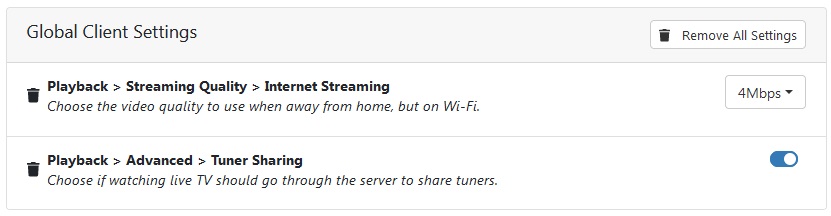
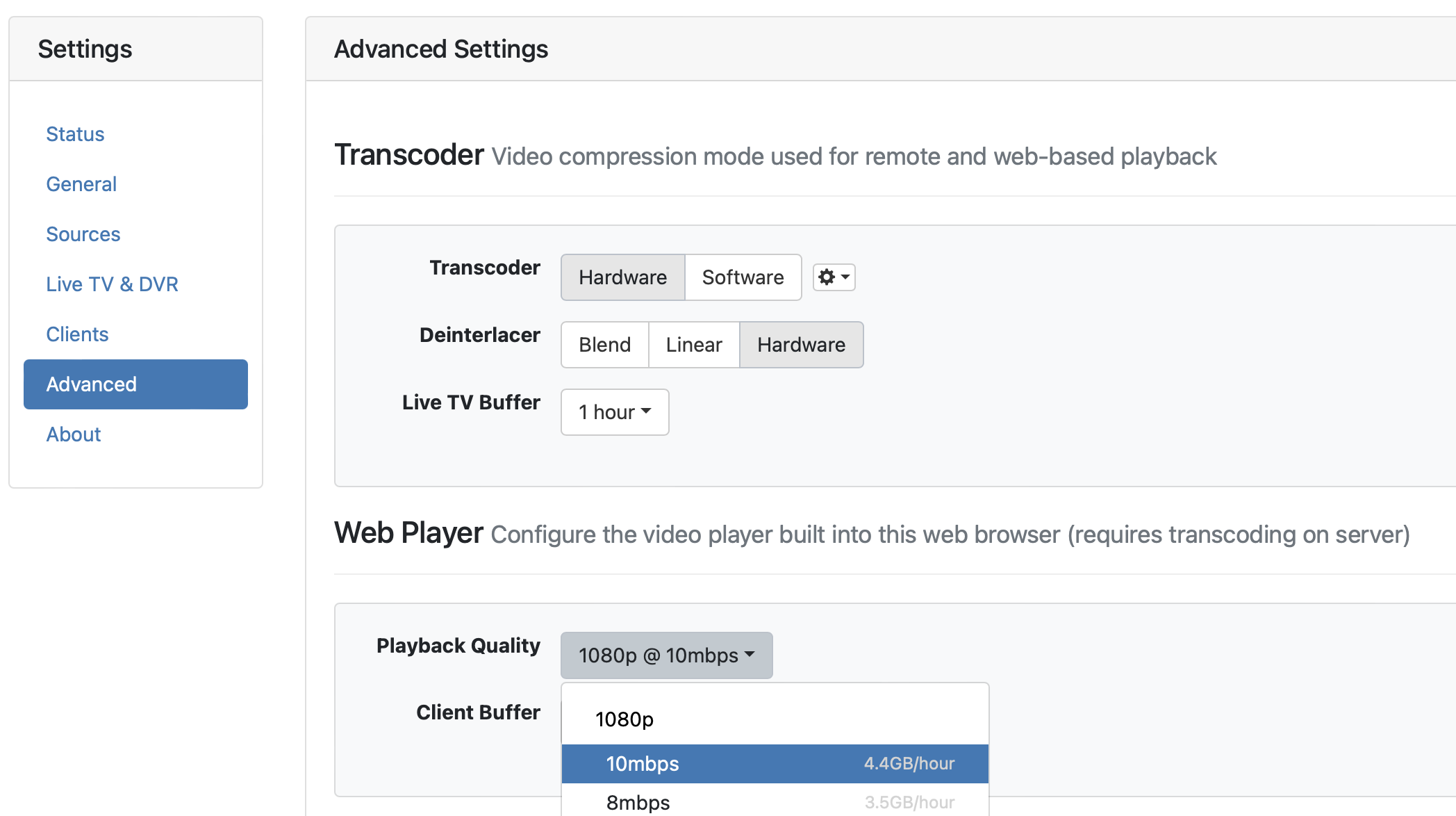
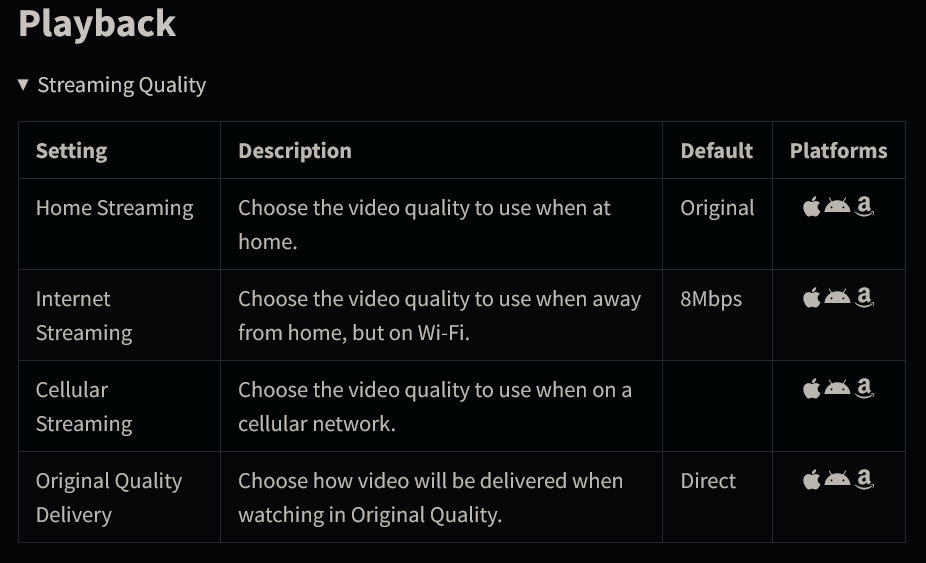
How do I tell Channels DVR I want it to honor the bandwidth limit for remotely connected clients? I must be missing something.
Windows 10 server
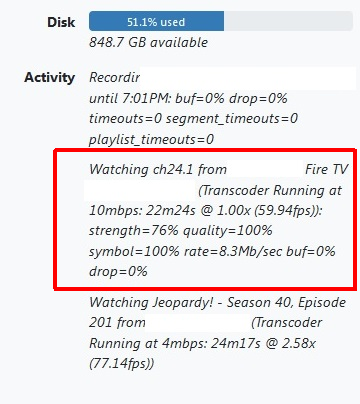
FireTV clients
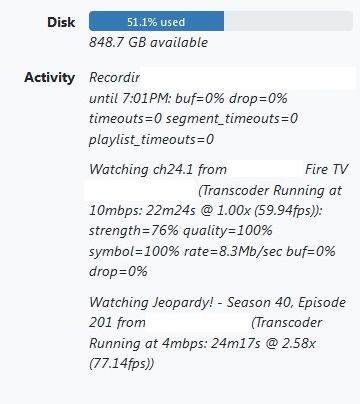

How do I tell Channels DVR I want it to honor the bandwidth limit for remotely connected clients? I must be missing something.
Windows 10 server
FireTV clients
How is that Fire TV connected to the DVR Server?
Remote via the Channels DVR remote access or via Tailscale.
Is it a cellular connection or wifi.
Who are you? Someone who can help?
Just another paying user like you.
You've posted in a Community Forum.
I would assume if you only wanted to hear from the developers you would have said so, or emailed their support.
I will add a little to @chDVRuser's response to maybe clarify what I think he was trying to ask/clarify...If you are using your own vpn into your network CDVR has no way to know it is a remote connection and you would have to set it for that particular client to your maximun desired bandwidth. If you are using the included remote access/tailscale server functionality then that could/would be another problem...
Hope that helps 
Please don't be rude. Like was mentioned, you are asking on a community forum. This is not official tech support for Channels. If you need that, please use the proper support channel at Channels — Support.
Doesn't look like this is actually the FireTV client — 10mbps is not a bitrate that the client ever requests. It's one of the options for the browser and non-clients.
If a browser or non-client connects from the same remote IP as a device does, it can sometimes cause the status in the UI to improperly attribute the stream to a client app that isn't actually that client app.
Thank you. Is there any way to have Channels DVR globally force the 4mbps limit for anything connecting outside the home network, without affecting browser bandwidth inside the network? It's good to have the highest quality possible on gigabit speeds on the LAN, but when the Internet upload speed is limited it's a problem when any client/browser outside the network doesn't follow the rules.
If I change that setting to 4mbps does it then force browsers both inside and outside the home LAN to 4mbps also? There isn't any Channels App for Windows, so I'm forced to use a browser on the computer at home, but I was hoping I wouldn't have to degrade the video quality when I'm on the LAN and not subject to upload speeds.
I see. There is not a way to differentiate currently.
Understood. Thanks for clarifying.
Honestly using a browser isn't a common occurrence on the same LAN as the server, so I can tweak that setting anyway. I just had a family member decide to connect remotely with a browser the other day (or so it would seem, a browser labelled as a Firestick from Eric's description) and it crushed the upload.
IIRC, there is a query parameter you can append to web requests for streams to prefer certain bitrates. Perhaps you could append such to your local clients for 10Mbps, and keep your server set for your desired remote bitrate.
Can you set a server side setting for streaming quality on a local or remote web browser?
If not, maybe they could add it.
Since a browser isn't considered a supported client, I can't find a setting for that, other than using individual browser settings which can't currently be locked down with a server side setting.
This topic was automatically closed 365 days after the last reply. New replies are no longer allowed.