CNN/CNNI/HLN removed due to DRM

Hoping an admin or someone from Channels DVR Product, Project or Dev sees this and can answer, escalate or advise?

In the recent release notes, "CNN 6030, HLN 6031 & CNNI 6032 were removed from Channels DVR TVE due to having gone to DRM."

This is some kind of discontinuity in the TVE layer afaik, but where does this leave things?

Thanks, and please let me know if this is being issued elsewhere.

Those channels are simply no longer compatible with Channels DVR TVE.
So they have been removed from Channels DVR TVE,
like these previous channels TVE channels previously removed

1 Like

Unfortunately, you will need to either pick one of the ad on projects to get the cnn stuff lost or Cnn won't be playable in Channels.
All depends on what you are willing to do to get the channels.

Community members are here to help as needed.

1 Like

Hi, and yes, that was my current understanding of the situation to date when I posted the question. I was asking to see what if anything can be done about it, and/or to whom the issue should be raised. I see the Prismcast solution suggested, but hoping I don't have to hack it.

This is a USER forum, not a Channels DVR official support forum.
When Channels DVR drops TVE channels (TVE is Beta), we users find other ways to bring them in to Channels DVR.

There are third party projects listed in this forum Topics tagged project-topic
Like the one rpaulmerrell pointed out

2 Likes

Understood, and more directly to my question: what would be the best way of escalating this issue away from this self-help group and more toward "a Channels DVR official support forum" in your opinion?

There is no "Channels DVR official support forum"
You would have to email their support.

1 Like

TVE options in Channels is shrinking has the cabal don't want people to stream their channels on their devices of their choice really.

Not much to do really. Theres plenty of addons here that'll help restore whats lost but it does require hardware (not for CNNI since you can get that on FastChannels) and knowledge and some patience to set things up

I don't believe anyone is telling you to p*ss off. You have a lot of people in this forum who have been here for years and have a deep understanding of how things operate and try and share that information through suggestions (teach others to fish vs. fish for them). However, the forum contains so much information and is a lot to ingest for someone relatively new or not historically active, that it's understandable that sometimes people talk past each other.

If your question is to ask the Devs can solve the CNN issue through new coding to get it back into Channels natively, the consensus is "No" the Devs have not signaled any plans to expand integrated solutions to replicate the ease of TVE. The ability to add custom sources basically opened things up to the community which has developed numerous sources (ahc4, ADBTuner, PrismCast, Fast Channels, etc) so the Devs really focus on improving the exiting infrastructure (I won't go down the Apple vs Android debate however).

As @chDVRuser mentioned, TVE has been labeled as BETA and is not guaranteed to be supported forever. With TVE continuing to move more towards DRM, the alternative sources are becoming the standard for most users in some form or fashion, so pursuing restoring TVE sources is not a good use of anyone's time and better to focus on the alternative sources to get back in. And although the Devs do weigh in from time to time on topics, they do not commit to responding to all inquiries here and they are a small team so responding to all outreaches is not guaranteed. I will say sending a PM to a specific Dev I've had better luck but again, no guarantee.

2 Likes

Thanks for the full and considered reply. I will look at the resources (ahc4, ADBTuner, PrismCast, Fast Channels, etc). I am rather novice at this, where is a reasonable place to start?

Start by reading and watching this to understand the situation better, get ideas about what can be done, and links to further resources.

1 Like

Well, thank you! That was the best reference material I have been turned onto yet :slight_smile:

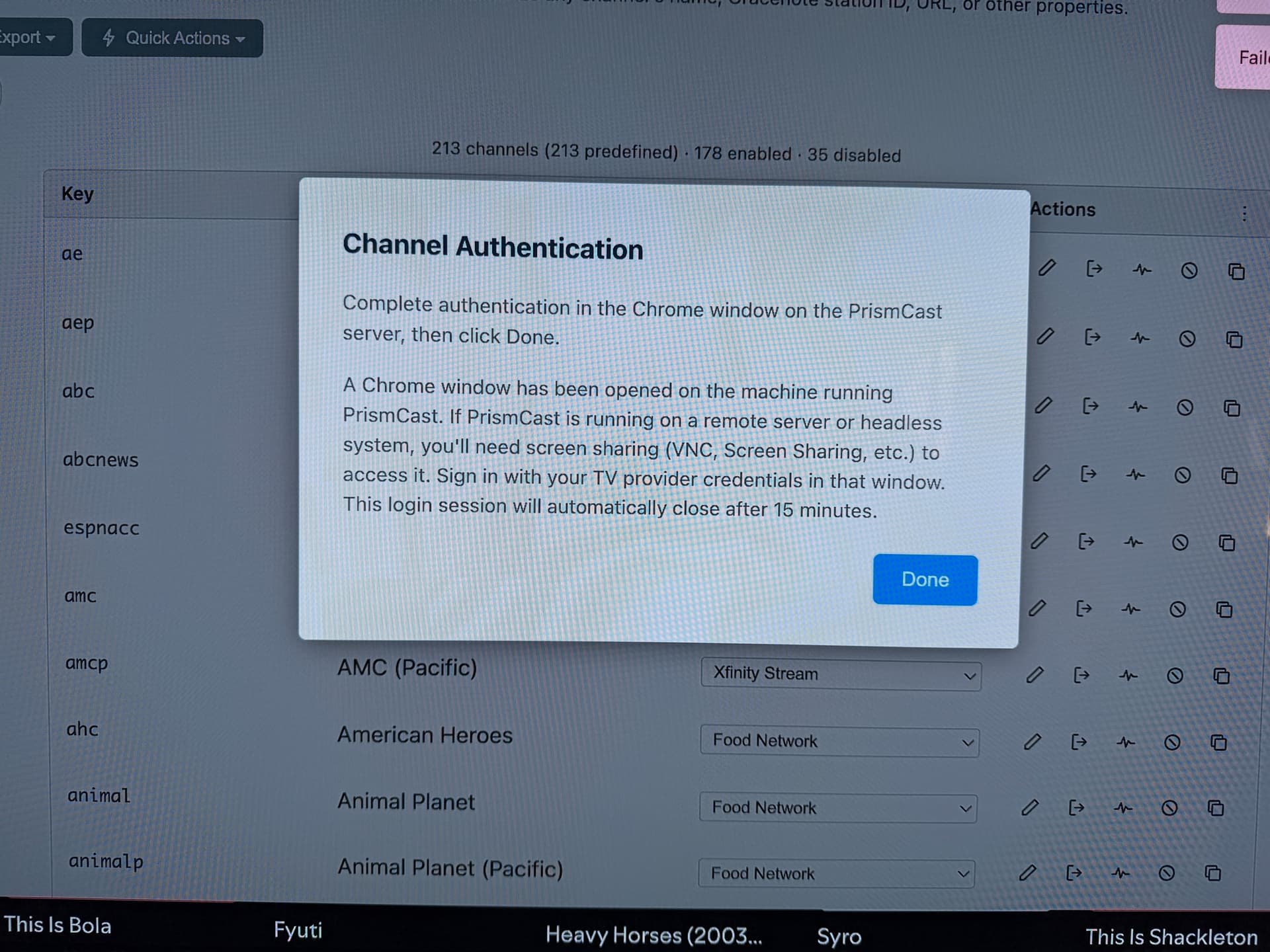
I installed and was able to start configuring PrismCast. It downloaded the guide data from the new source (Xfinity), but is hanging past that. I figure I have missed a step authenticating with Xfinity. But I get this blocker. HTF do I access this mysterious Chrome window that "belongs" to PrismCast? Anyone? I am stuck!

1 Like

It depends how you set up PrismCast but most likely the url you want to type in a new tab is


http://ip.of.prismcast.machine:6080/vnc.html

Select to authorize a channel and get the pop up in your screenshot then open a new tab and visit the above vnc url, then select connect. Login to your channels there. Bookmark it for later use.

What Rice said should work if you installed it in a docker container.
If you installed it on a MAC or WINDOWS PC, just go to the Chrome browser (a requirement) it's controlling.