Collections - 2 Issues

I'm having two issues with Collections (which I've just learned about). The first is more of a simple question.

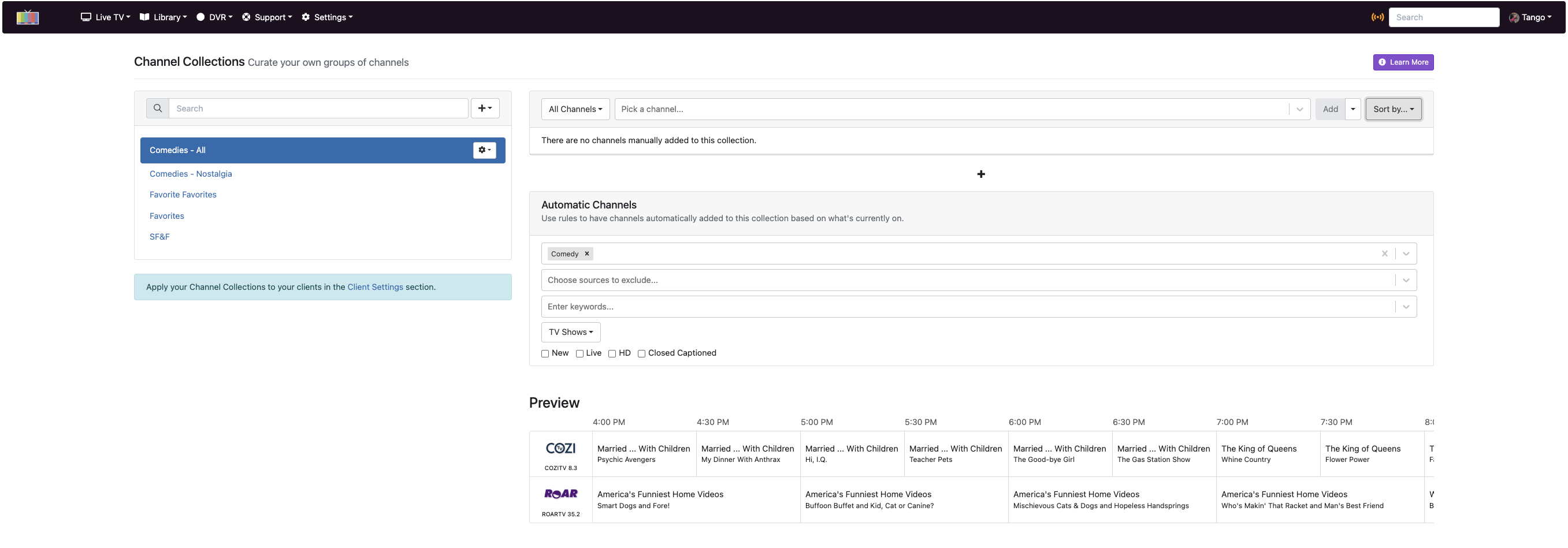
  1. When I'm using this widget to add channels, is there any way to tell the collection to cover all channels without picking the choice to add every channel? I wanted to include all channels, but I had to pick "All" and then it added all the channels in our area - which is a lot. (Only a few are shown in the screenshot.)

    My concern is that I've seen a few channel changes in our area recently and there are times new channels have shown up. That means if there are any channel changes in our area, I have to go back to all Collections that cover all channels and re-define them by reloading all channels again.
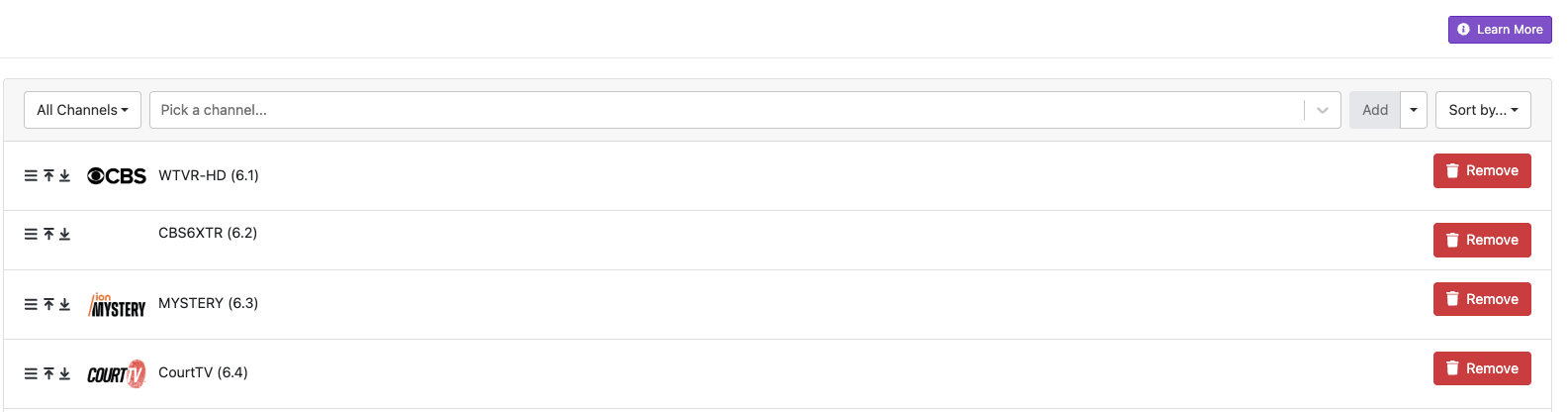
Isn't there some way to just have a collection include shows across all channels implicitly, instead of having to have every channel listed in the collection?

  1. I think I'm doing something wrong here. I want this collection to include all comedies airing now. I've specified the genre Comedy, but it lists ALL shows, drams, news, and so on. It doesn't limit the collection to only comedies. (Not all channels are shown in the long list - screenshot for the top and the bottom.)
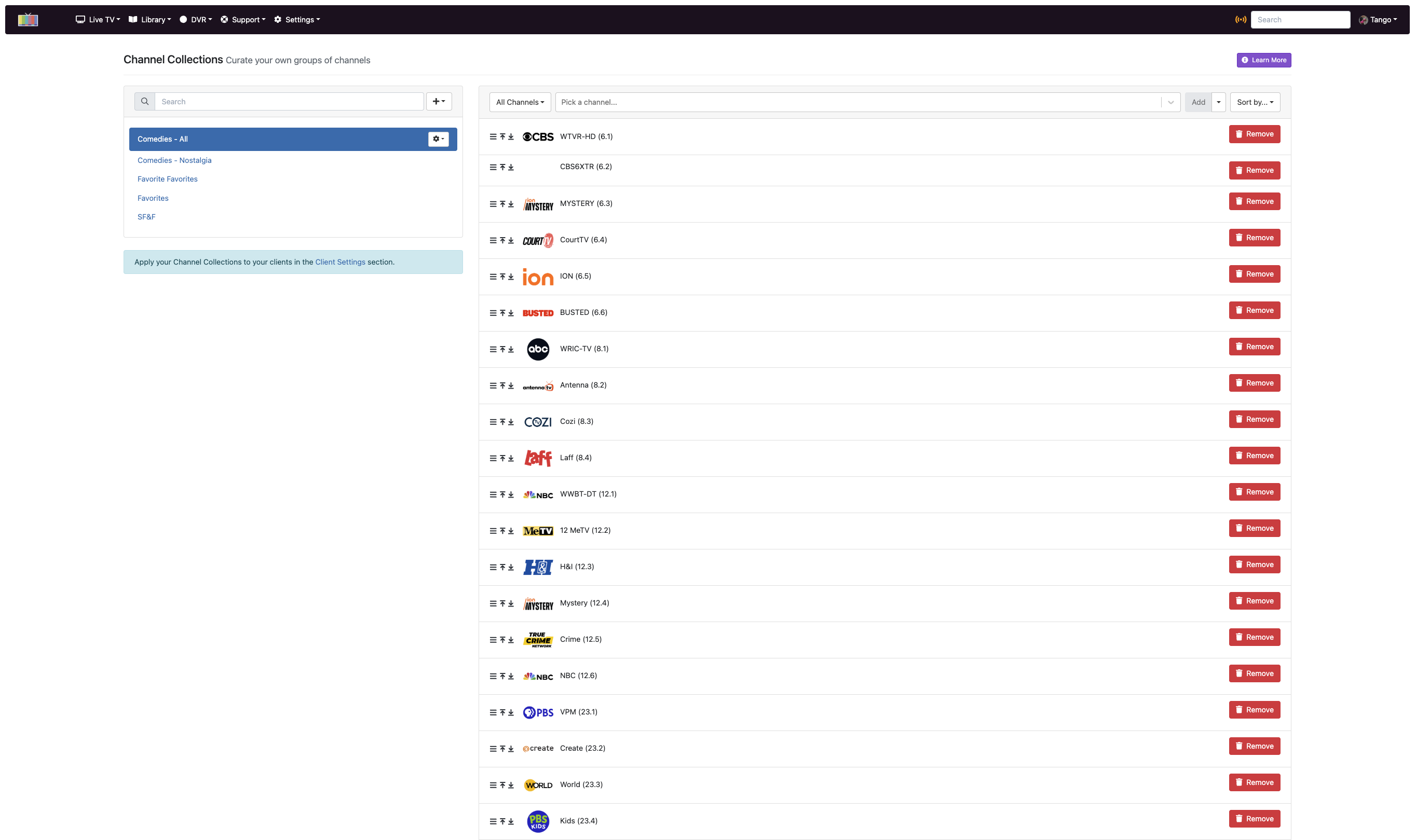
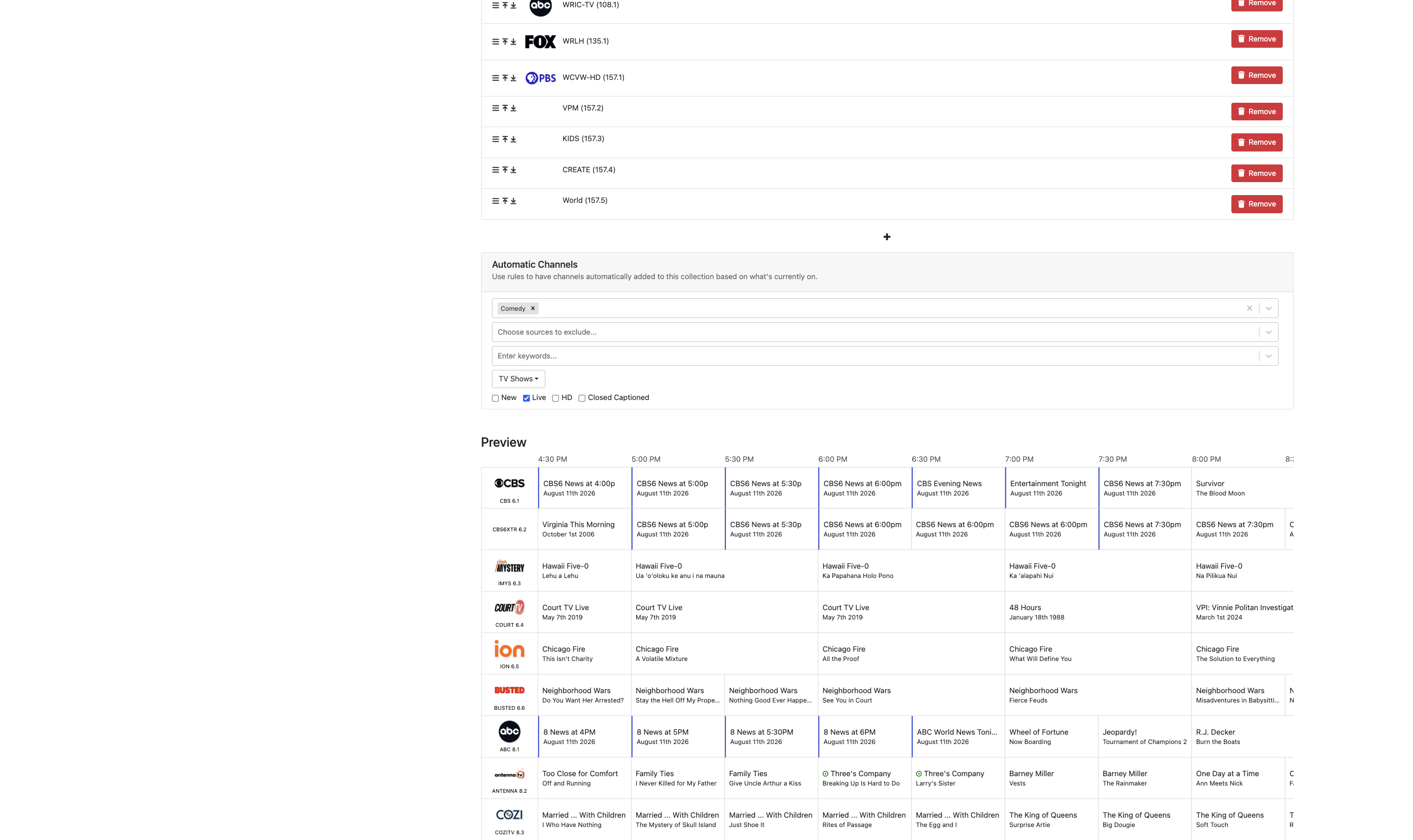
Why won't it limit itself to just comedies?
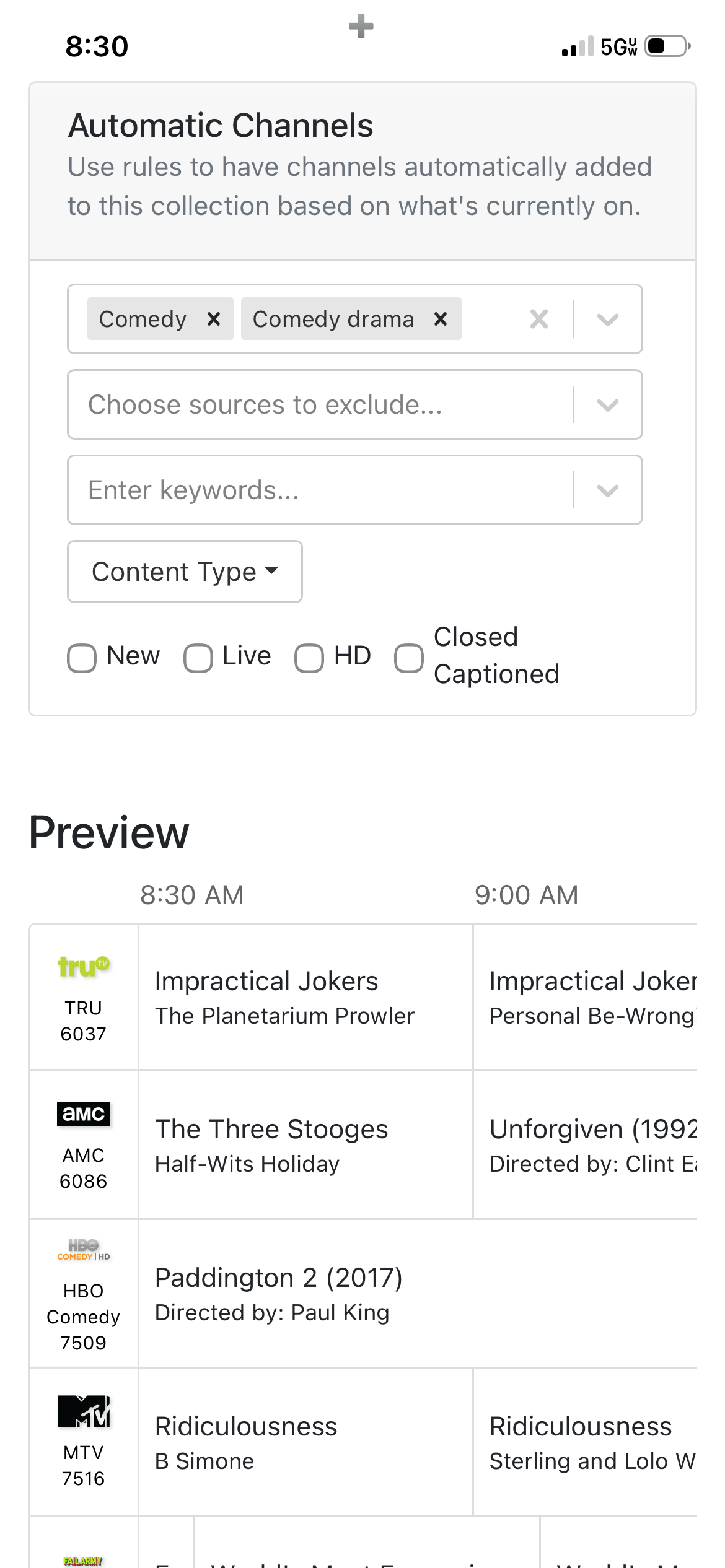
You’re close but have a couple issues going on. There are two sections there, the top section is for you to pick channels that you want to show in the guide collection at all times. The bottom section (automatic) is a rolling option and uses guide data not channels to determine what to show in the guide collection. You can mix these if you want but typically you won’t want to.

For example if you want a comedy collection, you would leave the top section blank don’t add any channels up there. In the bottom section you would do just like you have it add the comedy genre, select any sources you don’t want it to look at and include, probably uncheck the live box as there is likely not many live comedies depending on all your sources. Then you assign the collection to clients.

For the automatic section it uses the guide data of CURRENTLY showing programs that meet the criteria you set like comedies. It will then add the channels with comedies automatically to that collection, when the show is over the channel disappears from the list. So automatic collections are constantly updating adding and removing channels based on guide data. Here is how your comedy automatic section will likely look like.

The top section is more for a static list of channels that will always show in the collection guide. This is where you would create collections like Tango’s Favs or Amy’s Favs, or Sports Favs, Pluto, ect and add the channels any the way you like. You can put them in any order you want as well you’re not stuck with channel number order. If you create a collection named Favorites in this section I would recommend disabling the Favorites collection in your client so that you won’t have two Favorites. Those settings are in the clients to disable built in collections like all, hd, favorites, ect.

Instead of deleting all those channels you added in the comedy collection I would just delete the entire collection and start over with a new one.

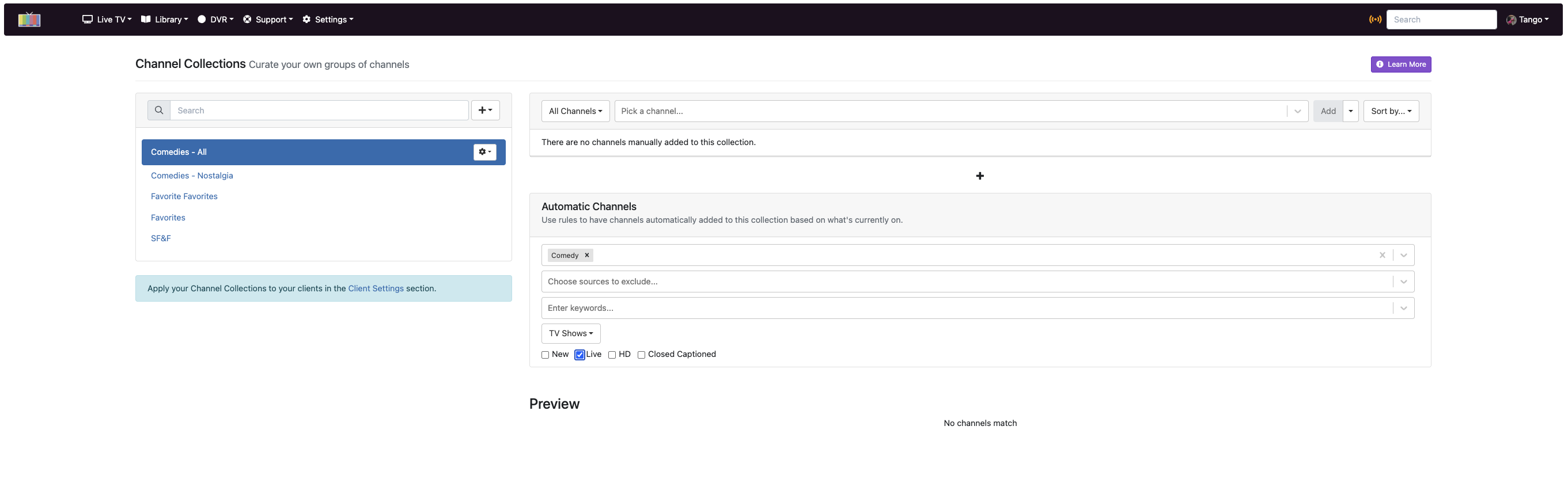
If I understand correctly, then, I don't need to include all the channels for it to pick just comedy or for some other search based setup. So I removed all the pre-selected channels and did this (screenshot shows both top and bottom parts). Also, this is not for live - so I don't see what's up just now, but all upcoming. Here's what I get:

That's comedies without any channels selected. By my understanding, though, without channels selected, it should be seeing all comedies coming up. But there are a lot of comedies not showing up.

Also note that this shows two comedies that are on now, "Married...With Children," and "America's Funniest Home Videos." BUT - when I switch to Live, those disappear:

So same setting in both screenshots, one picks up TWO (and ONLY TWO) comedies on now. When I'm using "Live," which I think means what's on now, those two shows disappear.

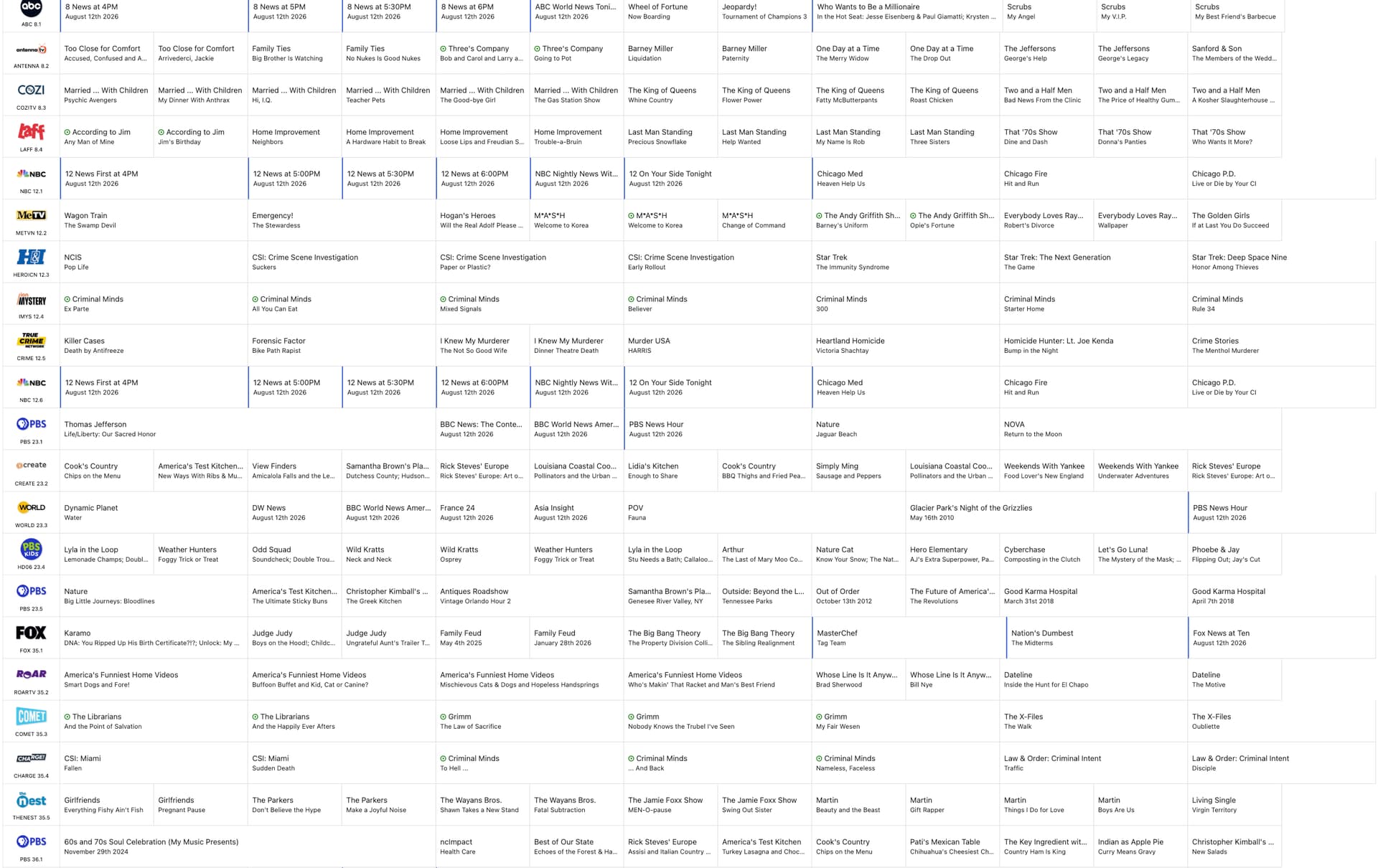
For reference, here's a shot of my guide, just the top (starting at low station numbers and counting up as we go down the guide):


There are two comedies on now that don't show up in either of my attempts at setting up a collection, "According to Jim," and "Too Close for Comfort." Those are on now, so I would expect them to show under Live, but they don't show under either attempt. Plus there are a number of comedies playing in the next few hours that don't show up at all.

So somehow it's still not catching some sitcoms under "Comedy," when I don't specify any channels.

I suspect I've missed something here and when I get what it is, it's probably so obvious it'll be a real Homer Simpson "D'oh!" moment, but what I'm seeing is that without including channels at the top. a lot of comedy shows are not seen by the lower filter.

That is not what “Live” means. Live means the event is currently happening like a sports event that is actually taking place at the stadium right now and they are broadcasting the game live. It doesn’t mean anything that is currently playing in your channels. Any sitcom will never be “live” because they tape them at a studio edited them and wait for a new season to broadcast them. The only way you will probably ever see anything comedy related show up “live” is maybe a stand up comic doing a show live.

New means a show like a sitcom is its first time broadcasting. Sometimes new is labeled by a network when it’s the first time showing on their network. Even though it’s already played on another network first, in this case the show isn’t technically new but it’s new to the latest network so they slap a new tag on it.

Channels uses tags that are supplied by Gracenote guide data to populate automatic section.

And they won’t show up until they actually start. Automatic channels only uses data from shows currently playing to populate the list. Think more along the lines of how you thought the “live” check box meant currently playing.

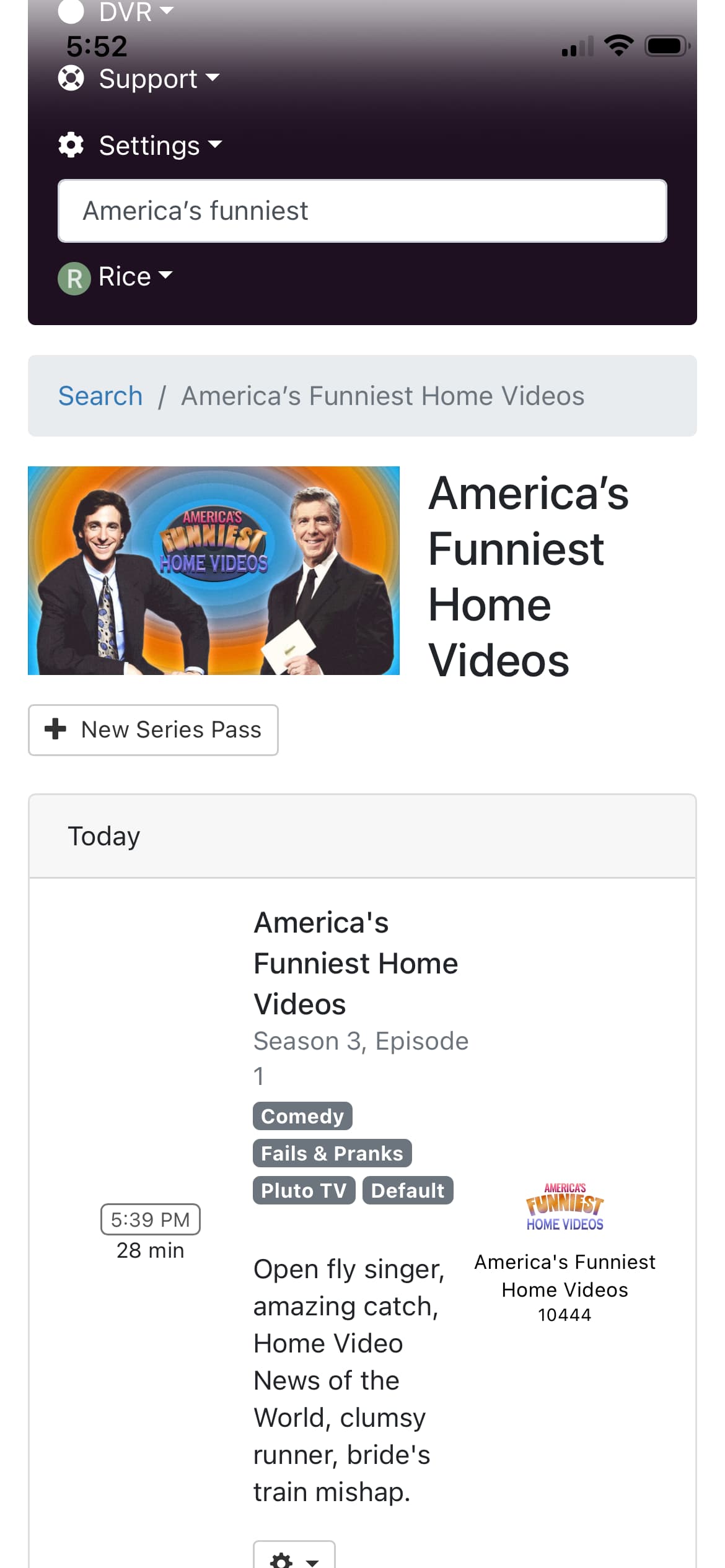
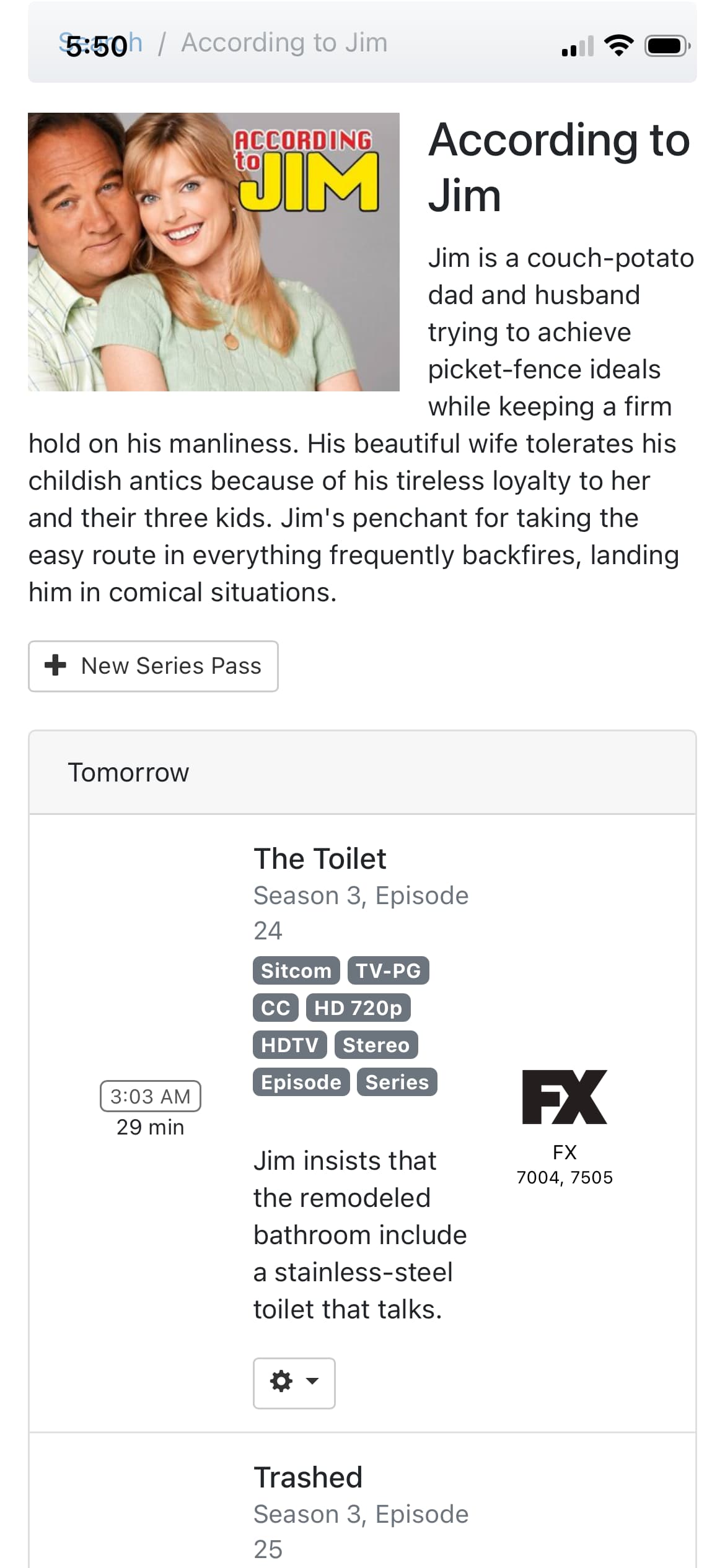
If these are truly “currently playing” and not on in a couple hours then they likely don’t have the comedy tag applied to them in their guide data. For example look at these to pics and notice that according to Jim does not have the comedy tag but americas funniest home videos does.


Sometimes guide data is not perfect. This is a good case to add a channel to the top section to guard against that a bit. Your screenshot shows you are recording According to Jim on channel 8.4 Laff network. Chances are whatever they play is going to be a comedy so go ahead and add just channel 8.4 to the top section. This will make it so it will always show that channel in the comedy guide list even if it is showing a program that isn’t a comedy.

Thanks - I see I had 2 issues creating problems.

The first was my misunderstanding of "Live." Okay, that makes sense.

So when I pick "Comedy," it only shows channels with a comedy on now and is not filtering based on if there are comedies on later. Is that correct? I'm trying to make sure I understand this.

I looked over the info for According to Jim and it has a Sitcom tag, so I set the filter for Comedy and Sitcom and it looks like it's getting every case of a comedy (or sitcom) that's airing now. That's my goal.

I tried setting up other tags based on genres, like Science Fiction and Fantasy. I'm now aware I may need to check tags on shows I want to show up in a collection and make sure they don't use other tags closely related to the ones I want.

This is a big help! Thank you!

Correct. If there are some shows later in 2 hours with the comedy tag they will show in the list in 2 hours but not before then. Think of your comedy collection as a shortcut to see what is currently playing in that genre. It’s not a list of currently playing and future shows in that genre.

Automatic section excels at collections like “College Football” where a given Saturday there may be 10 games playing live. It makes it easier to channel surf them when the guide only shows the football games. When football season is over you just unassign the collection from the clients and when next season rolls around add it back to clients. This way it’s not cutting the collections list off season.

The possibilities with collections are endless. Enjoy!

Great! I at least got that it was a shortcut to see shows that fit the criteria that were on now. Just trying to make sure I understand it all. Makes me wish the Tour de France (and other cycling events) were on OTA broadcasts, so I could pull them up as easily! (But I have to pay -a year on Peacock for just cycling events in the summer...)

So one more - I think the last question:

If I specify channels in the top part, they're always included even if they don't fit the filters in the bottom part, right?

And is there a way to limit it to show only shows matching tags ONLY on certain channels - but to not show those channels if there isn't a match for the filter?

Correct.

If I'm not mistaken, that's what the automatic collection does. Whenever you open it, it contains the most current list of channels that match with the filter at that very moment.
@Rice will correct me if I'm wrong.

Okay, that I get. But is there a way to setup a collection that includes comedies ONLY on specific channels, but also does not list one of those channels if it does not have a comedy on at that time?

(Using comedies as an example, for the tag Comedy - so just an example for that one tag.)

Ah, okay, sorry. I see what you're asking now, only on specific channels.

Looking at the documentation, there is a rule for Excluded Sources but not for channels.

Somebody might know a trick to do it.

1 Like

Not that I’m aware of. You can exclude a source but you can’t exclude certain channels from a source.

I don’t know what kind of hardware you are using for your server but you can check out the PrismCast project to bring Peacock into channels dvr. I think Peacock is supported in PrismCast but you would need to verify over in that threadu. Of course this is opening an entirely different can of worms.

Thanks, everyone, for the info on all of this and for that last point - that I can't pick the channels to scan without them being listed automatically.

Right now I'm running Channels and Plex on an older system that is handling it fine. I'm looking for alternatives to Plex for several reasons. (I'm looking at Infuse, but I'm still not clear how well it works with tracking what I watch and providing metadata like episode descriptions for video files.) I'm deciding which programs that need a server need to stay and which ones can be replaced. So I'll be going for a better machine that can run several servers in containers (I'm told that's easier to update that way). So I'll have to look into PrismCast and what that offers.

A bit of a side note: The Tour de France is a 21 day event in July, about 4-5 or more hours a day. On Peacock, I can't start watching a stage at 7AM, and if you don't catch it at the start, you can only jump in to where it is if it's live . So if you want to see the daily stage in full, you have to start watching it when they start it or wait until it's done, give them 30-45 more minutes, then you can watch it all. So if I could use Channels as a DVR, that'd FINALLY let me start the daily stage sometime around 10 AM or 11 AM, when I want to start it and see it all.

So I'll have to look into PrismCast and see how that helps me.

Any reason why you aren’t using channels to access the plex content? You can import all the movies and tv shows that plex serves right into channels dvr. Any plex features you need that channels doesn’t have?

PrismCast can bring any webpage into channels. I’m assuming Peacock has the ability to watch content on web browser. What cpu does your server machine have?

I haven't looked lately, but in the past one thing that bothered me about Channels for local content was trouble organizing content. Maybe that's changed or I could have missed a lot (or maybe I was, at the time, committed to Plex and didn't look over how Channels handled local files.

One of the (many) reasons I want to dump Plex is organization. They're very picky in that area with no ability to do sub-groups. So, for instance, if I have a group titled SF&F (Science Fiction and Fantasy), I can't have subgroups like Star Trek or Stargate. I have to list each series in the main group. I can at least add groups like Star Trek and put all the Trek shows in there AND under SF&F.

I’ll be honest I’m not fully versed in channels and it’s options for an imported library and sub groups but I know you can create library collections that may do what you want. You can also make virtual channels and use all your Star Trek content to make a channel in your guide that simulates a normal channel but only shows the Star Trek episodes. Make another channel for Star Trek next gen. Make one for all your what about Jim episodes. Have all the fast and furious movies create a virtual channel for them. Then create a channel collection called virtual channels or whatever and add all of them to it.
If you don’t like it just remove the import and prune delete and no harm done.
I don’t carry large libraries so my help would be limited but many people do on the forums to help.

1 Like

Yet another follow-up on this:

I cant find Collections anywhere on the Apple TV app. So how do I include Collections there so I can change between collections to see what's on?

Channel collections are assigned to clients from the dvr web ui not in the app. Under Settings > Clients, there are two section you can apply collections one is selecting a single client from the list and assign there. Most likely you are going to want to assign the collections to every client. So just below the individual client list you will see global client settings and channel collections there. Hit the drop down and select all the collections you want every client that connects to the dvr have.

Took me a while to get back to it, but once I did, it worked exactly as @Rice described.

Thanks for the help!