If I convert TV shows to MKV and delete the original, then import into Channels will Channels still consider them as recorded ?
Say I have a Pass to Record Horror Movies but not deleted.
If I convert Movies to MKV and delete the original, then import into Channels will Channels still consider them as recorded ?
of course I do a prune deleted to delete the old Entries
Yes, it will remember it recorded them.
It stores the ProgramID and File ID for things it recorded and imported.
You can view them at http://<dvr_ip:port>/dvr/programs
ProgramID's for recordings and Gracenote matched imports look like EP... Episodes SH... Specials and Episodes without Episode number or Episode Title MV... Movies
ProgramID's for TMDB matched imports look like tmdb/movie/...
ProgramID's for Pluto recordings look like pluto/...
ProgramID's for recordings from channels without guide data (placeholders) look like placeholder/...
Thanks I am using MCEBUDDY to Clean up the files and convert tp MKV and Insert Chapters and EMBED Subtitles.... I find MKV is the most compatible with my Various players... Also MCEBUDDY Extracts my Preferred Audio Track ...
It found something strange in some of the MPG files ....
Why are you converting and then importing?
Why not just overwrite the recorded file with the remuxed MKV file.
Rename the .mkv file to .mpg and overwrite the original recorded file with it.
After that just Refresh Metadata and Regenerate Video Index on it.
Channels DVR will still play it.
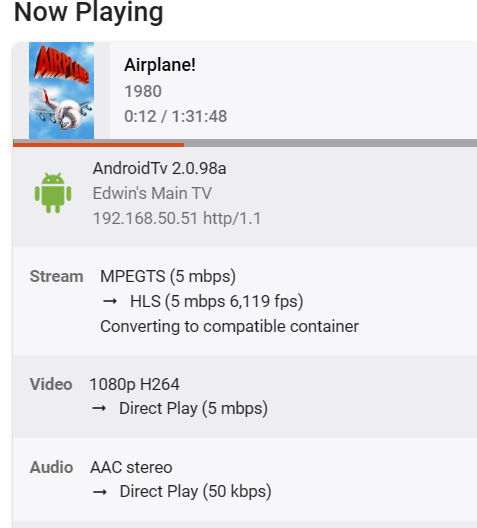
I use Emby and other players .. MKV is much better... I get Direct play on all my players .. Plus I like to organize them ... add the Years to the Series which Channels DVR does not currently do... So changing them to mpg is of no value. Plus in EMBY MPEGTS with MPG extension gives me unsupported container and remuxes at the server. MKV direct plays.
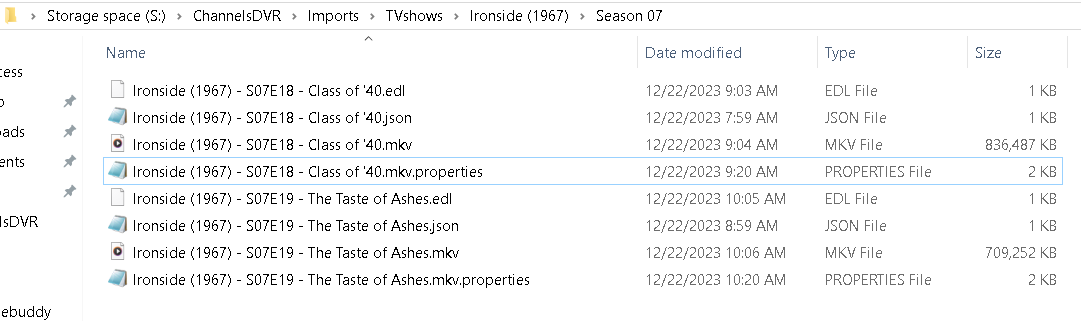
These are some series I am testing with ... Final Product below.
Wasn't saying to change it to anything.
Keep your remuxed MKV file, just change the filename extension from .mkv to .mpg, overwrite the original Channels DVR recording with it and it will play in Channels DVR (even though you converted it to an MKV container format).
So basically
Remux ChannelsDVRrecording.mpg (which is really an mpeg transport stream) to an MKV container format ChannelsDVRrecording.mkv
Rename ChannelsDVRrecording.mkv to ChannelsDVRrecording.mpg
Now move/copy ChannelsDVRrecording.mpg over the original Channels DVR recording file.
Changing the filename extension of a file doesn't change what it contains.
I need to figure out what I'm doing wrong because this is not my experience.
For example, I have a pass to record holiday movies with the setting to record deleted movies (in case a recording has an issue, I delete it and it will be recorded when it airs again.)
As you can imagine, my DVR has been quite busy lately since this is the holiday season; Christmas movies are airing all the time with repeats for some.
If I edit a movie to remove commercials and import it as an MKV file after deleting the original recording, the DVR will still record the next repeat airing, even if it's on the same channel that I first got it from.
This is my work flow:
a) edit the MPG file in VideoReDo and save as MKV
b) delete the movie on the server UI => the MPG gets deleted (and I'm assuming it also gets removed from the database, no?)
c) import the MKV file (it is recognized by Channels and gets the right metadata)
d) keep checking the DVR schedule regularly to skip future recordings of the same movie (I wrote a script that does this automatically)
If I do c) before b) it makes no difference.
Do you mean manually delete the MPG file on the disk?
I guess that's my mistake is in step b). I probably should not delete from the server if I'm going to import the corresponding MKV.
Isn't this equivalent, in the end, to what I do in step b)?
If so then I don't understand why it's not working for me.
I do not do any of that manually MCEBUDDY does it all Comskip add Chapters convert to MKV (new name) delete original mpg and prune deleted.
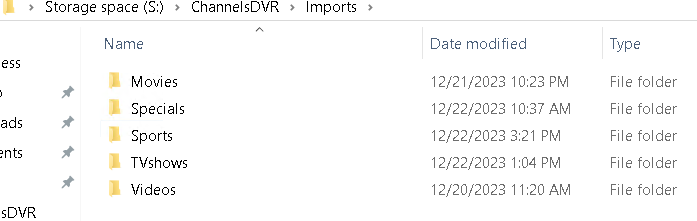
This is what I would do if doing it manually ... Setup import folders in Channels DVR.
Transcode to MKV using Import folder as your destination.
Delete MPG file in Channels DVR.
This is what my Import folder looks like ... IT uses the JSON from Channels DVR to rename the way I want it.
Thanks for the details. I am very interested in your process because we have the same end goal.
I will see at a later time if this is a process that will work for me too.
Remember when a Movie is recorded with Channels DVR it uses Gracenote metadata (including ProgramID), but when a Movie is imported it gets matched using TMDB metadata (including ProgramID).
Also, if your pass is set to rerecord deleted and you delete a movie, it will rerecord it.
Here's how I think re-record deleted works.
Say I have a pass that would record the movie The Sandlot (1993)
Channels DVR finds an airing and gets the Gracenote ProgramID for it MV000365980000
It then checks /dvr/programs/MV000365980000 to see if it's already been recorded
The reply is "recorded-819" which means it was recorded and it's file ID is 819
It then checks to see if /dvr/files/819 exists
If it exists, it hasn't been deleted, so it won't re-record it.
If it doesn't exist that means the recording was deleted, so it will schedule it for re-recording.
If you imported this same movie, it's ProgramID would be tmdb/movie/11528
OK so obviously Channels doesn't know that the imported movie matches a scheduled re-recording.
I understand it's because of different IDs from Gracenote and TMDB in the metadata. That makes sense and not much can be done about it.
Too bad there is no way to match Gracenote and TMDB ProgramID values.
Just writing it actually gave me an idea for a fun project.