
I've been playing around with a script to find corrupted recordings in my library. I noticed a minor bug with the Details display for a 100% corrupted recording. If the recording is so corrupt that SignalStats.Grade.GoodCount is zero then the Details display in the web UI does not indicate the recording is corrupt.
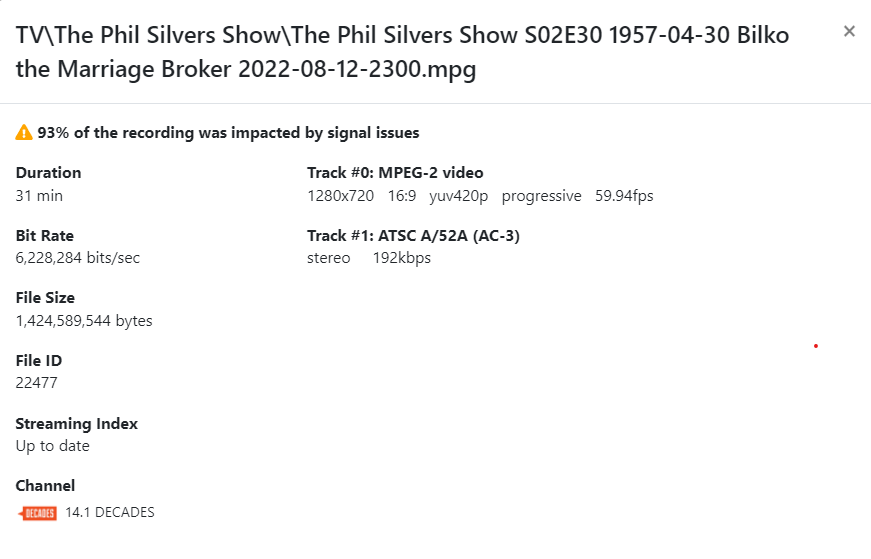
Here is an example where Grade.GoodCount=63 and Grade..BadCount=846:
Here is an example where Grade.GoodCount=0 and Grade.BadCount=1802:
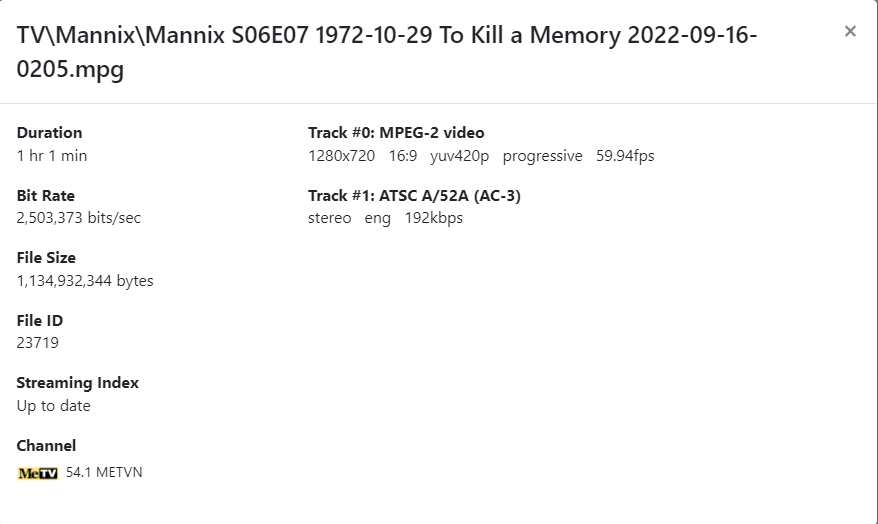
Note that the signal issues warning is missing from the second example.