Crazy issue with mlbserver with radio feeds

So I have been working with @tonywagner to get mlbtv video paired with the radio audio feed. His advice was to append &audio_track=Home%20Radio to the m3u8 url. Here is an example:

#EXTM3U
#EXTINF:-1 CUID="MLBTV.WSH" channelID="MLBTV.WSH" tvg-num="1.30" tvg-chno="1.30" tvg-id="MLBTV.WSH" tvg-name="MLBTV.WSH.radio" tvg-logo="https://www.mlbstatic.com/team-logos/share/120.jpg" group-title="MLBTV",MLBTV.WSH
http://192.168.12.39:9999/stream.m3u8?team=WSH&mediaType=Video&resolution=best&audio_track=Home%20Radio

I have given up on this working at all. Channels would just freeze the video and nothing would play. Today I thought I would try it again and I tried on my web browser. To my surprise it worked perfectly! Thinking this was just magically fixed I tried it on my iPad and it failed as usual (same as the ATV). With transcoding being the only difference, I set my iPad to 8Mbit for the quality. Now the radio feeds work perfect.

Does anyone know why transcoding makes this work? I know this is a HUGE corner case so I don't expect the Devs to jump on this. I am OK with transcoding this but is there a way I can specify just this source to transcode? I'd rather not just leave my devices in anything but Original quality and have this only apply to this custom channel source. I seem to remember @racameron was particularly knowledgeable on this...
1 Like

In case anyone is interested, what mlbserver is doing is passing the video segments through ffmpeg to strip out the default TV audio track, before passing them along to the viewer.

This might mess up playback in some clients due to stream timestamps etc.? But I am open to any suggestions to improve.

Also, mlbserver has a “park sounds” option that functions similarly, but instead of stripping out the TV audio, it just applies a karaoke filter to try to remove the announcer’s voices.

1 Like

So I just tried this using these two teams as they are currently playing using this:

#EXTM3U
#EXTINF:-1 CUID="MLBTV.TEX" channelID="MLBTV.TEX" tvg-num="28027.2" tvg-chno="28027.2" tvg-id="MLBTV.TEX" tvg-name="MLBTV.TEX" tvg-logo="https://www.mlbstatic.com/team-logos/share/140.jpg" group-title="MLBTV",MLBTV.TEX
http://192.168.1.202:9999/stream.m3u8?team=TEX&mediaType=Video&resolution=best&audio_track=Home%20Radio

#EXTINF:-1 CUID="MLBTV.NYM" channelID="MLBTV.NYM" tvg-num="28018.2" tvg-chno="28018.2" tvg-id="MLBTV.NYM" tvg-name="MLBTV.NYM" tvg-logo="https://www.mlbstatic.com/team-logos/share/121.jpg" group-title="MLBTV",MLBTV.NYM
http://192.168.1.202:9999/stream.m3u8?team=NYM&mediaType=Video&resolution=best&audio_track=Home%20Radio

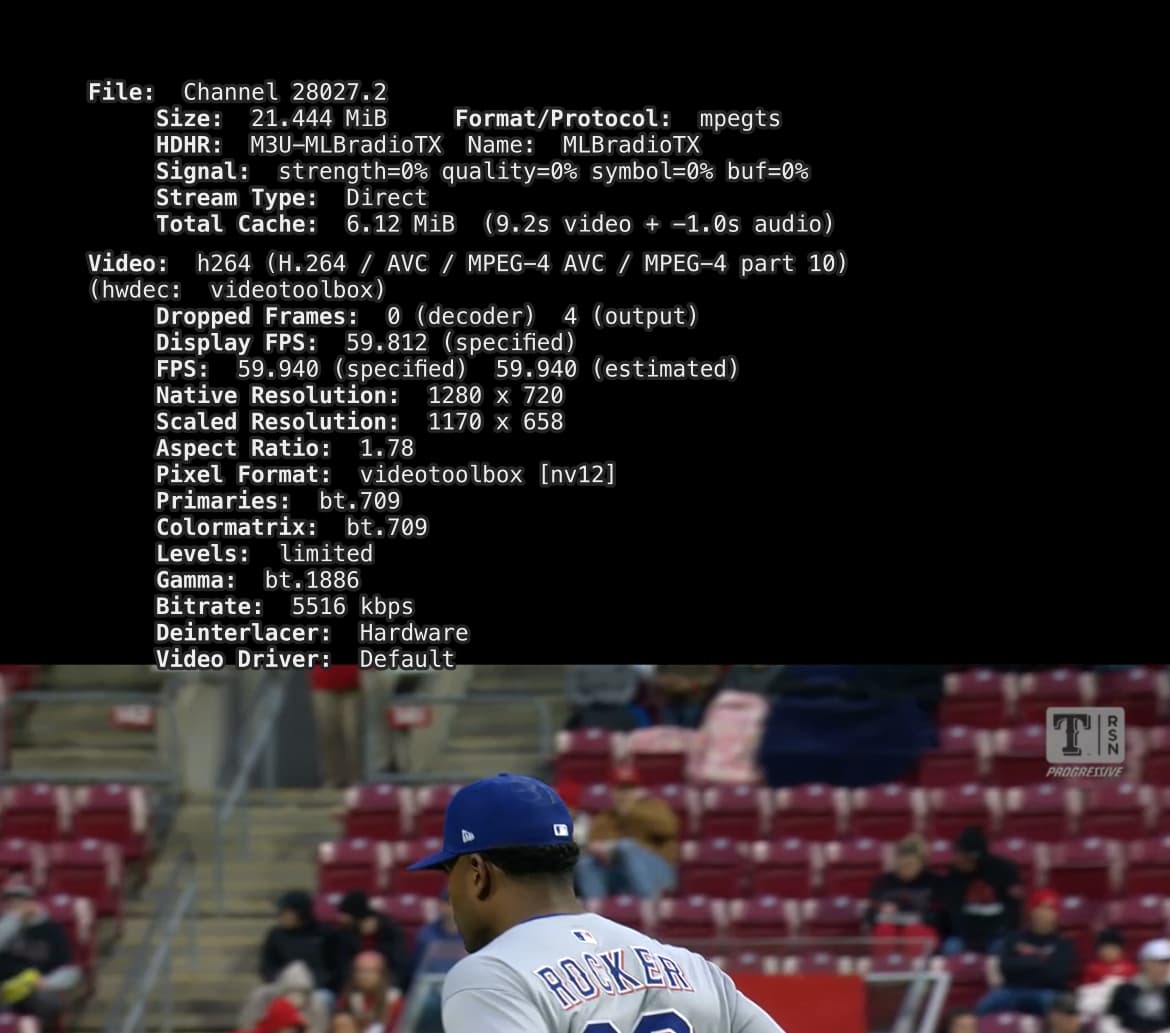
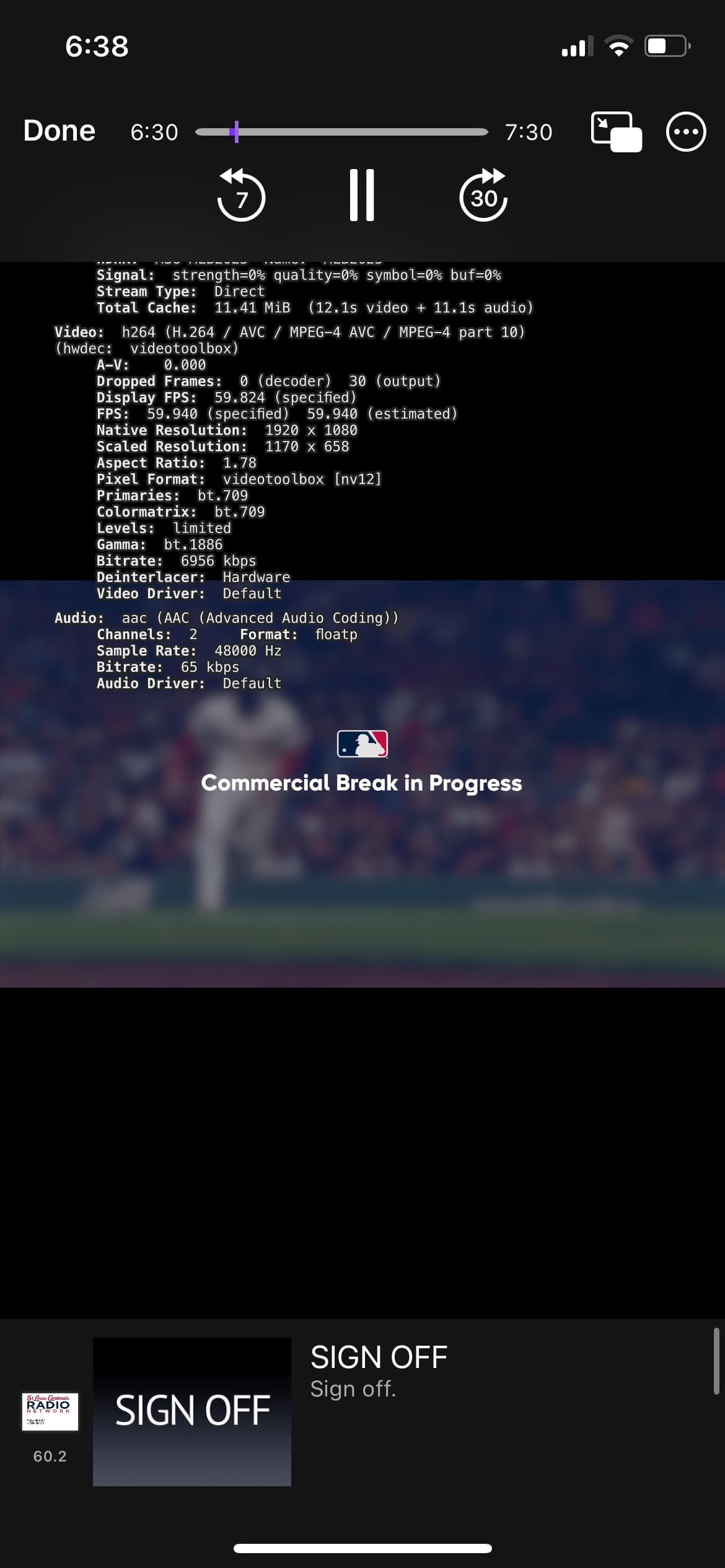
Both channels play video but they don’t have audio. No audio in original direct and no audio in 8MB transcode.

As you can see in this screenshot channels is not receiving an audio channel.

Now for something strange. Video on the normal audio stream is in 1080p60 but when using the stream with the radio feed audio, that stream is in 720p60 even with the playback settings set to original. @tonywagner would changing ffmpeg to use 1080 instead of 720 have any effect on this?

My server is a high power Linux AMD cpu that transcodes with software not hardware.

NYM and TEX are both away teams today, so there would be no “Home Audio” track. You can try changing Home to Away in the stream URL.

And yes, if you folks get this to work in Channels, I will adjust this so you can request the radio feed regardless of home/away, and/or set a preference for a particular team’s radio feed.

Ok. Makes sense.
Just tried St Louis cardinals and both video and home radio audio are working with the app set to Original. Also it is in 1080p60 on the radio feed as well.

This is the m3u that is currently working for me

#EXTM3U
#EXTINF:-1 CUID="CARDINALS" channelID="CARDINALS" tvg-num="60.1” tvg-chno="60.1" tvc-guide-stationid="136230" tvg-logo="https://content.sportslogos.net/logos/54/72/full/3zhma0aeq17tktge1huh7yok5.png" group-title="MLB",Cardinals
http://192.168.1.202:9999/stream.m3u8?team=STL&mediaType=Video&resolution=best

#EXTINF:-1 CUID="CARDINALSRADIO" channelID="CARDINALSRADIO" tvg-num="60.2" tvg-chno="60.2" tvc-guide-stationid="136230" tvg-logo="https://mmo.aiircdn.com/512/61d888e615fb3.png" group-title="MLB",Cardinals
http://192.168.1.202:9999/stream.m3u8?team=STL&mediaType=Video&resolution=best&audio_track=Home%20Radio

I haven’t tried every team but it seems to work just fine on my server whether transcoding or original playback quality.

I’d be happy to test setting a team radio feed.

1 Like

Are you saying the alternate radio feeds work in Channels DVR without transcoding? The OP suggested transcoding was required.

That is correct. Radio feeds work correctly for me not transcoding., and transcoding. Both work just fine original quality or 8MB.

I can get it to work with transcoding about 75% of the time. Sometimes the stream will die and I can re-open and sometimes it just wont work no matter what I do. Without transcoding I have 0% success. Whe

Since I was tagged in the OP, I'll chime in.

If users report success regardless of transcoding, then the transcode cannot be seen as the solution (but maybe a solution?).

Knowing how internet streams work, my input is that the issue is most likely with the source, and there really isn't anything you can do from within Channels to fix it.

You may want to investigate the stability and "correctness" of the sources, to ensure that Channels is the actor munging the feeds, and not that they are being delivered to Channels already–munged.

That’s really clever. Kudos to whoever thought of that.

Hey Tony i finally got this to work, i think it was a config error on my side. Could you do the away radio feeds if its not too much trouble?

Glad to hear it. I’ll try to work this into the next update soon

Yeah i cant stand the Nats MASN announcers so the radio feeds make it so much better. The only bad thing is the commericals. Too bad mlbserver cant automute/unmute when "Commercial Break in Progress" is on the screen.