Anyone know what I can run to initiate a library scan for when I add media? Tried
curl -XPUT http://x.x.x.x:8089/dvr/scanner/scan with no luck. Can't find out how to work this out! Thanks

Anyone know what I can run to initiate a library scan for when I add media? Tried
curl -XPUT http://x.x.x.x:8089/dvr/scanner/scan with no luck. Can't find out how to work this out! Thanks
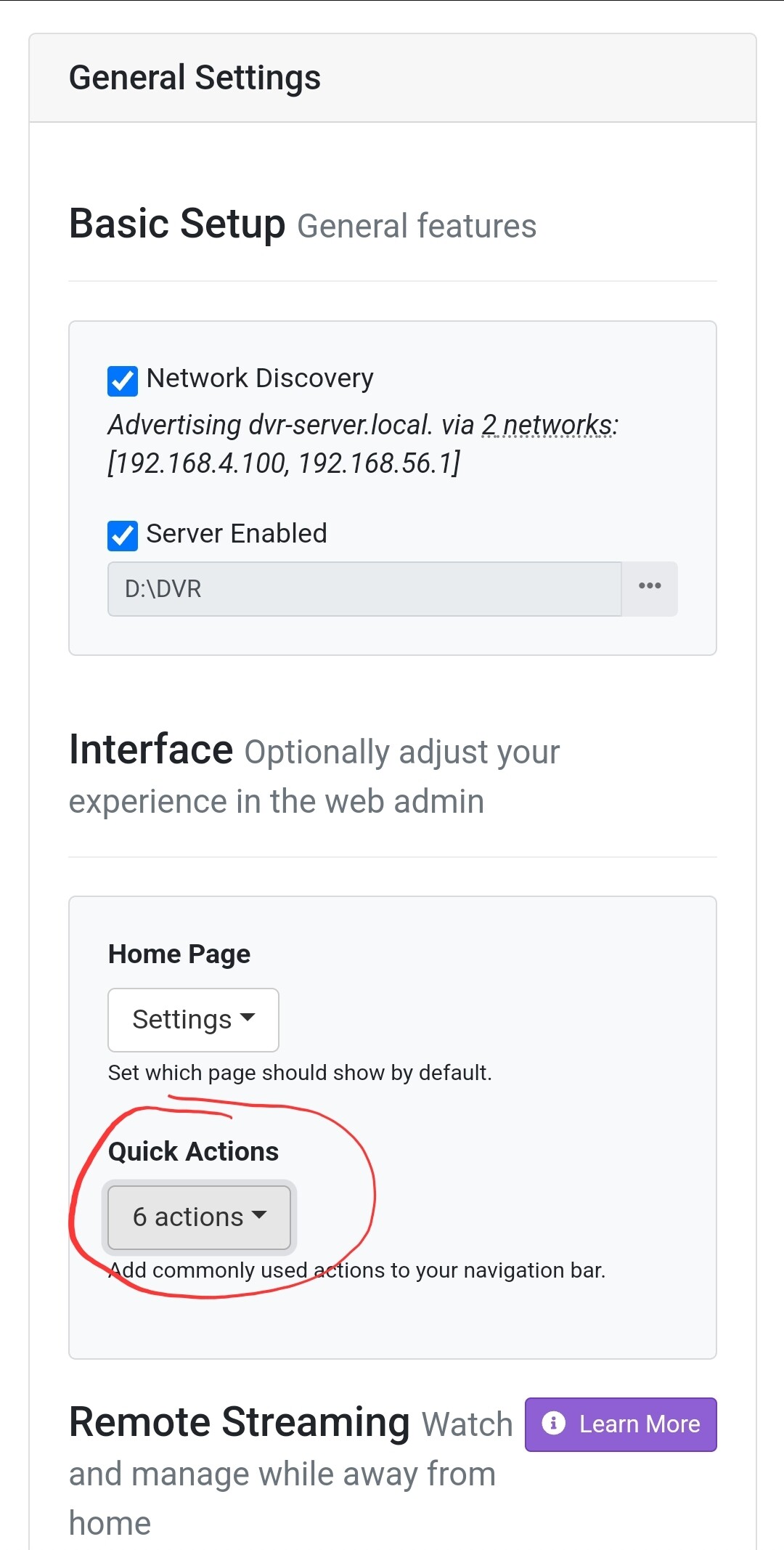
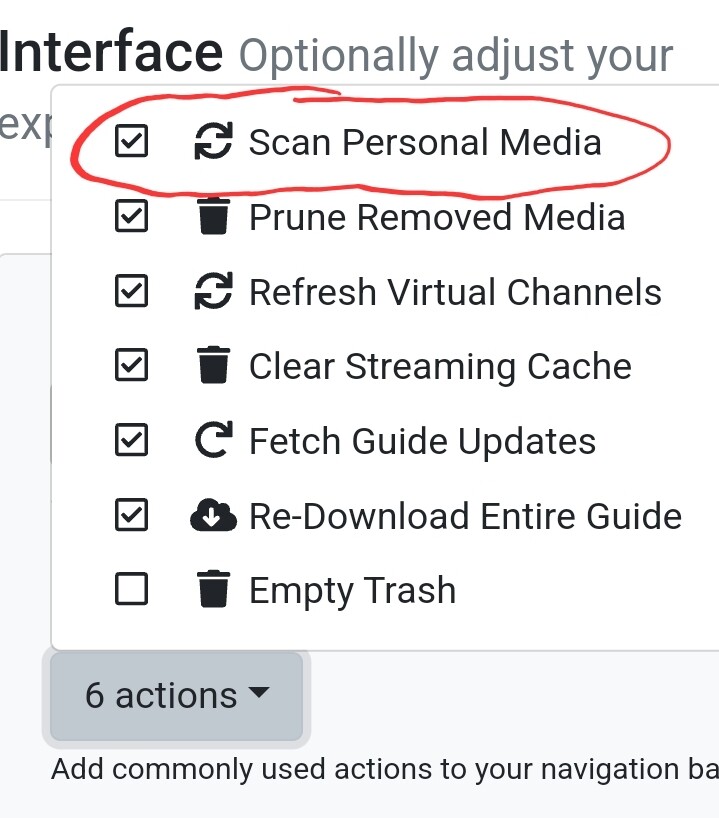
You can add it as a quick action on the server in the general settings:
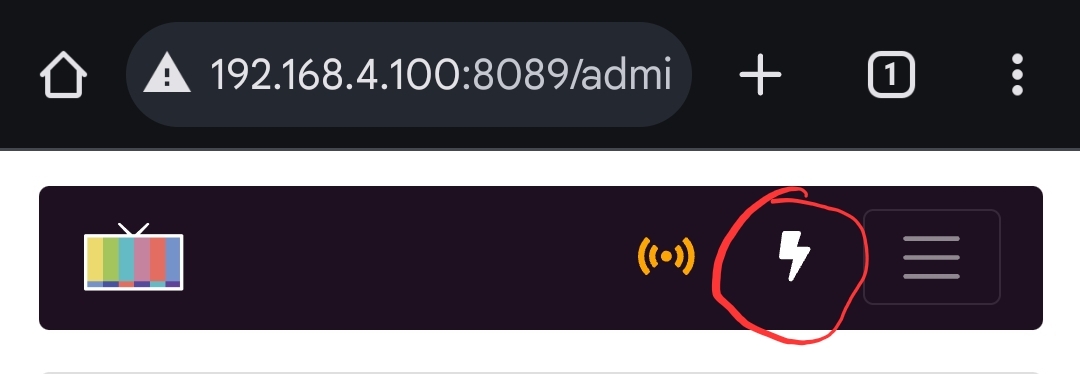
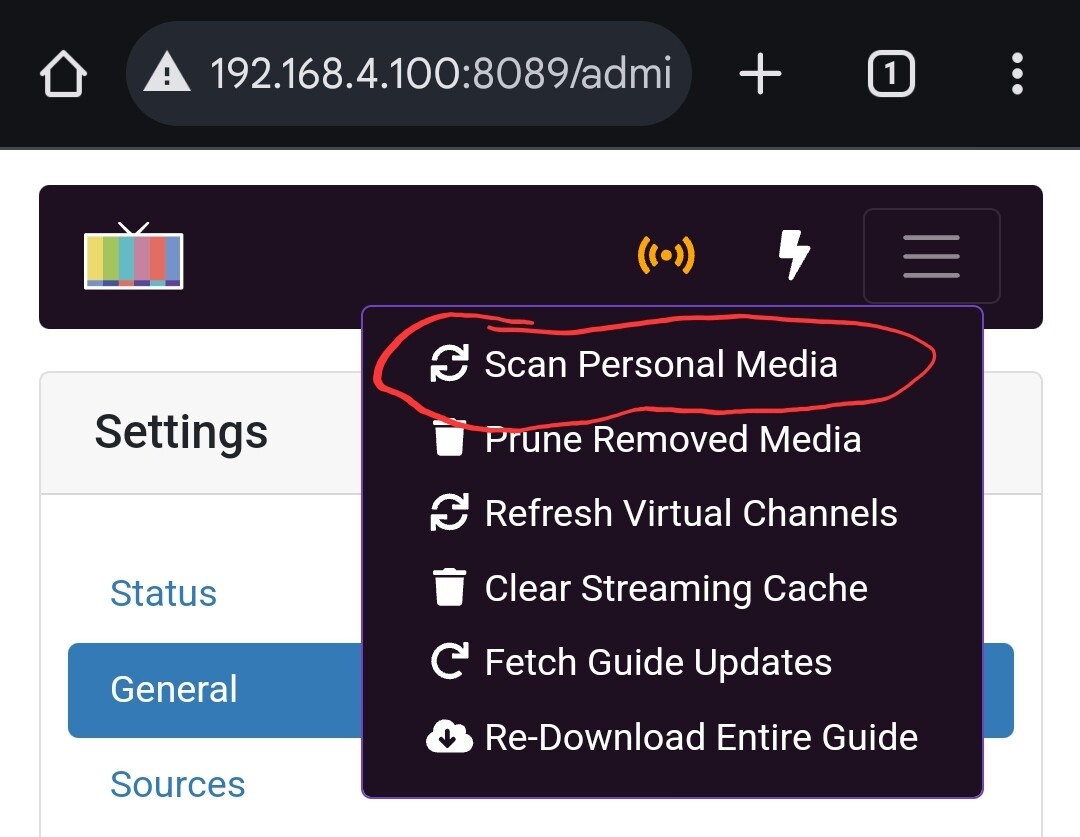
And then use it whenever you want:
That is the command I use and it works for me. Don't know why it would not work for you.
What do you see in your logs? You should see something like this:
2024/09/20 10:31:43.829998 [HTTP] | 200 | 2.6797ms | 10.255.1.144 | PUT "/dvr/scanner/scan"
But I agree with @mjitkop, just run the scan manually in the interface unless you are doing some type of automation.
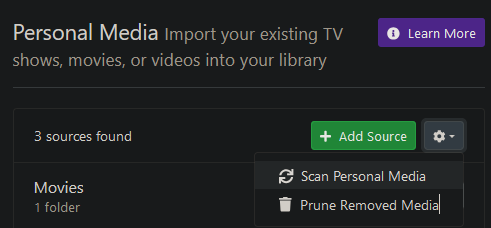
You can also do it under Sources >> Personal Media:
Also, under General >> Library Database you can set how frequently you want an auto-scan to happen:
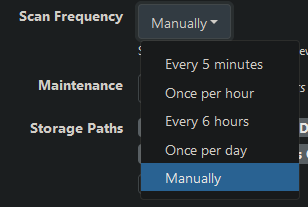
I believe the default is 5 minutes, so if you just want to wait a few minutes, it'll pick up newly added media.
Ah, sorry my mistake it is working I had the web interface up but it didn’t change when I was using the console in focus.
I’m using it as an automation yes - @cyoungers do you know the command for prune?
@alex_m I'm curious in what way you are using this in an automation.
I like to learn from people who automate tasks.
Sometimes, I find out about ways to automate things that I had not thought of and realize that this is something I could benefit from too. 
Oh just when media has been downloaded I have ‘connected’ it to my downloader and wanted it to refresh Channels dynamically rather than random times during the day! I do the same with Plex.
Hope that helps