Currently Recording Info via API

Is there a clever way to get details of any programmes currently recording from the server API?

Currently I read the api/v1/jobs list, but have to do my own calculations as to whether the current time is within the start/finish range of each job in turn. I couldn't see a flag in any of the job data for currently recording or any way of getting the API to just output those jobs currently recording.
there is not.

1 Like

You could use the API to pull in recordings sorted by date added and check the first few results for their completed property.

false means that they are still recording.

1 Like

This is much more elegant than my current solution so I've switched over to that and it is working well.

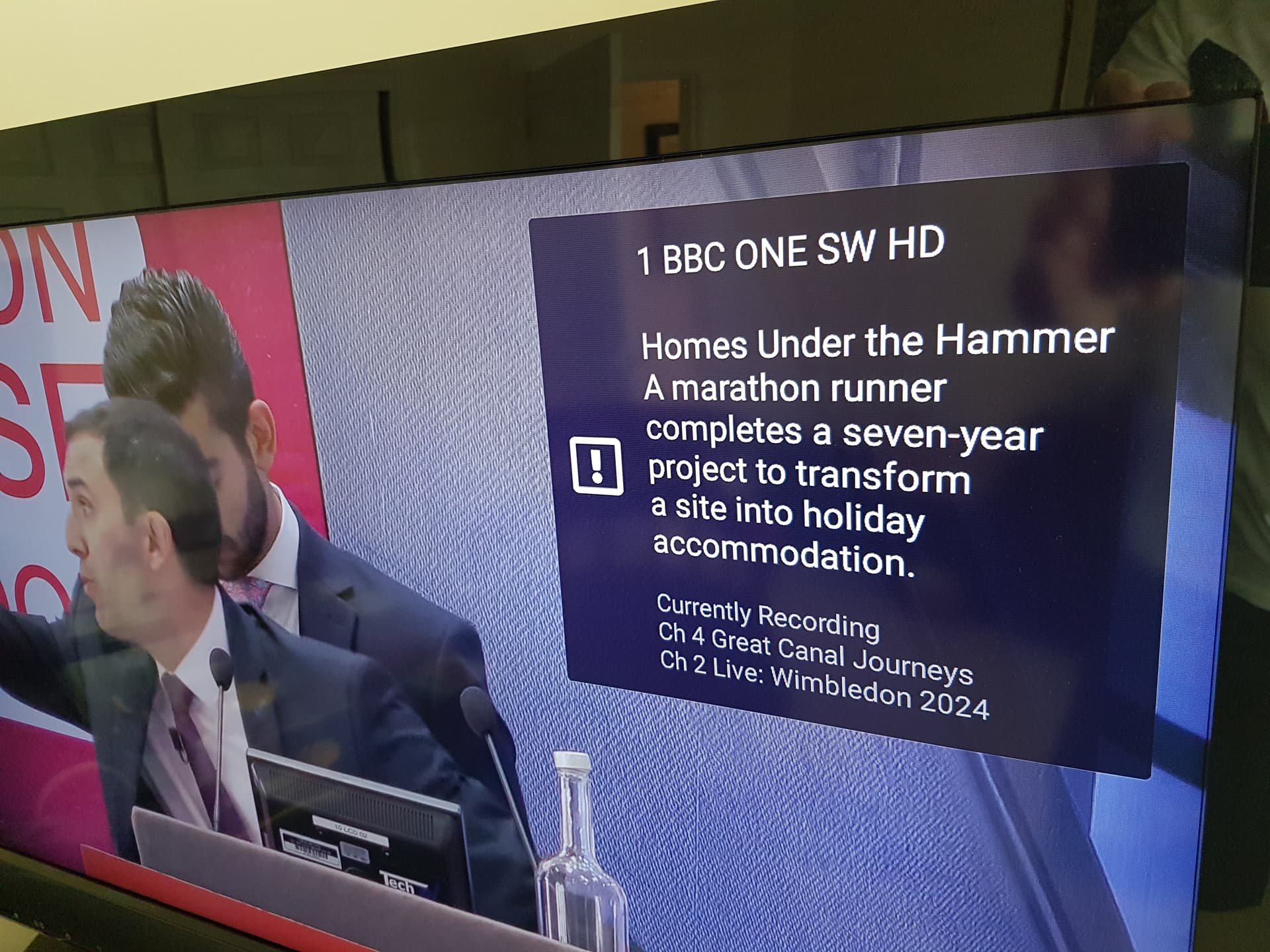
In case anyone is interested as to why I want this info, I have my own custom "Info" button pop up that I create in my Node Red using the API notify feature. It gives current program details for that client and a list of any currently recording programs from the server.

It take up less space on the screen than using the pulldown for full program info and is also a quick to check for what is currently recording.

If only I could get rid of, or change, the "!" as the icon on Android.........

1 Like

I do something similar

# find /dvr/jobs with the DeviceID you want to target.
# If it's not recording yet, the DeviceID would be ""

echo $(date -Iseconds) active recordings list >> /volume1/arkives/recording-activity.txt
curl -s http://192.168.1.4:8089/dvr/jobs | jq --raw-output ".[] | select(.DeviceID != \"\") | \"Device 8089-\(.DeviceID) recording \(.Airing.Title) on ch\(.Channel) using job \(.ID)\"" >> /volume1/arkives/recording-activity.txt
curl -s http://192.168.1.4:8189/dvr/jobs | jq --raw-output ".[] | select(.DeviceID != \"\") | \"Device 8189-\(.DeviceID) recording \(.Airing.Title) on ch\(.Channel) using job \(.ID)\"" >> /volume1/arkives/recording-activity.txt
curl -s http://192.168.1.4:8190/dvr/jobs | jq --raw-output ".[] | select(.DeviceID != \"\") | \"Device 8190-\(.DeviceID) recording \(.Airing.Title) on ch\(.Channel) using job \(.ID)\"" >> /volume1/arkives/recording-activity.txt
curl -s http://192.168.1.4:8289/dvr/jobs | jq --raw-output ".[] | select(.DeviceID != \"\") | \"Device 8289-\(.DeviceID) recording \(.Airing.Title) on ch\(.Channel) using job \(.ID)\"" >> /volume1/arkives/recording-activity.txt
curl -s http://192.168.1.4:8389/dvr/jobs | jq --raw-output ".[] | select(.DeviceID != \"\") | \"Device 8389-\(.DeviceID) recording \(.Airing.Title) on ch\(.Channel) using job \(.ID)\"" >> /volume1/arkives/recording-activity.txt
curl -s http://192.168.1.4:8489/dvr/jobs | jq --raw-output ".[] | select(.DeviceID != \"\") | \"Device 8489-\(.DeviceID) recording \(.Airing.Title) on ch\(.Channel) using job \(.ID)\"" >> /volume1/arkives/recording-activity.txt

Interesting approach, I hadn't realised that about the Device ID being an indicator of it currently recording or not.

BTW, am I reading that correctly, you've got 6 dvr servers running?!!

I feel such a lightweight!

This topic was automatically closed 365 days after the last reply. New replies are no longer allowed.