Daily run ins with "Tuner Network Problems"

Hello Channels Friends,

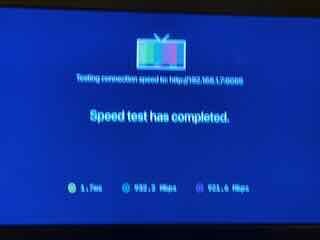
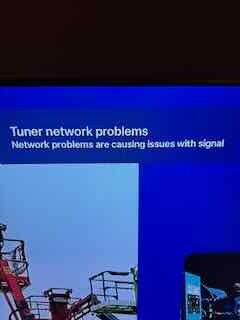
We are having a daily issue with our Channels setup and I'm stuck on what is causing the issue. Anytime from 30 min to 1-2 hours into running, the stream freezes completely, we will get a pop up in the top right saying "Tuner Network Problems - Network problems are causing issues with the signal." This is baffling to me as I've got channels running on the an AppleTV 4k (Model is A2843) that is wired in via ethernet to my network. My network is all Unifi gear and runs everything else without issue. The HDHomerun is wired in as well on a switch closer to the router. It's connected to a big Yagi antenna I have mounted up in our attic. Signals are always great, but this is a daily occurrence. Running a speed test from the Channels app shows near gigabit to the server both ways an a ping of <2ms. Any ideas what could be causing the issues? I do see a DNS ad-blocking issue(I am running a pi-hole for adblocking) when I run the intensive tests under troubleshooting on the server, but that states it will cause problems with TV Anywhere, which we are not currently using. I submitted logs as well with a code of fca31a7b-3b4b-4836-8939-97c2cf08b918. Thank you!
IMG_4933
IMG_4934
^sorry I was zoomed in on my phone I guess hah my hands were shaky, it's 932Mbs down and 921Mbs UP with a ping of 1.7ms.

EDIT UPDATE: I did run a network packet loss test (from the instructions on their troubleshooting site) for the HDHomerun on the same port from my laptop and got no packet loss.

This means there's network loss between the HDHomeRun and the app/dvr

Turning on Tuner Sharing may help.

Would recommend checking the network cable used by the HDHR. And make sure its plugged into the same switch where the DVR and Apple TVs are ideally.

Your network tests indicate good connectivity. This makes me wonder about a burst of traffic causing congestion. Look for trunks that may be congesting and if you don't determine which one is, do as TMM suggests and move HDHomerun to the same switch as your DVR. Another possibility is to add a LAG (second cable) between the equipment in the path. You will need to configure this correctly.

Good luck,

Morris

1 Like

If you're using the ethernet cable provided with the HDHomeRun, ditch it and use another one.

These provided ethernet cables are legendarily bad and have caused issues for customers for years.

I may have turned off Tuner Sharing trying to rule that out as the issue. I have turned it back on for now. I will swap the ethernet cables on both the ATV and the HD HomeRun and hope that helps, putting them on the same switch will be difficult as the antenna coax I pulled into the basement where my networking rack is so it hooks to the HDHomeRun there unfortunately, and the ATV where we are having issues is upstairs in the living room. If replacing the cables doesn't help I'll experiment with moving it onto some rabbit ears on the same switch in the living room. Thank you all for your insights!

1 Like

Somehow first I've heard of this, and I've been on HDHRs forever!

Incoming Cat6 overkill 10 pack!

Welp, after replacing the cables (not the original HDHomerun one) with new Cat6 cables from Monoprice the problem continues. The HDHomerun is on the same switch as the DVR, but the Apple TV where we watch is elsewhere in the house and not easy to wire into the same switch. I pulled up my Unifi dashboard for the router when it happened and there was no burst of traffic or anything on the network that it showed. The machine running the DVR in docker is also running a Jellyfin server that streams pretty high bit rate stuff to the same AppleTV with nary a problem... I do see the HDHomerun's ethernet port is only 10/100 so that seems like the biggest bottleneck of anything? The channels DVR log reads like all data just stops:

2025/11/11 12:21:47.625908 [TNR] Closing connection 107947BA/0 ch8.1 after no data was received for 6s
2025/11/11 12:21:47.643079 [TNR] Closed connection to 107947BA/0 for ch8.1

Do I need to upgrade the HDHomerun? It's just odd because as soon as the stream freezes you can hit back on the remote to go back to the guide and pick the channel again and it's perfectly fine.

Would contact [email protected]

Could be a failing power supply

If DVR and HDHR in same switch, make sure Tuner Sharing is On

Try loading the HDHomeRun app on your phone. Are you able to watch video reliably this way?

I did load that up when I saw the email notifying me of this post, and it's been running for the last 45m without issue. Problem is the issue seems to pop up anywhere from 30m to 4 hours of watching... For now, I'm trying the process of elimination, so I've stopped the docker running the Channels DVR and am running the "Channels for HD HomeRun" app instead connected directly to the HD HomeRun. We'll see how it goes the rest of the week. We generally are only watching antenna tv in the evenings for local news etc then switch to streaming after the news. I'll keep everyone posted!

Thank you to all for the help, I do really appreciate the input.

This topic was automatically closed 30 days after the last reply. New replies are no longer allowed.