Different HDHomeRun EXTEND profile per client?

I'm wondering how to get different clients to use different HDHomeRun EXTEND transcode profiles (ex. local client heavy/none, remote client mobile). I figured I'd leave transcoder set to None under Sources in the Channels DVR web admin and then set the transcoder on each client, but when doing this, the remote client which was set to mobile was streaming at 10-11 Mbps, which is too high for that profile. When setting the web admin transcoder to mobile as well, the remote client stream dropped to the expected 3-4 Mbps. This is with playback quality set to Original / Stream.

I read somewhere that the web admin setting affects recordings and the client setting affects live TV, but in this case that didn't seem to be true.
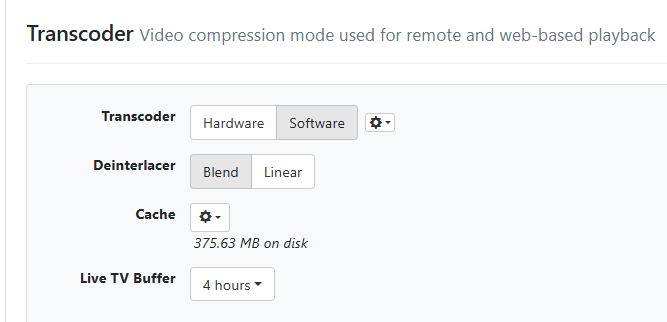
We don’t suggest using the extend’s transcoding and instead use what’s provided by Channels DVR Server.

Keep your Extend as original quality.

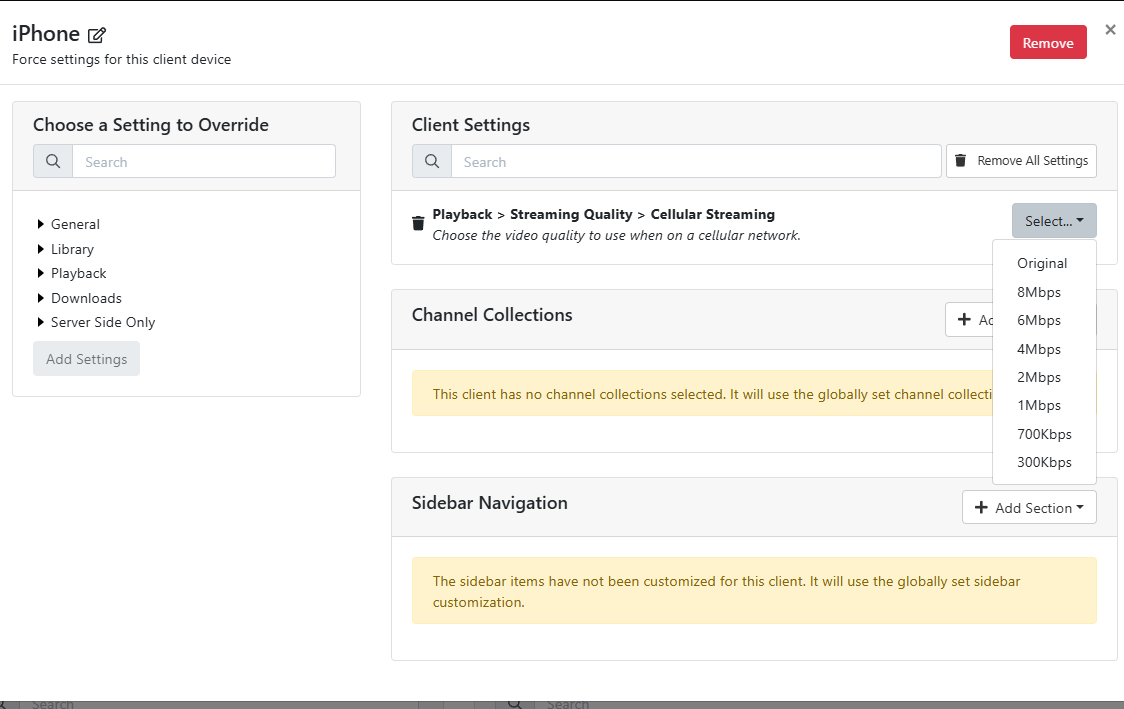
Channels clients have their own quality settings that you can set, using the Channels DVR Server transcoding.

You should use this.

Agreed. The extend's transcoder was really meant to help on bandwidth constraints on the local network. Improvements in networking over the last decade or so have made this a non-factor.

Thanks for the answer, can you detail why it's not suggested to use it? I've read in another thread or two that you feel it's a bad transcoder, but the quality seems fine to me. I'm running Channels on a Mac as a service, which disables GPU for transcoding. So it seems unnecessary to use CPU time constantly for transcoding on the server when this can be offloaded to the tuner with acceptable quality.

  • There is no need to transcode when you are watching at home
  • Recording should be at the highest quality
  • The DVR and clients perform adaptive bitrate streaming (where it adjusts the bitrate depending on available bandwidth)
  • The quality of transcoding of the HDHomeRun is much worse than what the DVR does
  • The transcoder on the HDHomeRun does not deinterlace content

Thank you. This actually is for remote streaming, so transcoding is required. The quality of the output of the Extend seems acceptable, but I guess I could do a comparison. Since the GPU can't be used, offloading it from the DVR is nice, but also, the CPU load probably wouldn't be too high.

Anyway, for my original question, is it expected behvaior that the "mobile" profile wasn't used for live TV until I set it in both the web admin and the client settings? Or is this feature not really maintained anymore?

Stop fighting it... listen to the devs and do it the supported way.

Transcoding settings can be enforced on the client locally or pushed from the server. From the server, you can make them global or do them per client. It really is the best option.

You have been given best practice suggestions to get the best results on the platform with your hardware.

Thera nothing more anyone can say at this point.

Do what you wish with it.

I find this odd, I'm using a feature in the software that specifically exists to control the HDHomeRun EXTEND transcoder setting. Even though it's not recommended over using the DVR's transcoder, why would someone assume it's not supported?

I will definitely test out the DVR's transcoder to compare quality and CPU usage and I appreciate the suggestion, but it's reasonable to think that Extend owners would use the already existing feature to set its transcoder, thus the question about how the server and client settings interact with each other is valid (and still unanswered).

Feel free to close this - thanks.

It’s not not supported. We didn’t want to create artificial limits. It’s just not going to be the optimum experience.

And honestly, our superior transcoding and streaming support came after adding a single setting that you’re describing. The extend is ancient hardware.

Again, you can choose to take the advice of experienced users and the developers, or not. You have the option to do anything you want.

There isnt anything in the software to control Extend profiles. Unless I am mistaken.

The web player transcoding section is for the web player only.
The transcoder section is for configuring the transcoder globally.
image

You select individual parameters on each client or on the client settings to be pushed down

1 Like

This topic has run its course. The suggested path has been explained. Closing the thread.