This is immensely helpful @spammedeeper & @mackid1993 - thank you very much for putting this together. Just to add another resource here, I came across another post from @spammedeeper from back in December which included some more config examples.
Happy to help. Started with Ospreys back in 2023. I've written many guides, shared lots of my challenges and solutions over the years. I'm slowly migrating all my info into this thread for future members of Team Osprey. Let me know how I may assist (which will be most likely on weekends when I have more time).
Anyone aware of how to get past the remote pairing step? I was able to use a keyboard to get into the Android TV device settings by mashing random Function keys (somewhere between F7-F11) so I was able to force firmware updates from the remote pairing screen... but I'm not sure how to get past remote pairing.
Edit: oh interesting, remote setup seems to get skipped after installing the latest firmware. just took me straight to the QR code login page.
Glad you got it working. IIRC the remote setup will eventually time out and you can continue with a keyboard. I will need to test this theory and add to my notes.
Adapting the bloatware uninstall script slightly for folks on unix-based systems. Here is an example assuming you have adb installed in /Applications on macOS. Linux would be the same, just update the path to the adb install location. Unix users can copy this into a new text file, chmod +x <filename> to make it executable, and then run it like any other shell script ./<filename>
In case this comes up again, it's 'Press and hold 'Fast Forward & Rewind' at the same time for 5-10 seconds. Should get a message - remote is ready to use.
So glad to find this thread - hope we can keep it updated. I've 4 of these for over 2 years -thanks to @spammedeeper's recommendation back then. Just received 5 more and setting them up. Nice to everything in one place.
No, this is just a D* ad to purchase their services like HBO MAx or Peacock or they are advertising for the Super Bowl or March Madness or Free Showtime weekend. It's usually a static screen you just click through after you turn the Osprey on.
With the rate TVE is disappearing, trying to get future proof. I record a ton of sports, throw in family members - not sure what I'll end up with. Time for an upgrade anyway. Switching from Uray to Linkpi's adding more Ospreys, along with trying to get rid of my rat's nest I've had for 3 years.
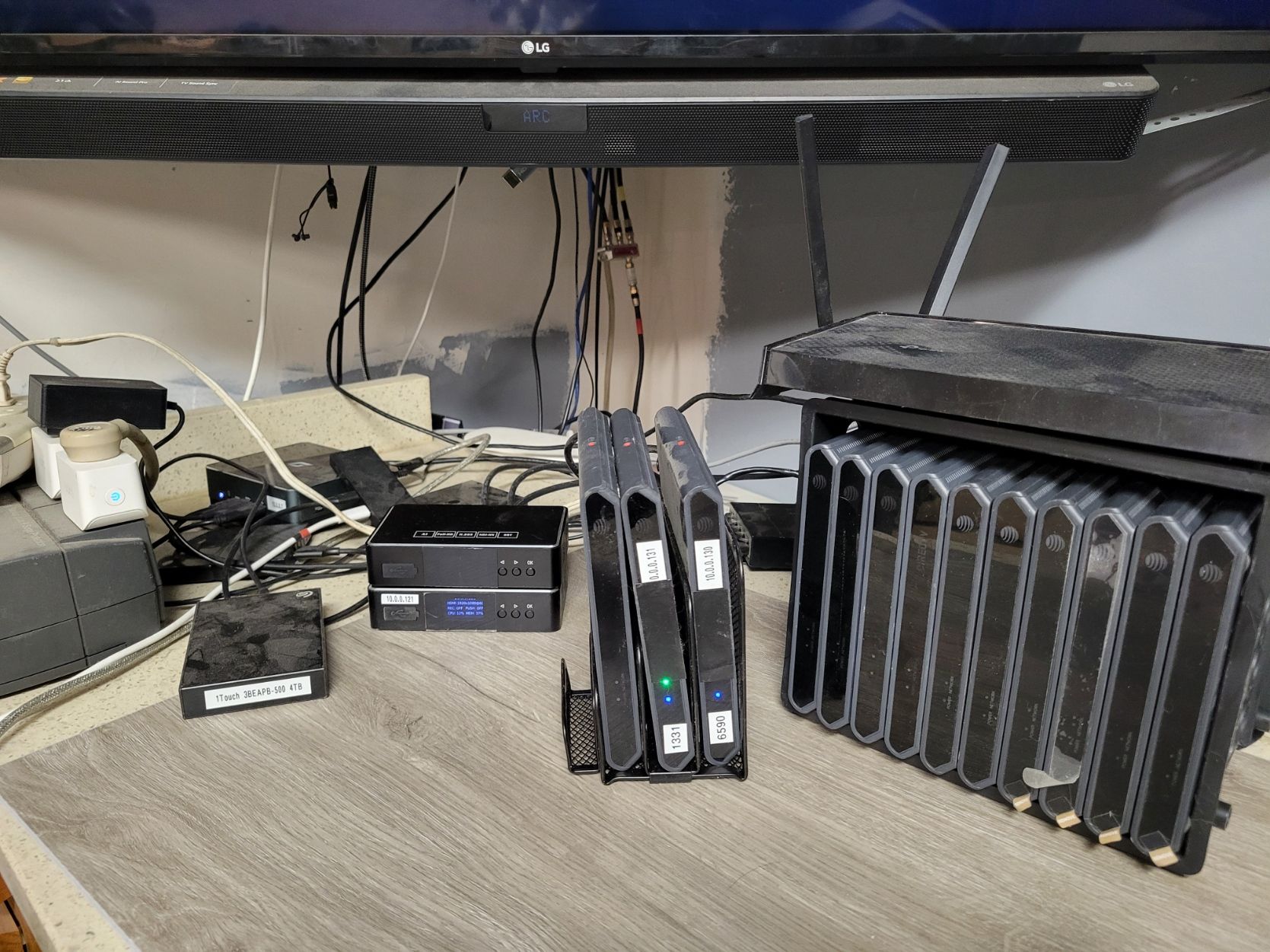
So far, I have 2 Ospreys with LinkPi running and testing has been good. I even switched to Poe to get rid of the power bricks, using a Kitchen cutting board rack to standup the Ospreys to help with the heat & my rat's nest issue. I've got my eye on a laptop cooler I'll add if needed. It's all still on my bench for now. Fun stuff...
Not sure if this is the correct topic in the forum, but since I'm moving my Link Pi Enc5-V2 encoder to POE, the below items allowed me to put add all (3) of my ATT Osprey devices to POE. I can confirm that these work! @spammedeeper
The adapter plug was the hardest thing to source.
BixNet.comC2 DC Power Connector Tip - 5.5 x 3.3mm Male Plug with 5.5 x 2.5mm Female JackC2 DC Power Connector Tip - 5.5 x 3.3mm Male Plug with 5.5 x 2.5mm Female Jack
I was just playing around with my extra boxes, and bumped into Settings-Preferences-Notifications ; Recomended and Promotions
I suspect one of these is toggled ON.
So I don't want to mess with PoE, it's just not worth the investment for me, but I do have a free UPS that I got to add to my pile of UPSs. have like four of them in a line under my desk basically. Regardless, this one is 850 volt amps and I want to just plug all of the Ospreys and Encoders into just one UPS to take the load off of my others that run my two servers and other appliances that I have in my office. Such as my Mac Mini server.
Just kind of consolidate the DVR set up into one UPS. I picked up these little extensions because the LinkPis have very large wall warts. Plus, I don't have enough outlets for all six Ospreys. The UPS just has five outlets. It can definitely handle the power draw. It's just a matter of having enough capacity physically and the actual space to plug things in. I thought this was a good solution.
I had Claude calculate the power draw and it seems like it is safe and these are commonly used for UPSs according to the reviews. I just thought it might be a nice thing to share before I get them tomorrow. Perhaps they'll help someone else in the same boat where you have a powerful UPS, like 850 volt amps, totally overkill for this kind of thing, but not enough outlets.