Duplicate "channels-dvr" entries in macOS Privacy & Security (Sequoia)

Hi everyone,

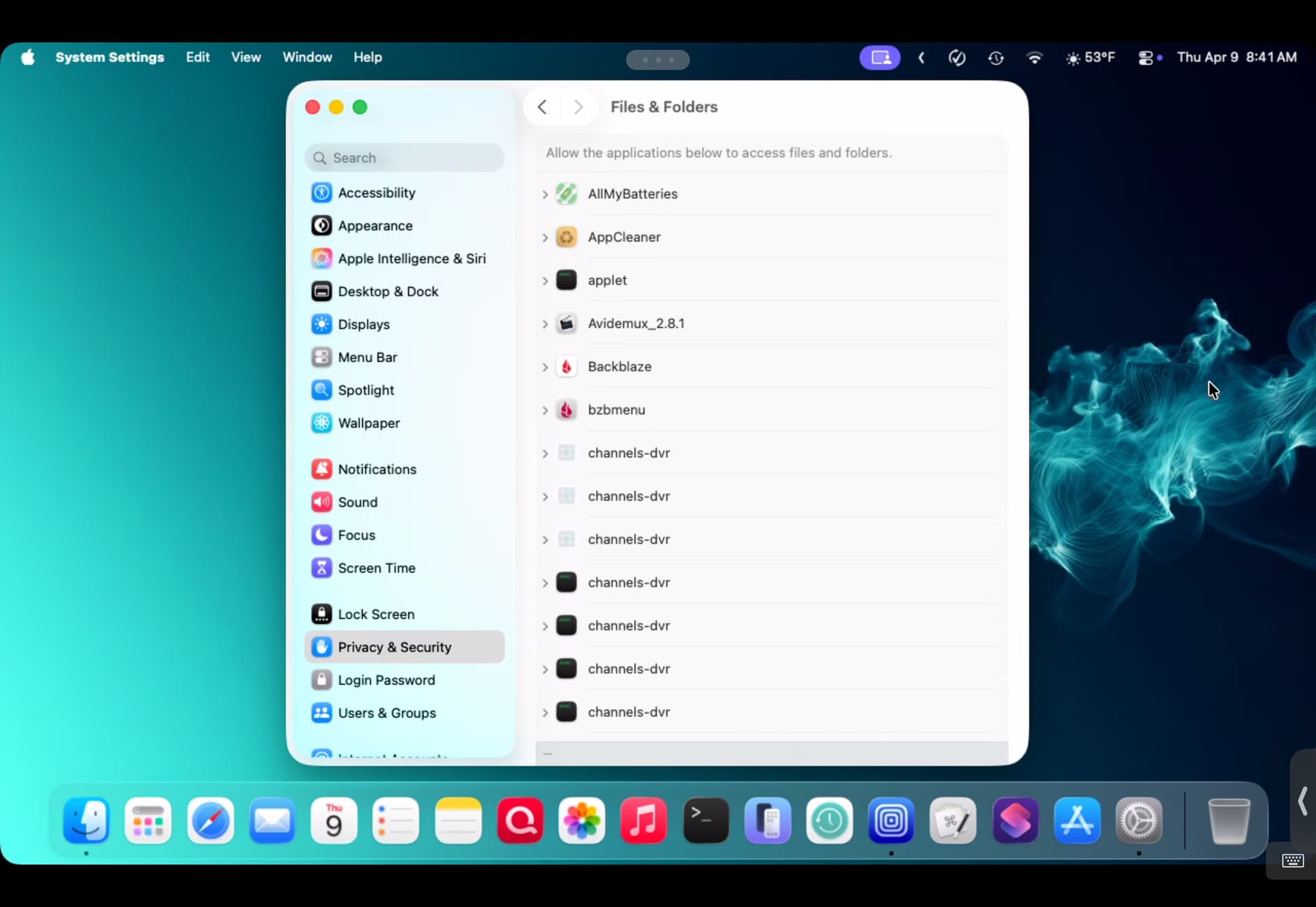
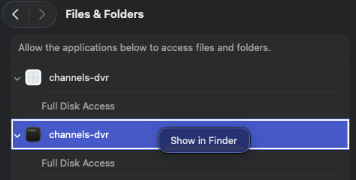
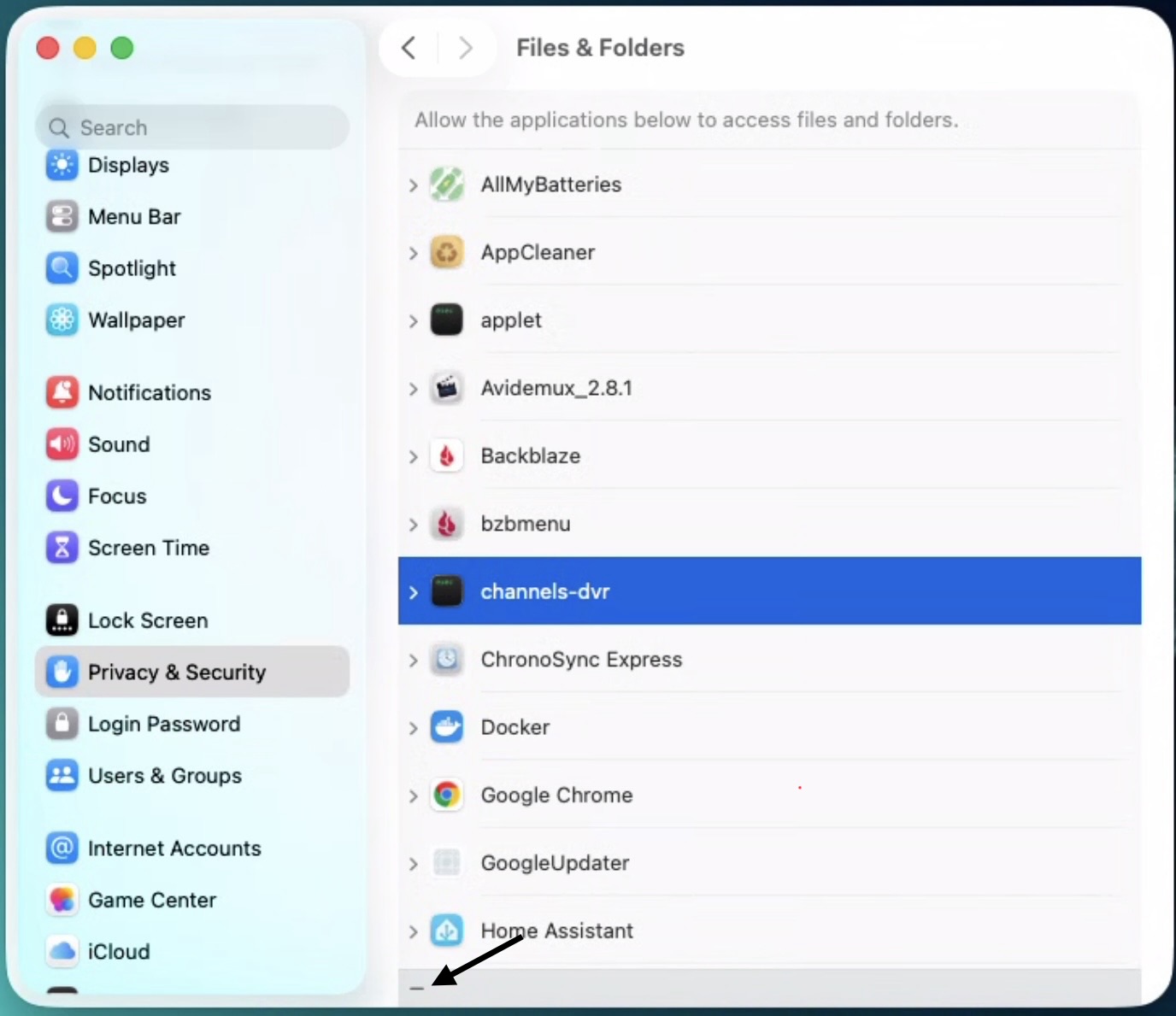
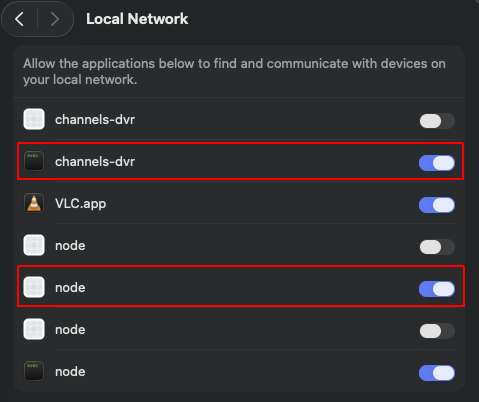
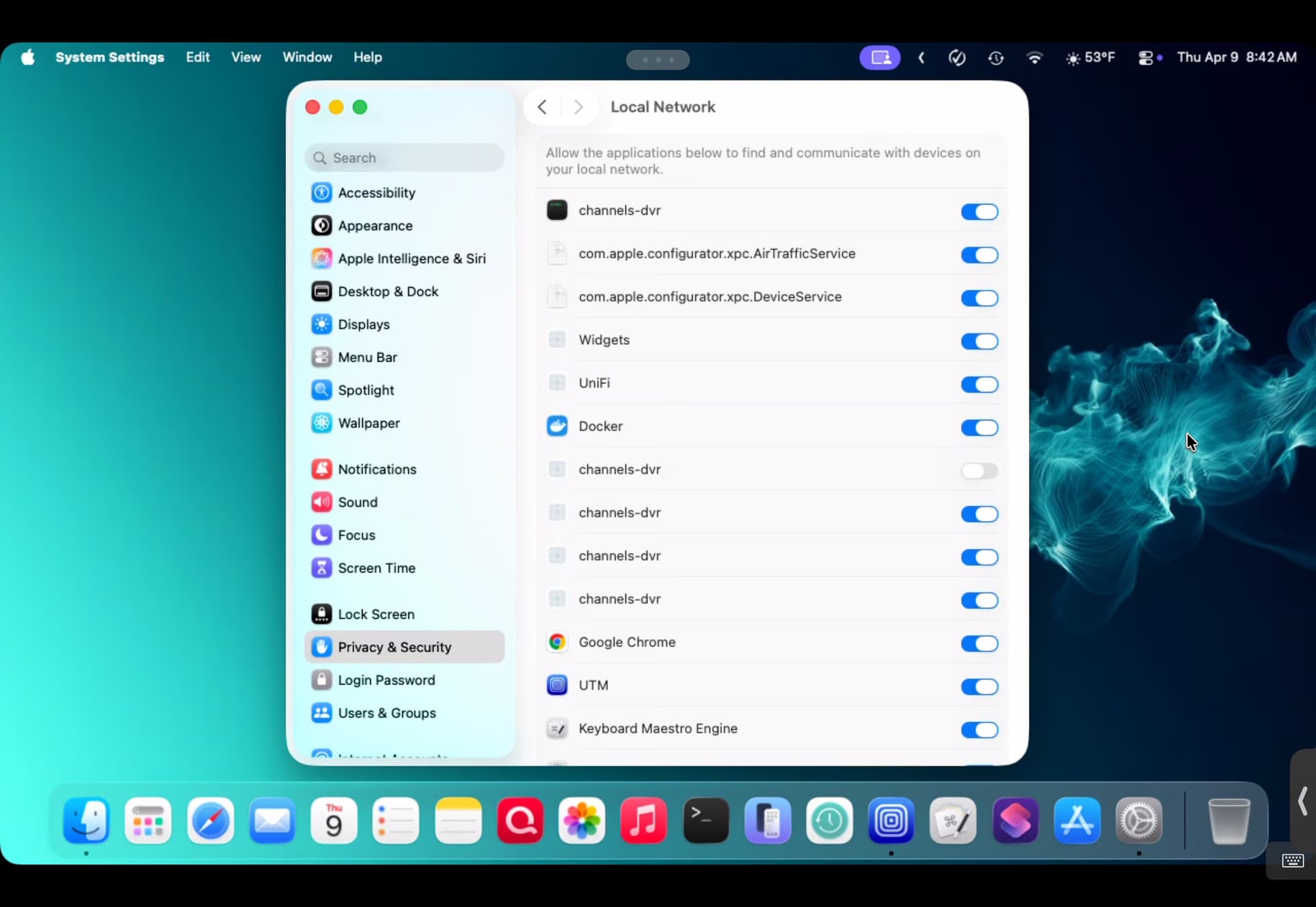
I’m seeing a strange issue on my Mac (running macOS Sequoia) where the Privacy & Security settings are being flooded with duplicate entries for channels-dvr.

This is happening in two specific sections:

  1. Local Network

  2. Files and Folders

I’ve attached screenshots showing the behavior. In the Local Network section, most are toggled "On," but there's at least one "Off," and in Files and Folders, the list is getting quite long.

Is this a known bug with how macOS handles the binary updates, or is there a recommended way to prune these "ghost" entries without breaking the DVR's permissions? I'm considering running tccutil reset, but I wanted to check here first to see if there's a specific cause or a less "nuclear" fix.

Thanks for the help!

Yes I have these too, there have been some other mentions of this, in the discussion threads here.

When I was playing around with it on my M4 Mac Mini I found if you install it as a background system service you won't have that issue.

And contrary to this Install Note https://getchannels.com/dvr-server/#macos

  • If you would like to run the DVR as a background service, open Terminal.app and paste: ~/Library/Application\ Support/ChannelsDVR/uninstall.sh && ~/Library/Application\ Support/ChannelsDVR/install.sh --system. Note that the hardware transcoder is not available when running as a service.

I was able to use hardware transcoding

Excellent suggestion to install as a service and hopefully this prevents the redundant entries in security and privacy. FYI, I was able to remove the duplicate files and folders entries for Channels DVR but cannot remove them for local network. Were you able to remove these entries?

Never tried or looked into how to.
They're still there even after uninstalling Channels DVR.

I'm seeing the same thing for node when I update PrismCast installed with Brew.