Duplicate Episodes

I'm curious if there is a way to stack duplicate episodes, and set priority on which one plays when you watch the episode, or to have one version (recording) delete after 1 day. Here is what I'm trying to accomplish:

I want to record episodes as they are aired, then replace those with versions from other sources, like PlayOn Cloud, etc. Those episodes are clean, no commercials, and are, in some cases, better quality. It would be nice if the DVR could combine those two version into one episode, so once it is watched, I don't have another unwatched episode that is exactly the same. Currently, these episodes show up as two items with the same info:

If this is already available, and I'm just not seeing the option, any assistance would be greatly appreciated.
2 Likes

What you're looking for isn't currently available in Channels DVR.

Channels DVR is designed to prevent recording duplicate episodes and you'll have to try hard to make them happen. In fact, if you import an episode into its library, Channels treats it like it was recorded and won't record any upcoming airings of that episode from a pass. Again you'll have to try hard to work around that.

I came here for the opposite reason. I actually imported a few episodes of a show I ripped from DVDs and then set up a DVR pass to catch ones that I don’t have. But so far it’s recorded a few that are already in my library? And the imported and recorded ones definitely have the right metadata. Both show up under same show with same title and episode number in my library. I wonder why it recorded those?

1 Like

Channels DVR does not have an option to not record Shows in your imported libraries.

What source did Channels DVR record them from?
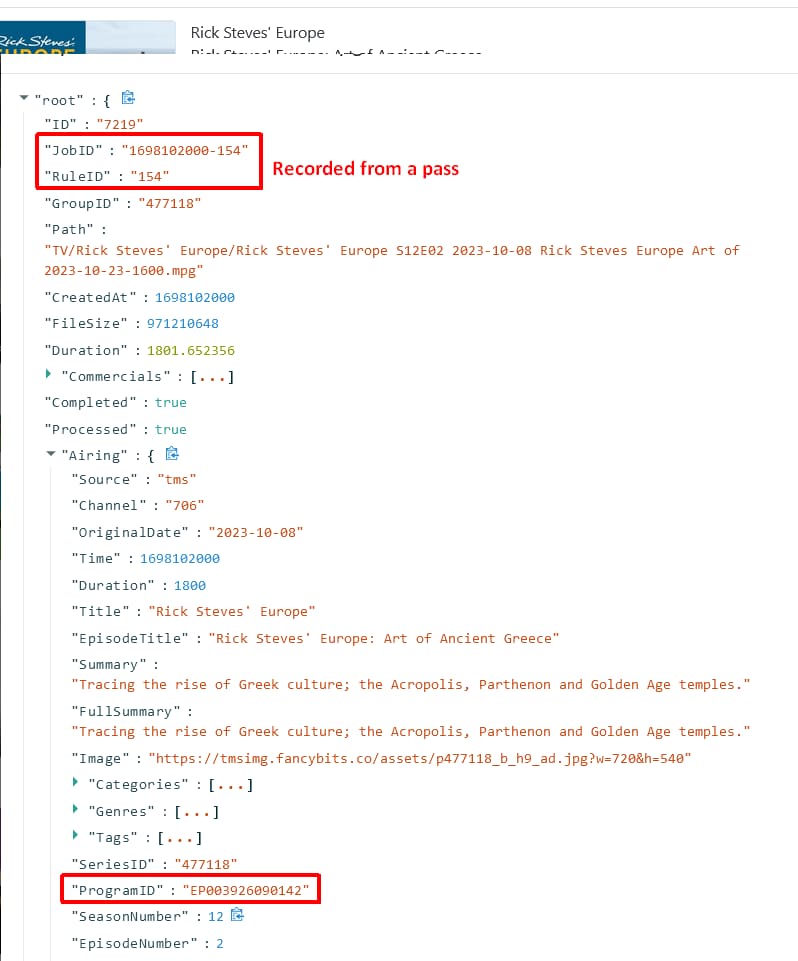
The ones you imported were assigned a ProgramId on import.
The ones you recorded have a ProgramId from the source EPG.

One example would be Pluto that uses a totally different ProgramId than a Gracenote source like TVE or an HDHR tuner.

The recording was from a broadcast station (Fox Buffalo.) The imported one was a DVD rip which Channels matched using whatever the default metadata scanner is.

You can record a duplicate if you manually select it to record.
A pass will not record a duplicate.

It's easy enough to figure out.
Compare the ProgramID on the import and the recording.
Find the episode, select Options > View Details, click on the File ID number

I have a script that I haven't released publicly yet that checks the upcoming recordings in your schedule and also checks whether any of them already exist in your library (imported videos). If they already exist in your library, the script sends a command to the server to skip those upcoming recordings.

I've been running it for several months and it's been working great.

I will look into releasing it as soon as I can.

2 Likes

Were you able to compare the ProgramID on each?
Channels DVR uses Gracenote EPG by default to match TV Show imports and TMDB EPG for Movie imports. You can use TMDB on TV Show episodes by doing a find/fix match after importing.

You are my hero...

Could you submit diagnostics from your DVR under Support > Troubleshooting

1 Like

Hi all,

Thank you for all the helpful responses so far!

So I probably should have mentioned that before I posted this I ended up manually deleting the episodes in question (through the channels iPhone app.) I’m sure I could dig into the data to find diagnostics or restore from trash, but I need to do a bit of clean up on my library anyway. So I’m just going to monitor for it again and I’ll try to look at the metadata / upload logs if I see again.

This topic was automatically closed 365 days after the last reply. New replies are no longer allowed.