Duplicates after moving server

I have a few other posts about how i just moved my server, so wont go into the details...

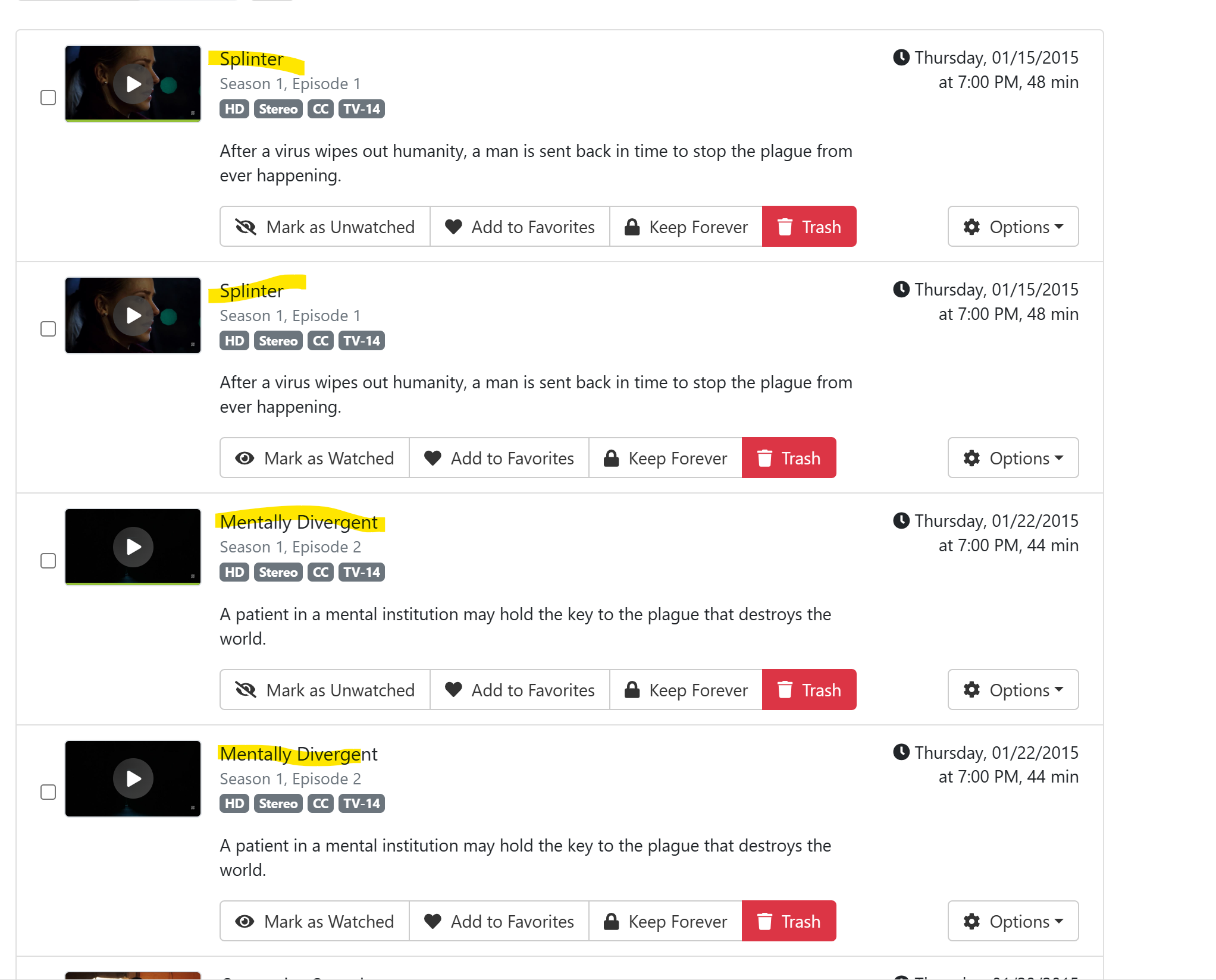
After moving, alot of the info (movies / series ) is duplicated... it would appear looking at the locations these duplicates are not duplicated at the file level (only one copy of each) only in how it is displayed. is there a way to clean this up without having to do them one at a time??

examples:
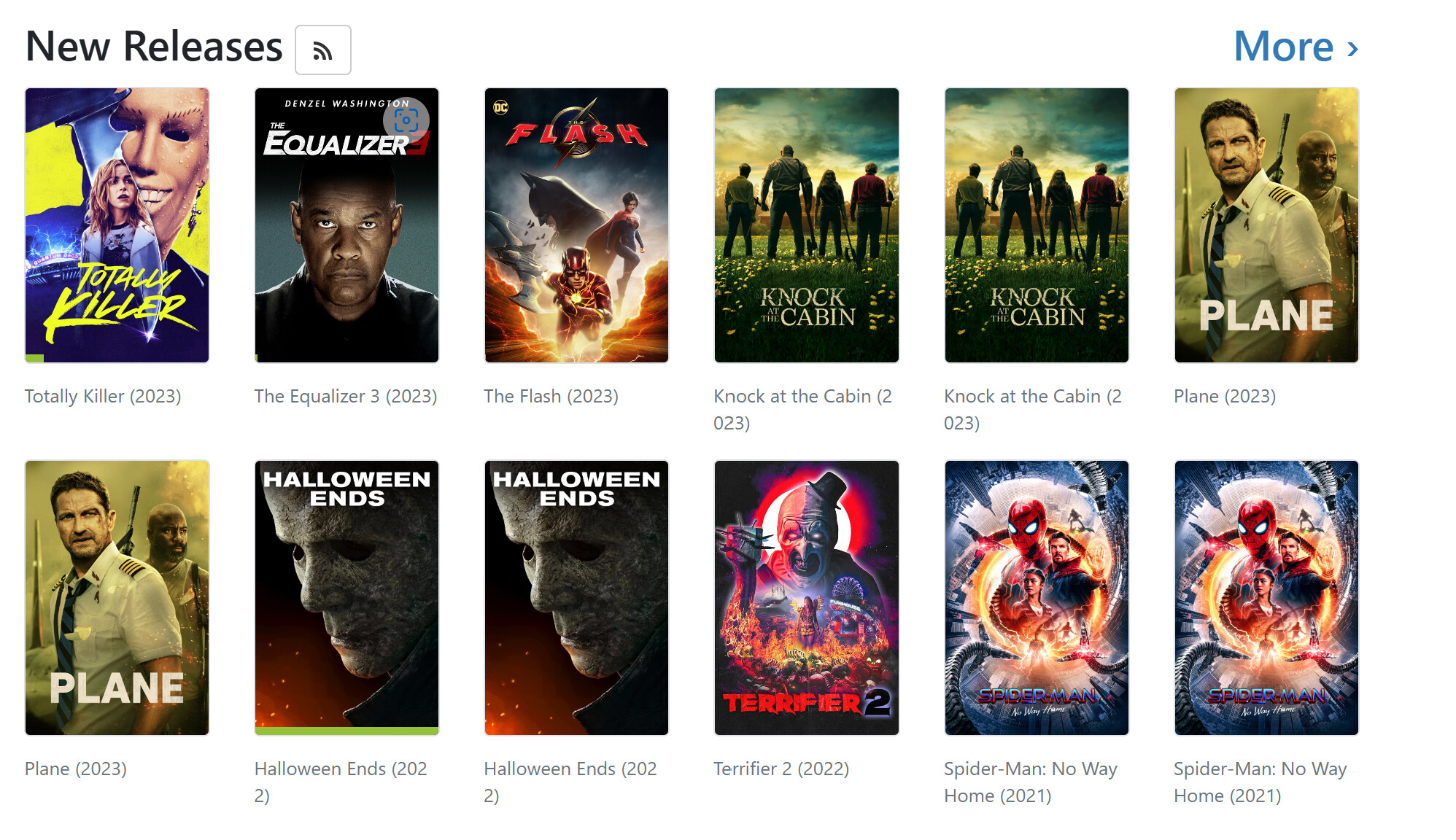
a little more info if it helps...

Looking at view details of a duplicate, one of the "slashes" is different and perhaps that is why they are duplicated????? example:

Imports\Movies/Halloween Ends (2022)\Halloween Ends (2022).mp4
Imports/Movies/Halloween Ends (2022)/Halloween Ends (2022).mp4

Note the slash after imports and before the file names is forward or backwards in the entries...

My question still stands, can this be corrected without having to do this one at a time, like remove everything and let them redetect ???

Did you move from windows to Linux?

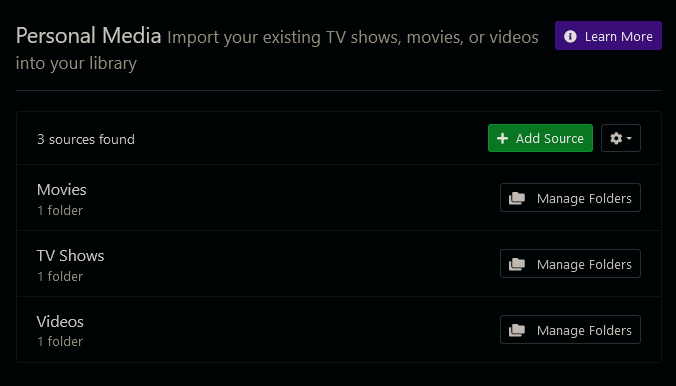
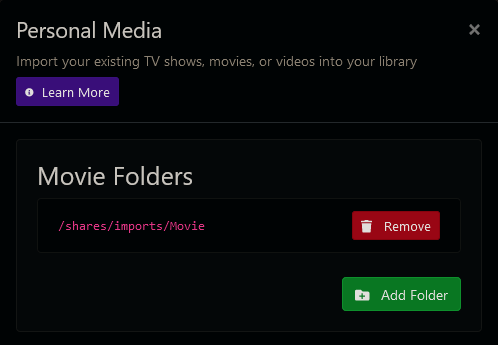
What do your configured sources for personal media look like

I am moving from a Windows version of channels to linux (synology nas).

My sources are one called "Video" that basically contains 4-5 home videos and a source for PlayOn Cloud.

Thanks

Anyone know how the duplicates can be combined? If I delete a duplicate, it takes the file with it.

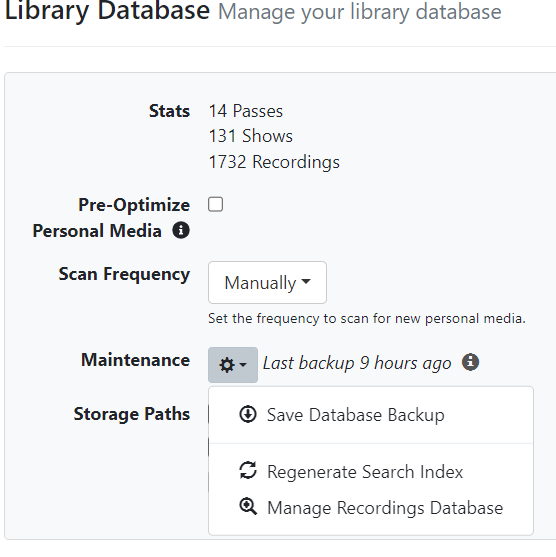
did you try prune deleted ? It will delete entries from the DB that files no longer exist in that location.

1 Like

where do I find that?

The easy way is on the webserver under general ... Manage Recordings Database .... click on that and it should show you missing.

I think he meant this
Personal Media
Personal Media-Movies
Personal Media-TV
Personal Media-Video

This topic was automatically closed 365 days after the last reply. New replies are no longer allowed.