DVR Database slow to load

Hi,
When trying to access the following; http://192.168.86.155:8089/dvr/files,
Or running curl commands for data, it takes over 20 seconds to load the page, or return results.

I have upgraded to the latest pre-release, and also restarted my DS920+.

It used to load instantly.

Any suggestions?

I cant find any option to re-create the DVR database

Thanks
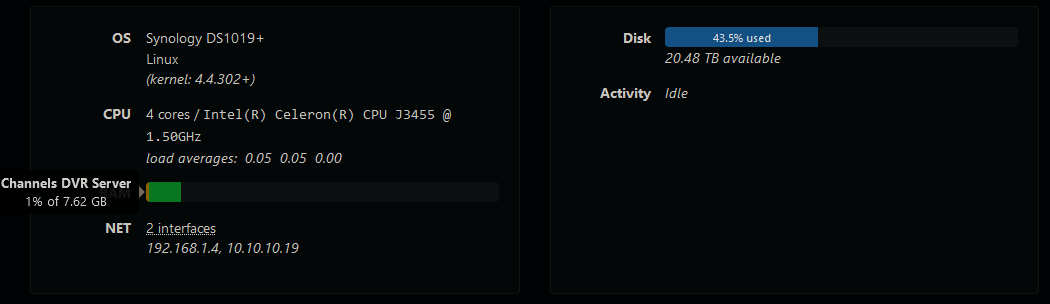
How much ram do you have in the ds920plus?
What kind of hard drives are you using?
I'm going to be upgrading my ram in the ds220plus becuase it needs it.
My Channels server started buffering and taking long time to load.
2GB just isn't enough.

Enable HTTP Logging at Settings > Advanced > Experimental > HTTP Logging
use the API http://192.168.86.155:8089/dvr/files
Check the DVR log to see how long the API call took

2024/08/04 11:39:41.203051 [HTTP] | 200 |   82.613055ms |     192.168.1.8 | GET      "/dvr/files"

Also check the DVR Activity, Ram usage and Load Averages

I removed all of my inported movies and tried to prune deleted... nothing happened and server status was idle

Left it all day and checked again and all my inported stuff had been removed and the DVR database was back to loading instantly.

I know @maddox has prevously mentioned that all media is treated the same, regardless of the original source, but is this the expected behavioir of a larger database (less than 3000 movies)?

I have zero issues with large load times and these are my stats below:
Stats
150 Passes
698 Shows
8131 Recordings

I also tried loading the same url you mentioned in your original post. It took 8 seconds to load it.
I'm running a different environment however:
Intel(R) Client Systems NUC8i7BEH
linux ubuntu 22.04 (kernel: 5.15.0-117-generic)
CPU 8 cores / Intel(R) Core(TM) i7-8559U CPU @ 2.70GHz

Qestion, why do you need to go to that url? Ive never had to use something like that before..

Iv written some scripts to play back recordings at certain times, using Amans ADB program.
I search the database, find the most recent recording based on the criteria, send a curl command to play it, then seek back, then seek forward number of seconds since X oclock.

So for example, channel 134 will be the most recent football recording from fox, played back from 6pm

Works well when it tunes in under a second, not so well when it takes 20

I know they recently added something for indexing movies (can't find the post right now), so maybe importing lots of movies is what caused the issue.

EDIT: OK, it was added 6 months ago and the indexing is done at a random time each day. BETA: Experimental Imported Movie Matching

I appreciate everyones responses, all sorted now.

This is something i set up a few months ago and hadnt really used since.
Imported a bunch of stuff in the mean time, and then went to test it out again in preperation of football season and it didnt work.

Iv deleted all my imported media, since this is more inportant to me than native virtual channels

If you use the official api from the web UI Explorer it would be faster than the private ones you're trying to access

Official API Docs

This topic was automatically closed 365 days after the last reply. New replies are no longer allowed.