DVR Pass for Custom Channels

I have imported Custom Channels via an M3U list. There are several news shows that run daily that I'd like to record, however when I create a pass, despite indicating "All Episodes", the pass will only actually record exactly one airing of the show and shows all futures episodes as "recorded".

I have scoured the forums and found curl scripts for making manual recordings and even GUI for it, but that isn't my intention. I need the recordings to be regular - every day or every week. Making these recordings was actually the sole reason for my installing and using ChannelsDVR as everything else I watch beyond the daily news shows, I can get through other means. Now I'm concerned that I may be out of luck.

Any tips or suggestions for something that I am missing? I suppose I could create my own script behind a cron job to schedule a manual recording every day, but at that point, but that just seems crazy.

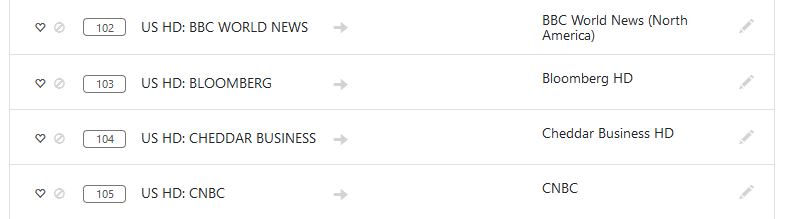
It depends on what guide data you're using. Sounds like its some type of XMLTV feed which doesn't properly label its episodes with unique ids. Hard to tell without more details.

If you don't specify any guide data, you would end up with placeholders which you could create passes off of.

That is almost certainly correct. That being the case, is there no way to simply say, "record some channel number at some specific time for this some duration on some repeating schedule"?

This is most likely because each airing does not have a unique ProgramID, therefore Channels believes them all to be airings of the same episode. If your guide data marked each different airing with a unique ID, Channels would then know they are different.

I think I understand what "All Episodes" in the UI means (new airing of a show vs reruns), but it would be great if in addition to the existing "All Episodes" options, there were a "Really, yes, I mean LITERALY ALL EPISODES" option, :wink:

1 Like

You can manually map each channel to its gracenote equivalent if that would work?

Per the docs:

Channels requires guide airings to have unique identifiers in order to be recorded. Without an identifier, each airing looks the same according to Channels. Without being able to uniquely identify individual airings of a show, Channels will think each airing is the same and will only record it once.

This seems reasonable. Are you talking about editing the M3U file or is there some mechanism in the UI for making this change?

1 Like

You can supply the Gracenote Station ID by using the tvc-guide-stationid tag in the M3U playlist (as documented in the post referenced above), and Channels will handle all of the guide itself for that channel.

After the M3U playlist has been added you can use the DVR web UI to selectively override the XMLTV data on a per-channel basis.

Apparently assigning Gracenote data separately from the playlist is only possible if no XMLTV is assigned to the playlist (as noted below by Aman). I apologize for my prior misstatement.

That's perfect! Thank you!

In the settings I can navigate to my "source" and click the "xxx channels" link in the source listing. This brings up a list of the channels which is where I would assume one would make change like this.


When I click the "pencil" icon, I can select items from the list, but this list appears to be from my EPG source. When I try to manually enter a channel identifier matching a Gracenote channel ID, I am unable to submit that value to have it saved.

I believe I am misunderstanding how this is done or am not in the correct area.

You have been incredibly generous with your time. Thank you.

Mapping to gracenote is only possible if you leave XMLTV data empty

Understood. Thanks.

This topic was automatically closed 365 days after the last reply. New replies are no longer allowed.