DVR still lists pending recordings after changes to OTA Lineup

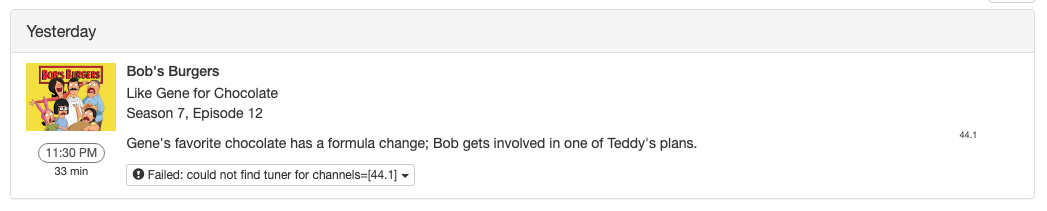
I recently lost the ability to tune a bunch of OTA channels which necessitated a rescan via my HDHomeRun and Channels. While the rescans worked as expected, several pending recordings for newly non-existent channels remain on my DVR schedule. At first, I assumed I needed to allow the DVR software time to clean itself up, but it's been roughly eight hours since the changes were implemented and the scheduled recordings are still present.

Is this a case of not waiting long enough or something else? I submitted diagnostic logs just in case. 8dacd94d-a11b-4efc-98b3-1c0791e870b3. Channel 44.1 is the channel against which recordings began to fail and was subsequently removed by the rescan.

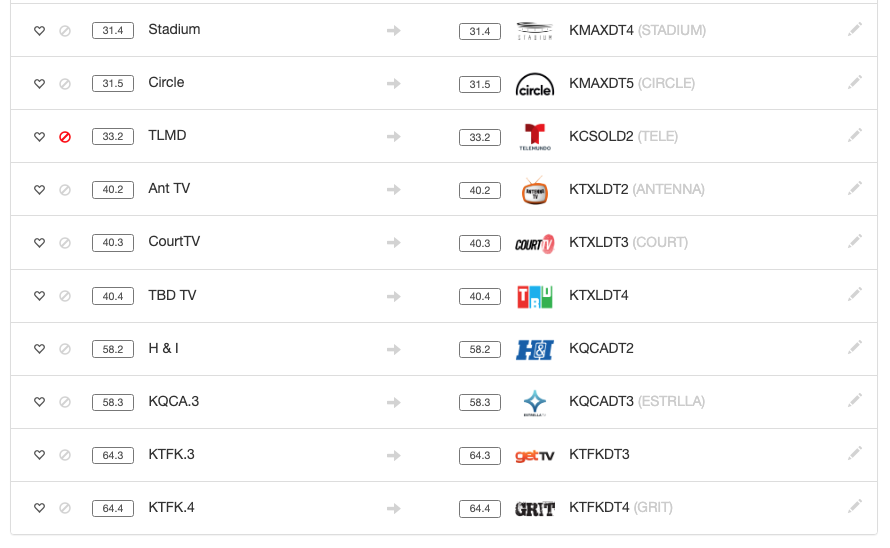
Can you click Scan Network on your dvr web UI, and make sure that channel appears on the list of channels there?

Is it that the client app is not reflecting the changes, or the DVR itself (as viewed from its web UI)? I have found that the client apps often need to be actually stopped (swiped closed on Apple clients, forced stopped on Android), and when restarted they'll pick up the new changes.

Also remember that client apps maintain their channel lists (including favorites and disabled channels) separate and independent from the DVR server; you may need to modify the sources from the clients.

Channel 44.1 does not appear following a Scan Network. It also wasn't there before running the Scan Network since I updated the OTA Source channels yesterday. For reference, my OTA Source channels dropped from 67 to 40 following yesterday's rescan.

Here's an example of a pending recording that remained after I updated my sources yesterday.

That being said, something has changed since last night as I no longer have any pending recordings for non-existent channels. Other than the Scan Network that I just performed, I haven't attempted to resolve this issue in any other way since I initially updated the OTA Source channel list yesterday.

EDIT: To be clear, I ran Scan Network option via the DVR Web UI yesterday. I also clicked what appears to be a small Refresh button on the OTA Source. If I am not mistaken, that causes the DVR to fetch missing guide data.

This is purely a Web UI/DVR issue. No client apps were used in the making of this issue. :slight_smile:

Okay so you're not getting that channel. It must have disappear but then the schedule didn't update until this morning when the guide data was refreshed.