
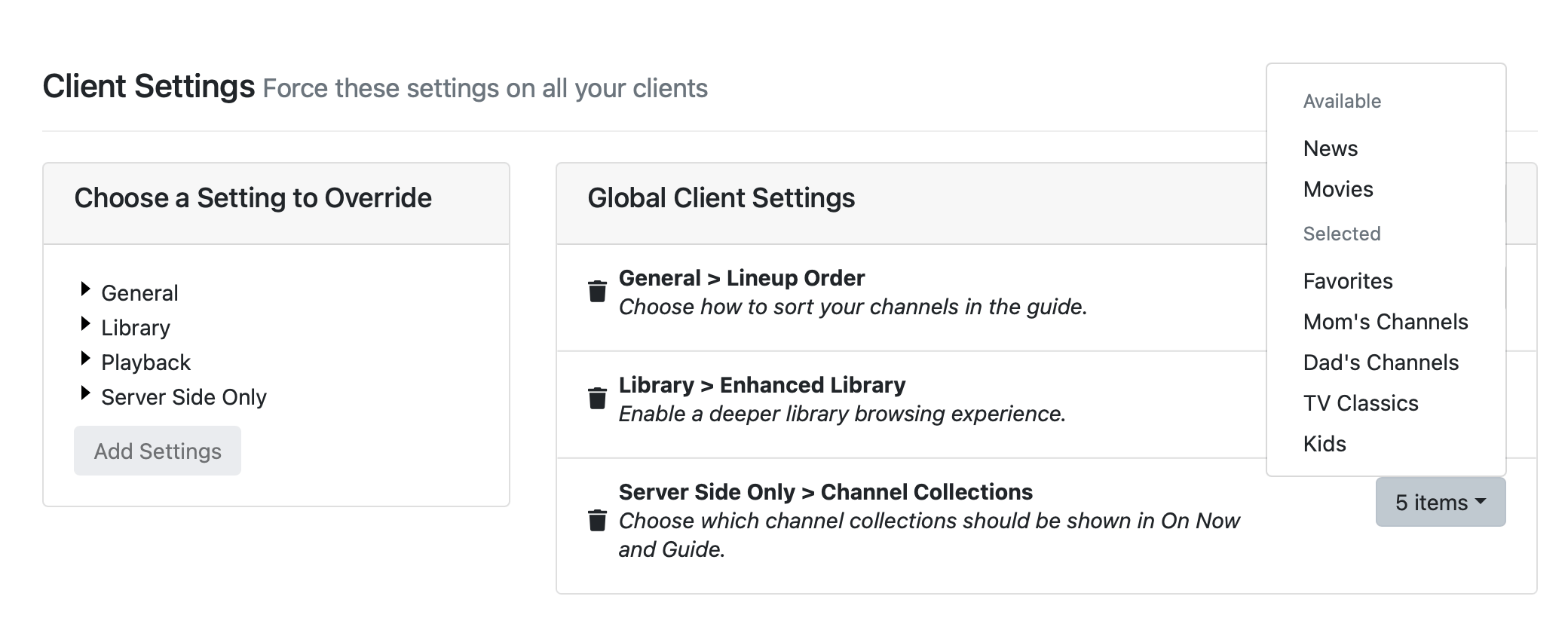
I set up a few channel collections based on a custom source. I made some backend changes to the source outside of Channels DVR and "reloaded M3U" and "redownloaded XMLTV". This caused my channel collections to get mixed up. How do I edit them? I see my channel collections in a drop down list. When I select one, it tells me how many items are in the list. But, it doesn't show the specific channel item.
I haven't used them, but their docs show a red remove button.
Thanks. But, I don't have that. My screen looks like the picture below the one with the red remove buttons.
How about Live TV > Channel Collections
https://getchannels.com/docs/channels-dvr-server/how-to/channel-collections/#get-started
That's where the screenshot in my reply came from. I've been to that page. Either I'm overlooking the instructions on how to edit the collections once they have been setup or it's not there. I could be overlooking instructions for editing collections. But, I don't see it.
I've never used it before, but just created two collections for testing.
DVR web UI Live TV > Channel Collections

1 Like
Your screenshot is from the Clients section of the web admin. You want to go to Live TV > Channel Collections (from the top navigation bar) instead.

1 Like
Thanks. Helps to look in the right place.
Thanks. I appreciate the help.
It would nice if you could drag and drop between collections or multi-select and had a "move to..." option.