Encoder As Multiviewer - How to

Hi -

I know there's AndroidHDMI for Channels (ah4c) and ADBTuner, but I was wondering if I could simply create a channel that would show whatever is on the source plugged into an encoder (this case a LinkPi).

ESPN+ and the NESN 360 apps are DRM protected and instead of messing with the mentioned applications, it may be easier to just tune to the encoder "channel" and use the remote to bring up whichever app is playing on the device plugged into the encoder.

How could this be achieved? Would I create a custom channel with the encoders IP address as the source and thats it?

Yes.

1 Like

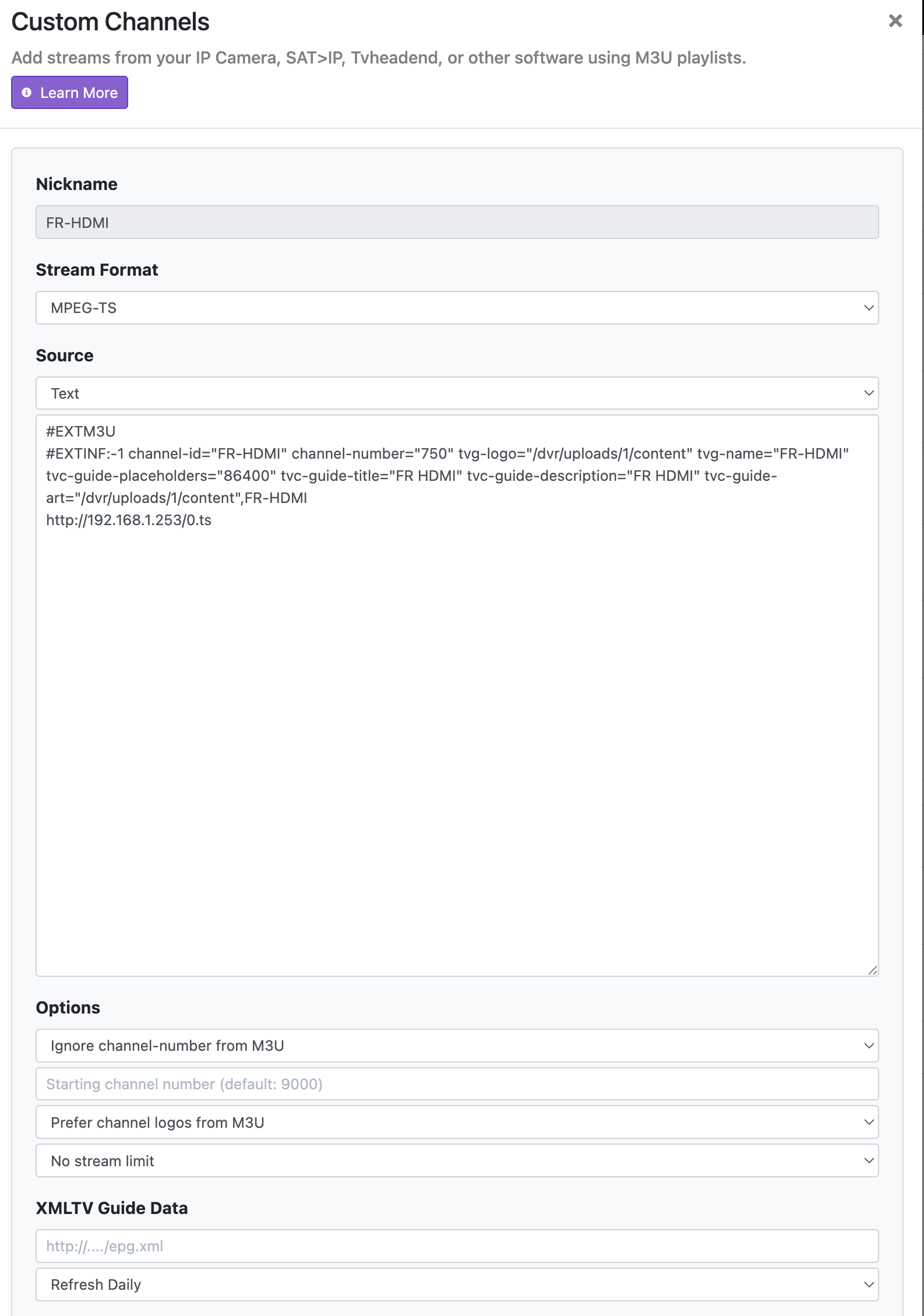
I did this, and I recall that it was a little more complicated if you want to record from it because Channels DVR wanted some guide data. I may have overcomplicated it, but I ended up using this as the source M3U:

#EXTM3U
#EXTINF:-1 channel-id="FR-HDMI" channel-number="750" tvg-logo="/dvr/uploads/1/content" tvg-name="FR-HDMI" tvc-guide-placeholders="86400" tvc-guide-title="FR HDMI" tvc-guide-description="FR HDMI" tvc-guide-art="/dvr/uploads/1/content",FR-HDMI
http://192.168.1.253/0.ts

You're right to point this out -- it does need to be in a valid, acceptable to Channels, M3U format. There are only a few mandatory tags, but some of those others would improve the way the channel looks in the guide. The URL, as you're showing, is for an encoder. The stream type should be MPEG-TS.

Right, these are my complete settings:

This is great. It works!

My settings are below. My question is the way that it looks in the guide is terrible.

It looks like this in the guide. Is there anyway to edit the m3u to just indicate "SlingPlayer Input 1"? (Using the old SlingPlayer name). I can add graphics which i will, but what about cleaning up the text?

#EXTINF:-1 channel-id="SLING-I1" channel-number="750" tvg-name="SLING-I1" tvc-guide-placeholders="86400" tvc-guide-title="SLING-I1" tvc-guide-description="SLING-I1"
http://192.168.68.89/live/stream0

I believe your lack of a channel name may be causing a problem. Try something like this:

#EXTINF:-1 channel-id="SLING-I1" channel-number="750" tvg-name="SLING-I1" tvc-guide-placeholders="86400" tvc-guide-title="SLING-I1" tvc-guide-description="SLING-I1",SLING-I1
http://192.168.68.89/live/stream0

All good! I think I'm just going to dedicate a tuner and encoder input to NESN 360. Their app is horrendous. My hope is that it'll run uninterrupted. I can add guide data like it's a true station and use it like a DVR. Its a solution for me that could finally get NESN pulled into Channels DVR after they implemented their multi level DRM protected authentication.