Enhance Import tagging support

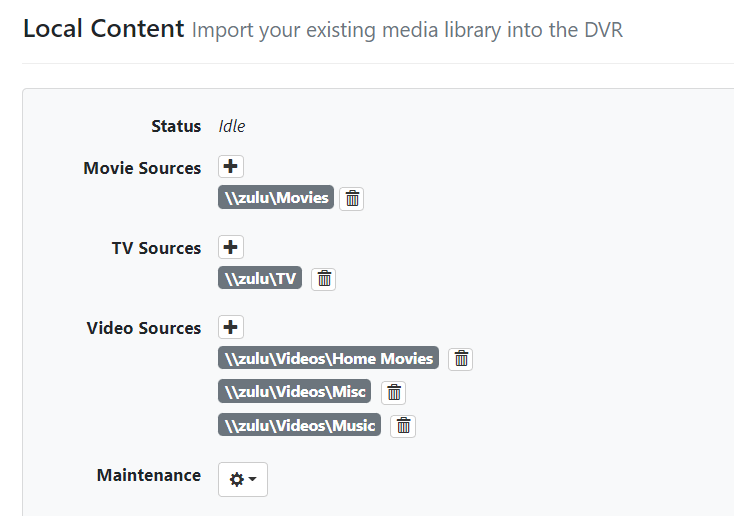
I've started moving to ChannelsDVR and pulling in my existing media library has been... tough. While Kodi and JellyFin seem to grok the directory structure of my Doctor Who archive, Channels DVR scans each show's directory into its own show. I'm having to go to each one and Find Show Match, type in Classic Doctor Who, then apply for all of the hundreds of directories.

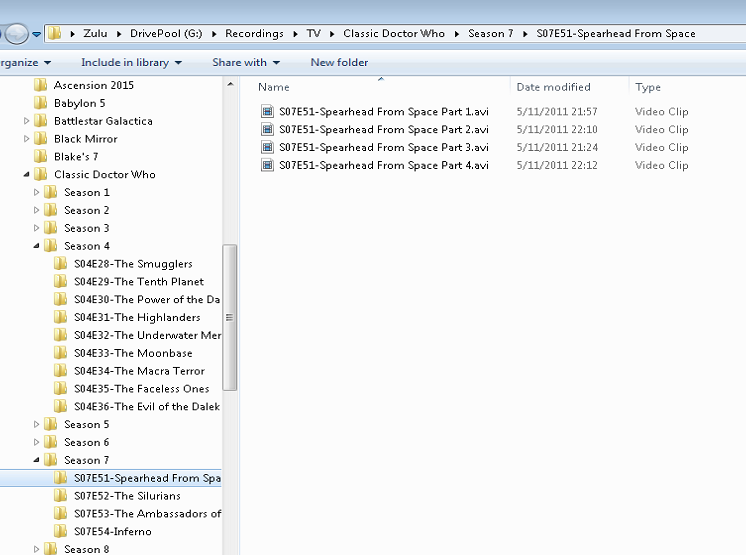
It would be AWESOME if the show matching would take into account the directory structure (e.g. Z:\TV\Classic Doctor Who\Season 6\S06E44-The Dominators\S06E01 Part 01-The Dominators.avi) should automatically match Classic Doctor Who (1963), and have Season 6 and Episode 44, set to the Meta Data.

Additionally (and this is something I'm fixing at the source level) it doesn't seen titles like s12e124 as Season 12 and Episode 124 because the file names have lower-case... might be nice if the lower-case pattern also matched.

Thanks!
1 Like

Can you provide more examples from the Doctor Who folder, I'm not quite understanding how they're organized.

Fixed for next build

1 Like

From ZULU the server's filesystem view (Windows Home Server 2011+DrivePool):

From ChannelsDVR view:

From BEEHIVE (Windows 11 host for ChannelsDVR):

I've created SYMLINK's for TV and Movies (and PlayOn\TV and PlayOn\Movies) that point to the file server \ZULU\TV share and \ZULU\Movies share so that the recordings get put on my fileserver and DrivePool can replicate them... and also the WHS has JellyFin running on it for other clients in the house.

 Directory of C:\DVR

10/26/2022  03:06 AM    <DIR>          .
10/26/2022  02:19 AM    <DIR>          Database
10/26/2022  03:03 AM    <DIR>          Images
10/24/2022  07:41 PM    <DIR>          Imports
10/24/2022  07:41 PM    <DIR>          Logs
10/24/2022  11:18 PM    <SYMLINKD>     Movies [\\ZULU\Movies]
10/24/2022  11:18 PM    <DIR>          PlayOn
10/26/2022  03:00 AM    <DIR>          Streaming
10/24/2022  11:18 PM    <SYMLINKD>     TV [\\ZULU\TV]

A typical directory

 Directory of C:\DVR\TV\Classic Doctor Who\Season 3\S03E18-Galaxy 4

05/02/2011  01:00 AM        36,591,925 S03E01 Part 0-Galaxy Four Introduction.mpg
05/08/2011  02:44 AM       355,911,740 S03E01 Part 1-Four Hundred Dawns (reconstructed).mpg
05/06/2011  10:28 AM       271,185,997 S03E01 Part 2-Trap of Steel (reconstructed).mpg
05/03/2011  11:16 PM        65,048,576 S03E01 Part 3-Airlock (reconstructed).avi
05/07/2011  03:36 AM       293,405,000 S03E01 Part 4-The Exploding Planet (reconstruction).avi

A few other suggestions that would really make life cool:

  • Support for multiple part in the tagging so that S12E97P1 would be interpreted as Season 12 Episode 97 Part 1 and as you see, the Episode has a title and the Parts (which we broadcast in subsequent weeks) also have a part title. No sure that's something your metadata has.
  • Store MetaData in the episode folder (as an NFO?) so rescans will pick it back up?
  • Store MetaData at the parent folder level so I can tag ONCE the show match for all things under \\Zulu\TV\Classic Doctor Who as the right show... and for other archives I have to import.
  • Pick up the Season from the directory name?

Why are the files labeled S03E01 and not S03E18 ?

Funny you should ask that... this archive originally was cobbled together from various sources and people had a different approach to the "problem" that each Season has Episodes (like 01-22) but each "story line" also has a episode code number (ugh, some real stupidity there ) and then there are folks that just gave up and assigned them all sequential numbers... which the later seasons show. I think that moving my setup for those earlier seasons to sequential numbering is in my future, since ChannelsDVR seems to base more on the files name than other things.