Error messages related to HEVC transcoding filling log

I am using a M1 mac mini as a my DVR server hardware and have enabled HEVC for remote transcoding. Sources are HDHomeRun Primes and OTA duos. These error messages are totally filling my server log. Is there a way to suppress them or make a software change so they are not reported in the first place?

2025/06/02 17:50:08.489259 [HLS] ffmpeg: ch54-dANY-135bc9924380-1-hevc-aac-copy--5232-384-480-2-0---false-false-0.01-0: [hevc_metadata @ 0x6000018445a0] Invalid A/53 closed captions in packet side data dropped.
2025/06/02 17:50:08.492666 [HLS] ffmpeg: ch54-dANY-135bc9924380-1-hevc-aac-copy--5232-384-480-2-0---false-false-0.01-0: [hevc_metadata @ 0x6000018445a0] marker_bits out of range: 0, but must be in [31,31].
2025/06/02 17:50:08.492674 [HLS] ffmpeg: ch54-dANY-135bc9924380-1-hevc-aac-copy--5232-384-480-2-0---false-false-0.01-0: [hevc_metadata @ 0x6000018445a0] Invalid A/53 closed captions in packet side data dropped.
2025/06/02 17:50:08.493256 [HLS] ffmpeg: ch54-dANY-135bc9924380-1-hevc-aac-copy--5232-384-480-2-0---false-false-0.01-0: [hevc_metadata @ 0x6000018445a0] marker_bits out of range: 0, but must be in [31,31].
2025/06/02 17:50:08.493262 [HLS] ffmpeg: ch54-dANY-135bc9924380-1-hevc-aac-copy--5232-384-480-2-0---false-false-0.01-0: [hevc_metadata @ 0x6000018445a0] Invalid A/53 closed captions in packet side data dropped.
2025/06/02 17:50:08.498616 [HLS] ffmpeg: ch54-dANY-135bc9924380-1-hevc-aac-copy--5232-384-480-2-0---false-false-0.01-0: [hevc_metadata @ 0x6000018445a0] marker_bits out of range: 0, but must be in [31,31].
2025/06/02 17:50:08.498624 [HLS] ffmpeg: ch54-dANY-135bc9924380-1-hevc-aac-copy--5232-384-480-2-0---false-false-0.01-0: [hevc_metadata @ 0x6000018445a0] Invalid A/53 closed captions in packet side data dropped.
2025/06/02 17:50:08.499210 [HLS] ffmpeg: ch54-dANY-135bc9924380-1-hevc-aac-copy--5232-384-480-2-0---false-false-0.01-0: [hevc_metadata @ 0x6000018445a0] marker_bits out of range: 0, but must be in [31,31].
2025/06/02 17:50:08.499216 [HLS] ffmpeg: ch54-dANY-135bc9924380-1-hevc-aac-copy--5232-384-480-2-0---false-false-0.01-0: [hevc_metadata @ 0x6000018445a0] Invalid A/53 closed captions in packet side data dropped.
2025/06/02 17:50:08.502467 [HLS] ffmpeg: ch54-dANY-135bc9924380-1-hevc-aac-copy--5232-384-480-2-0---false-false-0.01-0: [hevc_metadata @ 0x6000018445a0] marker_bits out of range: 0, but must be in [31,31].
2025/06/02 17:50:08.502473 [HLS] ffmpeg: ch54-dANY-135bc9924380-1-hevc-aac-copy--5232-384-480-2-0---false-false-0.01-0: [hevc_metadata @ 0x6000018445a0] Invalid A/53 closed captions in packet side data dropped.
2025/06/02 17:50:08.503095 [HLS] ffmpeg: ch54-dANY-135bc9924380-1-hevc-aac-copy--5232-384-480-2-0---false-false-0.01-0: [hevc_metadata @ 0x6000018445a0] marker_bits out of range: 0, but must be in [31,31].

Your logs show ch54.. is that from one of the PRIMEs? Is it only happening for channels from that source?

If you view that channel without transcoding what does Show Stats say for the video codec?

The channel is from one of my two primes. If I tune it locally with an appletv the codec shown with "show stats" turned on is "mpeg2video"

The programming is HGTV

This issue is not exclusive to HEVC -- I turned it off and the issue remains with h.264 transcoding. The logs are saturated with these messages. Can they be suppressed somehow?

2025/06/15 20:30:46.712779 [HLS] ffmpeg: ch79-dANY-20ce02112158-17920-h264-aac-copy--2744-128-480-0-0---false-false-0.01-0: [h264_metadata @ 0x600002a0c550] marker_bits out of range: 0, but must be in [31,31].
2025/06/15 20:30:46.712790 [HLS] ffmpeg: ch79-dANY-20ce02112158-17920-h264-aac-copy--2744-128-480-0-0---false-false-0.01-0: [h264_metadata @ 0x600002a0c550] Invalid A/53 closed captions in packet side data dropped.
2025/06/15 20:30:46.713732 [HLS] ffmpeg: ch79-dANY-20ce02112158-17920-h264-aac-copy--2744-128-480-0-0---false-false-0.01-0: [h264_metadata @ 0x600002a0c550] marker_bits out of range: 0, but must be in [31,31].
2025/06/15 20:30:46.713742 [HLS] ffmpeg: ch79-dANY-20ce02112158-17920-h264-aac-copy--2744-128-480-0-0---false-false-0.01-0: [h264_metadata @ 0x600002a0c550] Invalid A/53 closed captions in packet side data dropped.
2025/06/15 20:30:46.717318 [HLS] ffmpeg: ch79-dANY-20ce02112158-17920-h264-aac-copy--2744-128-480-0-0---false-false-0.01-0: [h264_metadata @ 0x600002a0c550] marker_bits out of range: 0, but must be in [31,31].
2025/06/15 20:30:46.717330 [HLS] ffmpeg: ch79-dANY-20ce02112158-17920-h264-aac-copy--2744-128-480-0-0---false-false-0.01-0: [h264_metadata @ 0x600002a0c550] Invalid A/53 closed captions in packet side data dropped.
2025/06/15 20:30:46.718257 [HLS] ffmpeg: ch79-dANY-20ce02112158-17920-h264-aac-copy--2744-128-480-0-0---false-false-0.01-0: [h264_metadata @ 0x600002a0c550] marker_bits out of range: 0, but must be in [31,31].
2025/06/15 20:30:46.718267 [HLS] ffmpeg: ch79-dANY-20ce02112158-17920-h264-aac-copy--2744-128-480-0-0---false-false-0.01-0: [h264_metadata @ 0x600002a0c550] Invalid A/53 closed captions in packet side data dropped.
2025/06/15 20:30:46.720727 [HLS] ffmpeg: ch79-dANY-20ce02112158-17920-h264-aac-copy--2744-128-480-0-0---false-false-0.01-0: [h264_metadata @ 0x600002a0c550] marker_bits out of range: 0, but must be in [31,31].
2025/06/15 20:30:46.720741 [HLS] ffmpeg: ch79-dANY-20ce02112158-17920-h264-aac-copy--2744-128-480-0-0---false-false-0.01-0: [h264_metadata @ 0x600002a0c550] Invalid A/53 closed captions in packet side data dropped.
2025/06/15 20:30:46.721715 [HLS] ffmpeg: ch79-dANY-20ce02112158-17920-h264-aac-copy--2744-128-480-0-0---false-false-0.01-0: [h264_metadata @ 0x600002a0c550] marker_bits out of range: 0, but must be in [31,31].
2025/06/15 20:30:46.721725 [HLS] ffmpeg: ch79-dANY-20ce02112158-17920-h264-aac-copy--2744-128-480-0-0---false-false-0.01-0: [h264_metadata @ 0x600002a0c550] Invalid A/53 closed captions in packet side data dropped.
2025/06/15 20:30:46.725197 [HLS] ffmpeg: ch79-dANY-20ce02112158-17920-h264-aac-copy--2744-128-480-0-0---false-false-0.01-0: [h264_metadata @ 0x600002a0c550] marker_bits out of range: 0, but must be in [31,31].
2025/06/15 20:30:46.725210 [HLS] ffmpeg: ch79-dANY-20ce02112158-17920-h264-aac-copy--2744-128-480-0-0---false-false-0.01-0: [h264_metadata @ 0x600002a0c550] Invalid A/53 closed captions in packet side data dropped.
2025/06/15 20:30:46.726162 [HLS] ffmpeg: ch79-dANY-20ce02112158-17920-h264-aac-copy--2744-128-480-0-0---false-false-0.01-0: [h264_metadata @ 0x600002a0c550] marker_bits out of range: 0, but must be in [31,31].
2025/06/15 20:30:46.726173 [HLS] ffmpeg: ch79-dANY-20ce02112158-17920-h264-aac-copy--2744-128-480-0-0---false-false-0.01-0: [h264_metadata @ 0x600002a0c550] Invalid A/53 closed captions in packet side data dropped.

This problem is REAL. My channels DVR logfile is 26GB !!! It is wearing out the internal SSD on my mac mini for no good reason. Should I symbolic link the directory elsewhere to an external drive to stop the wear on my mac mini's internal SSD until this problem is addressed and fixed perhaps?

What is going on here? The source is a HDHomeRun Prime tuned to the Hallmark Channel (SD version)

If I turn HEVC transcoding off the problem persists with H.264 so this is appears to be a ffmpeg issue of some sort.

2025/07/07 20:19:36.970387 [HLS] ffmpeg: ch79-dANY-20ce02112158-2647-hevc-aac-copy--3916-192-480-0-0---false-false-0.01-0: [hevc_metadata @ 0x6000021700a0] marker_bits out of range: 0, but must be in [31,31].
2025/07/07 20:19:36.970475 [HLS] ffmpeg: ch79-dANY-20ce02112158-2647-hevc-aac-copy--3916-192-480-0-0---false-false-0.01-0: [hevc_metadata @ 0x6000021700a0] Invalid A/53 closed captions in packet side data dropped.
2025/07/07 20:19:36.971782 [HLS] ffmpeg: ch79-dANY-20ce02112158-2647-hevc-aac-copy--3916-192-480-0-0---false-false-0.01-0: [hevc_metadata @ 0x6000021700a0] marker_bits out of range: 0, but must be in [31,31].
2025/07/07 20:19:36.971851 [HLS] ffmpeg: ch79-dANY-20ce02112158-2647-hevc-aac-copy--3916-192-480-0-0---false-false-0.01-0: [hevc_metadata @ 0x6000021700a0] Invalid A/53 closed captions in packet side data dropped.
2025/07/07 20:19:36.980108 [HLS] ffmpeg: ch79-dANY-20ce02112158-2647-hevc-aac-copy--3916-192-480-0-0---false-false-0.01-0: [hevc_metadata @ 0x6000021700a0] marker_bits out of range: 0, but must be in [31,31].
2025/07/07 20:19:36.980195 [HLS] ffmpeg: ch79-dANY-20ce02112158-2647-hevc-aac-copy--3916-192-480-0-0---false-false-0.01-0: [hevc_metadata @ 0x6000021700a0] Invalid A/53 closed captions in packet side data dropped.
2025/07/07 20:19:36.981467 [HLS] ffmpeg: ch79-dANY-20ce02112158-2647-hevc-aac-copy--3916-192-480-0-0---false-false-0.01-0: [hevc_metadata @ 0x6000021700a0] marker_bits out of range: 0, but must be in [31,31].
2025/07/07 20:19:36.981518 [HLS] ffmpeg: ch79-dANY-20ce02112158-2647-hevc-aac-copy--3916-192-480-0-0---false-false-0.01-0: [hevc_metadata @ 0x6000021700a0] Invalid A/53 closed captions in packet side data dropped.
2025/07/07 20:19:36.995025 [HLS] ffmpeg: ch79-dANY-20ce02112158-2647-hevc-aac-copy--3916-192-480-0-0---false-false-0.01-0: [hevc_metadata @ 0x6000021700a0] marker_bits out of range: 0, but must be in [31,31].
2025/07/07 20:19:36.995074 [HLS] ffmpeg: ch79-dANY-20ce02112158-2647-hevc-aac-copy--3916-192-480-0-0---false-false-0.01-0: [hevc_metadata @ 0x6000021700a0] Invalid A/53 closed captions in packet side data dropped.
2025/07/07 20:19:36.996220 [HLS] ffmpeg: ch79-dANY-20ce02112158-2647-hevc-aac-copy--3916-192-480-0-0---false-false-0.01-0: [hevc_metadata @ 0x6000021700a0] marker_bits out of range: 0, but must be in [31,31].
2025/07/07 20:19:36.996249 [HLS] ffmpeg: ch79-dANY-20ce02112158-2647-hevc-aac-copy--3916-192-480-0-0---false-false-0.01-0: [hevc_metadata @ 0x6000021700a0] Invalid A/53 closed captions in packet side data dropped.
2025/07/07 20:19:37.006446 [HLS] ffmpeg: ch79-dANY-20ce02112158-2647-hevc-aac-copy--3916-192-480-0-0---false-false-0.01-0: [hevc_metadata @ 0x6000021700a0] marker_bits out of range: 0, but must be in [31,31].
2025/07/07 20:19:37.006471 [HLS] ffmpeg: ch79-dANY-20ce02112158-2647-hevc-aac-copy--3916-192-480-0-0---false-false-0.01-0: [hevc_metadata @ 0x6000021700a0] Invalid A/53 closed captions in packet side data dropped.
2025/07/07 20:19:37.007719 [HLS] ffmpeg: ch79-dANY-20ce02112158-2647-hevc-aac-copy--3916-192-480-0-0---false-false-0.01-0: [hevc_metadata @ 0x6000021700a0] marker_bits out of range: 0, but must be in [31,31].
2025/07/07 20:19:37.007744 [HLS] ffmpeg: ch79-dANY-20ce02112158-2647-hevc-aac-copy--3916-192-480-0-0---false-false-0.01-0: [hevc_metadata @ 0x6000021700a0] Invalid A/53 closed captions in packet side data dropped.
2025/07/07 20:19:37.013600 [HLS] ffmpeg: ch79-dANY-20ce02112158-2647-hevc-aac-copy--3916-192-480-0-0---false-false-0.01-0: [hevc_metadata @ 0x6000021700a0] marker_bits out of range: 0, but must be in [31,31].
2025/07/07 20:19:37.013624 [HLS] ffmpeg: ch79-

Another side effect of huge 26gb logfiles is when I use remote desktop to control the mac mini server and try to use the channels taskbar dropdown for the MacOS version to look at the log file -- that crashes the whole system due to running out of application memory from the "console" app.

Since the source of these streams is your Primes, you may want to look there for the root cause. My lay guess is that there is some issue/corruption in the MPEG-TS stream coming from the Prime.

Playing the stream directly doesn't seem problematic because the player can quickly recover from such errors, but transcoding when there are errors in the source stream—live and on-the-fly especially—can cause all kinds of errors and hiccups to occur.

Looks like the closed captioning data being transmitted is malformed or corrupt. I wonder if the station made changes and are using a new encoding method?

These errors do not happen on all channels .. only certain ones.

So yes my local cable company may have something to do with all of this --- but the issue is not the HDHomeRun Primes. I have two of them and this issue happens on both of them when certain channels are tuned. The prime is merely acting as a bridge of sorts. I'm guessing this is a ffmpeg library throwing a flag and on every packet. Somehow these error messages need to be suppressed somehow. Is there a ffmpeg option to do this?

I'm gonna assume you have made sure the firmware on the primes are up to date. If you watch the channels on the admin web player, are you seeing it transcode or remuxing? It does not look to be transcoding, only remuxing. Afaik, Channels has no way to suppress errors or log files. If I had to guess, I would suspect your TV provider to be where the issue lies. It could be the Prime, but you would think all of the channels would be like that and not a few. Have you submitted your logs to the dev team?

Is it always the same channels? If so, that's your first clue. If not, which physical tuners are involved on the Prime? It is not uncommon for a single (discrete) tuner to have issues regularly, which usually indicates a power supply issue.

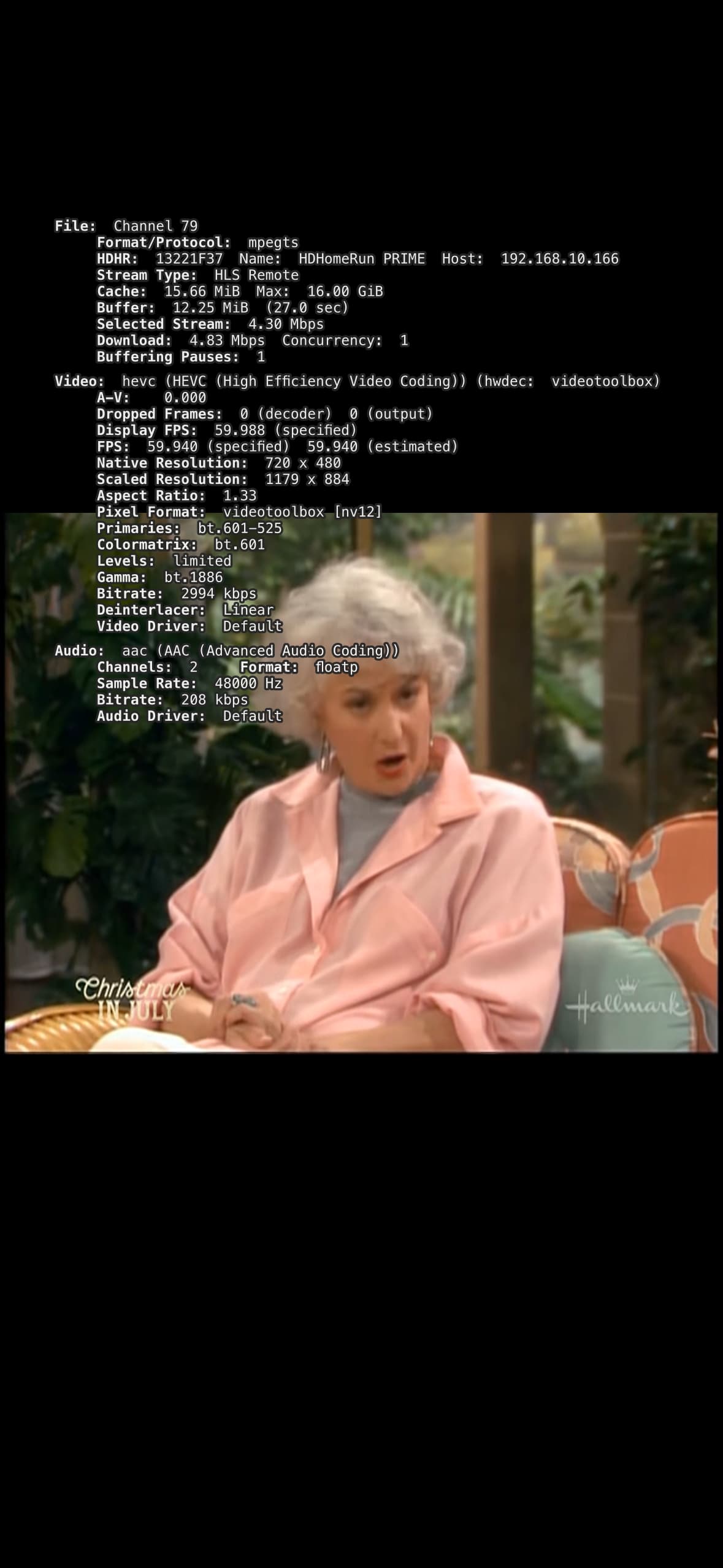
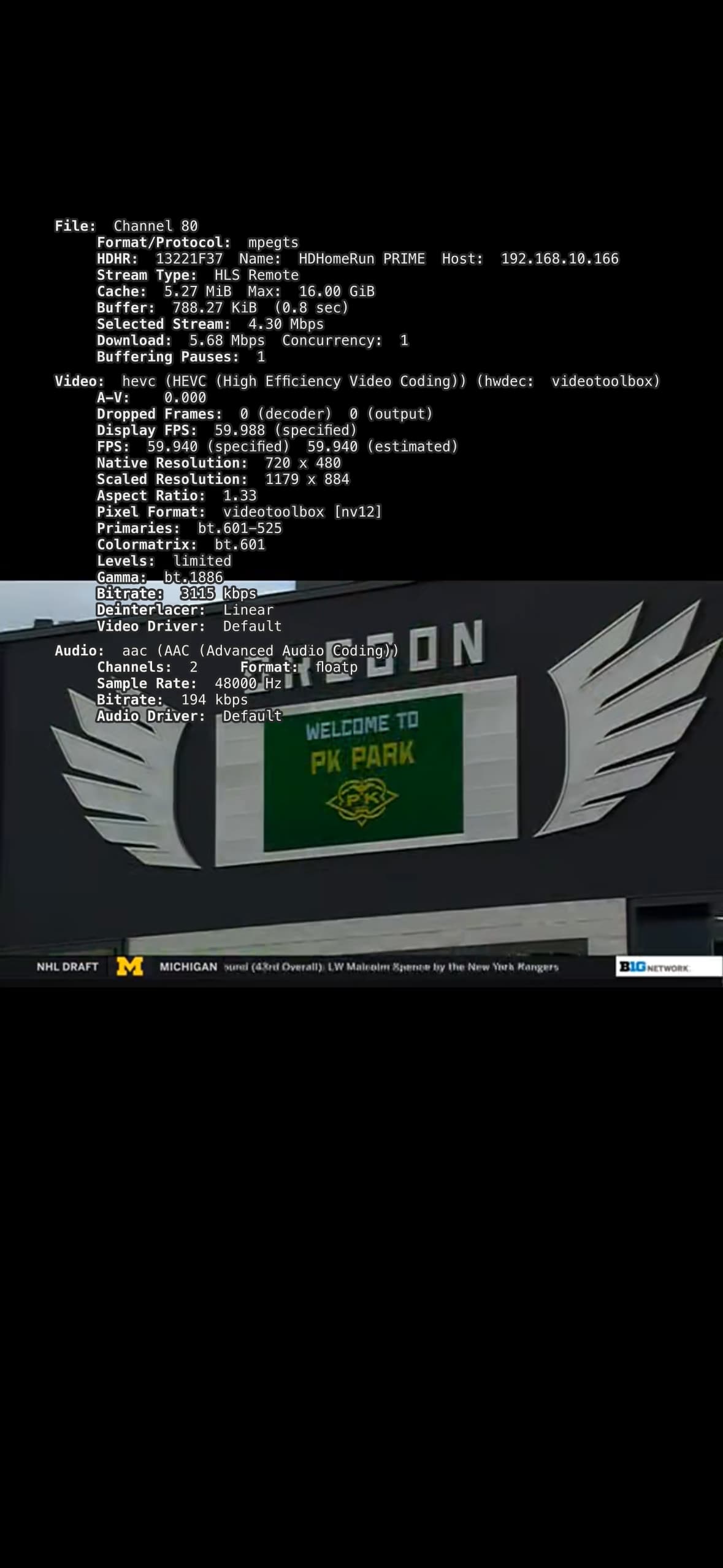
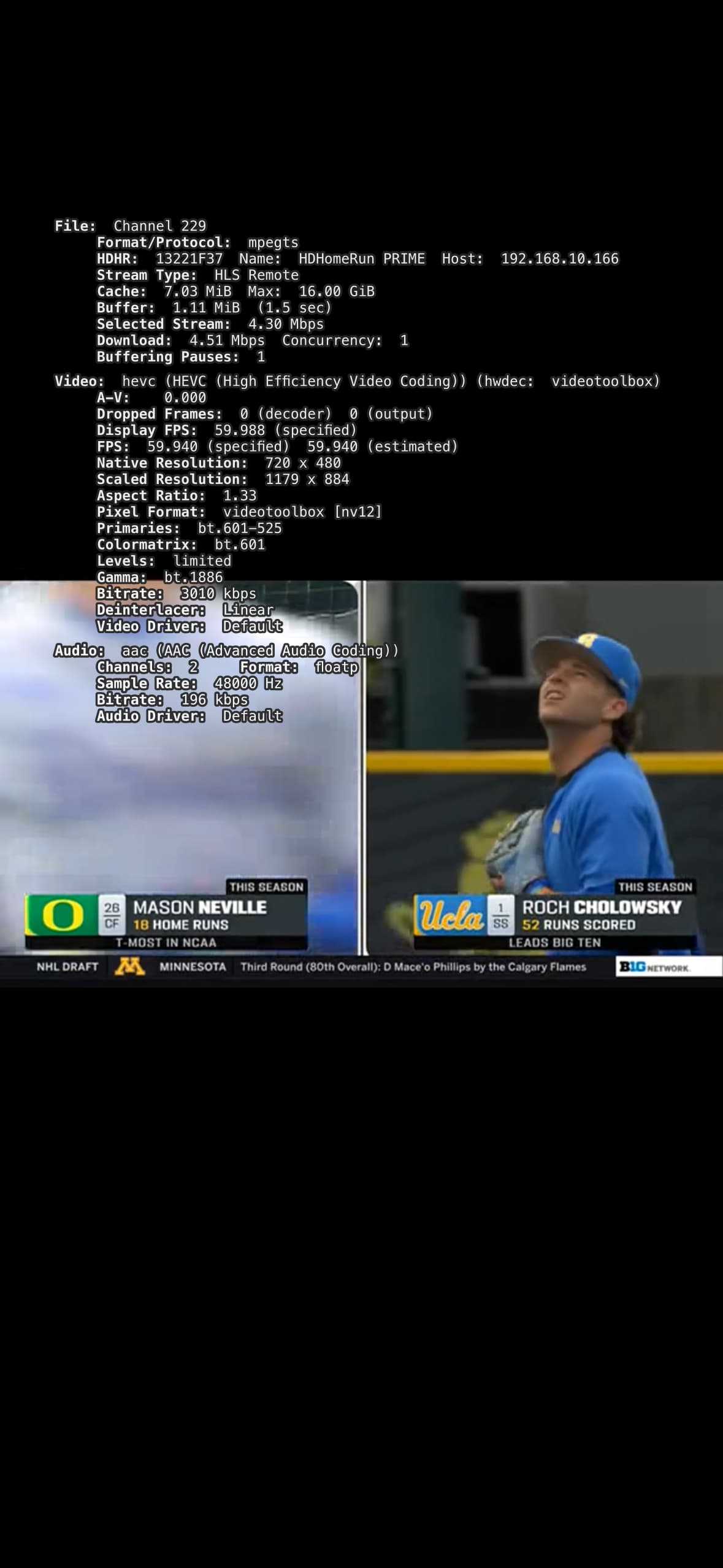
I did some further testing - turned wifi off on my iPhone and connect remotely to the dvr using cellular data. I watched the hallmark channel SD and HD. The error messages were only present on the SD version. I watched the BIG TEN Network and the error messages were present on both the SD and HD versions of the content. See attached screen shots with stats turned on.


The BIG TEN channel I thought was HD was not -- when I switched to a HD version the error messages were not present.

So it appears the this problem is confined to only SD content in my environment.

See if you can enable debug logging within the HDHomeRun setup utility or app and see what it says when you view the channels that are causing the issue. View them in the HDHR app to isolate the issue.

It is highly unlikely this issue has anything to do with the hdhomerun device. What I am seeing is SD content from my cable provider (Spectrum/Charter) being sent with some kind of corruption in the closed captioning data. This corruption is not present in the HD version of the same program. Perhaps Spectrum is resampling HD content down to SD resolution to produce SD content and the resampling process is corrupting the closed captioning data. When Channels DVR tries to transcode the SD stream it (ffmpeg) throws non fatal errors into the log. What I am trying to accomplish is to get the dev's to give an option to turn down the error reporting verbosity on the transcoding process. I don't see any other solution here. I have a short 45 second clip of raw SD content as captured from the hdhomerun (~14mb) that causes the log error behavior when transcoded if anyone is interested.

1 Like

Please email the video sample to [email protected]

The 7/17 server update fixed the log filling problem. There still remains the lack of any housekeeping on the massively filled log. My log file is still at almost 26 GB ten days after the last update. How often are the logs trimmed? Should you just delete a log that has grown too large?

This topic was automatically closed 30 days after the last reply. New replies are no longer allowed.