ESPN+ & FOX Sports with Custom Channels via EPlusTV

I only used it sporadically last year, but I noticed that NFL provider game streams in EPlusTV started a little later than advertised. That would explain the initial 404 Not Found errors. I'm not sure how often or how long Channels tries to reload a stream in that situation -- perhaps it gave up at some point? I know NBC had last night's game listed as an 8:15 EDT start, and kickoff didn't actually happen until ~8 minutes after that, and perhaps the stream wasn't available for a few minutes after that? You could look at the EPlusTV logs too.

Loading the stream today would obviously return a 404 error too, since there is no game active.
That should be simple enough. I'll make a note for the next update.

3 Likes

The container pulls games from NFL+ since that's how it can stream them from Prime etc. So you have to have your providers linked at nfl.com. The login token is on the webpage in the NFL section, below the providers.

Okay, I just set this up. This was a lot less complicated than I was afraid it was going to be. Very cool. Thanks!!

A question, though. I have Series Passes set up by TeamId. Those do not seem to be being recognized in the EplusTV feed. Is it missing? Different?

Can you share an example for a particular team and ID? I don't think EPlusTV currently supports it, but perhaps it's possible somehow.


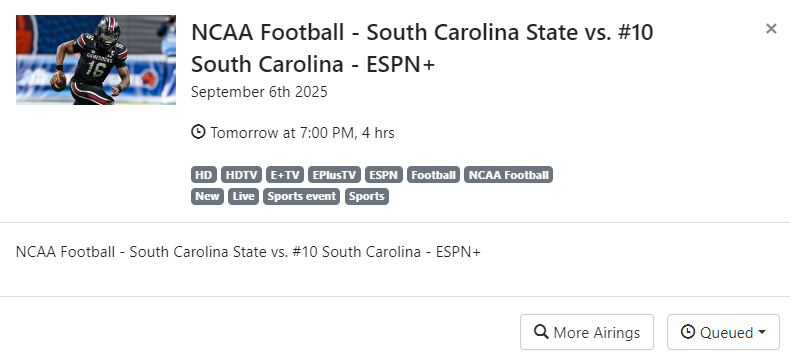
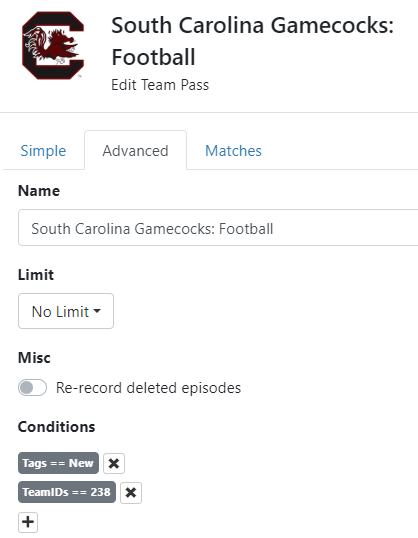
In this definition, the TeamId of 238 identifies games with South Carolina's Football Team in it. Seems to work across the HDHomeRun Tuner and the U-verse TVE feeds for ESPN and similar. But it didn't pick up a game from EPlusTV:

TBH, I'm not sure how I found them, but I've been using it for at least half a dozen teams.

UPDATE: Any way to create a Pass for an NFL team? shows one way of getting a team ID (search for the team by name, and click to schedule a "Team Pass", which is just a Season Pass with a TeamId filter.

ALSO: This game appears in the SEC Network schedule next Friday at 5 AM EDT, for comparison purposes. My "Team Pass" sees that, but it's obviously a delayed recording.

I don't think team passes are going to work for this container, the guide data doesn't have that info.

For a specific team all you need to do is create an advanced pass with 'EventTitle contains team name' (e.g. Falcons) and 'category = SportsEvent'. Might also want to add 'tags = live' to only get current games, but it won't be needed for this container because every game is live unless you have NFL Network enabled. If you only want Gamecocks games on E+ it won't be an issue, but if you are using it not just for this container but for something like YouTube TV or Sling or your cable provider you might get repeat games if you don't have that tag.

2 Likes

I'm trying this out because I may be moving exclusively to this sort of thing. I'm on the verge of cutting my provider (AT&T U-verse) and going to OTA/ESPN U/Peacock/Paramount/Hallmark, which means most of my sports viewing will be coming from ESPN Unlimited via EplusTV (instead of from TVE authenticated by U-verse). Even with a ridiculous discount on U-verse, this looks to save me $80/month.

To this point, Channels has been the backup plan for my wife (when provider has an issue, or loses retransmit), and my main way of watching sports (via TVE, with the U-verse IPTV system as my backup), and I'm looking at what happens once U-verse is no longer primary for the wife, or even a backup for me.

BTW, the team ID has been great, and grabbed games where the title was junk.

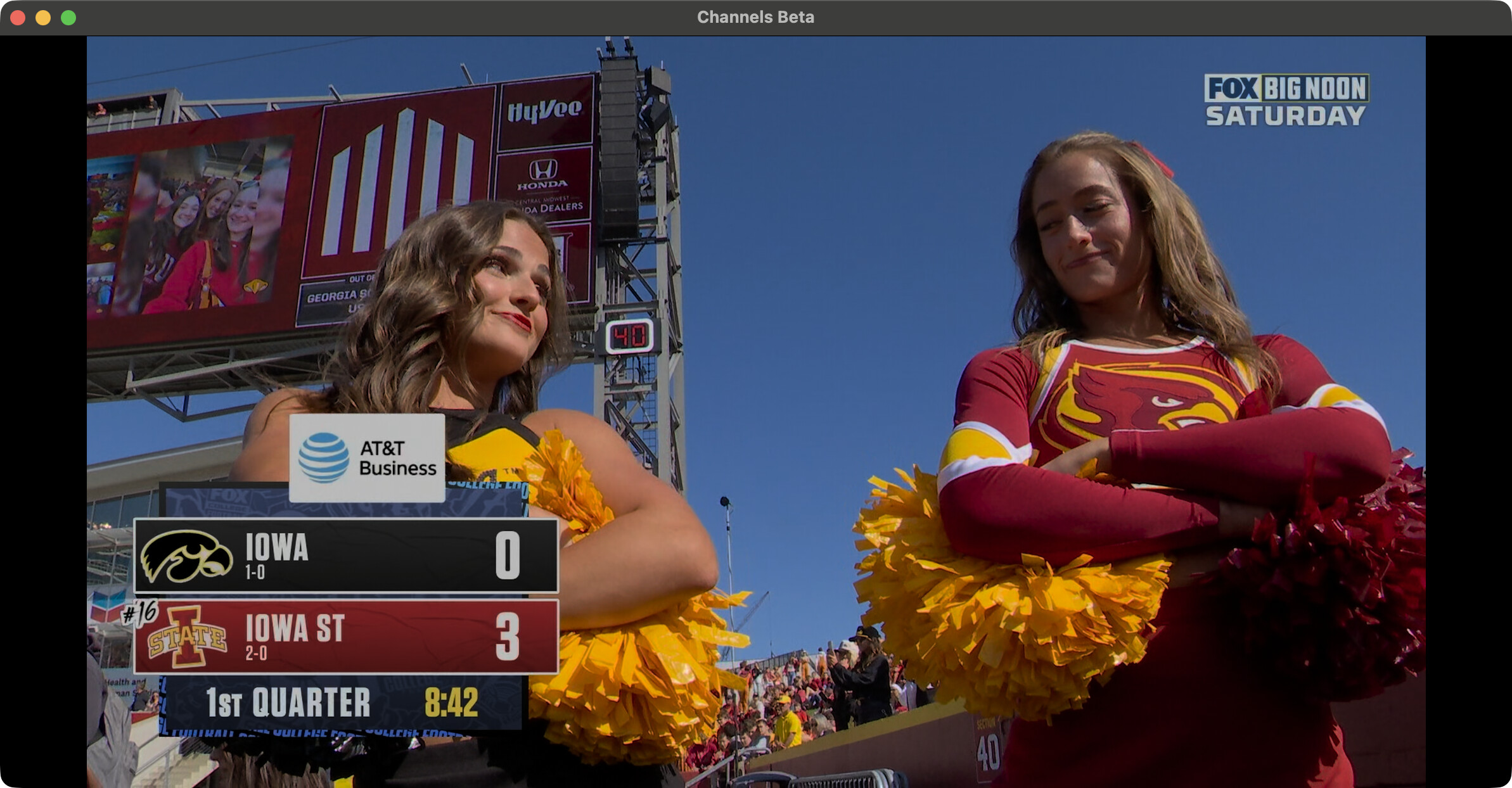
Is the big noon football game on Fox working for anyone? I'm getting 503 service unavailable.

I'm seeing a 4K stream for Iowa @ Iowa State right now, with the "Enable UHD/HDR events?" option checked under the Fox Sports provider.

However, the "4K" category isn't in the XML and the "Only grab 4K events?" toggle isn't working. Those will be fixed on the next update.

2 Likes


Yep. It's working for me here.

1 Like

Thanks, got it working - container was reporting that it couldn't get a playlist for the channel so something was out of sync. Restarted and rebuilt EPG and downloaded to Channels, got it working in 4k!!!

Yay!

2 Likes

Ya mine is pulling in the 4K :smiley:

I keep getting "The connection to the Tuner was Lost" when watching the 4K Fox stream. Anyone else having trouble holding connection?

Yeah every time I start a recording within a few minutes I get 'recording interrupted' and 404 not found errors on video segments, this messes up the playback on Fox. It doesn't happen on the other channels so I wonder if it's something related to 4k, or maybe the local channel streaming. I stopped and restarted the recording a few times and so far this happens all the time.

The DVR log has a bunch of these:

2025/09/06 14:28:55.798866 [DVR] Error running job 1757181784-ch8003 College Football - Iowa at Iowa State - WOFL-DT: Failed to download segment 390: https://foxvideo-sports-cf.video.fox/8c206c2a5d857f580e59e2b647b52ba6a39e1a71.20250907180254/live/?ad_env=1creatives/9/1/0/3/1/0/0/0/0/05101/u-6400-6-1920x1080-7000-a-96-1-1.ts: GET: https://foxvideo-sports-cf.video.fox/8c206c2a5d857f580e59e2b647b52ba6a39e1a71.20250907180254/live/?ad_env=1creatives/9/1/0/3/1/0/0/0/0/05101/u-6400-6-1920x1080-7000-a-96-1-1.ts: 404 Not Found

Update: had to bounce the container, also started getting 'connection to tuner was lost' when trying to stream Fox. Restarting the container got the game back. There were no entries in the container log, it was just hung.

Update2: broken now, won't keep the stream up. Bouncing container only fixes it temporarily.

Same over here. Tried playing on both Channels and Emby (through channels) and same issue...

That DVR log error with "ad_env" and "1920x1080" strongly implies that they are inserting 1080p ads into the 4K stream. The stream playlist has a "#EXT-X-DISCONTINUITY" tag both before and after these ads, so playback clients can adjust, but anything trying to write it to a file is going to choke (unless it is transcoding and supports handling the change in resolution).

If you proxy the stream playlist, it's possible you could remove the ad segment lines, as long as your client can survive gaps in the video. (You could substitute the last 4K segment as needed too to reduce the gap, although that could look a little strange.)

1 Like

For now I've toggled off the UHD selection, I'm recording the Delaware versus Colorado game and it's 720P so we'll see what happens.

I know it's not your container causing the issue, it's something Fox is doing.

There's some other weird stuff going on with fox one, I have their app installed on my Android phone, AppleTV 4k, Fire tablet, and Onn 4K (Android TV). For whatever reason it says my Onn is not authorized via my provider to play any live streams, but they work fine on the other devices and in channels via the container. Go figure.

You are right it does throw in 1080 commercials. Does that mean we are u able to view 4K events reliably?

I can tell you that if they're throwing in 1080P commercials the recordings are always going to be trashed in channels, it does not handle res changes. You can fix the recording after the fact by running fix timestamps on it, but if you're watching it in progress it will be a painful experience.