ESPN+ & FOX Sports with Custom Channels via EPlusTV

Thanks. Thought I was doing something wrong. I did notice if I grab the general playlist it includes sporting events on my "so called" local fox channel (wrong station and wrong callsign).

If it's using TVE authentication (seems to be) at Fox One (fox.com), I don't see why the Channels devs can't bring back TVE Fox ch 6002 using it.

If I knew how it works properly I would do it

1 Like

If you sign in to watch at foxsports.com in a web browser, are you shown a different call sign for flagship FOX events?

Nothing live there for me on foxsports for my fox station, just FS1, FS2 and BTN.
If I sign in at fox.com it asks me if a zipcode is correct (it's not).
If I say it is, it still shows my local Fox station correctly.
If I key in my zipcode, it still shows my local Fox station correctly.
I can also watch all the foxsports channels from fox.com (guess that's why they call it Fox One now).

I'll check again tomorrow on foxsports and see if FOX NFL Kickoff, FOX NFL Sunday and the 49ers/Seahawks show up on local Fox there.

The same thing has been happening for me for over a month while trying to watch in any way (MLB.tv directly, Tony's MLB container and the EPlusTV container). I have only been able to watch from the regular MLB.tv Mets stream, so I set my recordings of the games for that channel in the MLB container.

I used a Portainer stack to add it, but also tried using the Synology Container Manager.
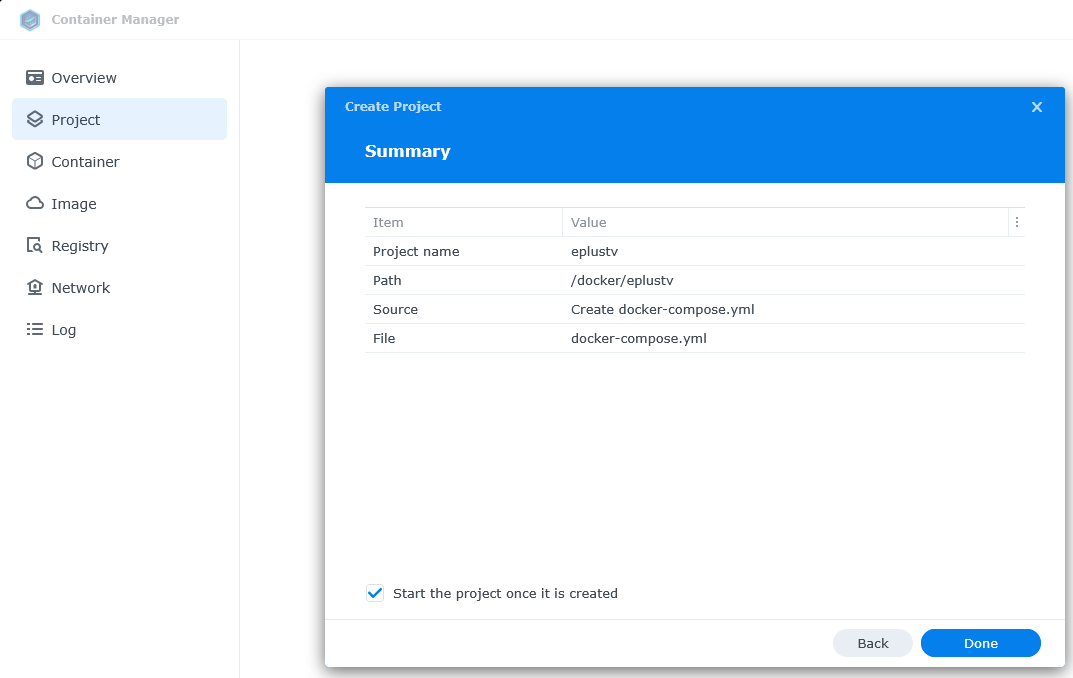
First, create the directory /volume1/docker/eplustv on the Synology
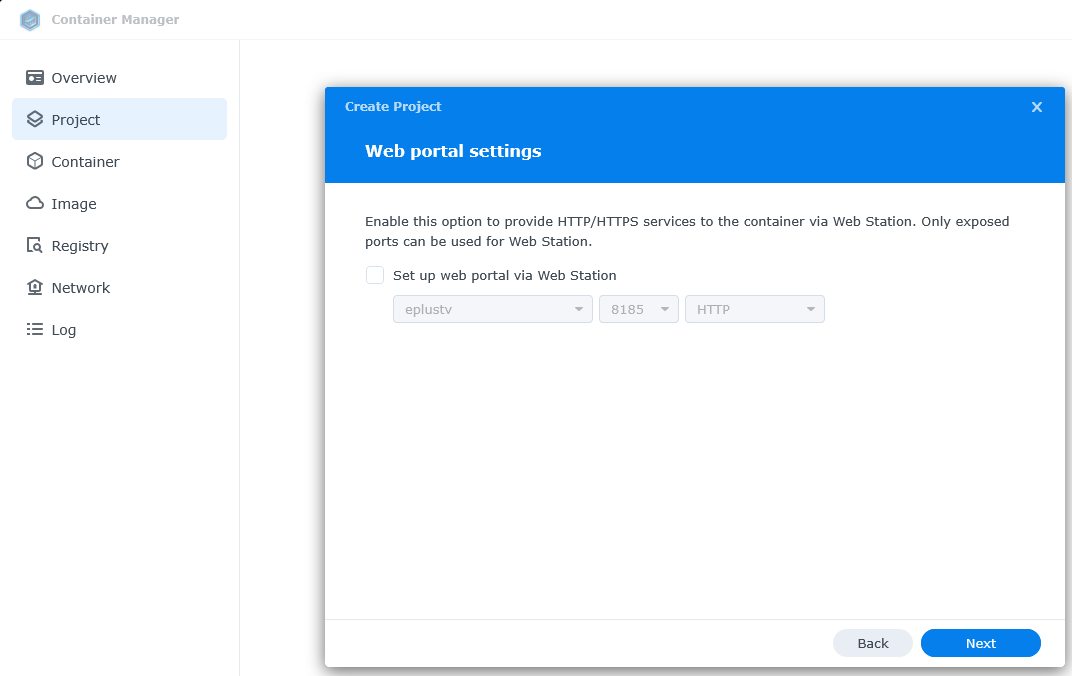
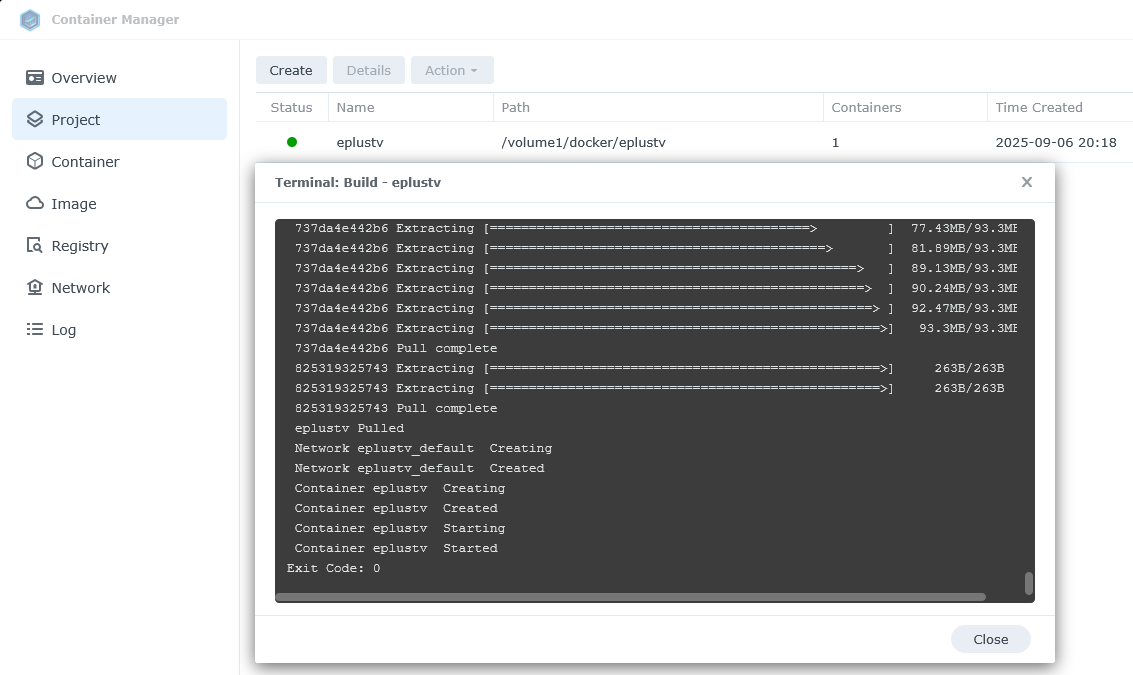
Then you can add it as a Synology Container Manager Project.


copy and paste this in

services:
  # GitHub home for this project with setup instructions: https://github.com/tonywagner/EPlusTV-NEW
  # Docker Hub home for this project: https://hub.docker.com/r/tonywagner/eplustv
  eplustv:
    image: tonywagner/eplustv:latest
    container_name: eplustv
    ports:
      - 8185:8000   # For use with Portainer this port is being mapped to 8185, as Portainer uses port 8000
    environment:
      - PORT=8000   # Port the API will be served on. You can set this if it conflicts with another service in your environment.
    volumes:
      - /volume1/docker/eplustv:/app/config
    restart: unless-stopped


The docker container is now running and can be accessed at port 8185

Hope that helps.

What exactly did you do?

Is it possible to rip a stream from an app?

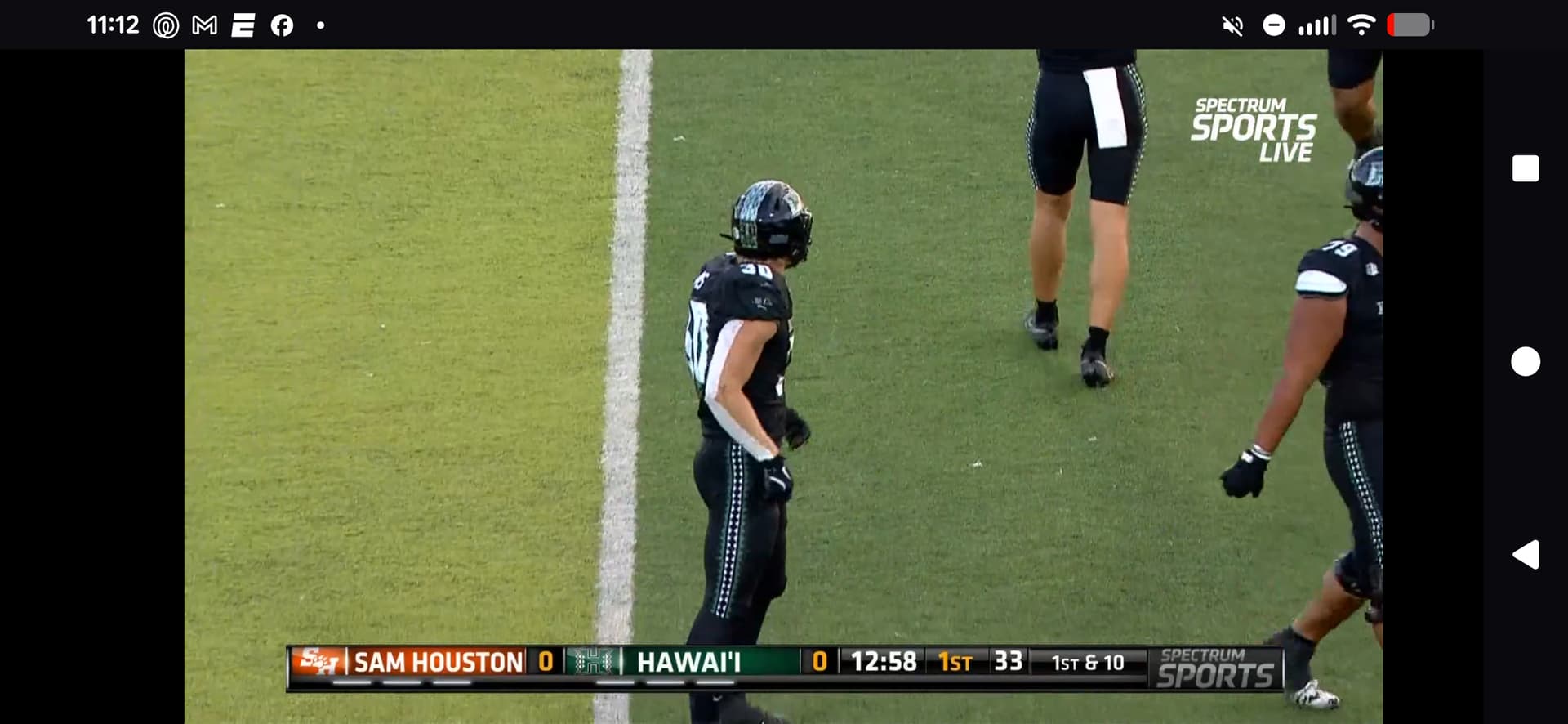
Hawaii games are on spectrum sports or the Mountain west app


ntain west app.

Just logged into foxsports using my YTTV credentials.
It shows FOX NFL Kickoff airing on Fox, so started watching, but it's showing the wrong local station.

So logged into fox and after changing the zip code to mine, it shows my correct local station which is airing Fox News Sunday.
Tried again using the incorrect zip code it guessed at and it still shows my correct local station.
Another try using Xfinity provider and even though it guesses my zip code wrong, it displays the correct station.

foxsports never shows or asks for my zip code, but fox does.

> [email protected] start
> ts-node -r tsconfig-paths/register index.tsx
=== E+TV v4.10.4 starting ===
HTTP server started on port 8000
=== Getting events ===
Looking for FOX Sports events...
=== Done getting events ===
=== Building the schedule ===
=== Done building the schedule ===
> [email protected] start
> ts-node -r tsconfig-paths/register index.tsx
=== E+TV v4.10.4 starting ===
HTTP server started on port 8000
=== Getting events ===
=== Done getting events ===
=== Building the schedule ===
=== Done building the schedule ===
Looking for FOX Sports events...
Fetching local FOX station call sign
Found local FOX station call sign KMPH-DT

KMPH is NOT my local Fox station

I have noticed Fox and it's various iterations have been acting odd since the Fox One app launch. The apps have had missing or incomplete guide data on their app guides for my local station. I'm assuming it is just bugs they will fix. I have also noticed they have audio sync issues, at least on my local station.

I've got Sunday Ticket up and running, but the guide had everything on the wrong channel. I rebuilt the EPG and then reloaded the XML in Channels and they are now playing on the correct channel number, but the AppleTV guide still shows the wrong event name. It also means that my recording didn't start as it started on the wrong channel.

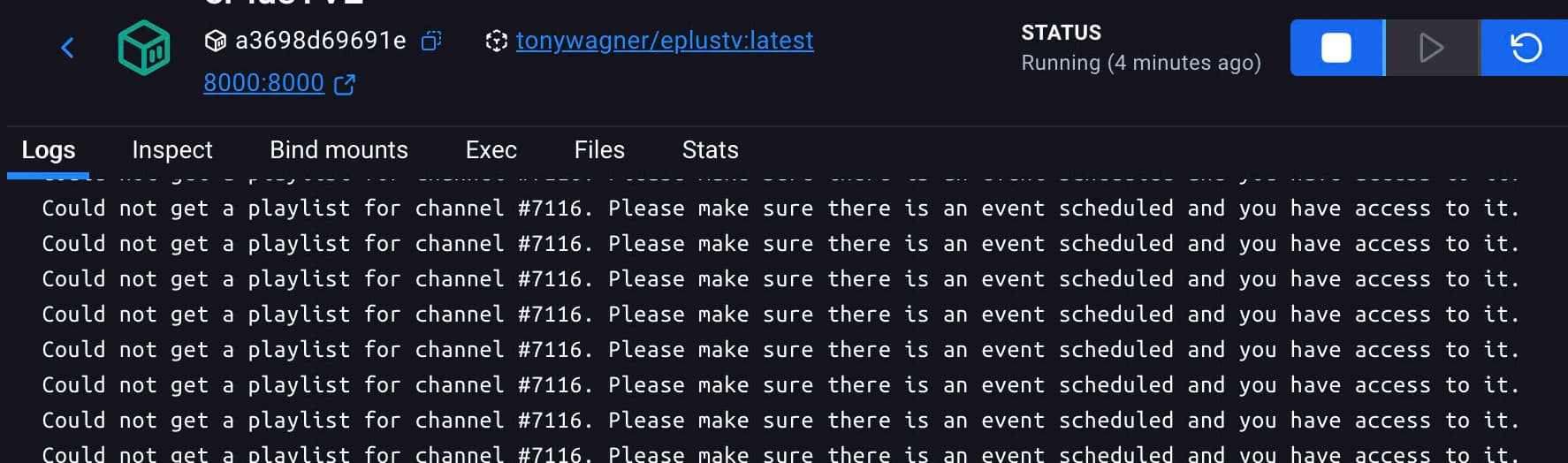
I went into the docker log to see if I could see why the channel changed and couldn't find anything because my log is filled up with

I restarted the container and the channels server and nothing is trying to play on that channel, but it is filling the log. Any ideas what could be causing that? I tried tuning to 7116 in Channels to see if it would change anything or kill the attempt in E+ but it had no effect.

2025/09/07 13:30:19.593565 [SYS] Shutting down...
2025/09/07 13:30:19.632780 [DVR] Recording engine stopped.
2025/09/07 13:30:19.644218 [SYS] Bonjour service stopped.
2025/09/07 13:30:19.646011 [SYS] Goodbye.
2025/09/07 13:30:19.801907 [SYS] Starting Channels DVR v2025.09.07.0359 (darwin-x86_64 pid:85056) in /Users/scott/Library/Application Support/ChannelsDVR/data
2025/09/07 13:30:19.995974 [SYS] Started HTTP Server on 8089
2025/09/07 13:30:20.922146 [HDR] Found 1 devices
2025/09/07 13:30:20.960977 [M3U] Refreshed lineup for EPlusTV with 200 channels
2025/09/07 13:30:20.995517 [M3U] Refreshed lineup for EPlusTVLinear with 16 channels
2025/09/07 13:30:20.996108 [ERR] Failed to request m3u for ITV: Get "http://192.168.4.100:7777/itv/playlist.m3u": dial tcp 192.168.4.100:7777: connect: connection refused
2025/09/07 13:30:21.282974 [M3U] Refreshed lineup for PlutoTV with 399 channels
2025/09/07 13:30:21.287116 [ERR] Failed to request m3u for BBC: Get "http://192.168.4.100:7777/bbc/playlist.m3u": dial tcp 192.168.4.100:7777: connect: connection refused
2025/09/07 13:30:22.622579 [DVR] Waiting 6h28m37s until next job 1757289540-15 90 Day Fiancé: Happily Ever After?
2025/09/07 13:30:23.444527 [DVR] Recording engine started in /Volumes/External990Pro/DVR
2025/09/07 13:30:24.449868 [SYS] Bonjour service registered with TBmbp-2.local
2025/09/07 13:30:24.853902 [SYS] Created database snapshot: backup-20250907.173024
2025/09/07 13:30:24.854118 [SYS] Removing old backup backup-20250821.210017
2025/09/07 13:30:29.552978 [NAT] Successfully mapped port 8089 using upnp
2025/09/07 13:30:32.675772 [IDX] Pruned 73 expired airings from XMLTV-PlutoTV in 161ms.
2025/09/07 13:30:32.675959 [IDX] Pruned 0 expired airings from X-VIRTUAL in 109µs.
2025/09/07 13:30:32.809417 [IDX] Pruned 18 expired airings from USA-OTA33803 in 114ms.
2025/09/07 13:30:32.967336 [IDX] Pruned 15 expired airings from X-TVE in 138ms.
2025/09/07 13:30:33.104695 [IDX] Pruned 10 expired airings from X-M3U in 117ms.
2025/09/07 13:30:33.104864 [IDX] Pruned 0 expired airings from XMLTV-EPlusTV in 90µs.
2025/09/07 13:31:05.101154 [TNR] Opened connection to M3U-EPlusTV for ch7023 EPlusTV 7023
2025/09/07 13:31:21.290091 [ERR] Failed to request m3u for ITV: Get "http://192.168.4.100:7777/itv/playlist.m3u": dial tcp 192.168.4.100:7777: connect: connection refused
2025/09/07 13:31:21.290479 [ERR] Failed to request m3u for BBC: Get "http://192.168.4.100:7777/bbc/playlist.m3u": dial tcp 192.168.4.100:7777: connect: connection refused
2025/09/07 13:32:46.345942 [ERR] Failed to start stream for ch7116: M3U: Could not fetch playlist from 192.168.4.100:8000: GET: http://192.168.4.100:8000/channels/7116.m3u8: 404 Not Found
2025/09/07 13:32:46.356338 [HLS] Couldn't generate stream playlist for ch7116-dANY-518c417bf410: M3U: Could not fetch playlist from 192.168.4.100:8000: GET: http://192.168.4.100:8000/channels/7116.m3u8: 404 Not Found
2025/09/07 13:32:46.356426 [HLS] Stopping transcoder session ch7116-dANY-518c417bf410 (out=0s finished=false first_seq=0 last_seq=-1)
2025/09/07 13:32:47.376293 [ERR] Failed to start stream for ch7116: M3U: Could not fetch playlist from 192.168.4.100:8000: GET: http://192.168.4.100:8000/channels/7116.m3u8: 404 Not Found
2025/09/07 13:32:47.376371 [HLS] Couldn't generate stream playlist for ch7116-dANY-518c417bf410: M3U: Could not fetch playlist from 192.168.4.100:8000: GET: http://192.168.4.100:8000/channels/7116.m3u8: 404 Not Found
2025/09/07 13:32:47.376468 [HLS] Stopping transcoder session ch7116-dANY-518c417bf410 (out=0s finished=false first_seq=0 last_seq=-1)
2025/09/07 13:32:48.366277 [ERR] Failed to start stream for ch7116: M3U: Could not fetch playlist from 192.168.4.100:8000: GET: http://192.168.4.100:8000/channels/7116.m3u8: 404 Not Found
2025/09/07 13:32:48.380253 [HLS] Couldn't generate stream playlist for ch7116-dANY-518c417bf410: M3U: Could not fetch playlist from 192.168.4.100:8000: GET: http://192.168.4.100:8000/channels/7116.m3u8: 404 Not Found
2025/09/07 13:32:48.380342 [HLS] Stopping transcoder session ch7116-dANY-518c417bf410 (out=0s finished=false first_seq=0 last_seq=-1)
2025/09/07 13:32:49.405399 [ERR] Failed to start stream for ch7116: M3U: Could not fetch playlist from 192.168.4.100:8000: GET: http://192.168.4.100:8000/channels/7116.m3u8: 404 Not Found
2025/09/07 13:32:49.405577 [HLS] Couldn't generate stream playlist for ch7116-dANY-518c417bf410: M3U: Could not fetch playlist from 192.168.4.100:8000: GET: http://192.168.4.100:8000/channels/7116.m3u8: 404 Not Found
2025/09/07 13:32:49.405670 [HLS] Stopping transcoder session ch7116-dANY-518c417bf410 (out=0s finished=false first_seq=0 last_seq=-1)
2025/09/07 13:32:50.385603 [ERR] Failed to start stream for ch7116: M3U: Could not fetch playlist from 192.168.4.100:8000: GET: http://192.168.4.100:8000/channels/7116.m3u8: 404 Not Found
2025/09/07 13:32:50.398938 [HLS] Couldn't generate stream playlist for ch7116-dANY-518c417bf410: M3U: Could not fetch playlist from 192.168.4.100:8000: GET: http://192.168.4.100:8000/channels/7116.m3u8: 404 Not Found
2025/09/07 13:32:50.399007 [HLS] Stopping transcoder session ch7116-dANY-518c417bf410 (out=0s finished=false first_seq=0 last_seq=-1)
2025/09/07 13:32:51.418233 [ERR] Failed to start stream for ch7116: M3U: Could not fetch playlist from 192.168.4.100:8000: GET: http://192.168.4.100:8000/channels/7116.m3u8: 404 Not Found
2025/09/07 13:32:51.418397 [HLS] Couldn't generate stream playlist for ch7116-dANY-518c417bf410: M3U: Could not fetch playlist from 192.168.4.100:8000: GET: http://192.168.4.100:8000/channels/7116.m3u8: 404 Not Found
2025/09/07 13:32:51.418933 [HLS] Stopping transcoder session ch7116-dANY-518c417bf410 (out=0s finished=false first_seq=0 last_seq=-1)
2025/09/07 13:32:52.399831 [ERR] Failed to start stream for ch7116: M3U: Could not fetch playlist from 192.168.4.100:8000: GET: http://192.168.4.100:8000/channels/7116.m3u8: 404 Not Found
2025/09/07 13:32:52.407313 [HLS] Couldn't generate stream playlist for ch7116-dANY-518c417bf410: M3U: Could not fetch playlist from 192.168.4.100:8000: GET: http://192.168.4.100:8000/channels/7116.m3u8: 404 Not Found
2025/09/07 13:32:52.407389 [HLS] Stopping transcoder session ch7116-dANY-518c417bf410 (out=0s finished=false first_seq=0 last_seq=-1)
2 Likes

Thanks so much for this! I created the Project in Container Manager, and enabled on the Fire TV client. Added Source and Guide Data links from EPlusTV web page using port 8185. Created a "EplusTV" Collection.

When I try to access a channel in this collection, within the guide, I see that the guide just shows "EPlusTV1, EplusTV2, and so on as channels. No guide data.

When I click a channel, error is "connection lost" and I see it is trying to access Port 8089 instead of 8185 in the error message link.

Normal for a client that has to connect to the DVR Server at port 8089 to get the stream.
Port 8185 is used by the DVR Server to talk to the container.
[CLIENT] > port8089[SERVER] > port8125[E+CONTAINER]

That's how it works based on how you set it up. It only has guide data for the time when there's a sports related airing. If you enable and use linear channels it will look like you expect on those linear channels.

And I just learned all this yesterday after installing it for the first time.

Apparently the Fox Sports site guesses your local callsign based on geolocating your IP. E+TV just uses whatever callsign Fox Sports returns. Since it is only for pulling flagship Fox sporting events, its accuracy shouldn’t really matter.

Should have no bearing on a potential Fox One provider.

OK. I agree it shouldn't matter unless you enable a local Fox linear channel.
Strange that fox.com shows me the same, wrong zip code even when using Safari from my iPhone over cellular (with WiFi disabled).

And just for grins, I enabled location services for Safari on my iPhone and fox now thinks I'm in Central Oregon :rofl:

1 Like

Ok, are you saying the reason for the error is that there is no programming on that channel? How could all 200 channels not have any programming? DO I need to change any settings in any way?

You need to become familiar with how this project works.
Start by reading the first post.

Anyone else have inconsistent access to NFL Games using NFL Sunday Ticket through EPlus? For 1:00 games I was able to get all but Cincy/Cleveland, and afternoon games I'm currently only able to get Houston/LA games (no, none of those are local market games for me) but not SF/SEA game (I get GB/DET locally).

When setting up Channel Collections for Sports, I realize Genres can be used to INCLUDE the specific sports programming one wants to see. Is there a setting option that will do the opposite - EXCLUDE certain types of programming? For example, I do not need to see programming, in the guide, that is in languages that I do not speak or understand.

Tony, would you be able to scrape youtube.com games and scrape them in this thing too? Would work a lot better than chrome capture I would imagine.

NFL game September 5 just played on youtube.com and random WWE and MLB events occur too.

Maybe use a scapper that pulls from this?

1 Like

The NFL game on YT was a one-off, and MLB hasn't had a live game on YT in 3 years.

The PWHL provider in E+TV plays YT live streams, but it scrapes the schedule from elsewhere.
You could base a new provider on that one, but depending on the content, you may be better off just using the Playlist Manager for Channels to integrate your preferred YT content.

The livesportsontv.com link you provided shows some (very) small college games, but unless it actually links them to a live stream or YT channel, it may not be very useful.

1 Like