Failed To Record An Episode

Channels DVR failed to record a series episode. It claims that it's both "new" and "Recorded":
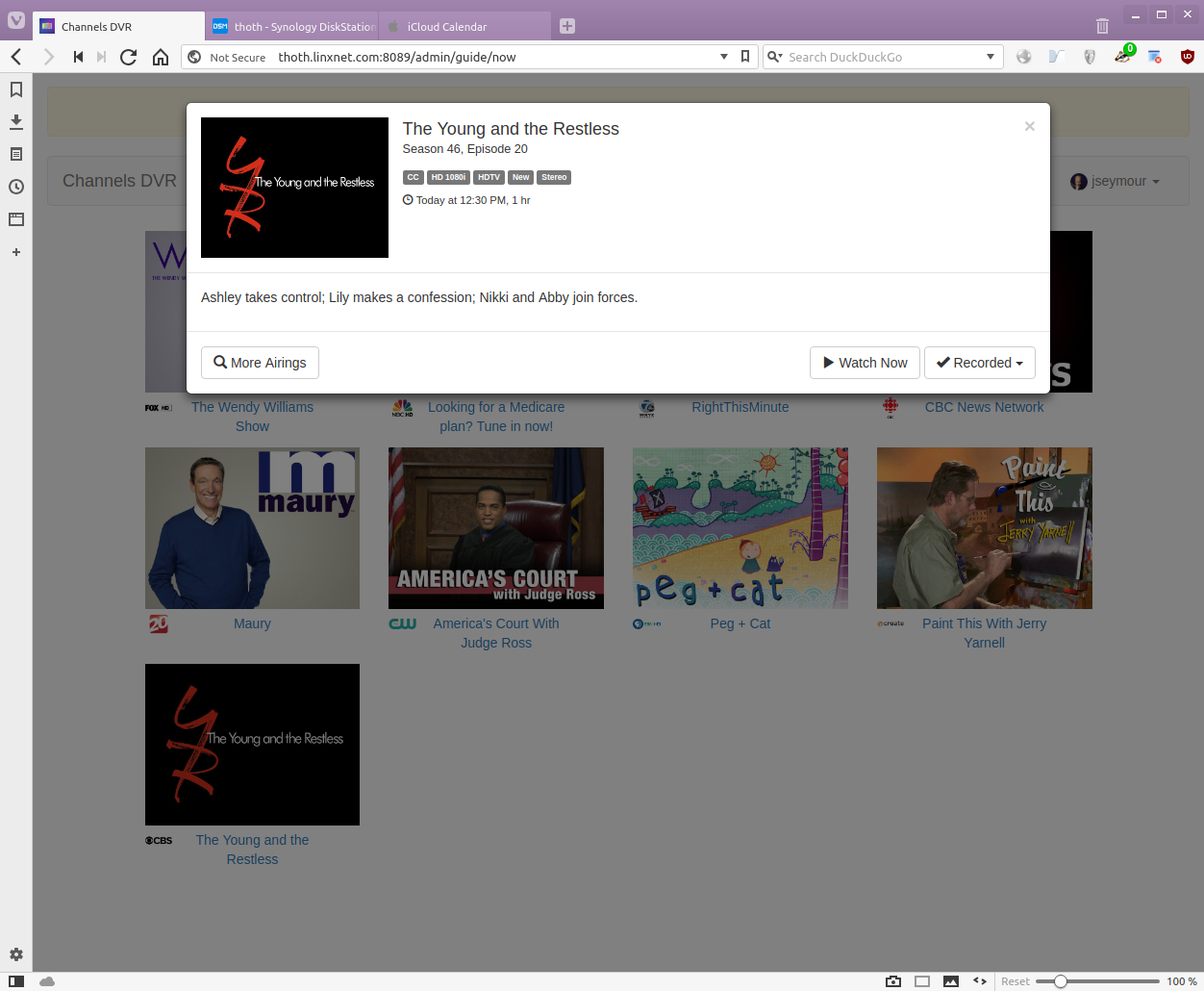
However, it is neither recorded nor is it being recorded.

As you can see: The guide metadata claims this is Season 46, Episode 20. Looking in the log I see:

2018/09/28 12:30:00 [DVR] Recording for job 1538152200-2 from 1071C7C8 ch62.1 into "TV/The Young and the Restless/The Young and the Restless S46E20 2018-09-27
....
2018/09/30 14:16:32 [DVR] Deleting /volume1/channels-dvr/TV/The Young and the Restless/The Young and the Restless S46E20 2018-09-27 2018-09-28-1230.mpg

So it thinks the episode has already been recorded (and deleted after having been watched). Yet my wife claims she has not seen this episode.

Gracenote screwup?

While I'm at it: To get the log I had to copy-n-paste it from the web interface. Where is it located in the .../channels-dvr/... directory hierarchy, please?

That does sound like a GN screwup. They must have assigned the same episode ID to a re-run or something.

Maybe we can be smarter about this somehow and force-record anything marked “New”.

The log file is at /volume1/@appstore/ChannelsDVR/channels-dvr/data/channels-dvr.log

I was thinking about that and thinking maybe that’d be a good idea.

Maybe make it a system-wide default the user can change and allow it to be toggled on a per-Pass basis?

Also it might be easier to diagnose these things, when they happen, if there was a log entry indicating why something wasn’t recorded? I know the log’s already pretty busy, but I was only able to figure this one out because the episode was still running and, being an ex-SysAdmin, I’m used to hand-parsing logfiles. If, for example, my wife hadn’t discovered this until after-the-fact, I’d have been hosed for an answer. (I wouldn’t have been able to see the current episode’s metadata.)

Maybe not log everything that’s not recorded, but only those that don’t make sense? As in “marked ‘new’ but I’ve already recorded it?”